
Workflows Pro Plan - New Pricing Tiers
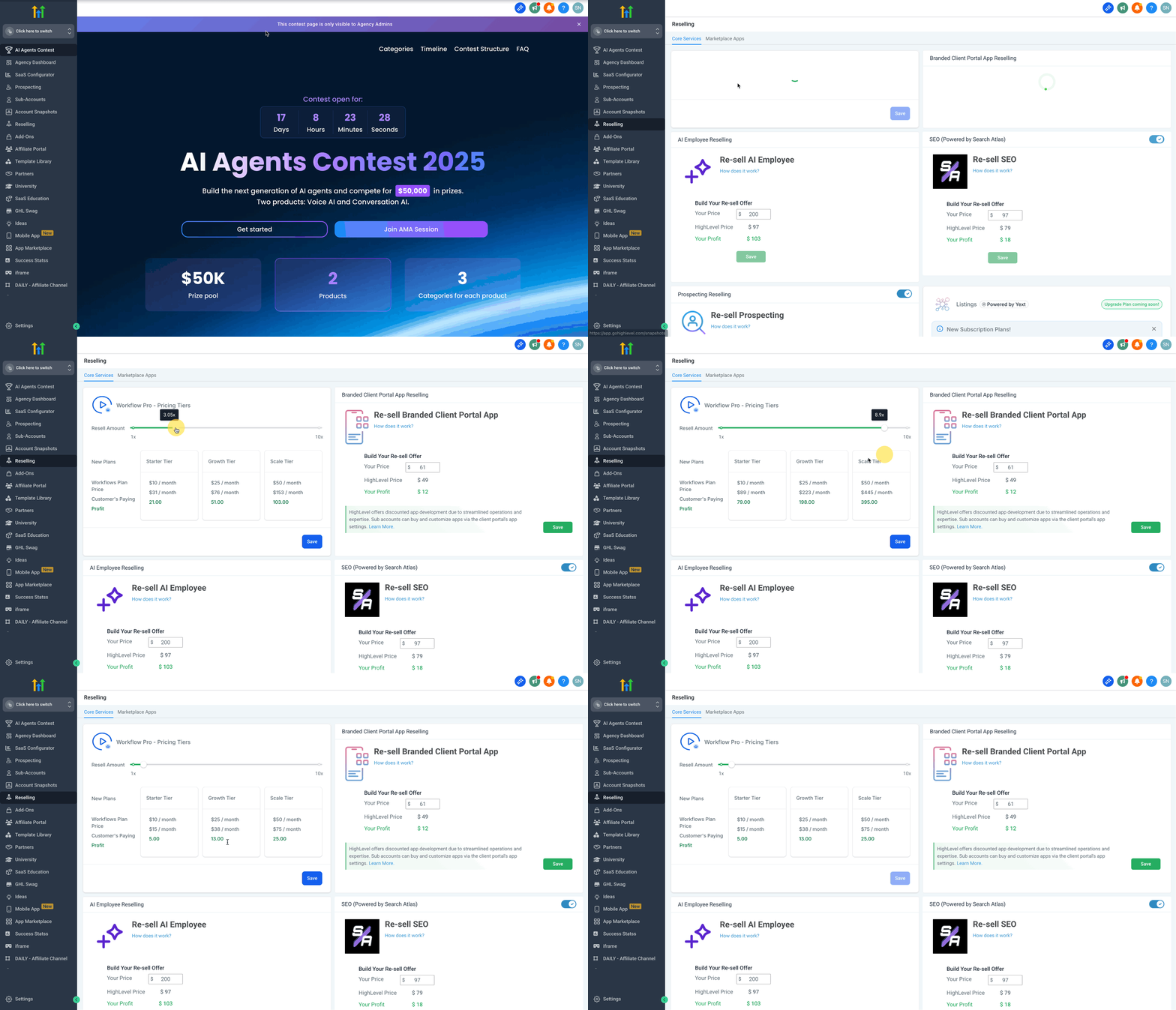
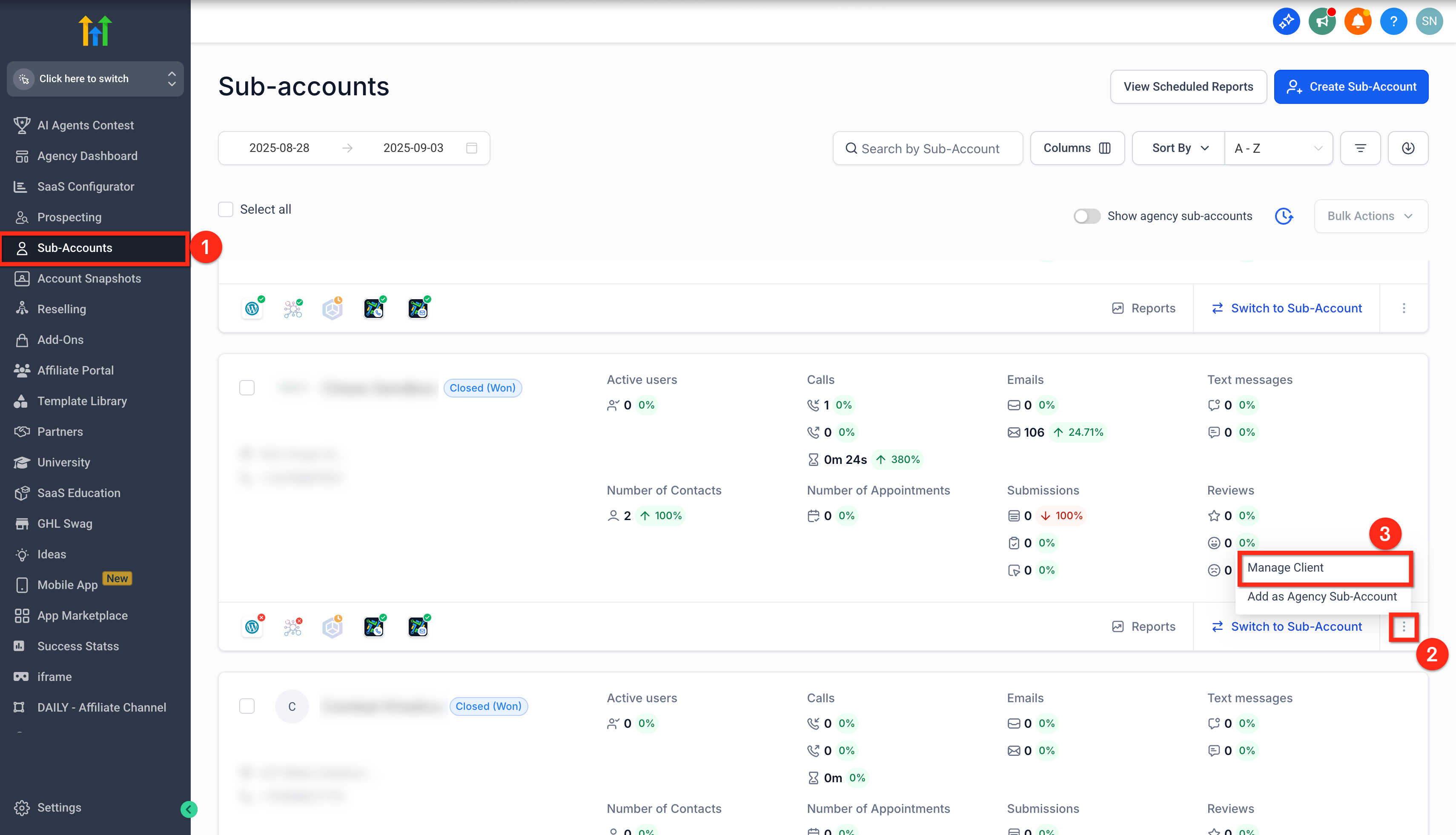
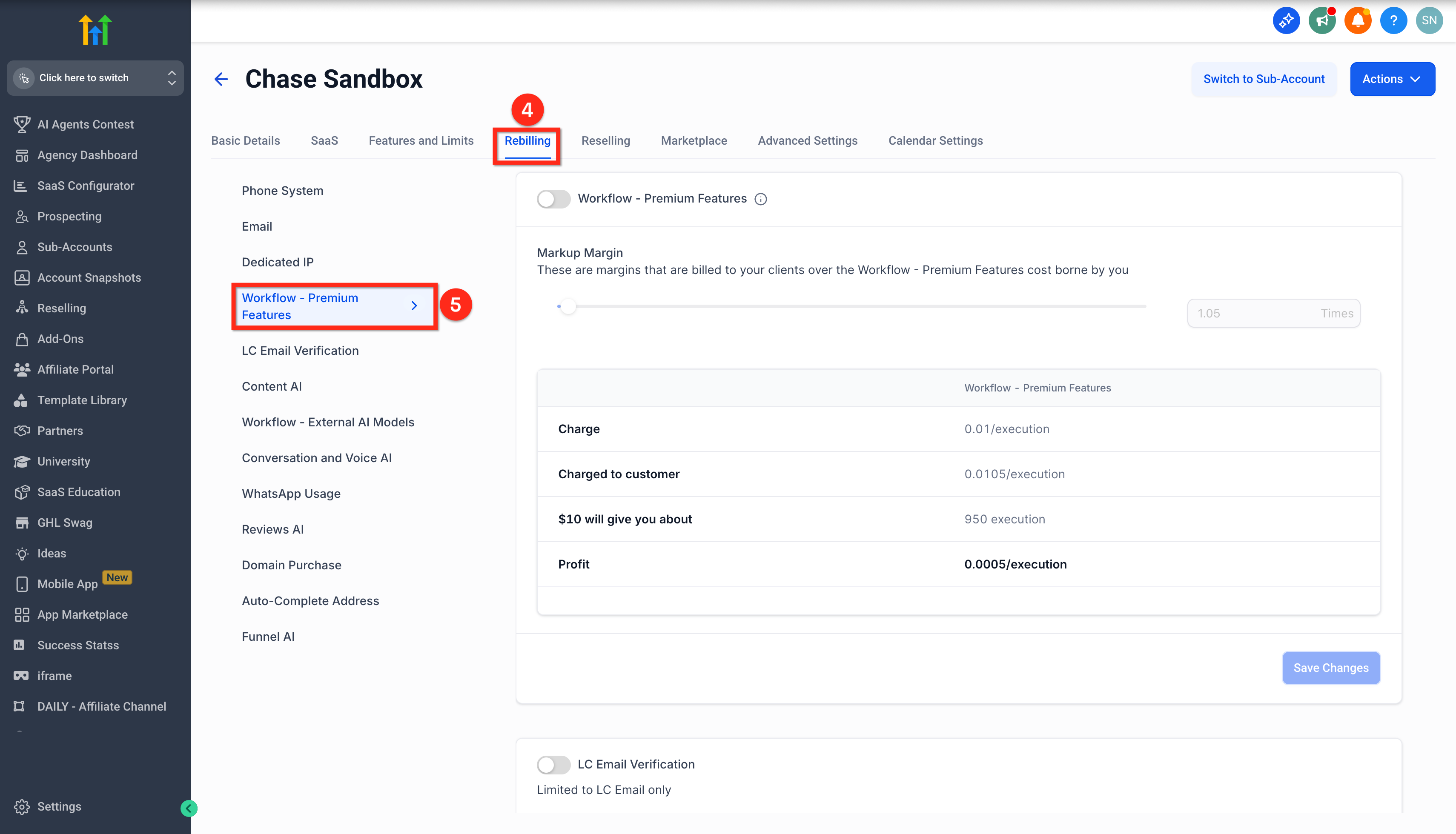
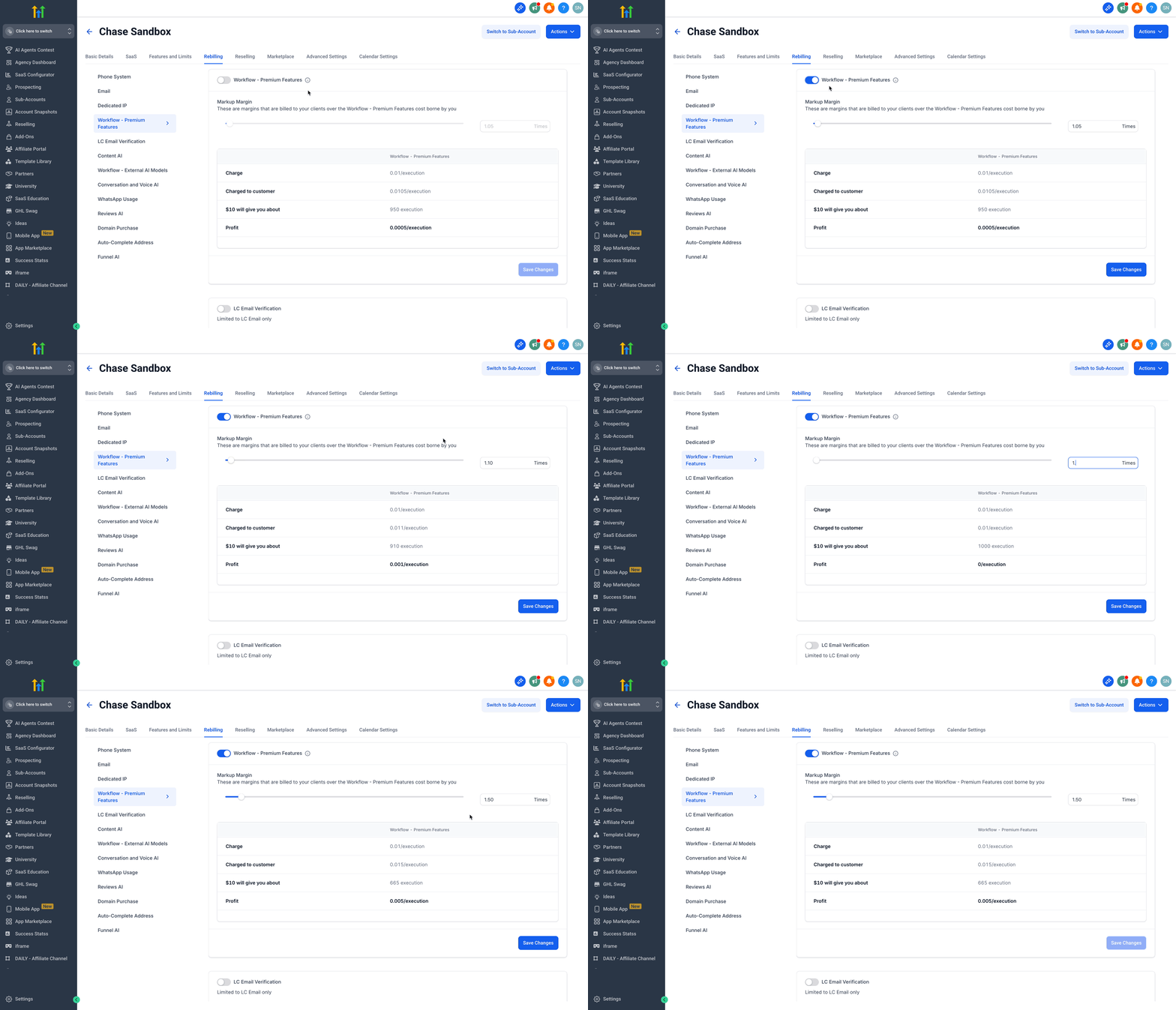
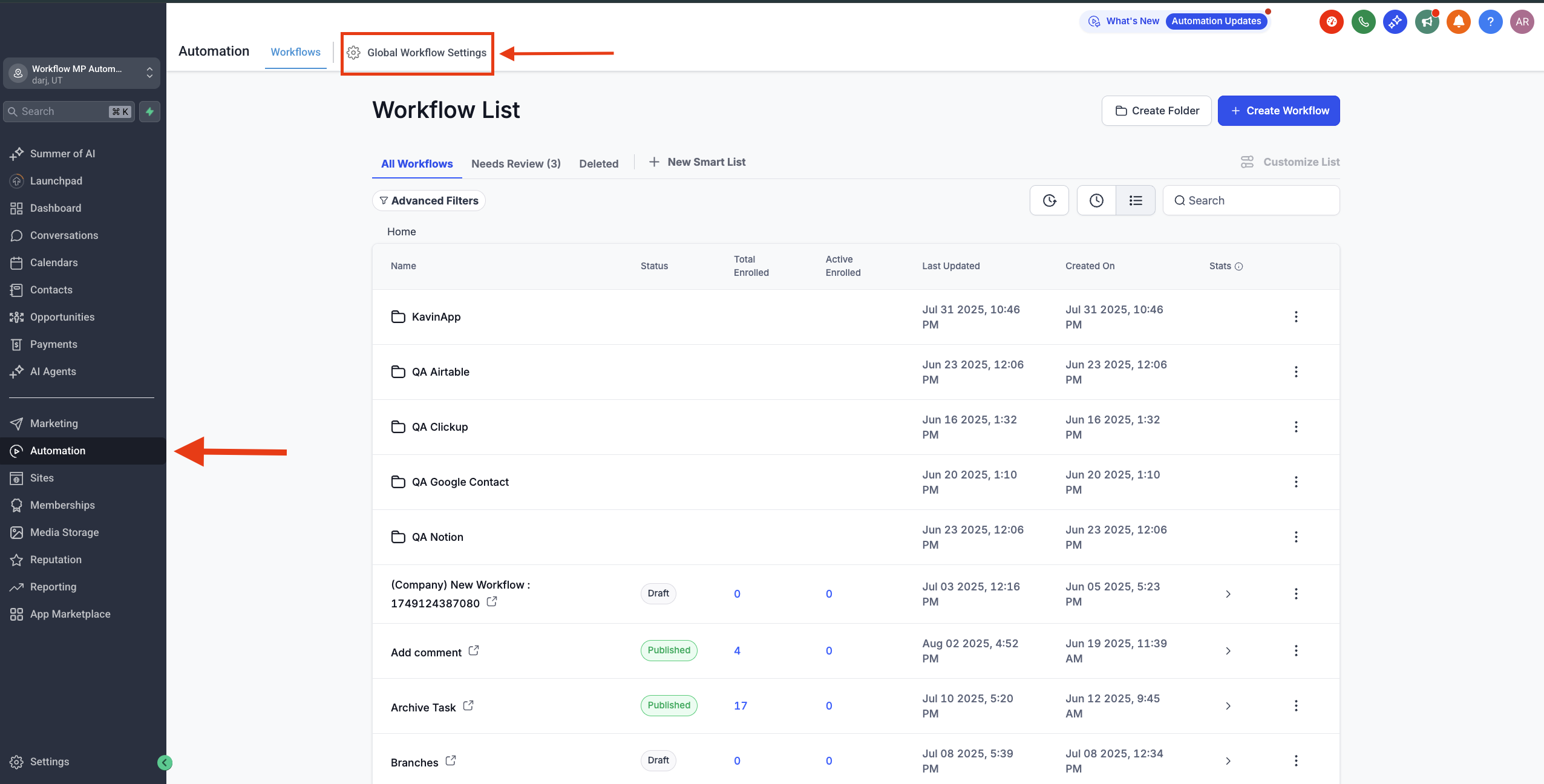
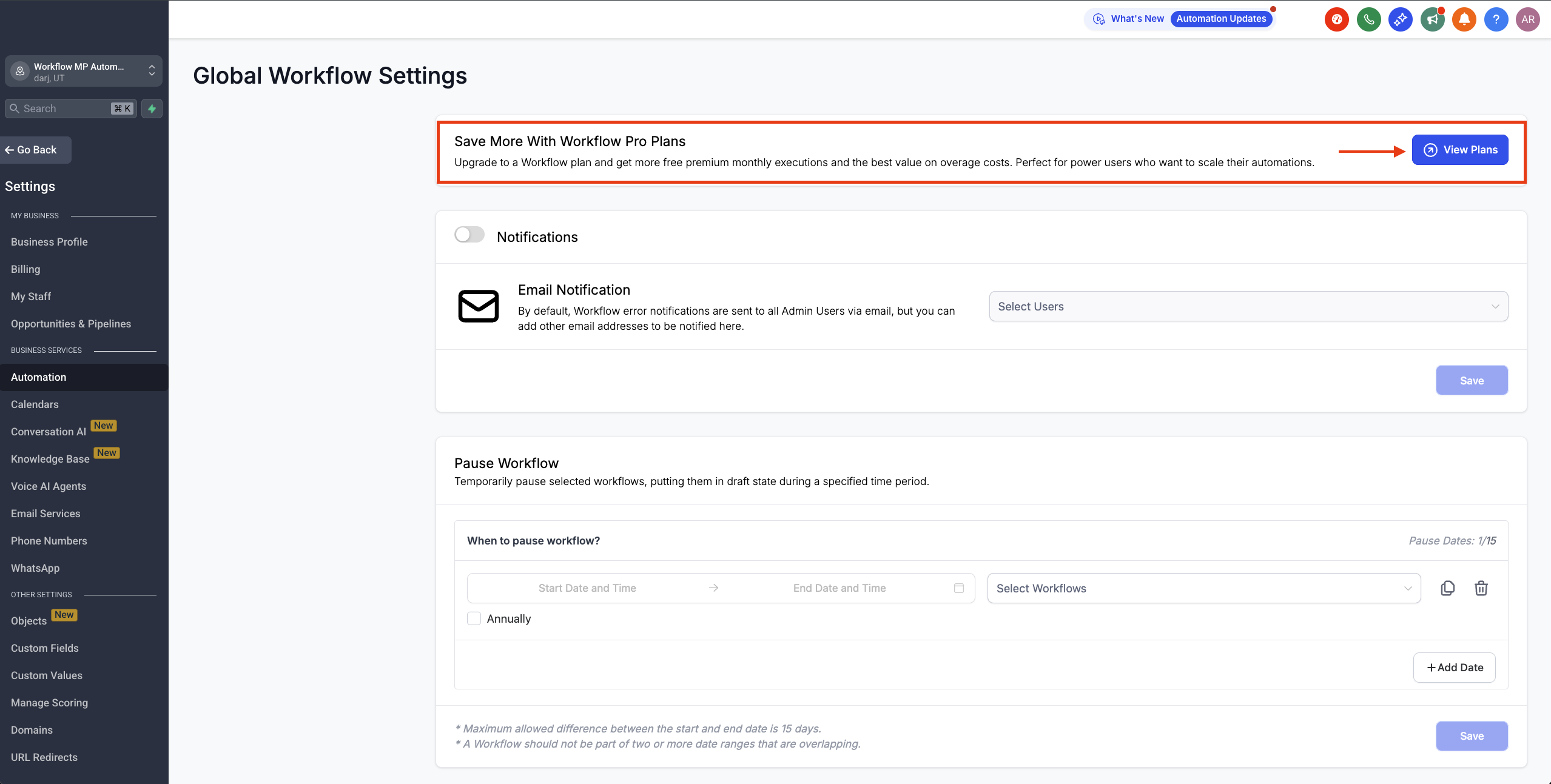
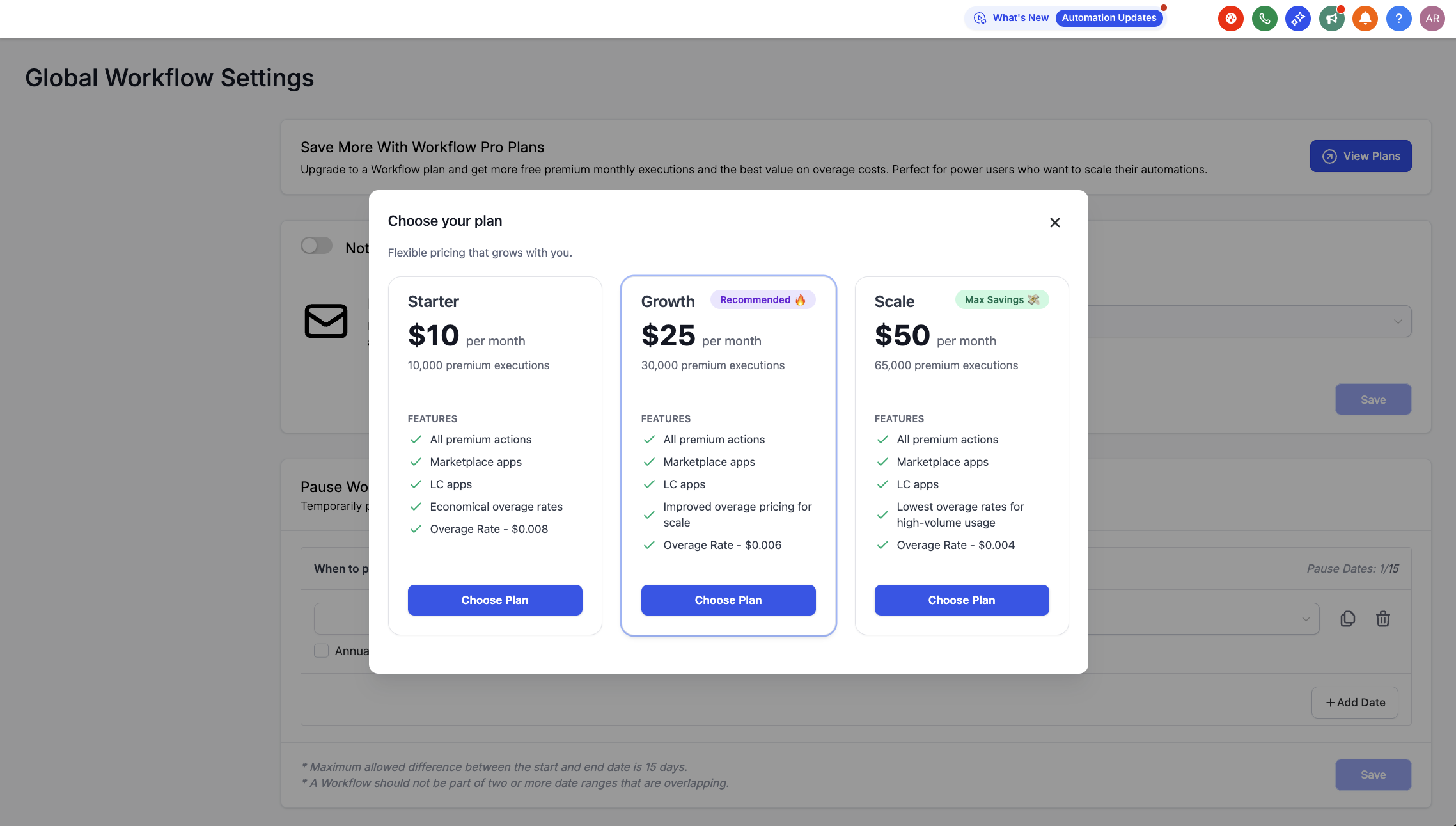
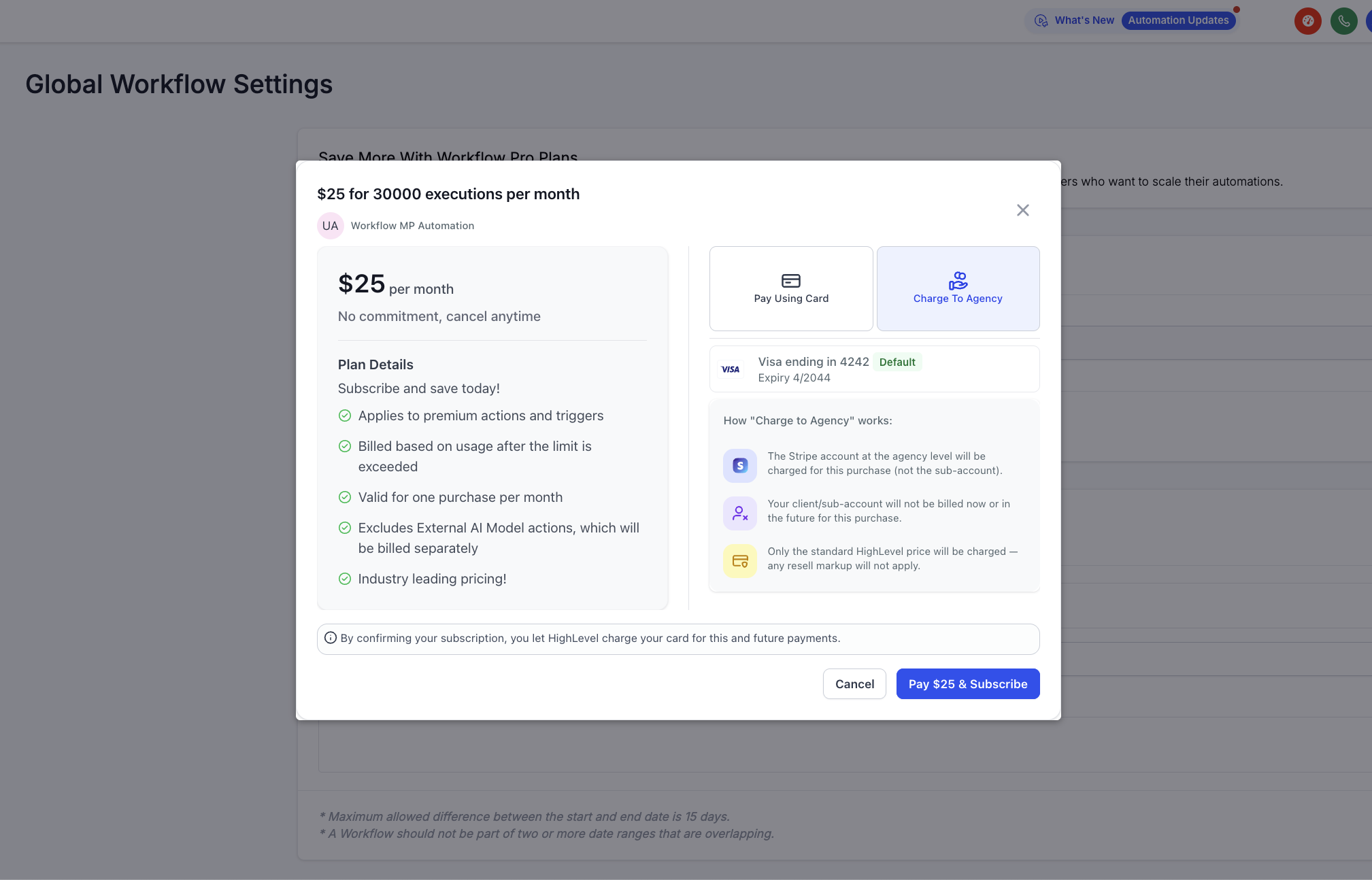
The new volume‑based pricing tiers for Workflows Premium Actions give every account—from side‑project creators to enterprise automation teams, a lower entry point and more predictable scaling path. Four flexible tiers replace the single Pro Plan, this ensures that you get the most out of your premium executions with the best pricing in the industry. This article explains the tiers, how executions and overages work, and how to purchase a plan. * * * ## How to Resell Work Pro Plan 1. Login to your agency account. 2. Navigate to Reselling > Workflow Pro section. 3. Adjust the resell amount markup multiplier. (the multiplier applies across all pricing tiers) 4. Click on the Save button.!(https://assets.patientcopilot.ai/240855e0dad1c8e0.gif) * * * ## How to Enable Rebilling for a Sub-Account 1. From your agency account, click on the Sub-Accounts tab. 2. Find the sub-account and click the three dots next to switch sub-account button. 3. Click on Manage Client.!(https://assets.patientcopilot.ai/e12d84e92c94aaee.png) 4. Click on the Rebilling tab. 5. Then click on the Workflow - Premium Features tab.!(https://assets.patientcopilot.ai/a07fab7d9cbedc5d.png) 6. Toggle on Workflow - Premium Features. 7. Set Markup Margin. 8. Click on the Save Changes Button.!(https://assets.patientcopilot.ai/5c685190051ee1f0.gif) * * * ## How to Purchase a Plan for a Sub-Account 1. From the sub-account, navigate to Automations and click Global Workflow Settings!(https://assets.patientcopilot.ai/d5127c097eca350b.png) 2. Find the Workflow Pro Plans banner and click View Plans.!(https://assets.patientcopilot.ai/75f006cddddb7eaf.png) 3. Click on the Choose Plan button for the plan of your choice.!(https://assets.patientcopilot.ai/37320047a35e52c2.png) 4. Click Pay and Subscribe for the Workflow Pro Plan. You’ll see the monthly executions included in your selected plan.!(https://assets.patientcopilot.ai/9f7c6956b8ef63fc.png) * * * ## What changes for you? - New pricing tiers are visible only to agency admins at launch.
- Agencies start with a default 1.2x markup (20% profit) unless existing custom multipliers are already set.
- Current Pro Plan users will be automatically moved to the Starter tier (nth) — no action required. * * * ## Frequently Asked Questions **Q: What pricing tiers are available for Workflows Premium Actions? **Free, Starter, Growth, and Scale, each with its own execution bundle and overage rate. **Q: What counts as an execution—and which executions count toward my limit? **An execution is a premium action run (from Premium Triggers/Actions, Marketplace apps, or LC Apps). Standard workflow actions and external AI model executions do not count toward the monthly limit. **Q: Is the execution allowance per account or per sub-account? **Per sub-account. **Q: When do executions reset? **They reset with your billing cycle. If you change plans mid-cycle, remaining executions carry over to the end of the next billing cycle. **Q: How are overages billed if I exceed my monthly allowance? **Extra executions are billed at the overage rate for your tier. **Q: What happens if a workflow hits the limit mid-run? **Workflows continue processing; overage charges apply according to your tier. **Q: Do existing Workflow Pro plan users need to do anything? **No. Current Pro users are automatically moved to the Starter tier (nth). **Q: Who can see the new pricing tiers at launch? **Initially, only agency admins can view them for centralized billing control. **Q: Are reselling and rebilling supported on these tiers? **Yes—reselling and rebilling are available on all tiers. * * * ## Related Articles - Getting Started with Workflows
- Workflow Builder Walkthrough
- How to enable and rebill Premium Features for Workflows
- Comprehensive workflow stats Was this article helpful? That’s Great! Thank you for your feedback Sorry! We couldn’t be helpful Thank you for your feedback Feedback sent We appreciate your effort and will try to fix the article