
Workflow Trigger - Contact Tag
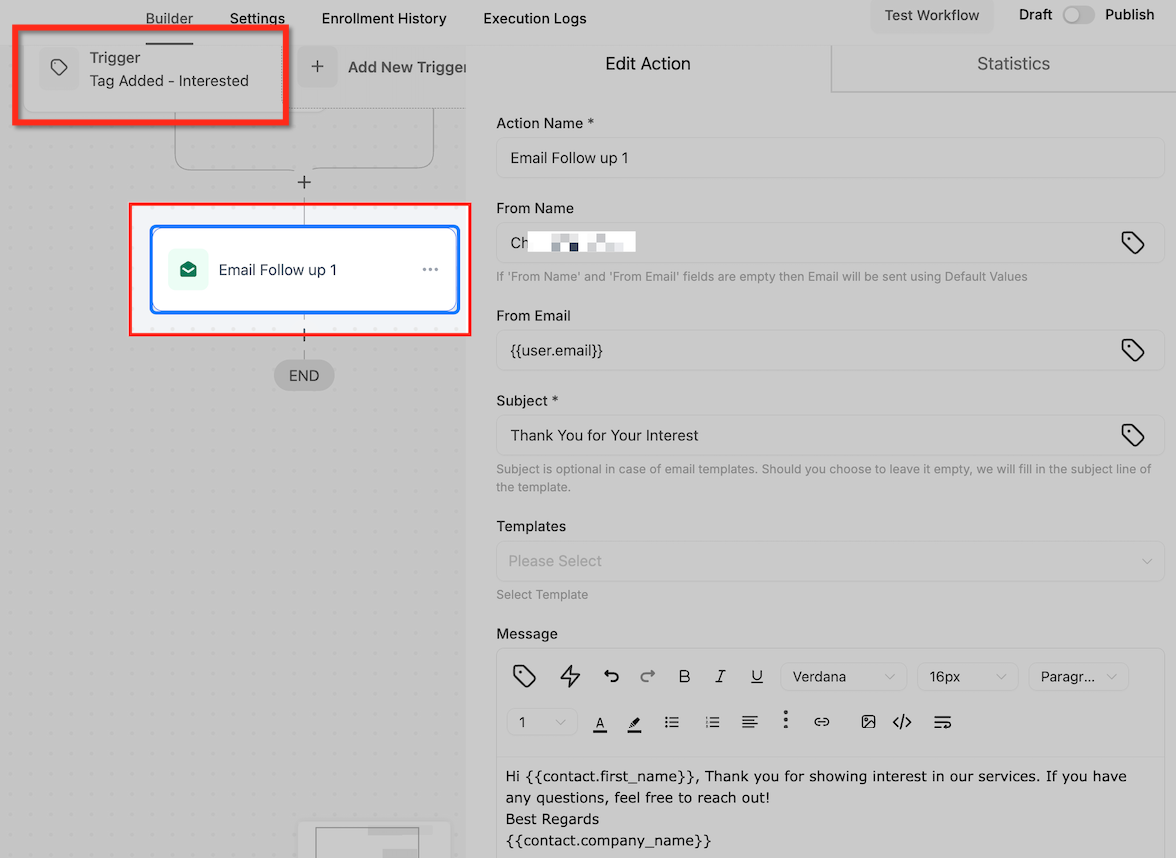
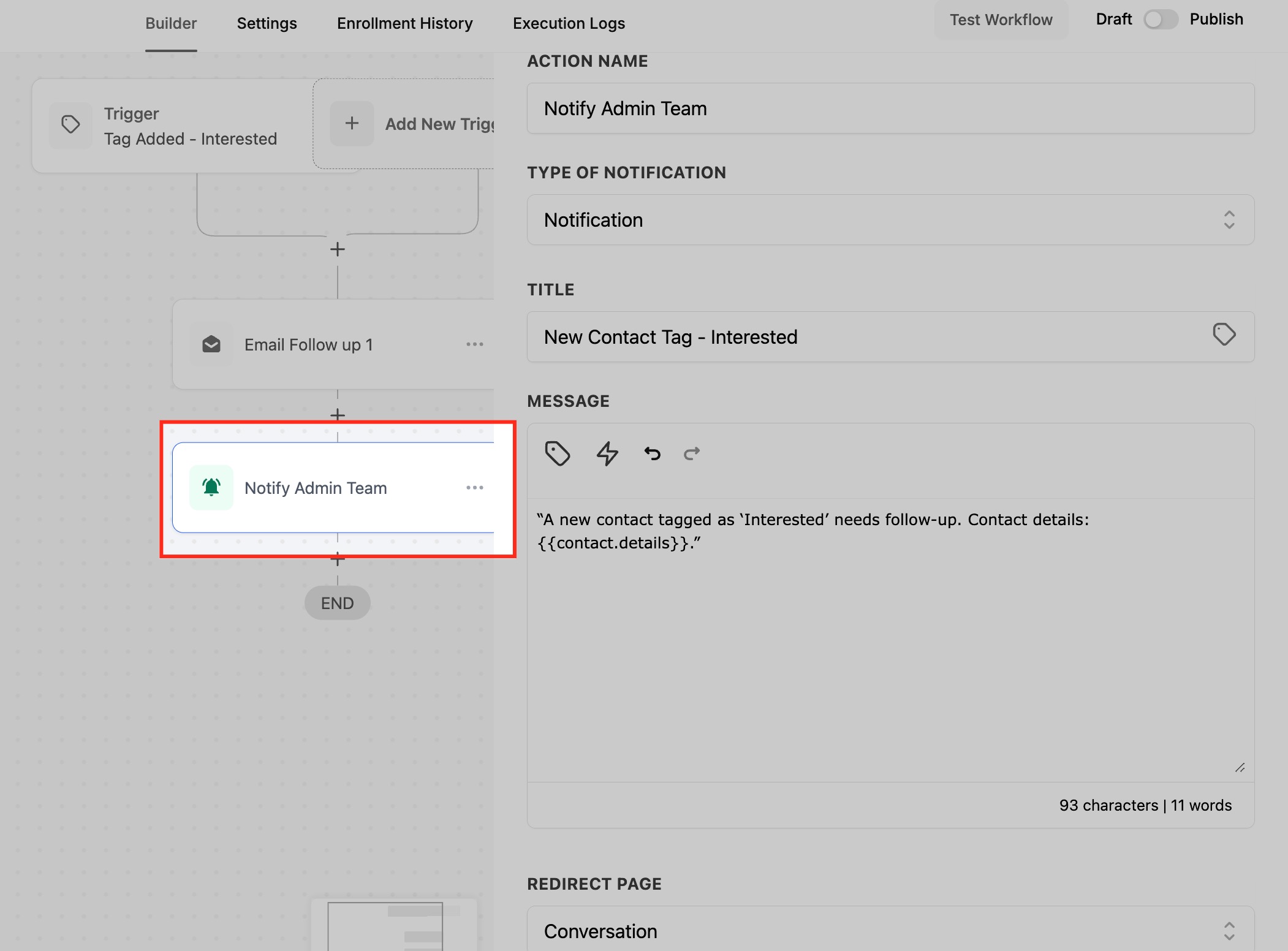
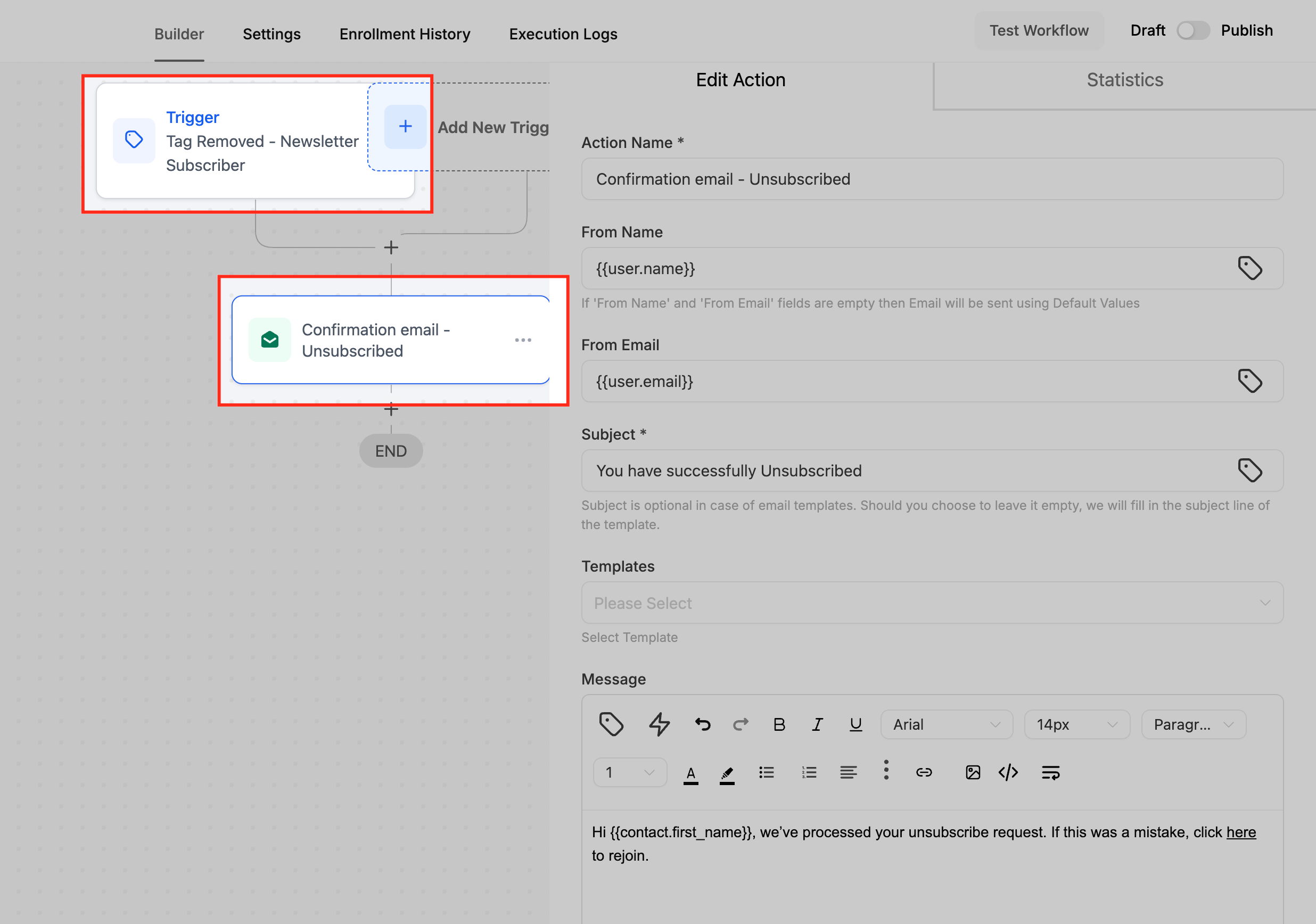
This article explains the Contact Tag Workflow Trigger in Patient Copilot, detailing how it can automate workflows when tags are added or removed from a contact. Learn how to set it up, explore advanced use cases, and troubleshoot common issues. * * * ### ## Actions for Tag Added Send an Email or SMS: Example: When the “Interested” tag is added, send a follow-up email:Subject: “Thank You for Your Interest!”Body: Hi {{contact.first_name}}, Thank you for showing interest in our services. If you have any questions, feel free to reach out! Best regards, [Your Company Name]!(https://assets.patientcopilot.ai/15f85d43d28d7aa0.png) Notify Your Team: Send an internal notification to your sales team: “A new contact tagged as ‘Interested’ needs follow-up. Contact details: {{contact.details}}.”!(https://assets.patientcopilot.ai/3fb4c2f51406d860.jpg) ## Actions for Tag Removed Send a Re-Engagement Email or SMS: Example: When the “Newsletter Subscriber” tag is removed, send this message: “Hi {{contact.first_name}}, we’ve processed your unsubscribe request. If this was a mistake, click here to rejoin.” Ask for Feedback: Send a survey or feedback request to understand why the tag was removed.!(https://assets.patientcopilot.ai/599b58c047ab4091.png) * * * ### Advanced Use Cases 1. Combining Multiple Triggers - Use “Contact Created” and “Contact Tag” triggers together to welcome new leads and assign them to specific sales teams.
- Flowchart Example: Contact Created ➔ Tag Added ➔ Workflow Triggered. 3. Dynamic Customer Segmentation - Automatically update tags based on customer behavior (e.g., purchases, website visits) to personalize marketing campaigns * * * ### Common Errors and Troubleshooting - Duplicate Tags: Ensure tags are unique and descriptive to avoid confusion in workflows.
- Inactive Workflow: Double-check that your workflow is published and active.
- Missing Actions: Verify that all actions linked to the trigger are correctly configured.
- Overlapping Workflows: Avoid setting up multiple workflows with the same trigger to prevent unintended actions. * * * ### Cross-References to Related Articles - Standard Triggers - Contact Tag
- A List of Workflow Triggers
- Action - Add Contact Tag
- Workflow Trigger - Contact Changed
- Workflow Trigger - Contact Created * * * ### Frequently Asked Questions Q: Can tags trigger workflows retroactively? No, tags trigger workflows only when they are added or removed after the workflow is active. Q: How do I manage a large number of tags? Use clear naming conventions and periodically review your tags to remove duplicates or inactive tags. Q: What happens if multiple workflows use the same tag as a trigger? All workflows with the same trigger will activate simultaneously. Plan triggers carefully to avoid unintended overlaps. Q: Can tags be used across multiple automations? Yes, tags can be used in various workflows, campaigns, and pipeline stages for seamless integration. * * *