Prospecting Widgets: Multi-Language Support & Localization Improvements
Prospecting Widgets now fully support multi-language functionality. All system-generated text — including field labels, validation messages, submit buttons, email communication, and PDF report links — automatically adapts to the user’s preferred platform language. This ensures a consistent localized experience across embedded widgets, emails, and exported reports. * * * ## Overview We’ve enhanced localization (i18n) support across the Prospecting Tool. Previously, some backend-generated strings did not dynamically adapt to the user’s language preference. With this update: - Prospecting widgets display in the visitor’s preferred platform language
- Email communication respects user language settings
- PDF report links and exported content follow platform language preferences
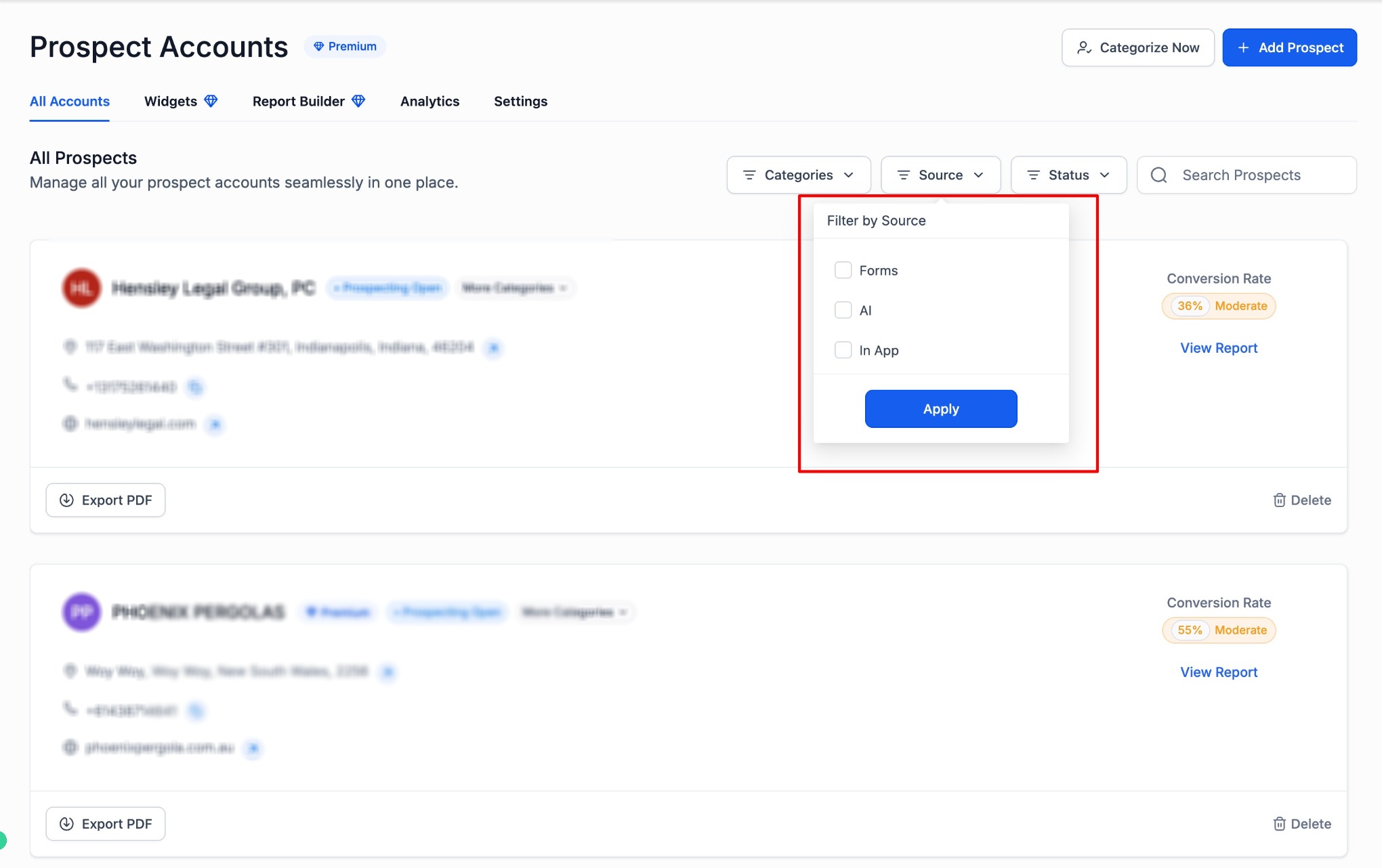
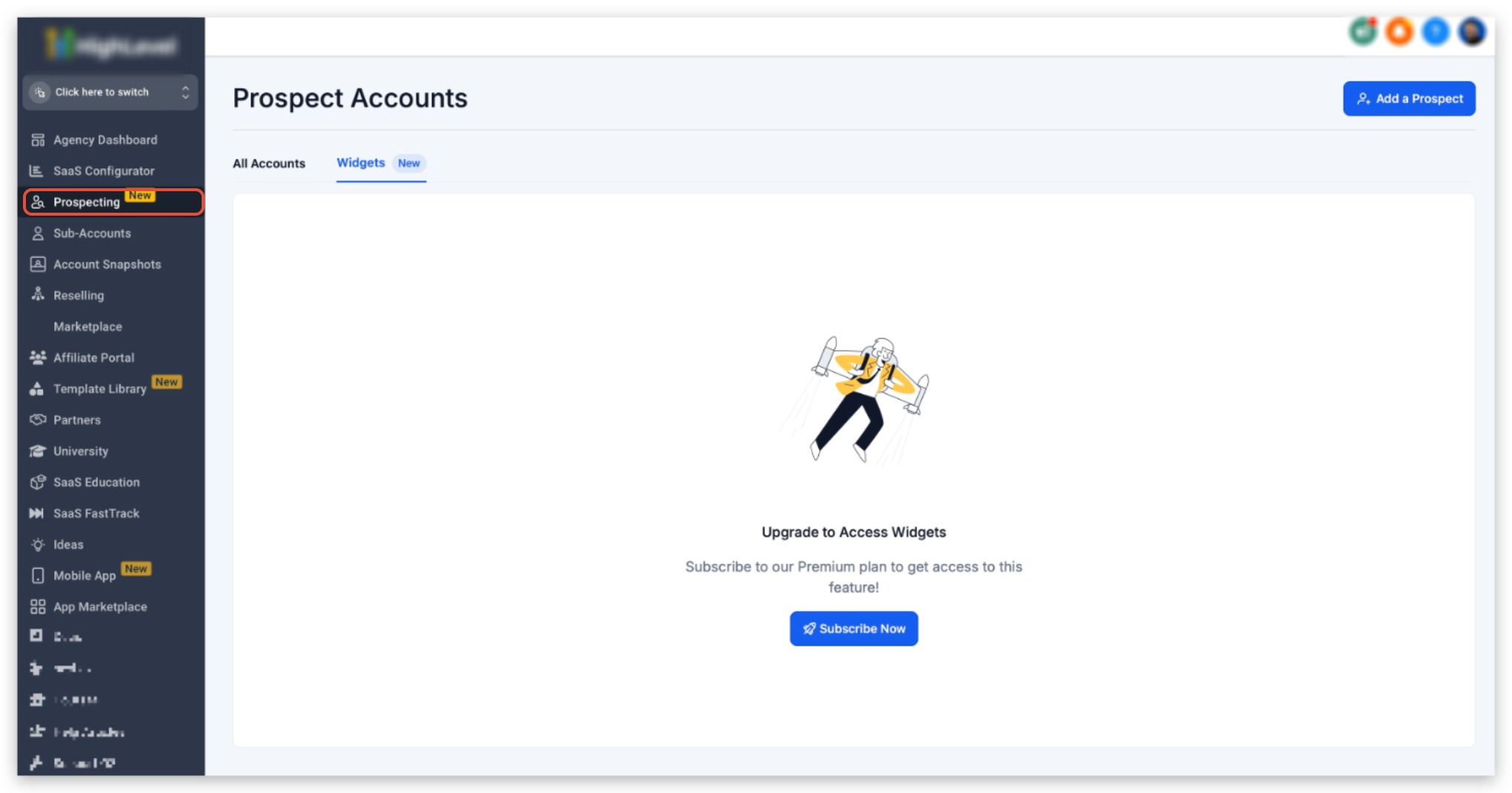
- No additional configuration is required This improvement ensures consistent multilingual behavior across customer-facing components. * * * Navigate to: Agency View → Prospecting → Widgets From here, you can create and manage your widgets.!(https://assets.patientcopilot.ai/683caadfbd277ab1.jpg) * * * ## Upgrade Requirement Prospecting Widgets require the paid version of the Prospecting Tool. If your account is not upgraded, you will see the upgrade prompt.!(https://assets.patientcopilot.ai/8cafaa5a4d74bda9.jpg) * * * After upgrading: 1. Click Create Widget
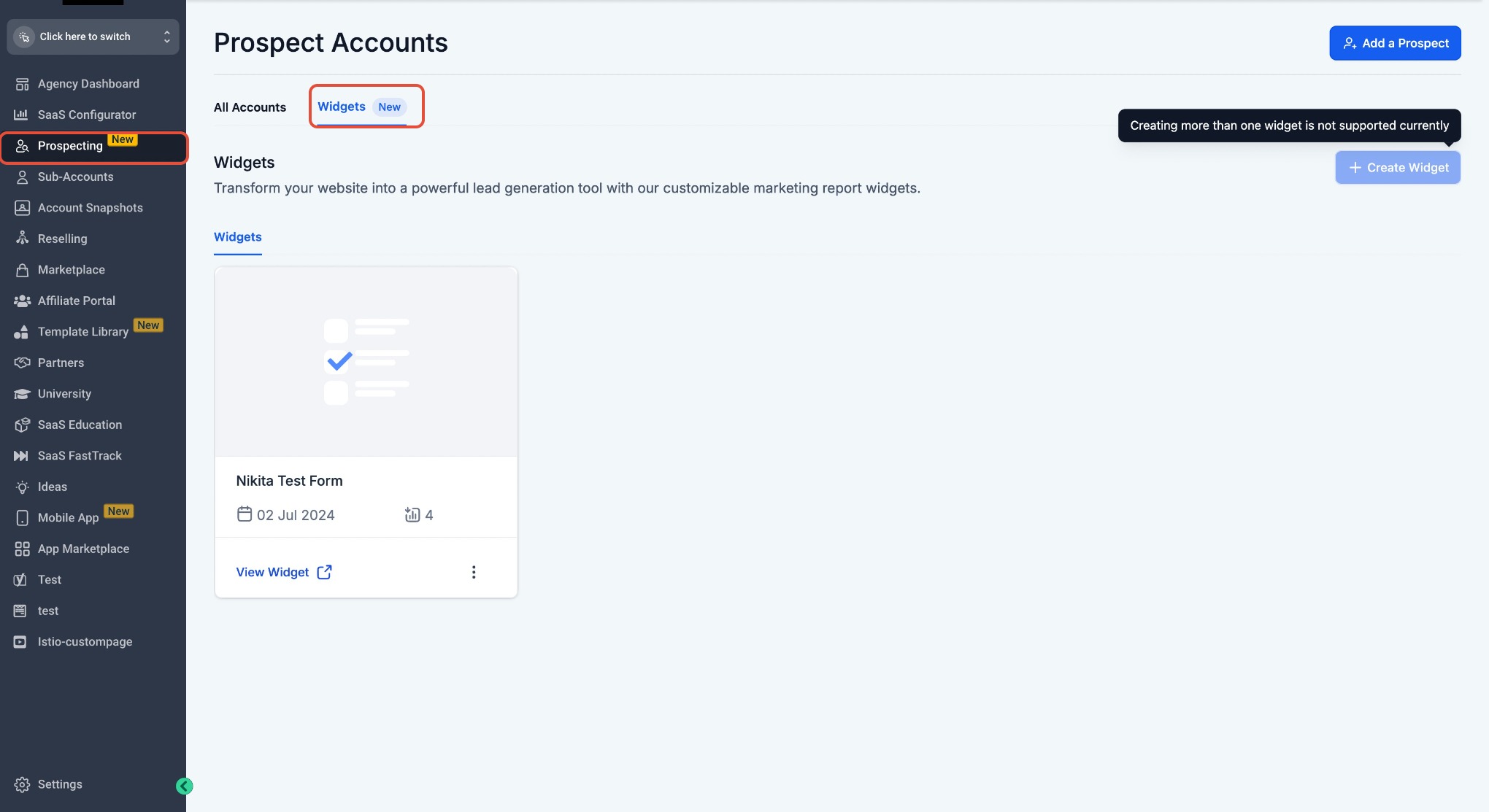
- Configure fields
- Adjust styling and branding
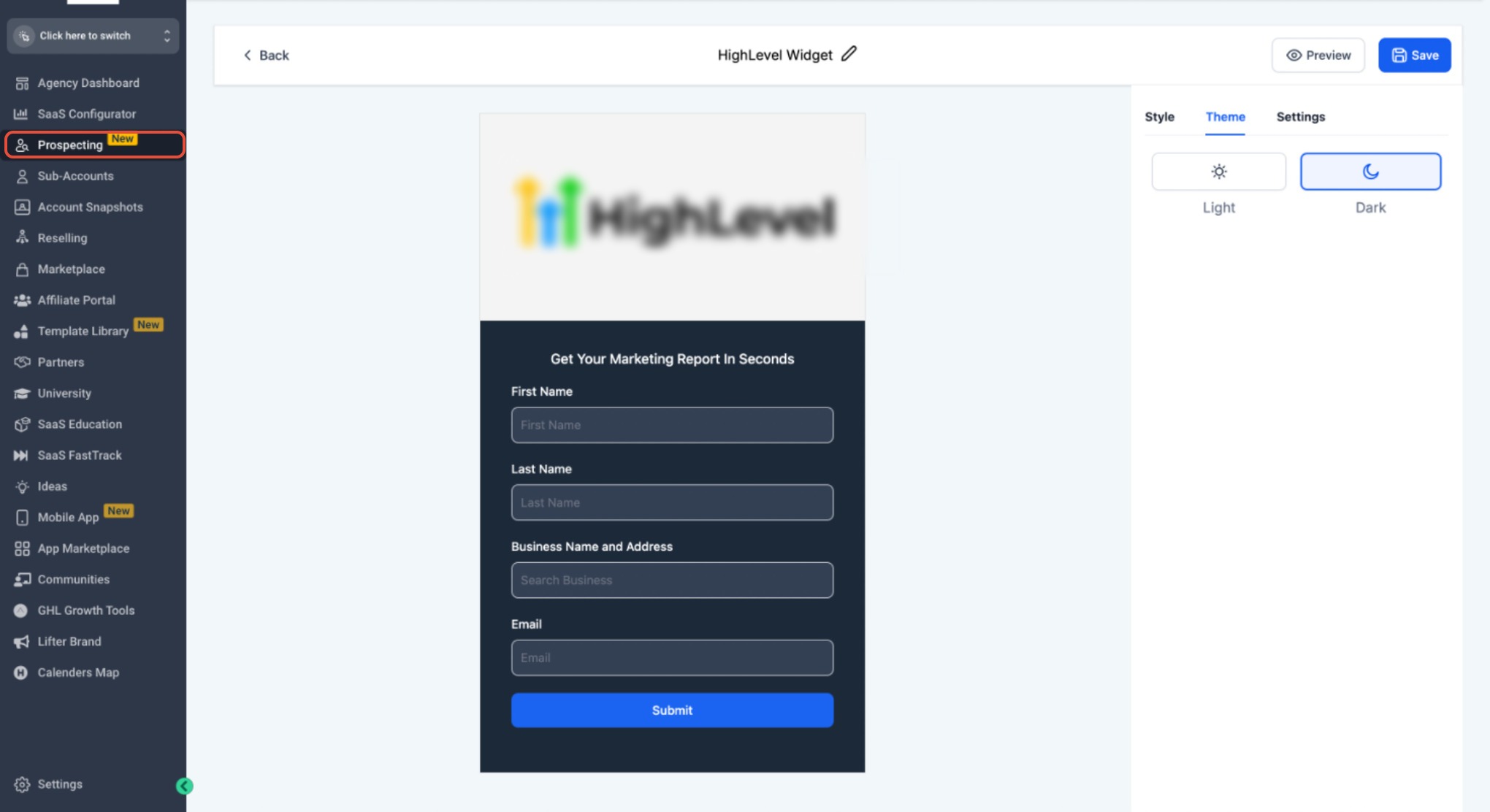
- Save your widget!(https://assets.patientcopilot.ai/e00e30a5c8eda953.jpg) * * * ## Theme Customization Widgets support Light and Dark themes.!(https://assets.patientcopilot.ai/ca408fff14563fa3.jpg) * * * ## Multi-Language Support Prospecting Widgets now fully support multiple languages. All system-generated text automatically respects the user’s preferred platform language. This includes: - Field labels
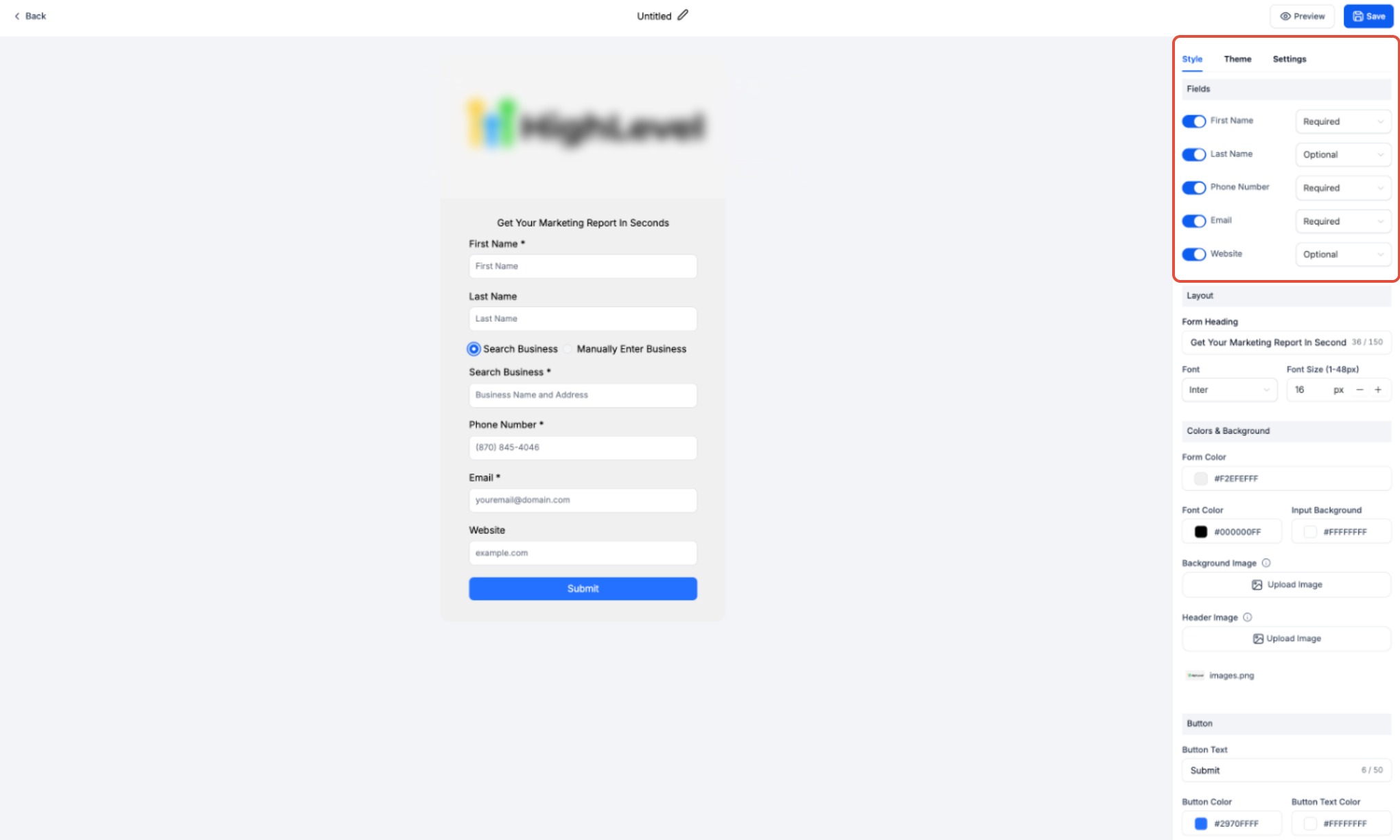
- Validation messages
- System prompts
- Submit button text
- Error messages
- Confirmation messaging No manual translation setup is required. * * * 1. Navigate to the Settings tab inside the widget
- Copy the embed code
- Paste it into your website backend!(https://assets.patientcopilot.ai/e2bdad2041f51093.jpg) After embedding, verify: - Widget loads correctly
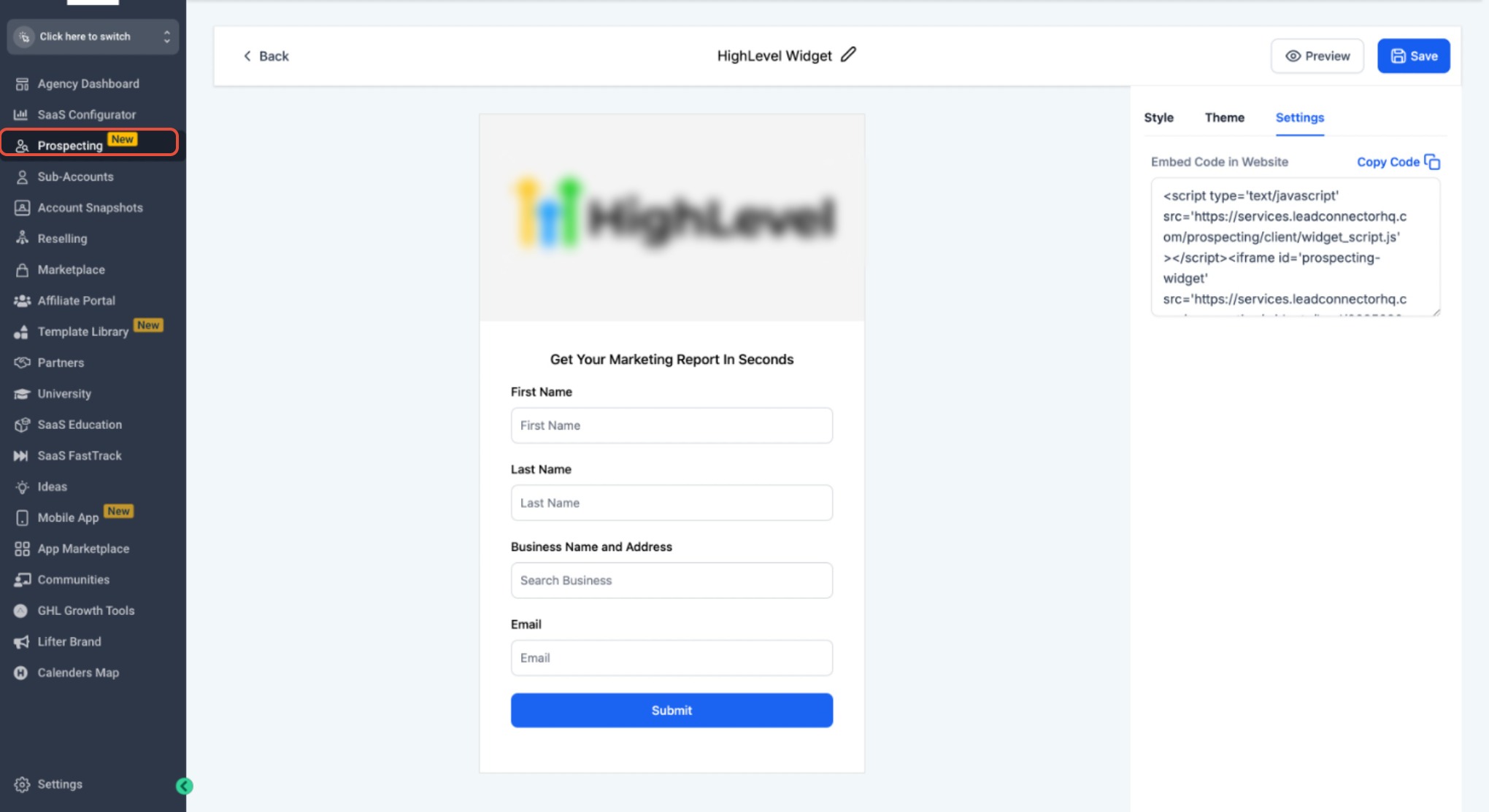
- Layout displays properly
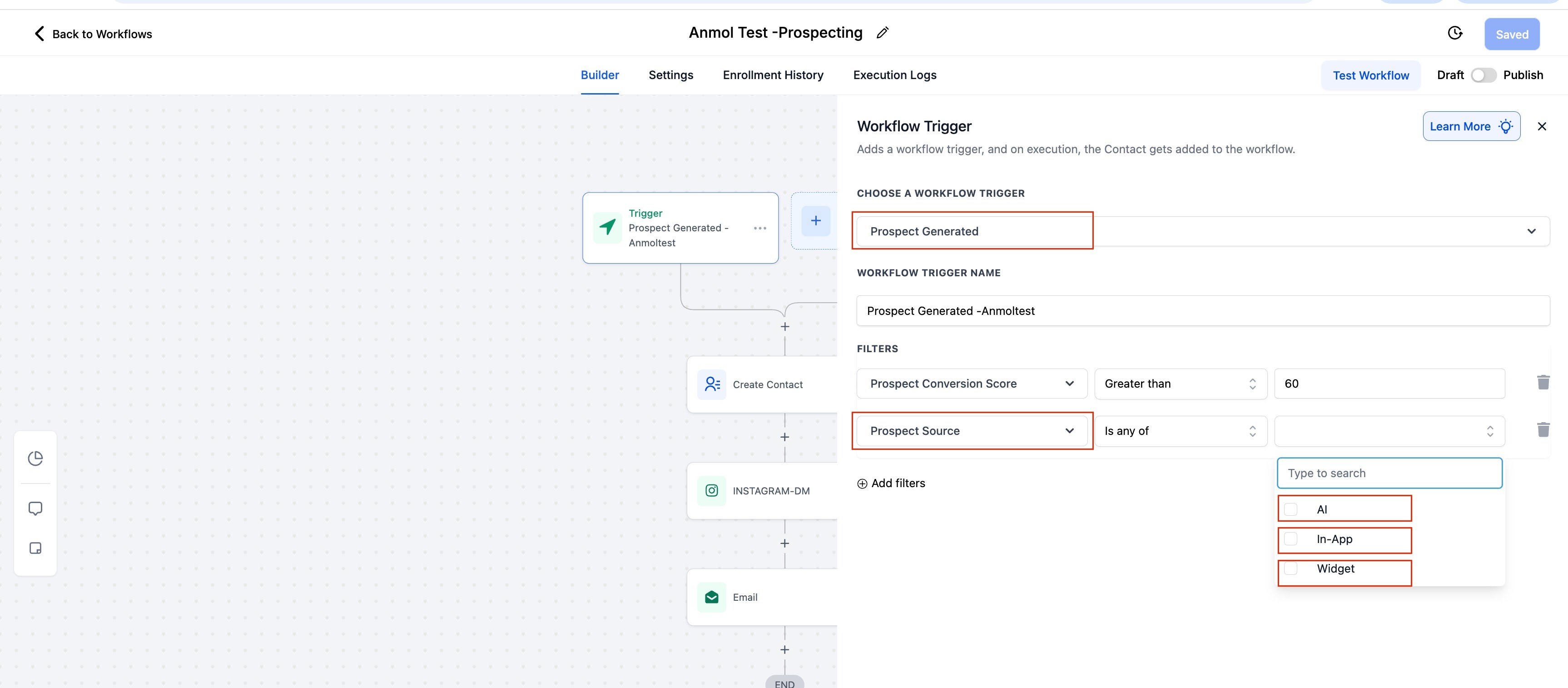
- All fields function as expected * * * ## Workflow and Automation When a prospect submits the widget: - The contact is automatically saved
- The lead is tagged
- Workflows can be triggered!(https://assets.patientcopilot.ai/0cbb59fca243a515.jpg) This allows you to automate: - Welcome emails
- Pipeline assignments
- Nurture sequences * * * ## PDF Report Language Behavior Exported PDF reports now reflect the user’s preferred platform language. This applies to: - Report buttons
- Link labels
- System-generated text
- Export messaging!(https://assets.patientcopilot.ai/ae37ec1c334087f1.jpg) * * * ## Language Support Across Emails System-generated emails related to Prospecting Widgets now automatically adapt to the recipient’s platform language. This includes: - Subject lines
- Call-to-action buttons
- System instructions No additional configuration is required. * * * ## Frequently Asked Questions Q: Do I need to manually enable multiple languages for widgets? No. Widgets automatically adapt to the platform language.Q: Does this change custom text I manually enter? No. Only system-generated strings are localized.Q: Are email notifications now multilingual? Yes. System-generated emails follow the user’s preferred platform language. Q: Do exported PDF reports change language automatically? Yes. PDF report links and system text reflect platform language settings.Q: Does this require upgrading the Prospecting Tool? Yes. Widgets require the paid version. * * * ## Related Articles - Prospecting Tool: Create Prospecting Widgets For Your Websites