How to Add a One‑Step Order Form to a Funnel
This article walks through adding and configuring a One‑Step Order Form in a Patient Copilot funnel. You’ll attach products and prices, configure fields (contact, shipping, payment) and enable options like Cart Mode, Order Bump, and Coupon Codes. * * * ## What is a One‑Step Order Form? One‑Step Order Form places all checkout fields, such as contact, optional shipping, product selection, and payment, on a single screen. It’s ideal for low‑friction offers, returning customers, and mobile‑first flows where fewer taps matter. Compared with a two‑step layout, it removes navigation but increases on‑page density so keep only essential fields and use clear labels. One‑step forms support one‑time and subscription prices. * * * ## Key Benefits of One‑Step Order Forms - Speed to Purchase: Reduces clicks by consolidating checkout into one page. - All Details Visible: Buyers can confirm products, totals, and payment at a glance.
- Flexible Fields: Customize the fields that are shown/hidden and required/optional to match your needs.
- Cart Mode: Cart mode and quantity limits let buyers select exactly what they need while keeping totals clear.
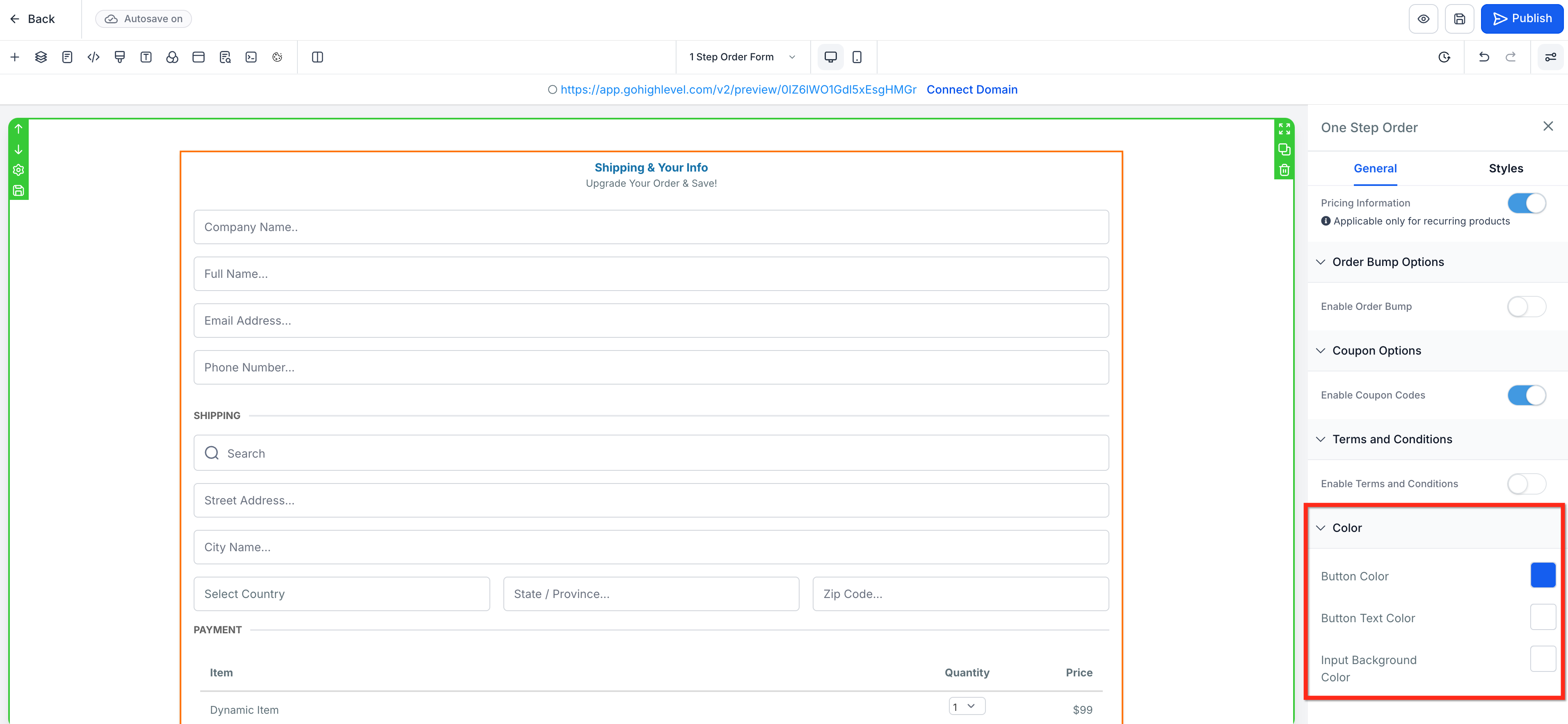
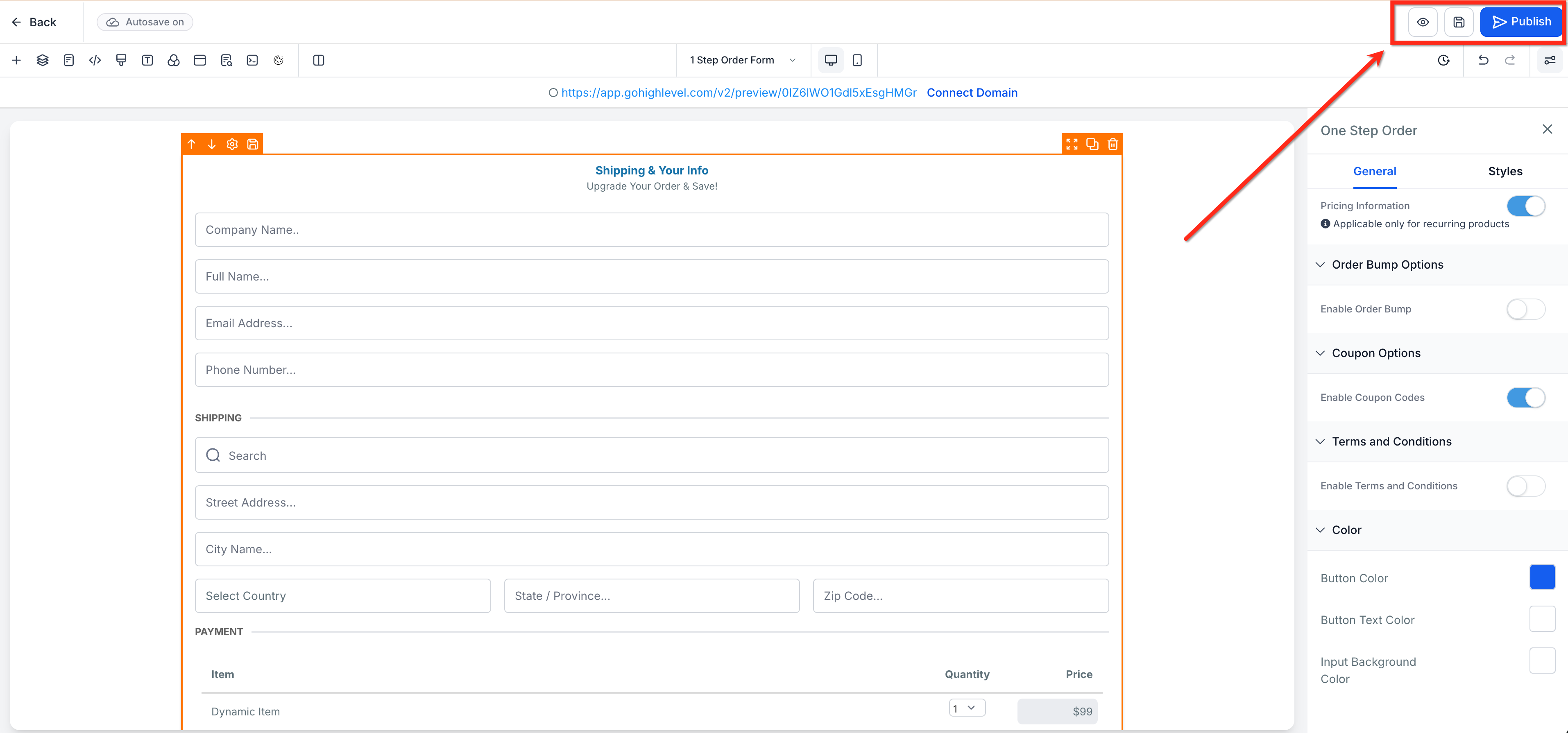
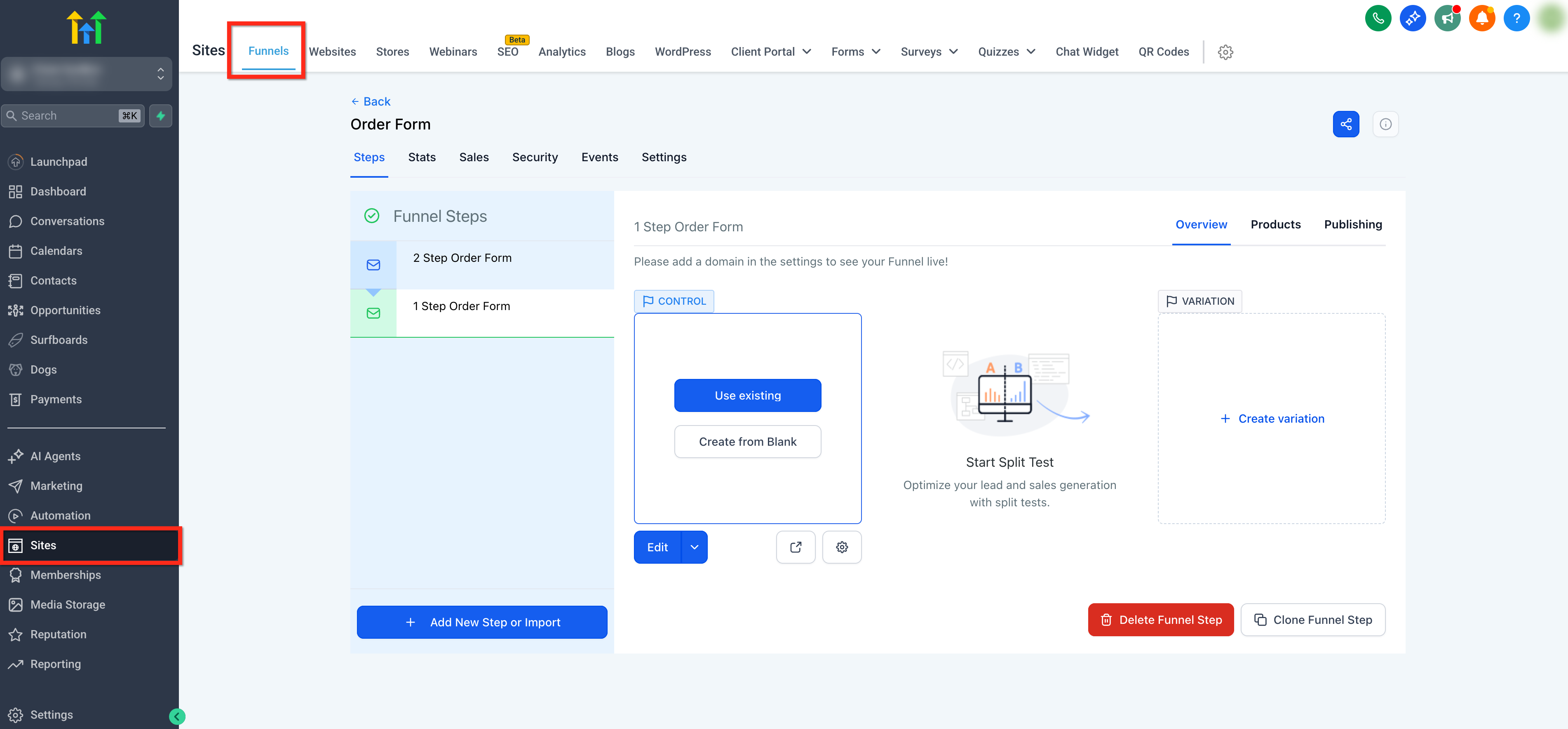
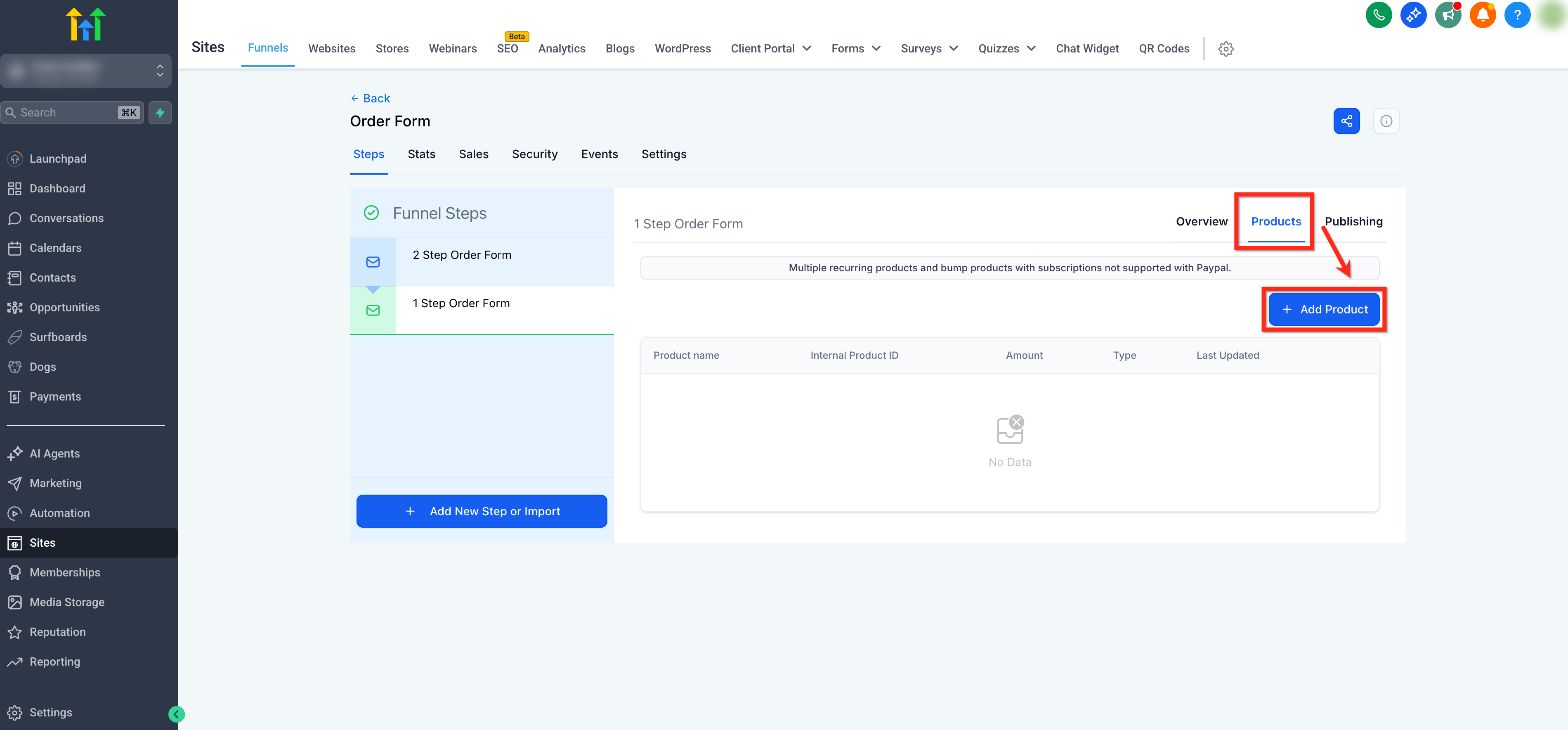
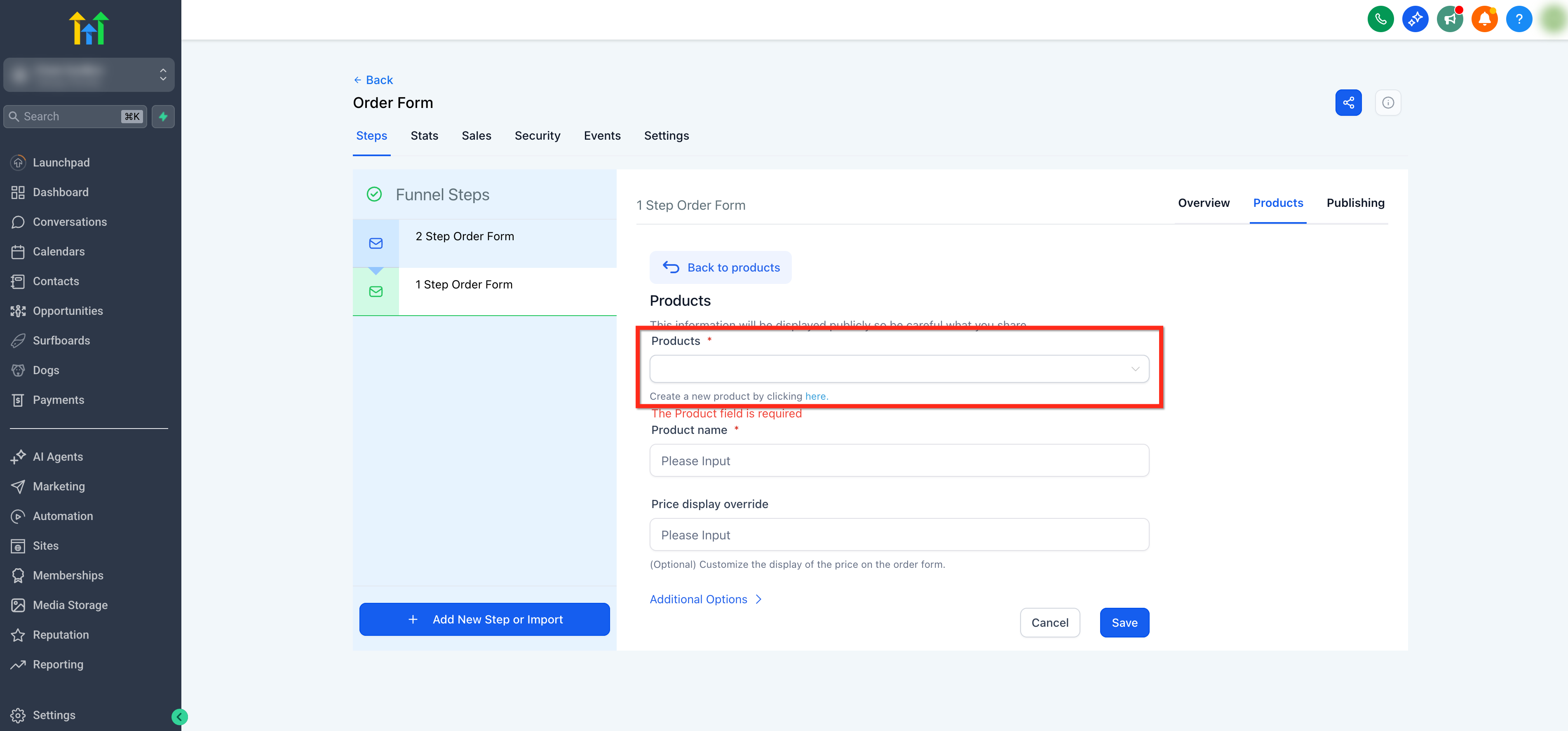
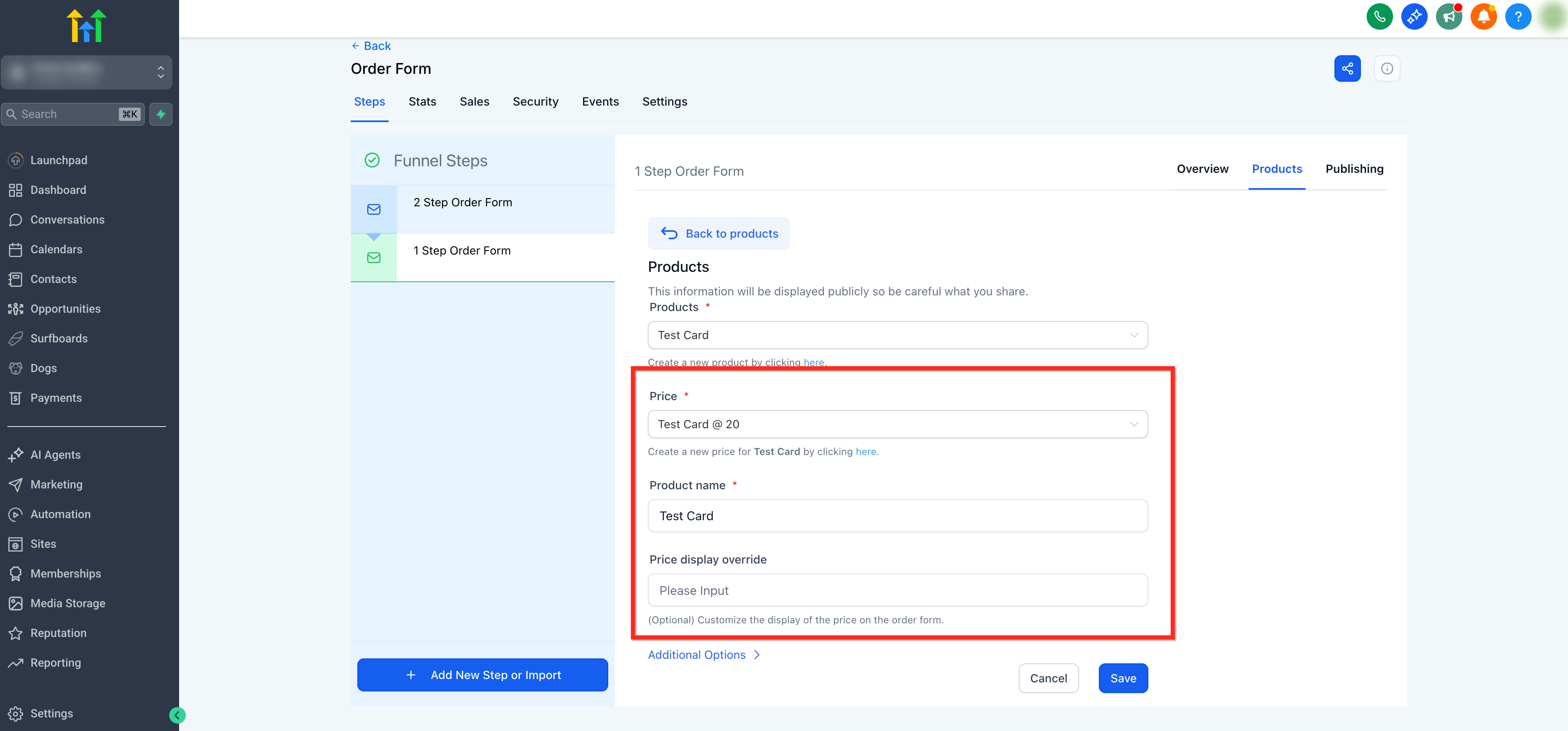
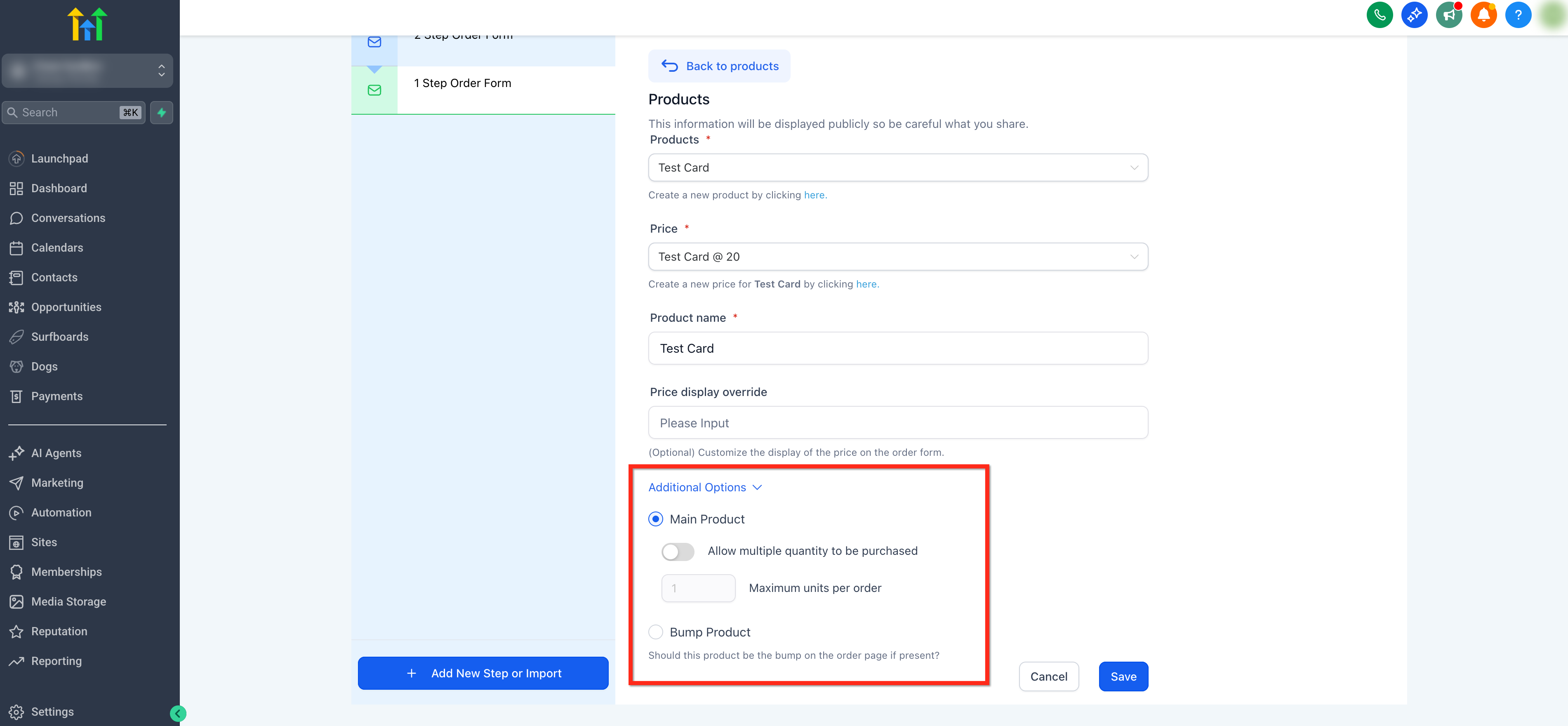
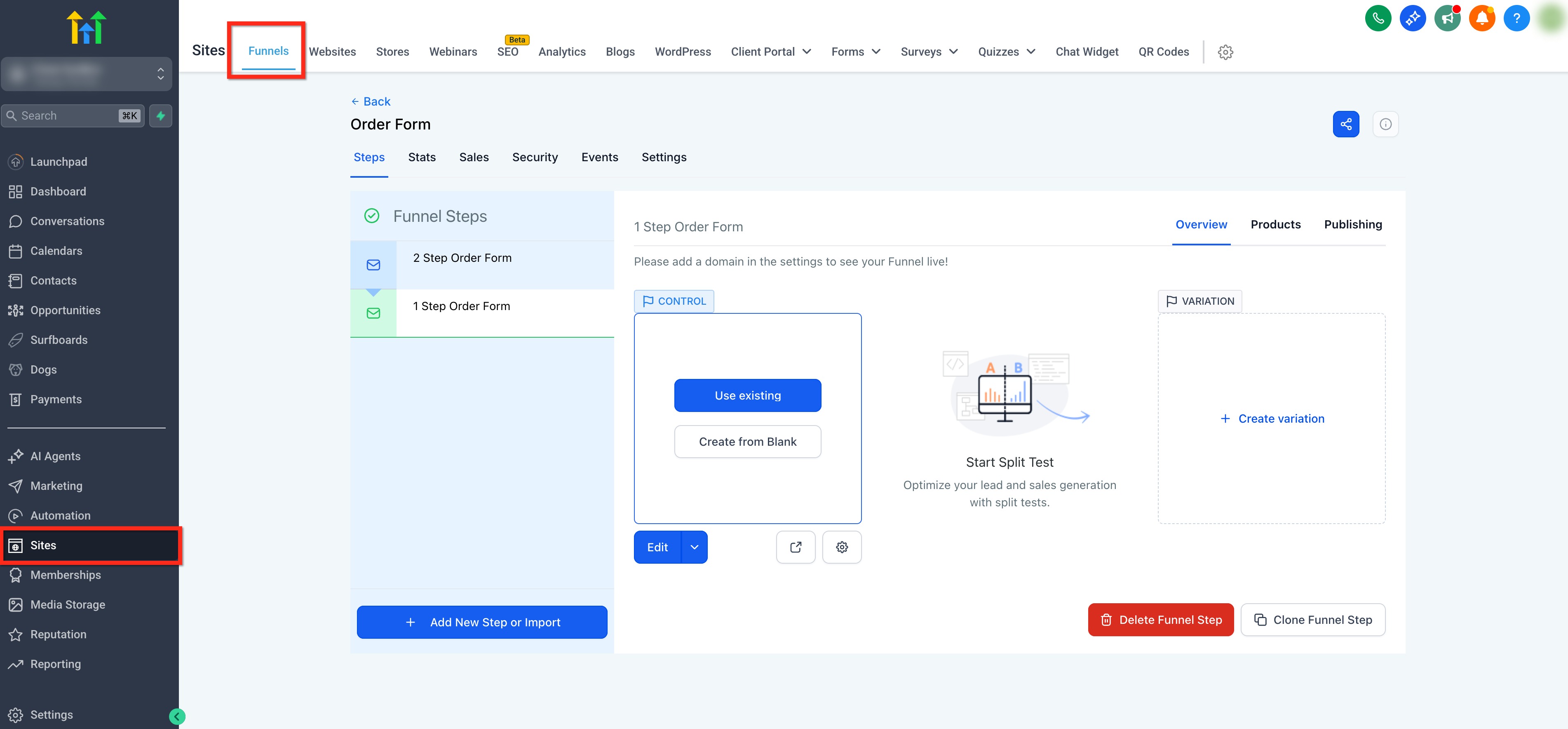
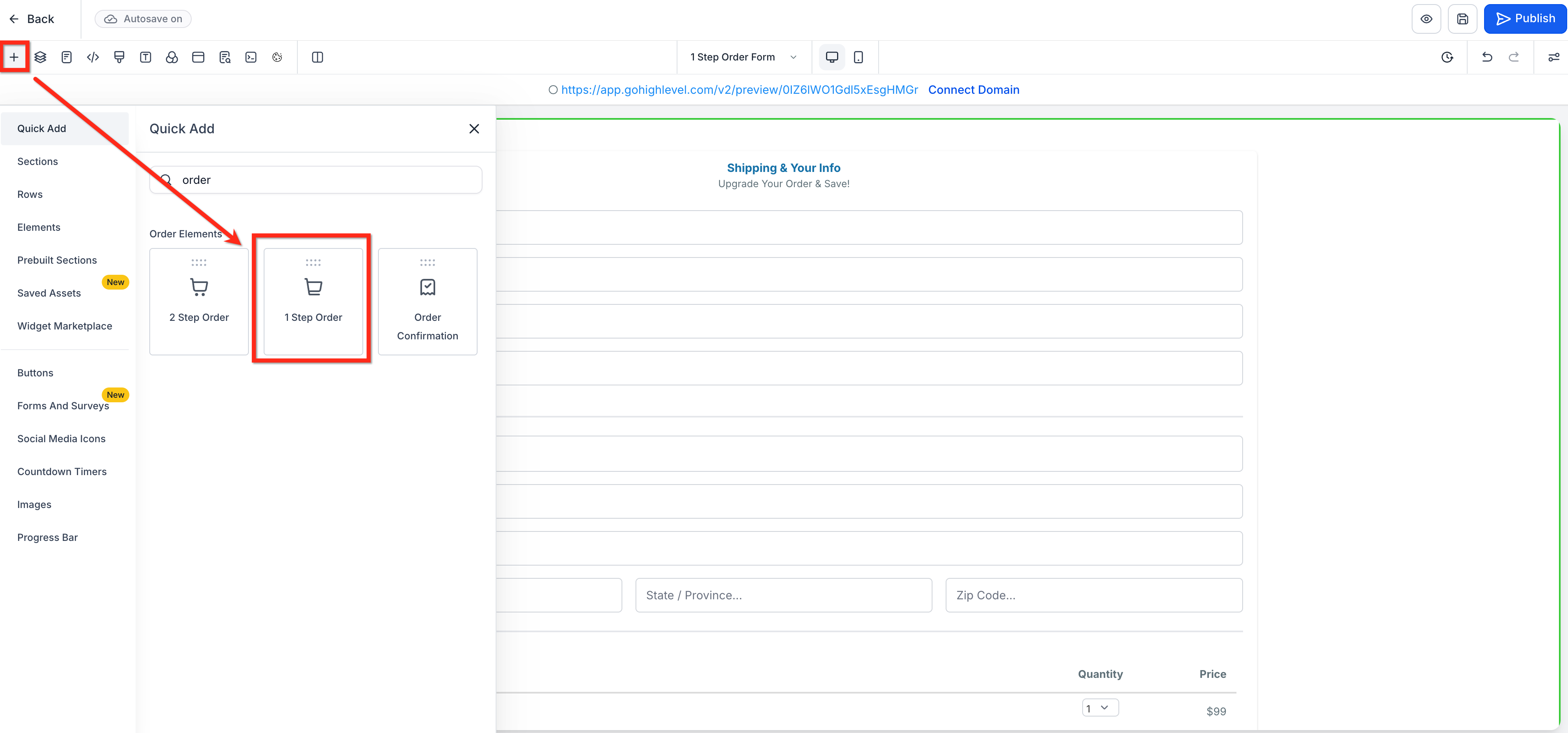
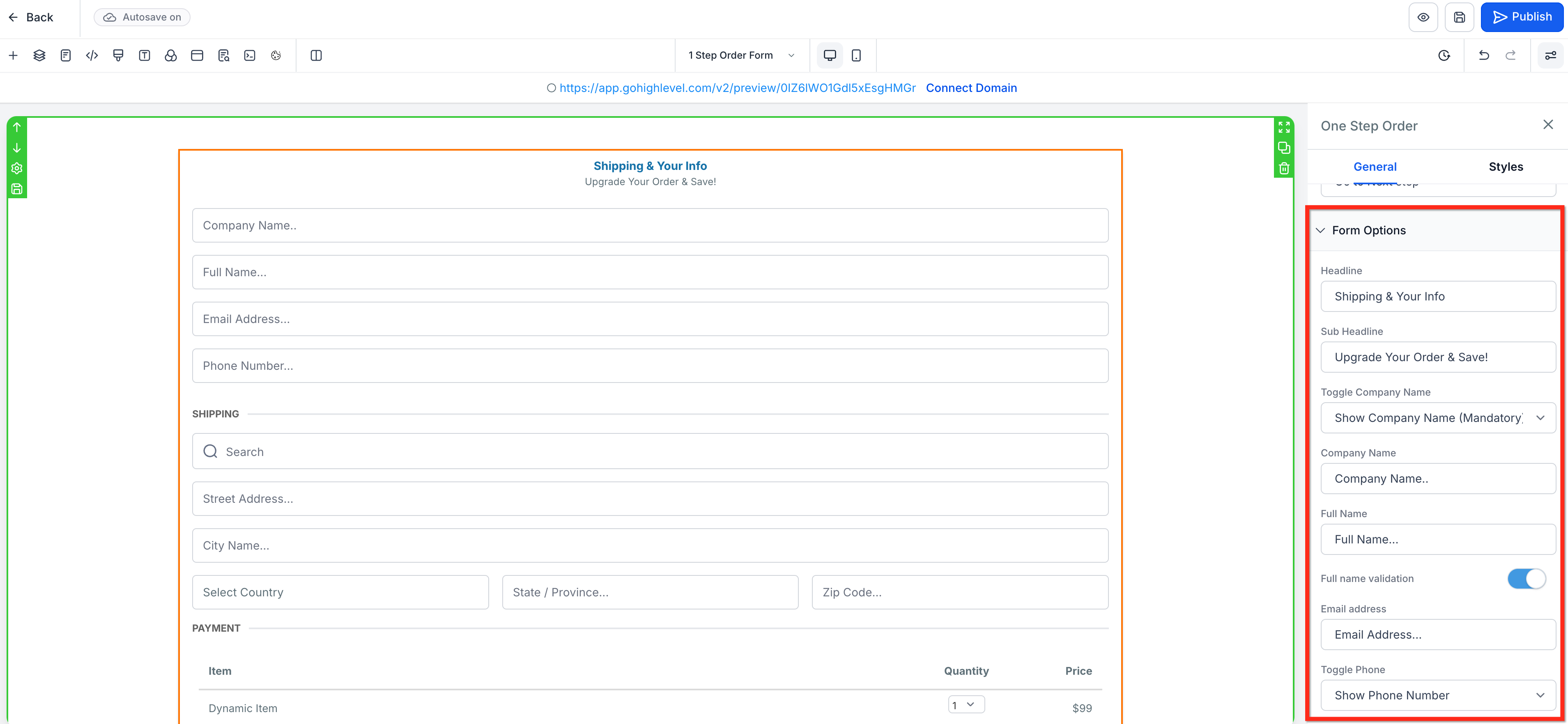
- Revenue Boosters: Order bump support makes it easy to offer complementary items on checkout. * * * ## Products Setup (Prerequisite) Products must be attached to the funnel step before the One‑Step Order Form can display and charge for them. Follow these steps to ensure your products and prices are available in the form. Tip: Be sure to create your products before starting this process. To learn more about creating products, click here. 1. Go to Sites in the left navigation, open your Funnel, and select the funnel step you want to use.!(https://assets.patientcopilot.ai/0e7c7d4188445086.png) 2. Open the Products tab on the right. Click + Add Product.!(https://assets.patientcopilot.ai/bd261e15c1f2a484.png) 3. Use the Product dropdown to select the item you want to sell or click the inline text link to create a new product.!(https://assets.patientcopilot.ai/6f4bfc66b735c8d9.png) 4. Under Price, choose an existing price or click the inline text link to create a new price. You can optionally use Product Name Override to edit the name to control how it appears on the order form or Price Display Override to customize how the price is shown on the order form.!(https://assets.patientcopilot.ai/000169f7480a96a8.png) 5. Click Additional options to Allow multiple quantity, set Max per order and Mark this item as a Main product or a Bump product.!(https://assets.patientcopilot.ai/b6a6139a4e0d0f07.png) 6. Repeat to add one or many products as needed! * * * ## Adding the One‑Step Order Form to a Funnel After products are attached to the step, follow these steps to add and configure the One‑Step Order Form element in your funnel. #### S****tep 1: Navigate to your Funnel Step Go to Sites → Funnels, open your funnel, and select the specific step where you’ll place the checkout.!(https://assets.patientcopilot.ai/4fdf36916e862a43.jpg) #### Step 2: Add the One‑Step Order Form Element Click Add Elements (+) in the top‑left and under Order elements, select the One Step Order element. Drag this element into your design.!(https://assets.patientcopilot.ai/c0b72439fd1bf5d7.png) #### Step 3: Configure Fields In the element settings, open Form options. Here you can configure all fields included in the form such as Company Name, Shipping and Price.!(https://assets.patientcopilot.ai/e2d4a5f62fb95018.png) #### Step 4: Other Settings (Optional) Use the additional settings to control how products are presented, whether you offer add‑ons, and if buyers can apply discounts: - Toggle Enable cart mode (when available for your funnel version). To learn more about Shopping Cart Mode in Order Forms, click here!
- Choose whether to show Product description and Price. - Enable and configure an Order Bump. To learn more about Order Bumps in Forms, click here!
- Enable Coupon Codes. (https://help.patientcopilot.ai/en/support/solutions/articles/155000005071)!(https://assets.patientcopilot.ai/aa4c09bd2d3aced8.png) #### Step 5: Style the Form In the element settings, adjust Button, Text and Background Colors to match your brand.!(https://assets.patientcopilot.ai/15c508fb48216cc5.png) #### Step 6: Preview and Publish Before publishing your funnel, click the Preview button in the upper-right corner to test your order form. Once verified, click the blue Publish button.!(https://assets.patientcopilot.ai/299a9599b51e5e1a.png) * * * ## Frequently Asked Questions Q: Why don’t my products appear in the One‑Step Order Form? Make sure products and at least one price are added in the Products tab for the same funnel step. Q: How do I let customers buy multiple quantities? In Products → Additional options, enable Allow multiple quantity and set Max per order. Q: Can I use a one‑step order form in V1 funnels? One‑step order forms can be added in funnels. Consider migrating the step to V2 to access the latest settings such as cart mode. Q: Does the order form support subscriptions and one‑time products? Yes. The order form reflects the Price you attach to the product (one‑time or recurring). Q: Can I add a platform/processing fee to all orders? Yes! Processing or platform fees can be added under payments settings. Click here to learn more! * * * ## Related Articles - How to Add a Two‑Step Order Form to a Funnel
- Shopping Cart Mode in One and Two-step Order forms (V2 Funnels only)
- Workflow Trigger - Order Submitted vs Order Form Submission
- Getting Started - Create & Sell Products
- Adding Processing Charges or Additional Fees to Customer Payments
- How to Use Order Upsell in Forms
!(https://assets.patientcopilot.ai/aa4c09bd2d3aced8.png)