
Template Library Marketplace Integration
The Template Library is now integrated with the Marketplace, allowing you to discover, install, and sell templates, all in one place. You can now browse, preview, purchase, and use templates or list your own to monetise, without leaving the platform. * * * ## Overview The Template Marketplace Integration brings together template discovery and monetisation into a single unified experience. Inside the Template Library, you can now: - Access Marketplace templates
- Preview and install templates instantly
- Filter templates based on pricing and install status
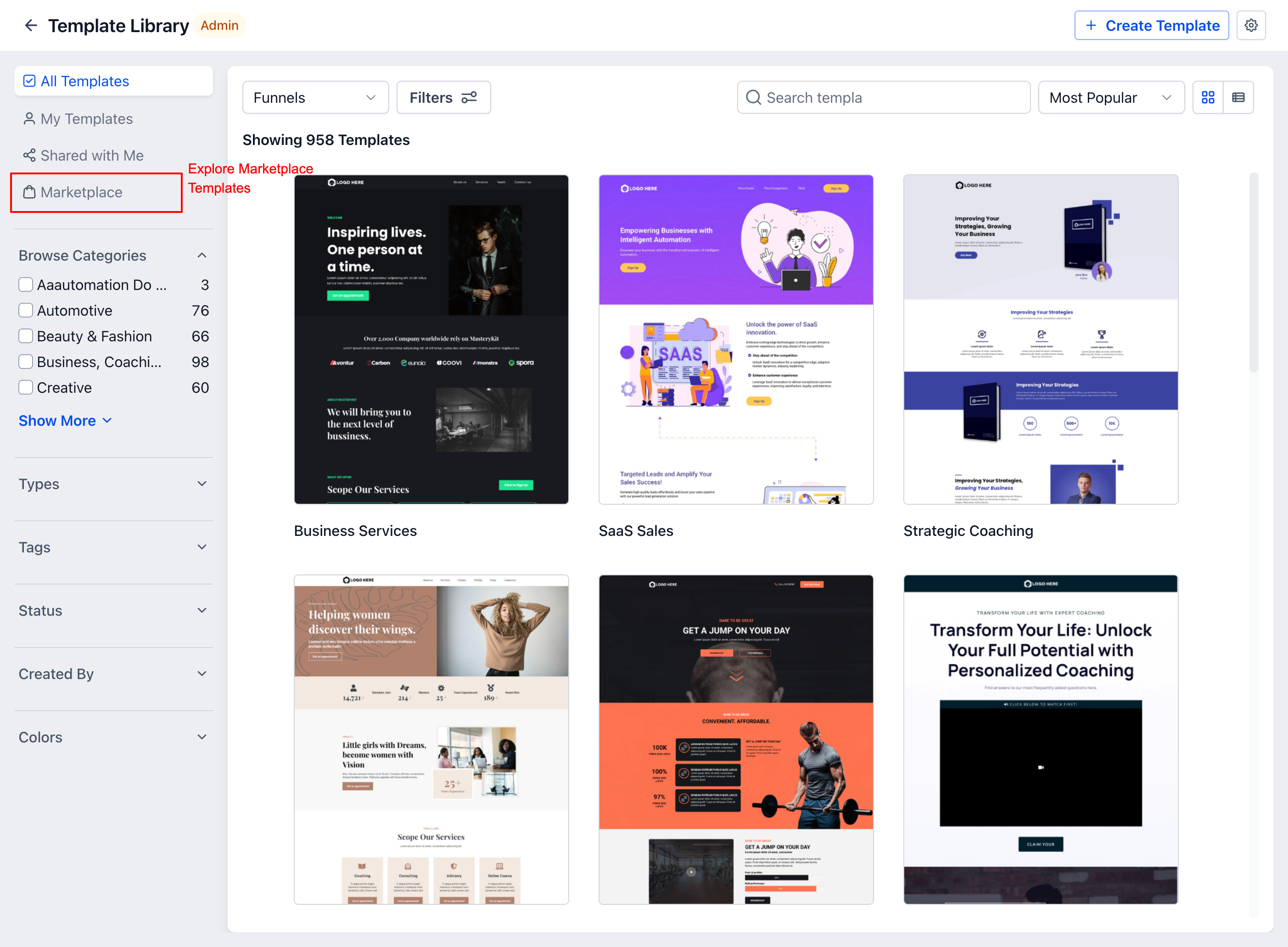
- Share and sell your own templates via the Marketplace This eliminates the need to switch between different platforms, making template usage and distribution seamless. * * * ## What’s New ### Marketplace Inside Template Library A new Marketplace tab is available within the Template Library, allowing you to browse and access templates directly.!(https://assets.patientcopilot.ai/b25f13010f0f70aa.png) * * * ### Template Preview & Installation You can now: - Preview templates before installing
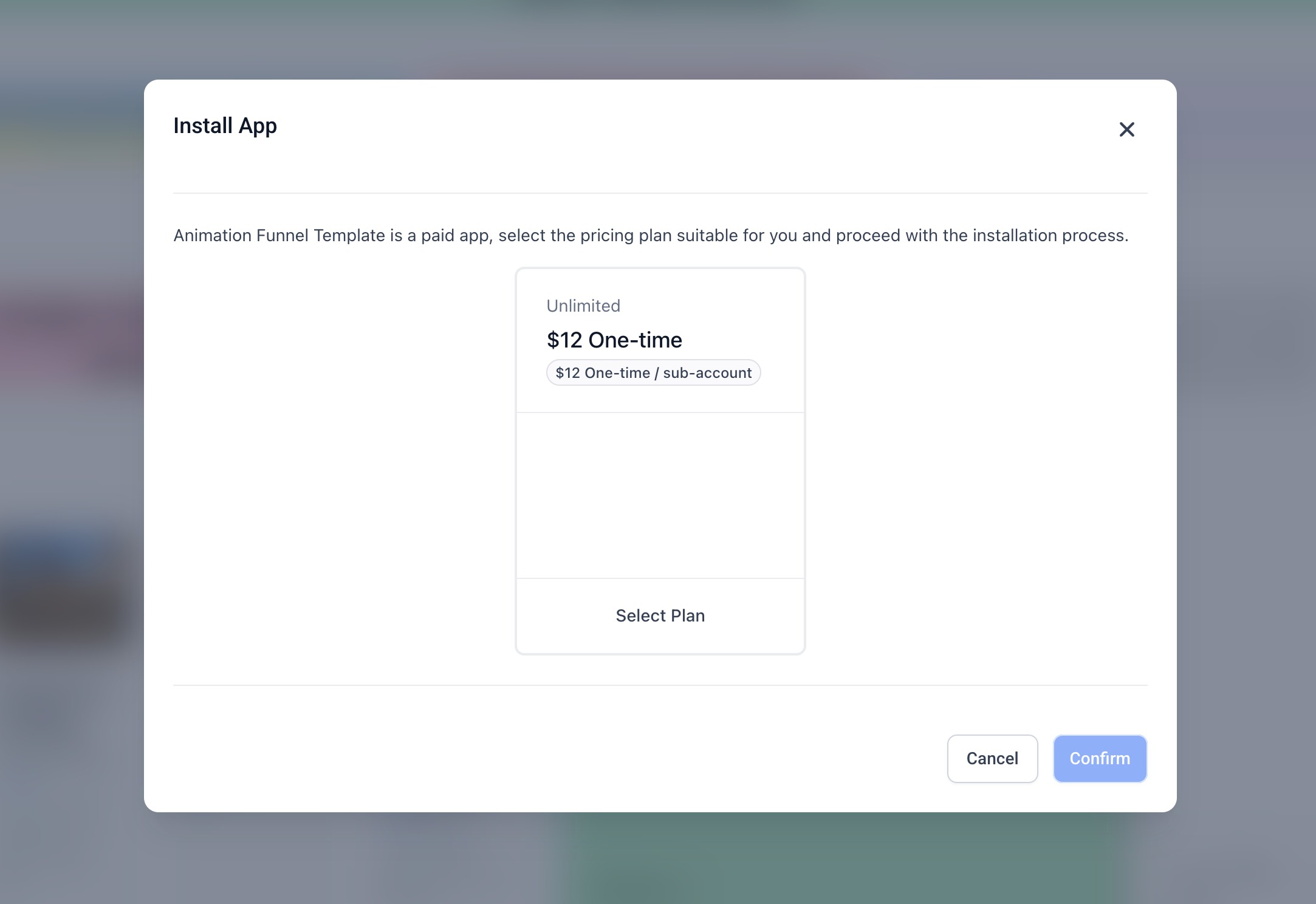
- Install templates instantly into your account
- Purchase paid templates via a simple flow!(https://assets.patientcopilot.ai/bde5b1b91dbe6f11.jpg)!(https://assets.patientcopilot.ai/c9218f4d257a7122.jpg) * * * ### Sell Templates on Marketplace Users and designers can now: - Share templates directly from Template Library
- Use the “Sell on Marketplace” option from the preview screen
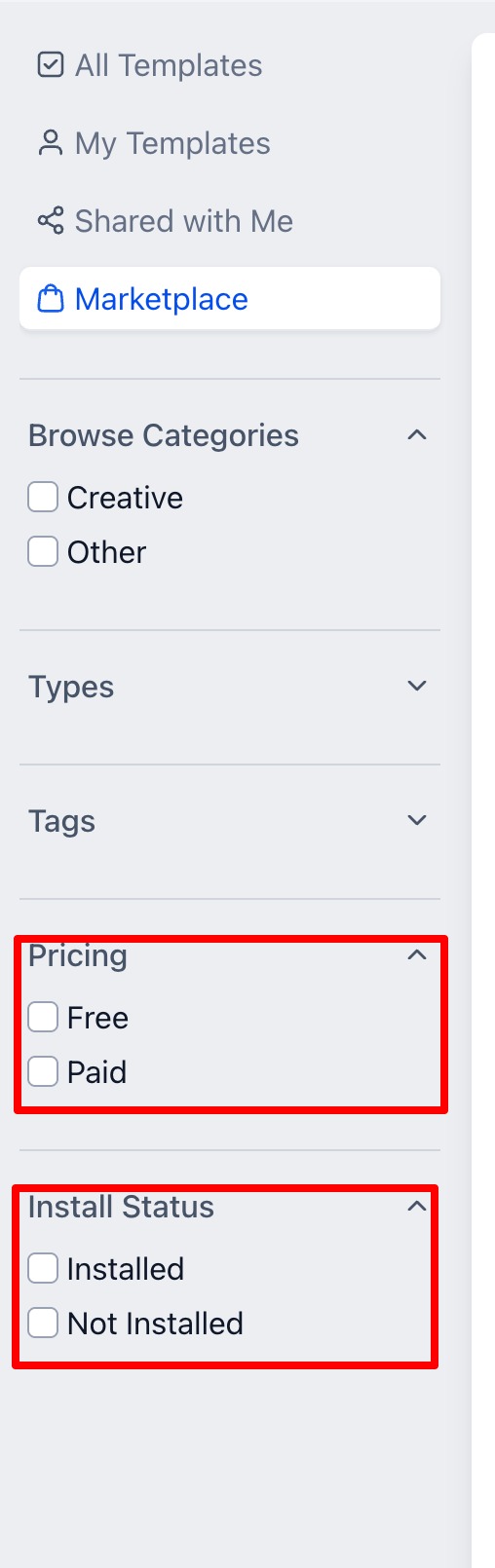
- Get redirected to the Seller Portal with pre-filled template details!(https://assets.patientcopilot.ai/426d213e02d06d6b.jpg)!(https://assets.patientcopilot.ai/be3701a7a9f25216.png)!(https://assets.patientcopilot.ai/4bc86fed71db02ab.png)!(https://assets.patientcopilot.ai/bff9d7234b2e1ebb.png)!(https://assets.patientcopilot.ai/9c26ef1cef813692.png)!(https://assets.patientcopilot.ai/b250f8f00ec80f8c.png) * * * ### Advanced Filtering Options Easily discover templates using filters such as: - Pricing (Free / Paid)
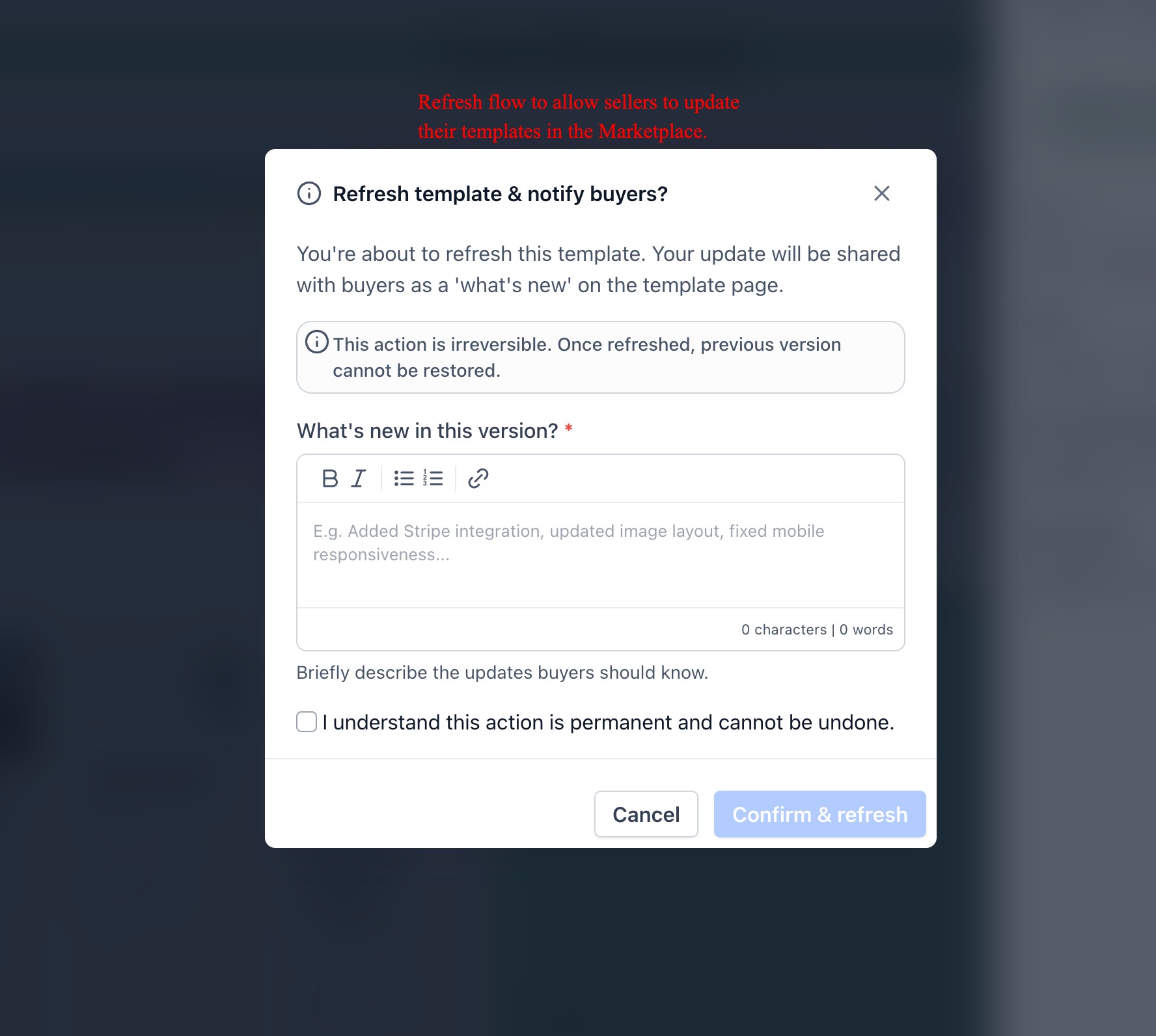
- Install Status (Installed / Not Installed)!(https://assets.patientcopilot.ai/7c1373db9271b1f9.jpg) * * * ### Version Updates & Notifications Creators can update/refresh templates and notify users via a “What’s New” section visible in template details.!(https://assets.patientcopilot.ai/334ae741474364e9.jpg)!(https://assets.patientcopilot.ai/0f5a67555bd703db.png) * * * ## How to Use ### To Discover Templates 1. Go to Template Library in agency view
!(https://assets.patientcopilot.ai/c9218f4d257a7122.jpg)
!(https://assets.patientcopilot.ai/be3701a7a9f25216.png)!(https://assets.patientcopilot.ai/4bc86fed71db02ab.png)!(https://assets.patientcopilot.ai/bff9d7234b2e1ebb.png)!(https://assets.patientcopilot.ai/9c26ef1cef813692.png)!(https://assets.patientcopilot.ai/b250f8f00ec80f8c.png)
!(https://assets.patientcopilot.ai/0f5a67555bd703db.png)
- Click on the Marketplace tab
- Browse or search for templates
- Use filters to refine results * * * ### To Install Templates 1. Open a template from Marketplace
- Click Preview to view details
- Click Install
- Complete payment (if applicable)
- Access the template under My Templates * * * ### To Sell Templates 1. Open a template in Template Library
- Click Preview
- Click 3 dots → Sell on Marketplace
- You’ll be redirected to the Seller Portal
- Complete listing details and submit * * * ### T****o Update a Template (For Sellers) 1. Go to your listed template
- Click Refresh Template
- Add details in What’s New
- Confirm to publish updates to buyers * * * ## Benefits - New Revenue Opportunities Sell your templates and generate income
- Faster Setup Install ready-made templates instantly
- Centralised Experience Discover, purchase, and use templates in one place
- Greater Variety Access a wide range of high-quality templates
- Creator-Friendly Easily publish and manage your templates * * * ## Frequently Asked Questions Q: Where can I find Marketplace templates? You can access them via Template Library → Marketplace tab or from the App Marketplace → Templates section. Q: Is the payment for templates one-time or recurring? Templates are available on a one-time payment basis. Once purchased, you can use the template without any recurring charges. **Q: What happens after I install a template? **The template will be available under My Templates and can be edited and used in builders. Q: Can I update a template after listing it? Yes, you can refresh your template and share updates with users via the What’s New section. Was this article helpful? That’s Great! Thank you for your feedback Sorry! We couldn’t be helpful Thank you for your feedback Feedback sent We appreciate your effort and will try to fix the article