
Workflow Actions - Remove Contact Follower
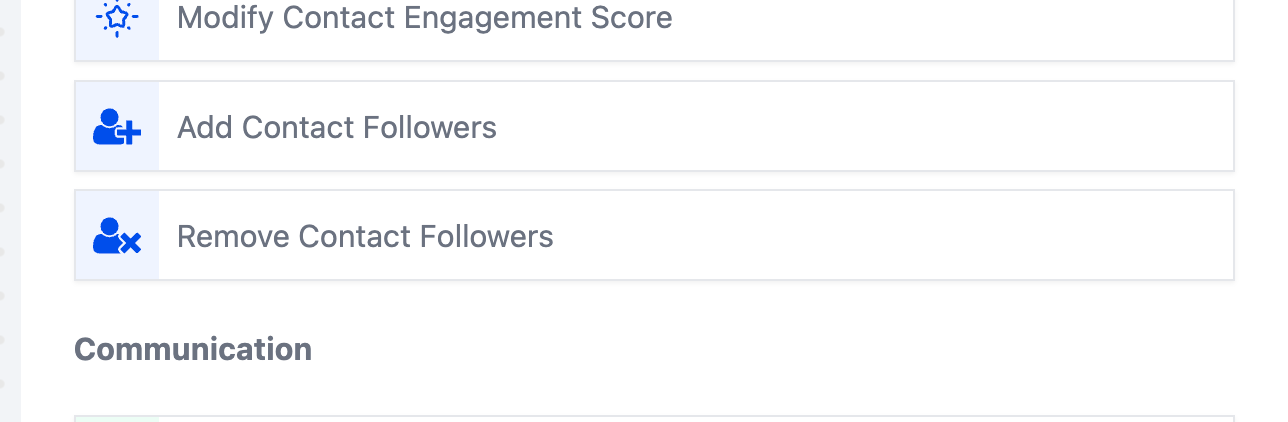
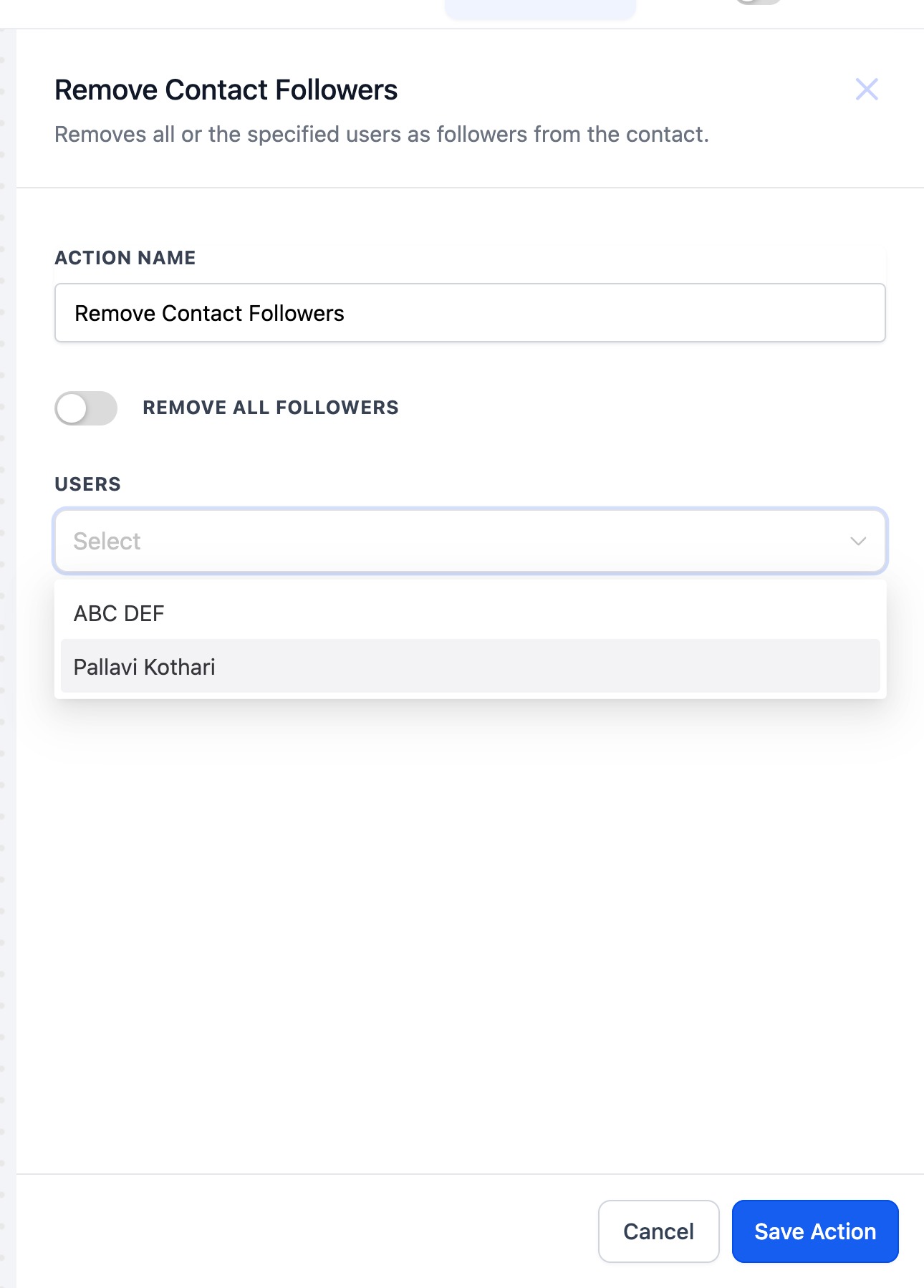
Overview Utilize the workflow action “Remove Contact Followers” to remove followers for a contact automatically. This action can be added to your existing workflows enhancing the ease of managing followers for your business ## Action Name Remove Contact Follower ## Action Description The Remove Contact Follower action enables users to remove one or more followers from a contact’s profile. ## How to Configure Step 1: - Select workflow action - “Remove Contact Follower” in the “Contact” Category!(https://assets.patientcopilot.ai/66223d04aa9c5be0.png) Step 2: - Use the “Remove Contact Follower” action to remove chosen or all followers of a contact - Switch on the toggle to removes all followers from a contact or select from the list of followers. !(https://assets.patientcopilot.ai/28140bec9a1423eb.jpg) ## Example Configuration Example: In a workflow where contacts are frequently assigned and reassigned based on the stage of engagement: - Action Name: “Remove Contact Follower” Workflow Steps: 1. Trigger: Opportunity Status Changed - This trigger activates when an opportunity associated with the contact is marked as “Closed.”
- Action: Remove Contact Follower- This action removes the follower that was assigned to the contact. Was this article helpful? That’s Great! Thank you for your feedback Sorry! We couldn’t be helpful Thank you for your feedback Feedback sent We appreciate your effort and will try to fix the article