
How To Clone A Subaccount Dashboard
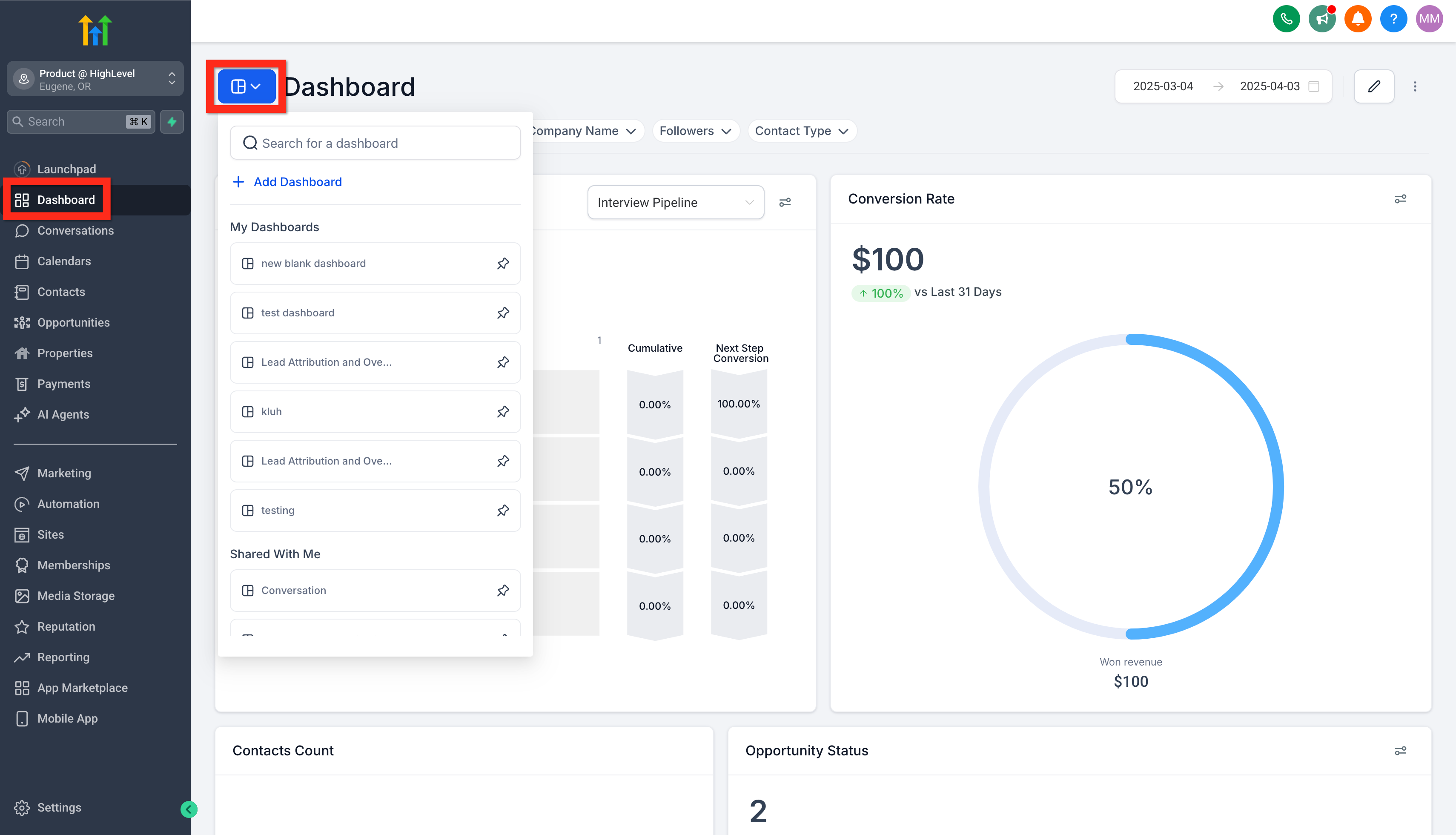
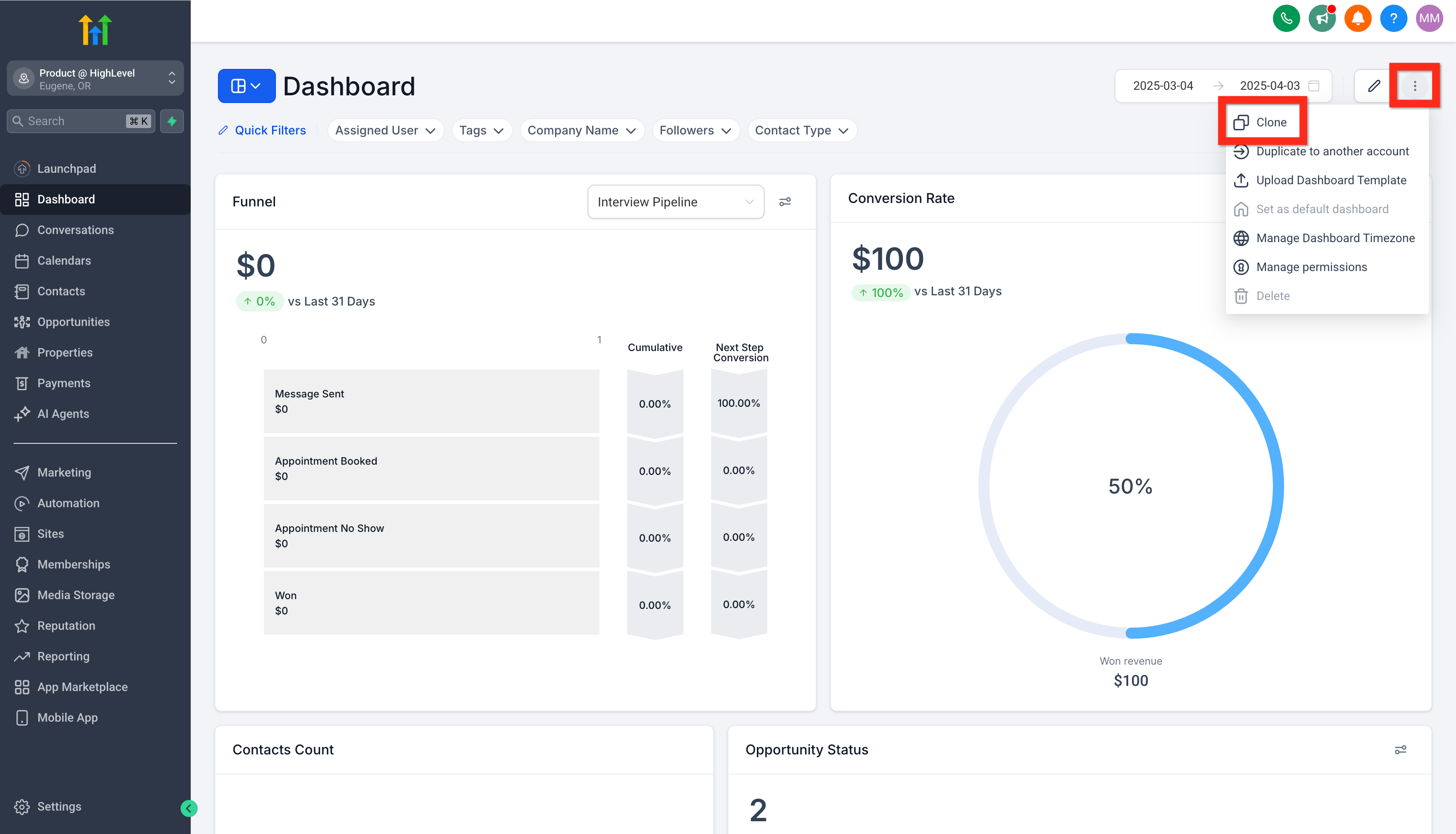
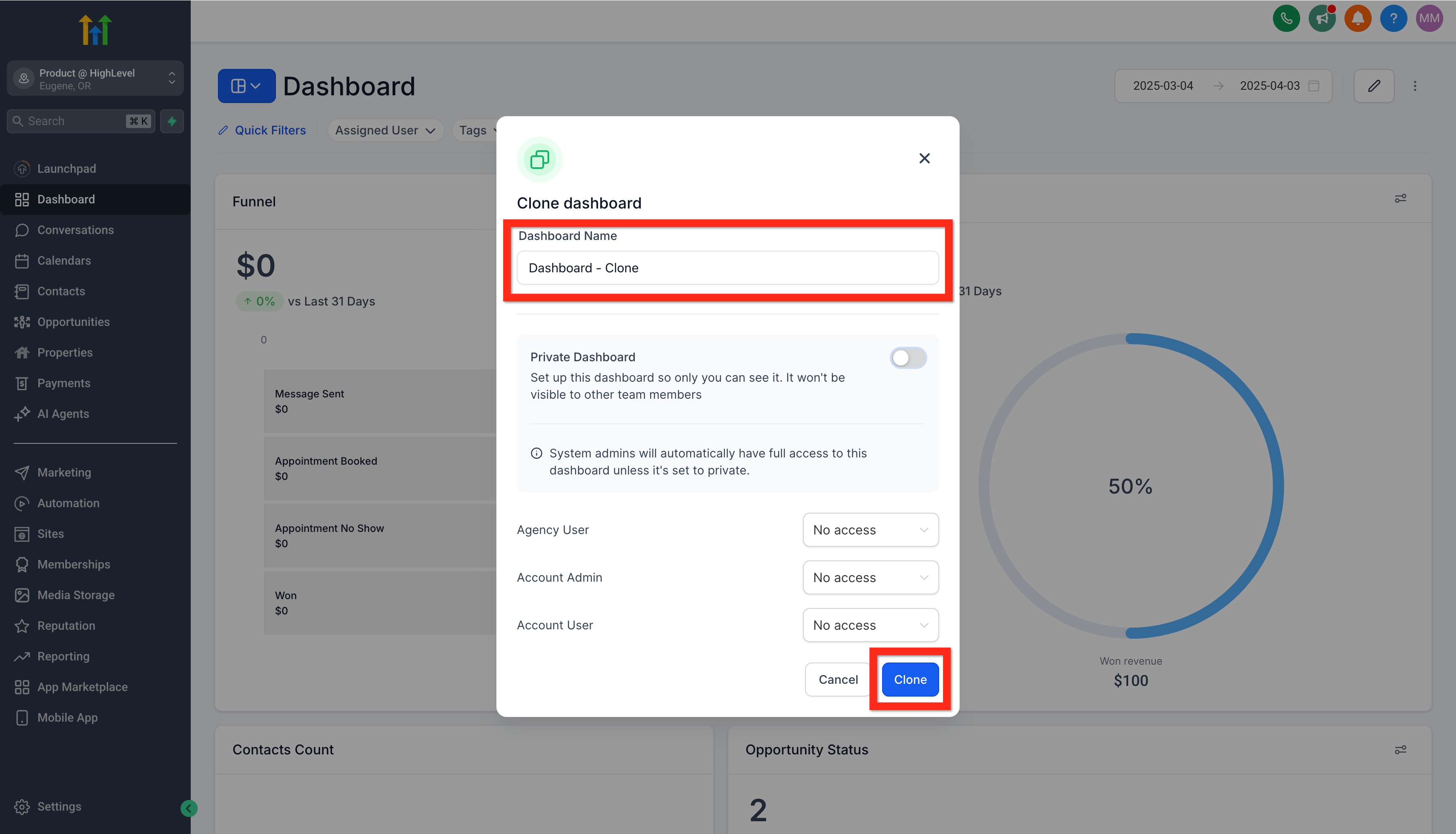
Efficiently reuse your existing dashboards and save valuable time by leveraging the cloning feature. This guide will walk you through the steps to successfully clone a dashboard. * * * ## Dashboard Clone ## Step 1: Open A Dashboard Navigate to Subaccount > Dashboard and click on the dashboard selection menu. Search or browse for your target dashboard. Select it to open for viewing and editing.!(https://assets.patientcopilot.ai/d200bcdebdfc5e08.png) ## Step 2: Clone The Dashboard On the original-dashboard, click the action menu (3 dots) and click the clone button.!(https://assets.patientcopilot.ai/8ab2d3b0e2cf6019.png) ## Step 3: Configure and Save Dashboard Clone In the Clone Dashboard modal, write the cloned-dashboard title, set the dashboard’s privacy/access permissions, then click the Clone button. This will create the new cloned-dashboard with the appropriate settings.!(https://assets.patientcopilot.ai/11394bb52458c461.png) * * * ## Relevant Articles - (https://help.patientcopilot.ai/en/support/solutions/articles/155000001536)[Subaccount Dashboard Page - View or Edit](https://help.patientcopilot.ai/en/support/solutions/articles/155000004804)
- How to Edit a dashboard
- How to pin dashboards as favourite
- How to manage permissions for a dashboard Was this article helpful? That’s Great! Thank you for your feedback Sorry! We couldn’t be helpful Thank you for your feedback Feedback sent We appreciate your effort and will try to fix the article