Creating New Snapshots in Patient Copilot
This article shows you how to create a new snapshot in Patient Copilot. Snapshots allow you to clone a sub-account’s configuration so you can reuse them across other sub-accounts efficiently. * * * ## What is a Snapshot? A Snapshot in Patient Copilot is a reusable template that captures all the configuration from a sub-account - including workflows, funnels, calendars, forms, campaigns, custom fields, and more. This allows you to duplicate successful setups across other client accounts. Note: You don’t “build” a snapshot directly. You first build a sub-account, and then create a snapshot from that account. * * * ## Key Benefits of Snapshots - Save Time: Rapidly deploy repeatable configurations.
- Ensure Consistency: Maintain uniform setups across clients or verticals.
- Enable SaaS Offers: Power pre-built account templates for SaaS plans.
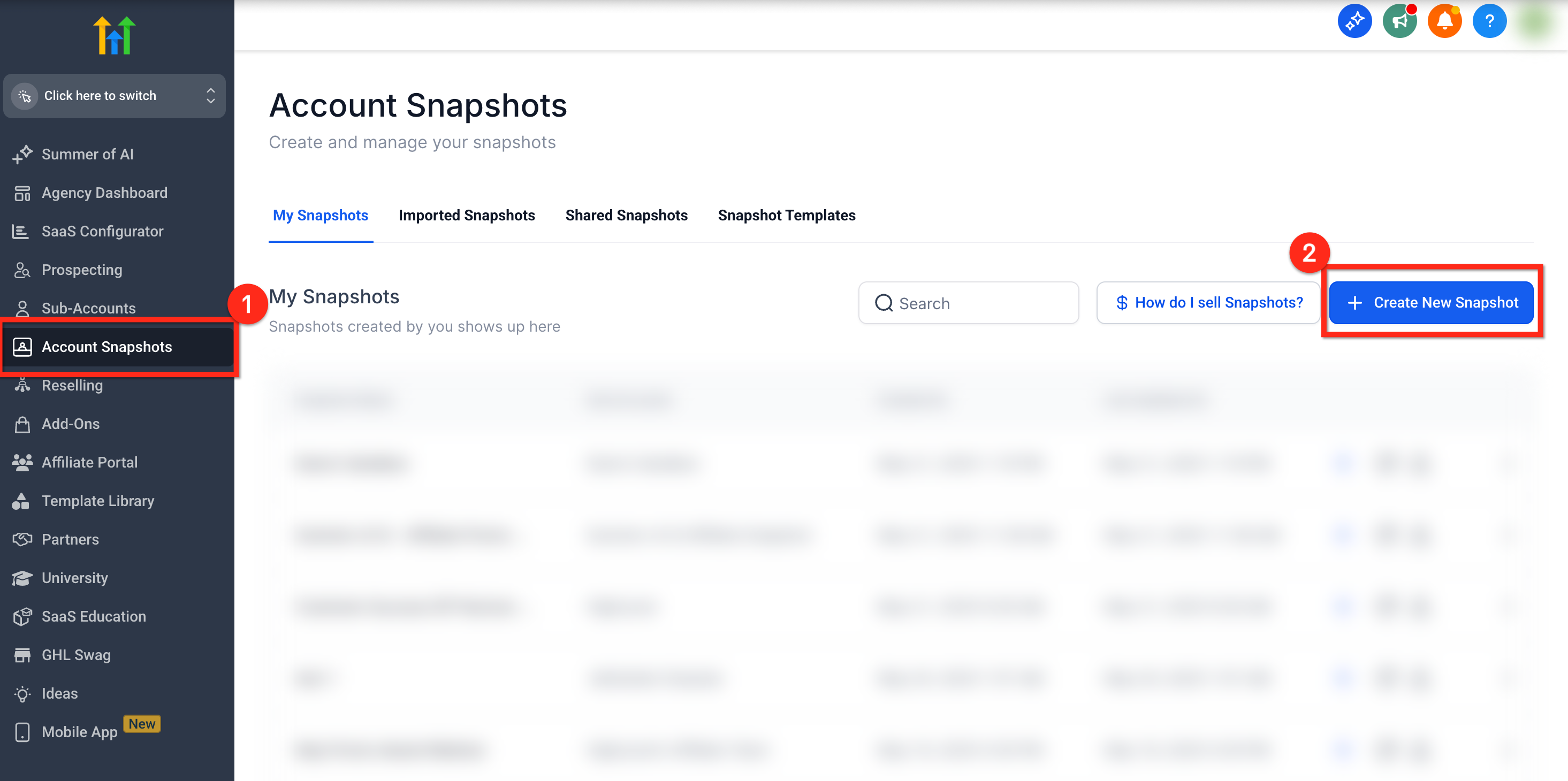
- Selective Asset Control: Include all assets or handpick what you need. * * * ## How to Create a Snapshot #### Step 1: Go to Account Snapshots 1. From Agency View, click Account Snapshots
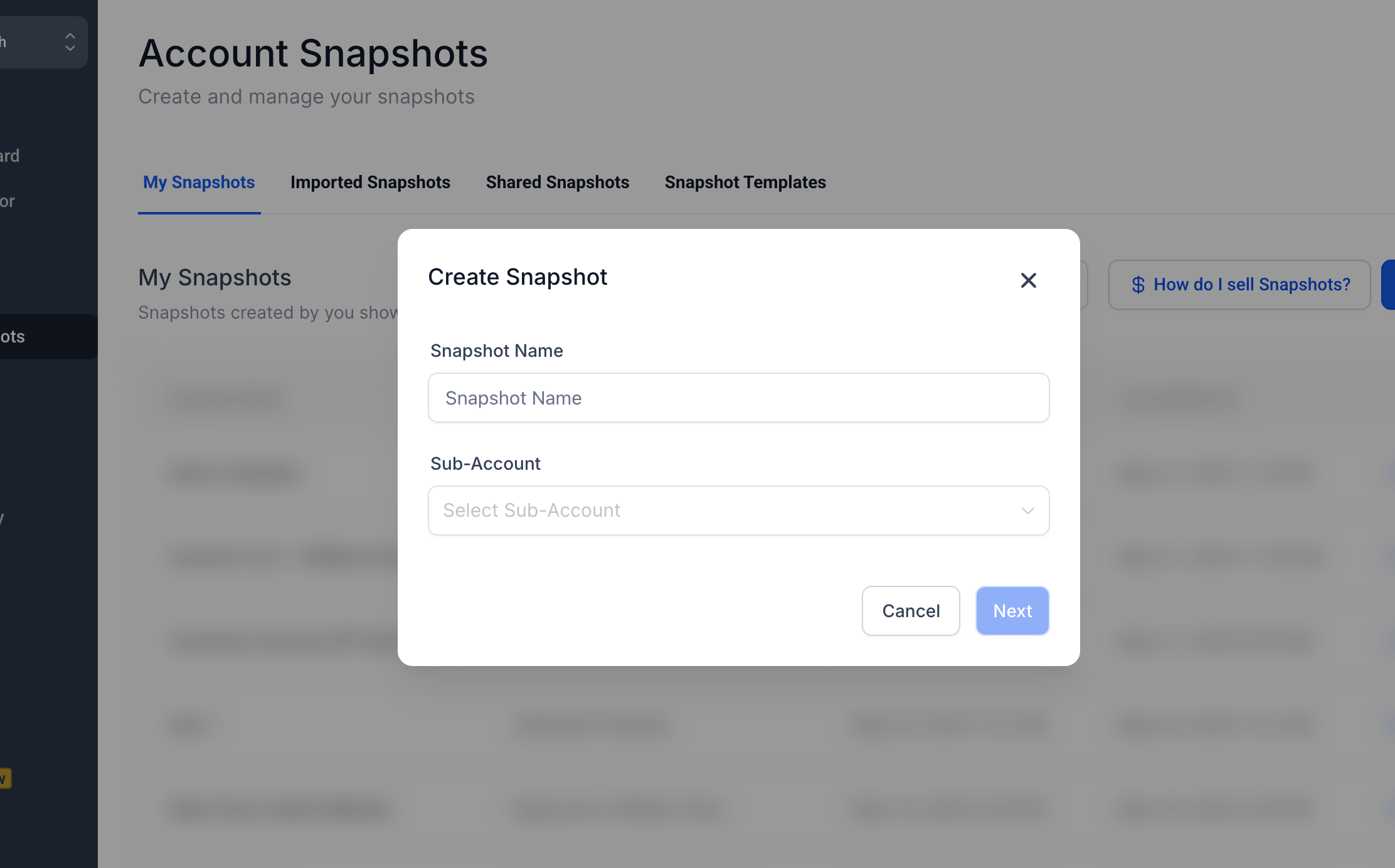
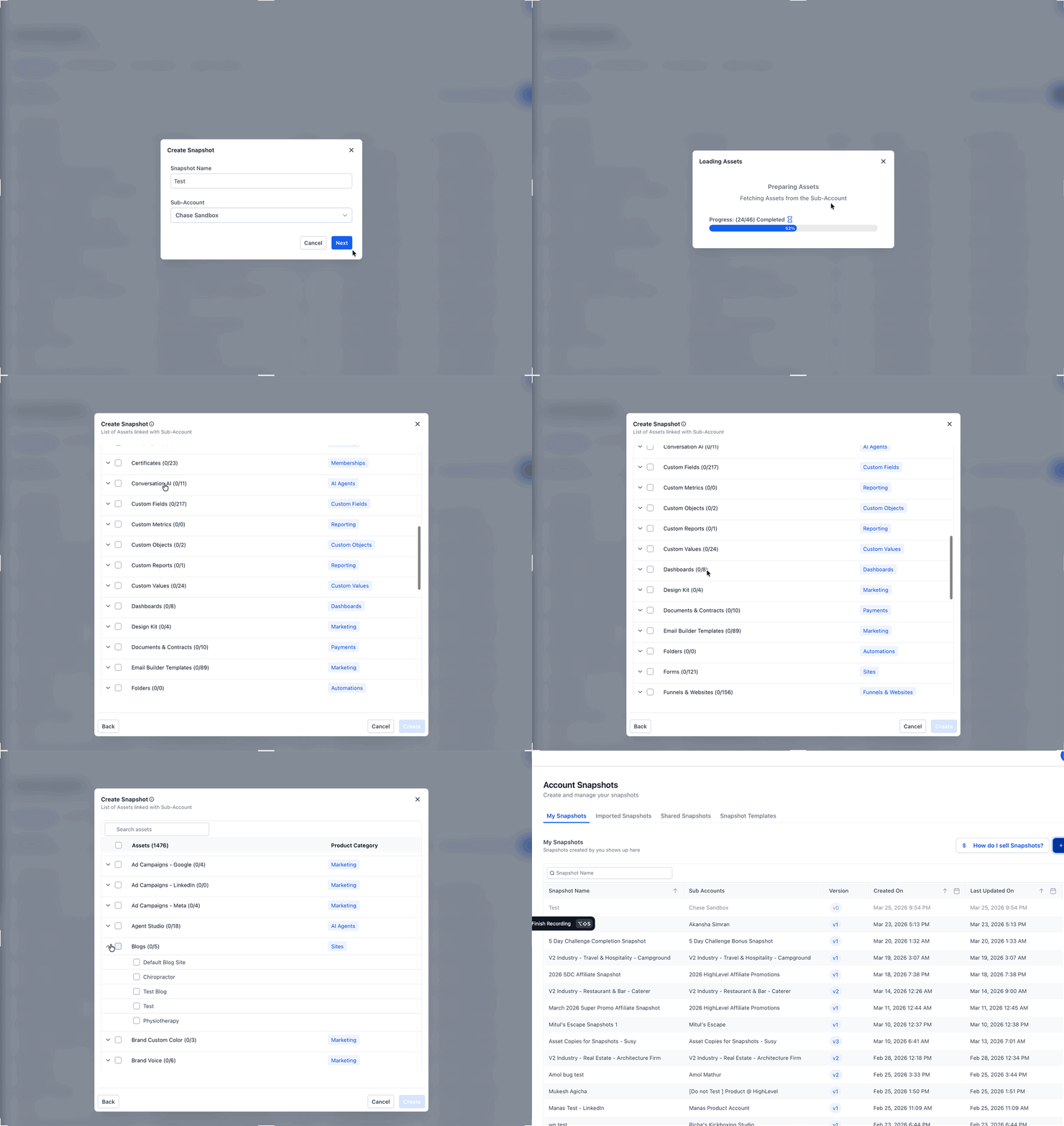
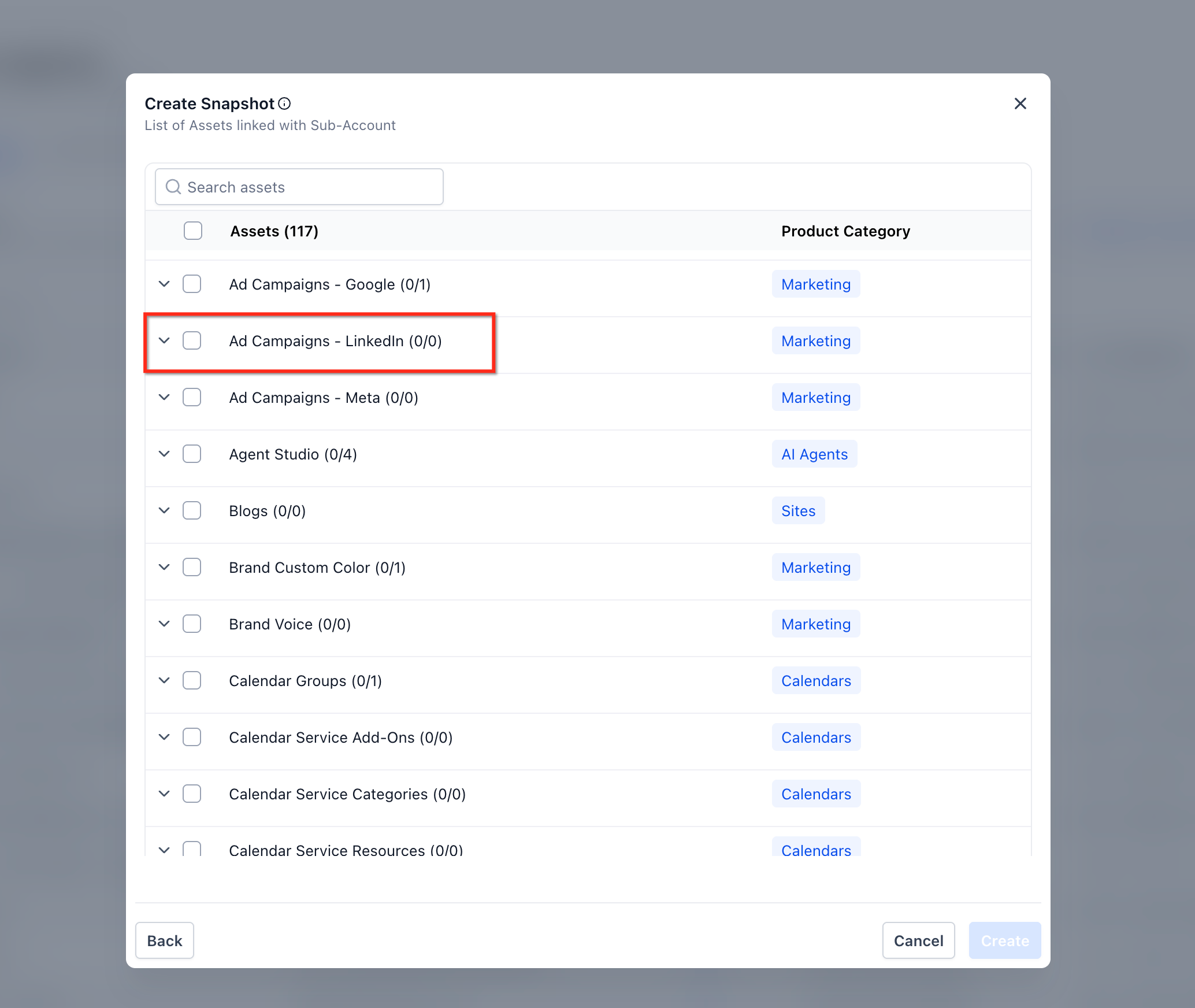
- Click the blue + Create New Snapshot button in the top right !(https://assets.patientcopilot.ai/c2bec2aebbfba192.png) #### Step 2: Name the Snapshot & Select Sub-Account Enter a name that reflects the use case (e.g., “Spa Funnel Setup”) the select the sub-account that contains the assets you want to capture.!(https://assets.patientcopilot.ai/13afb525f9703a1b.png) #### Step 3: Choose Assets to Include You’ll see a list of all assets in the selected sub-account. Click Select All to include everything, or expand each category with + to choose individually. Once ready, click Create. Note: If any assets fail to load during this step, you’ll now see a “Retry” option. Clicking it will reattempt fetching the incomplete categories without needing to restart the snapshot creation process.This is especially useful in cases where there are a large number of assets or intermittent load delays.!(https://assets.patientcopilot.ai/3e3c9b35c5185db0.gif) Ad Campaigns – LinkedIn (Marketing Assets) You can include LinkedIn campaign structures in a snapshot. Go to Marketing assets → Ad Campaigns – LinkedIn. Select specific campaigns or choose Select All (shows Selected/Total). Patient Copilot preserves the full hierarchy: Campaign Group → Campaign → Ad. Note: Lead Gen Forms are not included in snapshots. Note: Associations between CRM objects are included automatically in snapshots as long as both objects in the relationship are selected. Contact-to-Contact associations are not supported at this time.!(https://assets.patientcopilot.ai/076f148d004e528e.png) * * * ## Frequently Asked Questions Q: Where do I build a snapshot? You build a sub-account, not the snapshot itself. Then you capture that sub-account using the snapshot tool. Q: What’s included in a snapshot? Included: Workflows, Funnels, Calendars, Forms, Emails, Triggers, Custom Fields, Custom Values,Membership content, Services, Webinars and more. Not included: Contacts, Appointments, Conversations, Reputation data, Stripe connections, or integrations. Q: Can I use a snapshot more than once? Yes! You can apply a snapshot to as many sub-accounts as you need. Q: Can I update a snapshot later? Yes. Use the Refresh option to add or remove new assets from an existing snapshot. * * * ## Related Articles - Snapshots - Overview