Cancelling Listings for Your Sub-account in Patient Copilot
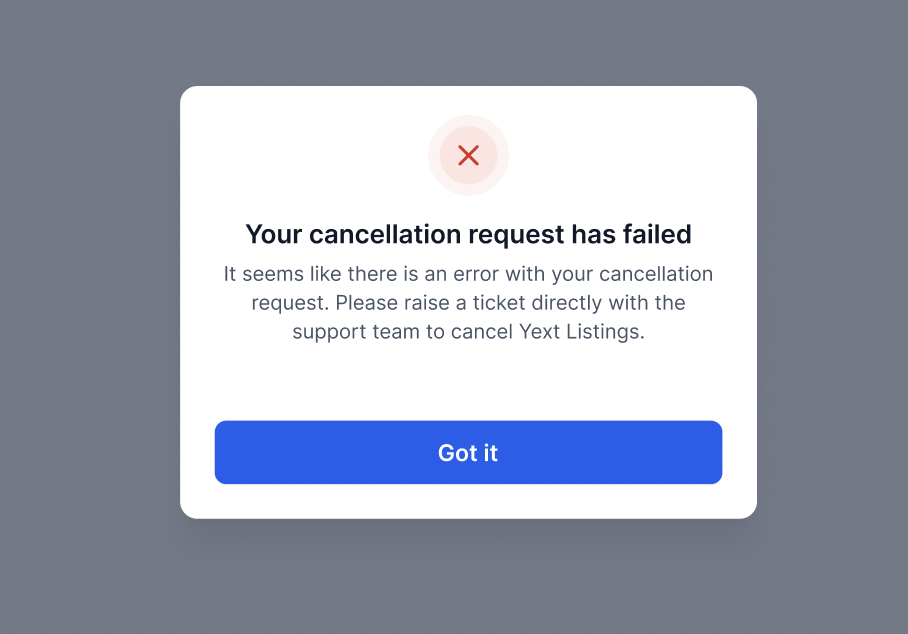
To reduce the time and effort it takes to cancel Listings subscriptions, we have made it easier for our users. With the Automated Cancellations, users gain the ability to effortlessly initiate cancellations for online listings directly through our platform. This feature helps users to cancel Listings subscriptions directly from our platform, ensuring an efficient and hassle-free experience. The automated Listings Cancellation is only applicable for users who have submitted the Listings form 30 days prior to cancellation * * * ## What Happens After You Cancel Listings It’s important to understand the implications of cancelling Listings: - Data Synchronization Stops: Your business information will no longer be updated across directories - Potential Inconsistencies: Over time, discrepancies may arise in your business information across different platforms - Impact on SEO: Your local SEO rankings may be affected due to inconsistent information. - Billing Stops: You will no longer be billed for the Listings feature * * * ## Troubleshooting Failed Cancellations In an event when the Cancellation fails, you will get an error message as shown below. In such cases, please raise a cancellation request with the support team. ##!(https://assets.patientcopilot.ai/ee29436c8d6f585f.png) * * * ## Frequently Asked Questions Q: Can I reactivate Listings after cancellation? Yes, you can reactivate Listings at any time by following the setup process within your sub-account. Q: Will my business information be removed from directories after cancellation? No, the information will remain but will no longer be actively managed or updated through Patient Copilot. Q: Is there a cancellation fee or penalty? No. You can cancel Listings at any time with no additional fees. Billing stops immediately upon cancellation. * * * ## Related Articles - Adding Additional Attributes to Listings Was this article helpful? That’s Great! Thank you for your feedback Sorry! We couldn’t be helpful Thank you for your feedback Feedback sent We appreciate your effort and will try to fix the article