Adding Unassigned Calendars to Groups
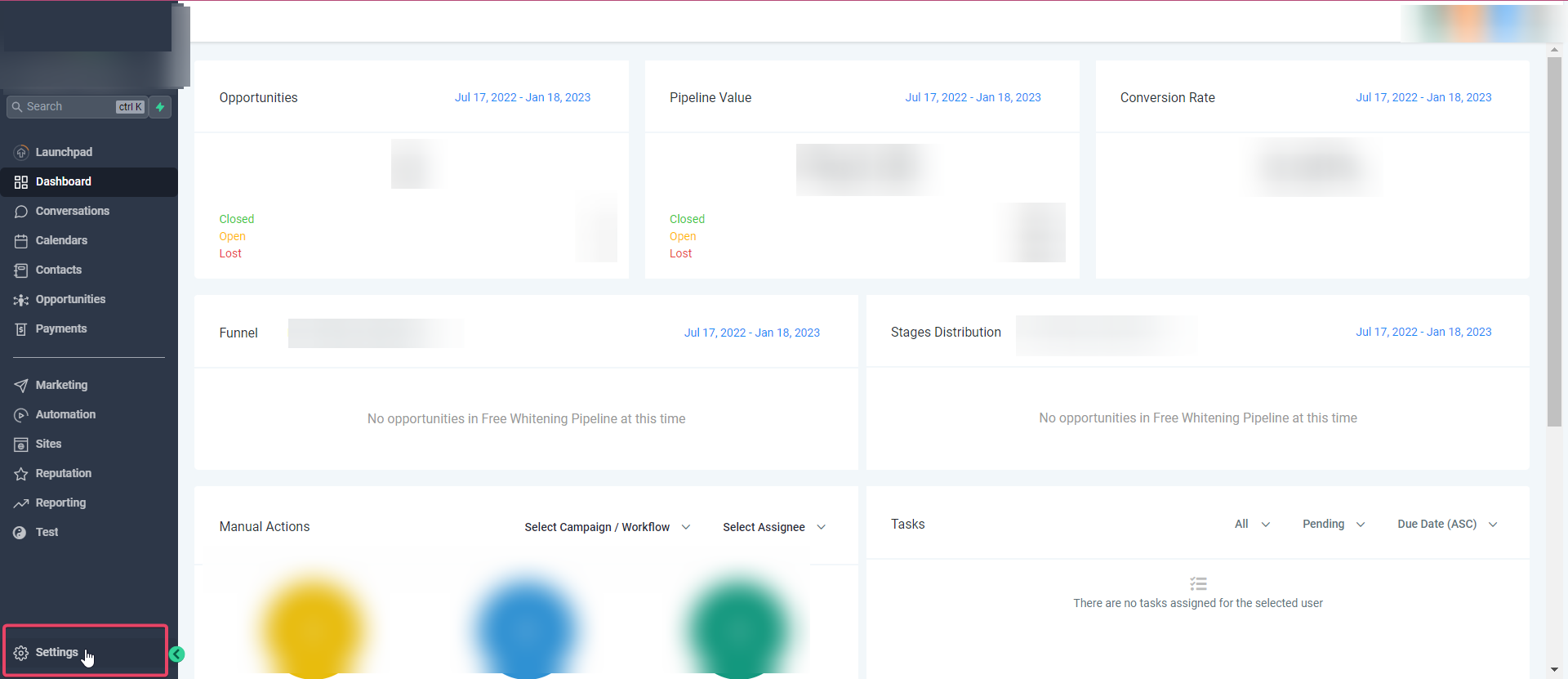
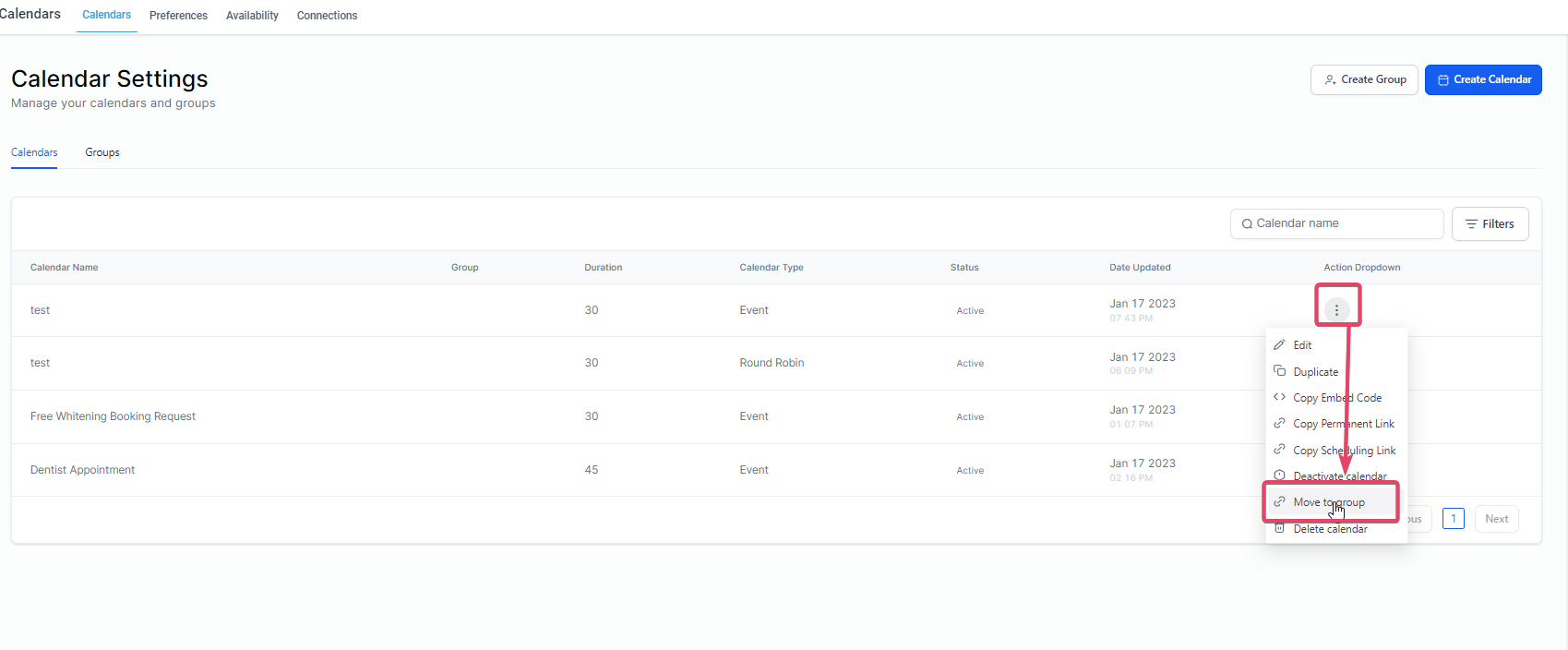
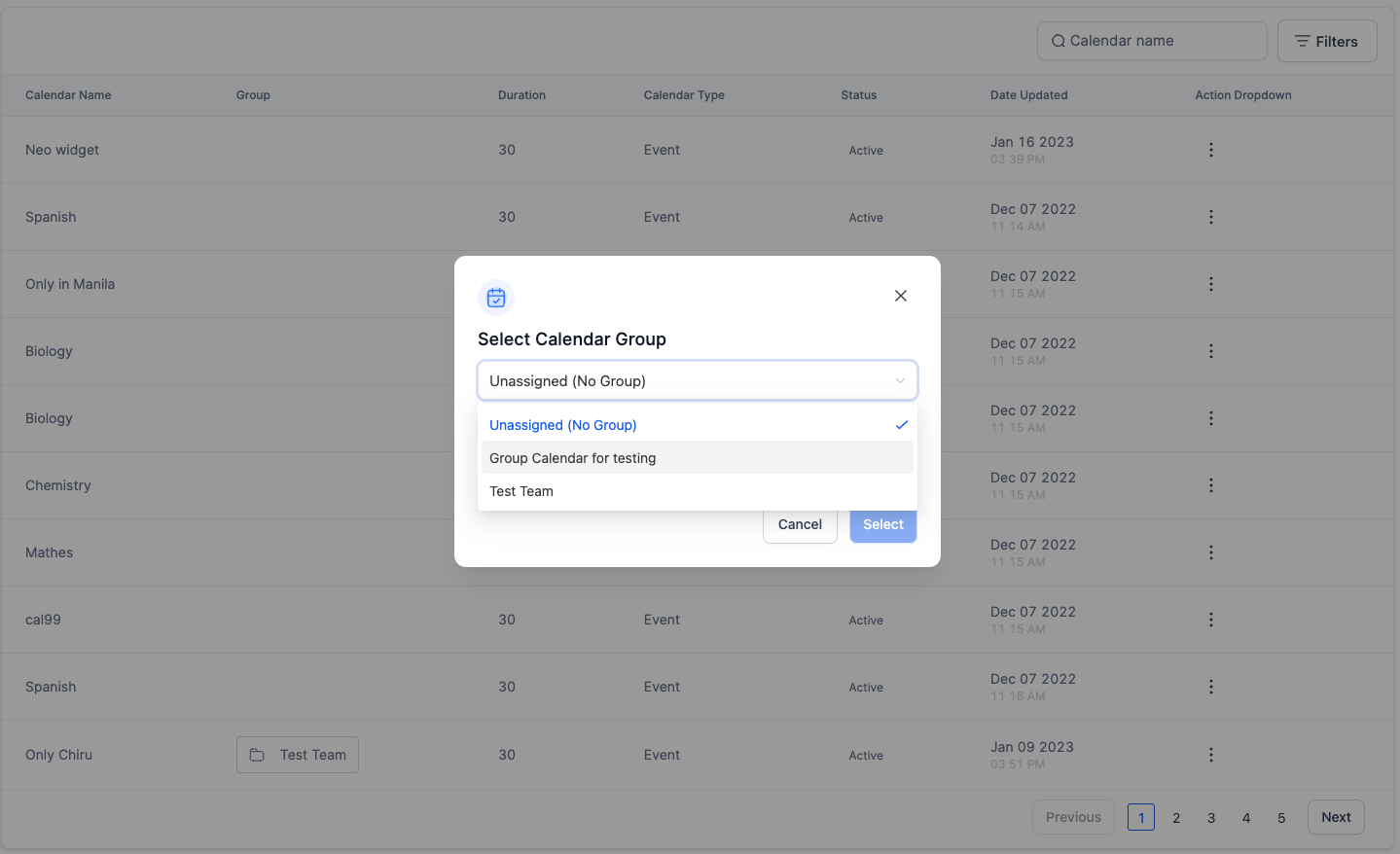
You can now assign Groups to the Unassigned Calendar type as well as other Round-robin Calendars Go to Settings> Calendars: !(https://assets.patientcopilot.ai/dbdbc5b5b2e61534.png) Click on the 3 dots on the right side of the desired Calendar and then click on Move to Group:!(https://assets.patientcopilot.ai/3c85f9542d8d2874.png) It would open a pop-up where you would be asked to select a group you want to assign to the calendar and then Click on Select!(https://assets.patientcopilot.ai/97c76bd0e8f88062.png) Was this article helpful? That’s Great! Thank you for your feedback Sorry! We couldn’t be helpful Thank you for your feedback Feedback sent We appreciate your effort and will try to fix the article