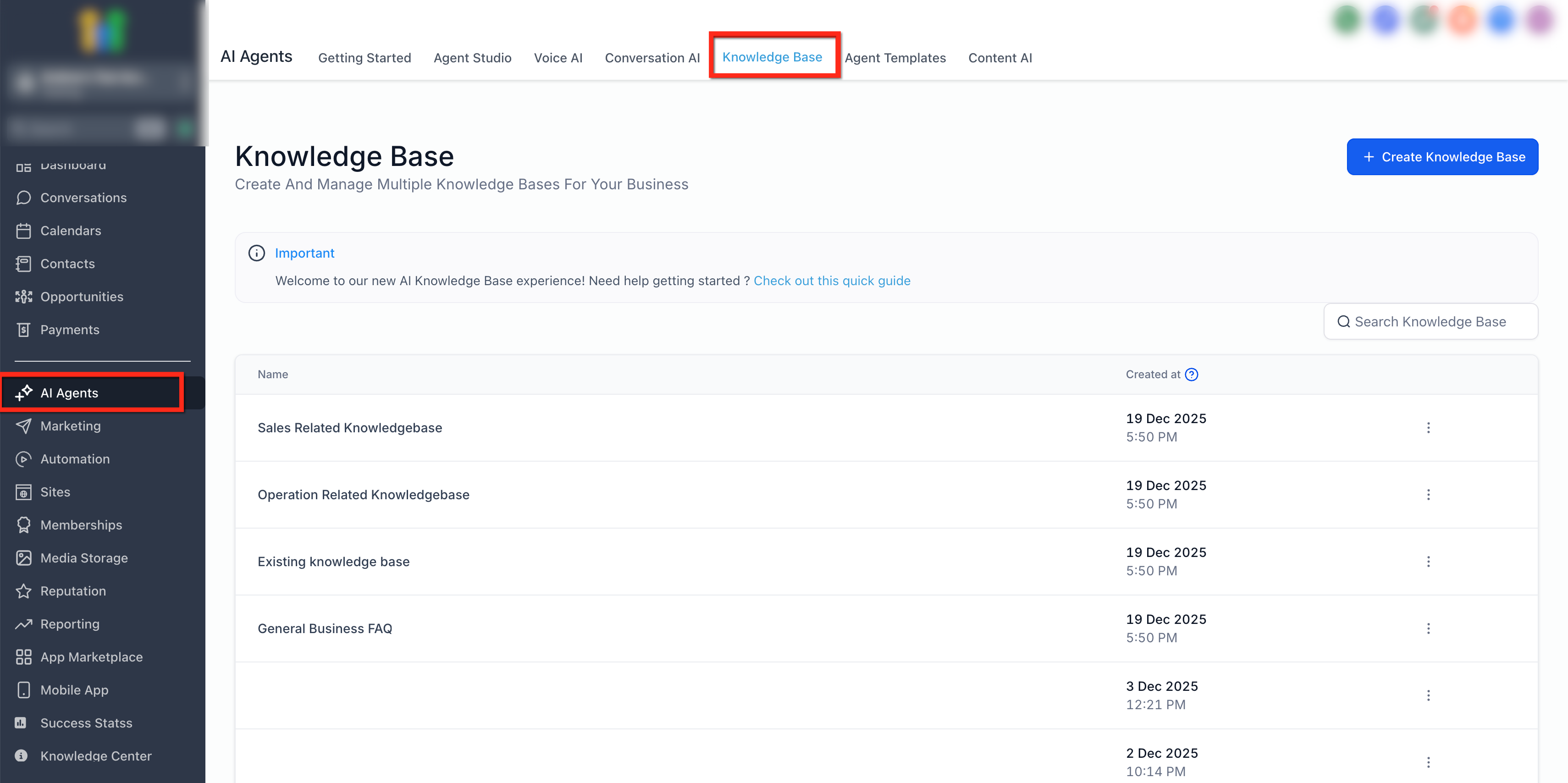
Knowledge Base Overview
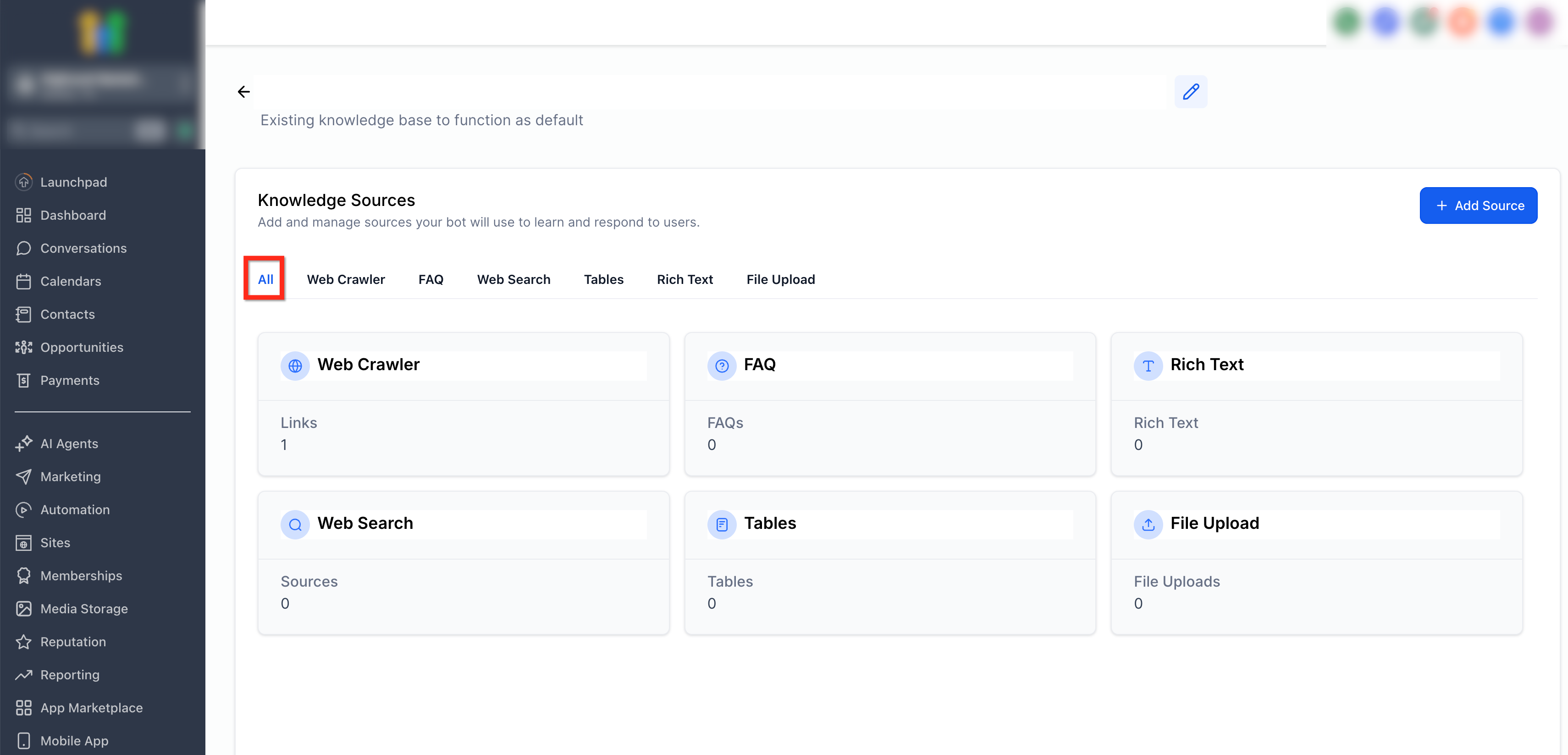
The Knowledge Base UI has been refreshed to improve clarity, navigation, and consistency across Patient Copilot. This update introduces a Summary view, tabbed data sources, and a centralized federated Knowledge Base component used across products. * * * ## Knowledge Base Landing Page From the Knowledge Base landing page, you can view all existing Knowledge Bases, create new ones, and open a Knowledge Base to manage its sources.!(https://assets.patientcopilot.ai/551c13336b0ca820.png) * * * ## What’s New in the Knowledge Base UI ### Summary View Each Knowledge Base now opens with a Summary view. This view provides a high-level snapshot of the Knowledge Base, including connected sources and overall structure, helping you quickly understand its current state. * * * ### Tabbed Data Sources All data sources are now organized into individual tabs. Each tab represents a specific source type, making it easier to manage and review content without switching pages. Additional data sources will appear as new tabs as they are released. * * * ### Centralized Federated Component The Knowledge Base now uses a shared, federated component across multiple products. This ensures a consistent layout, navigation, and management experience wherever the Knowledge Base appears in Patient Copilot. * * * ## Knowledge Base Sources (Tabbed Layout) When you open a Knowledge Base, supported source types appear as tabs, such as: - File Upload Each tab shows the number of connected items and provides actions to add or manage sources. !(https://assets.patientcopilot.ai/fd2b55d1c4327477.png) * * * ## Who This Interface Is For The refreshed Knowledge Base UI is designed for: - Admins managing Knowledge Bases and data sources - Editors curating and maintaining knowledge content Viewer-only users can consume content but do not see management controls. * * * ## What Did Not Change This update does not affect: - How content is written or edited - Permissions or access levels - Indexing logic or AI behavior - Existing Knowledge Bases or sources * * * ## Rollout & Availability The refreshed Knowledge Base UI is rolling out progressively. If you do not yet see the Summary view or tabbed data sources, they will appear automatically as the update reaches your account. No action is required. * * * ## Frequently Asked Questions Q: Does the Summary view replace individual source details? No. The Summary view provides a high-level overview, while each data source tab contains detailed information and management options. Q: Can I add multiple sources of the same type? Yes. You can add multiple sources under the same data source tab. Q: Will new data sources appear automatically? Yes. As new data sources are released, they will appear as additional tabs without changing the overall UI. Q: Is the federated Knowledge Base component available everywhere? The federated component is rolling out across products. Where available, the UI and controls are identical. * * * ## Related Articles - How to Use the AI Agent Studio in Patient Copilot