Getting Started - Create New Contact
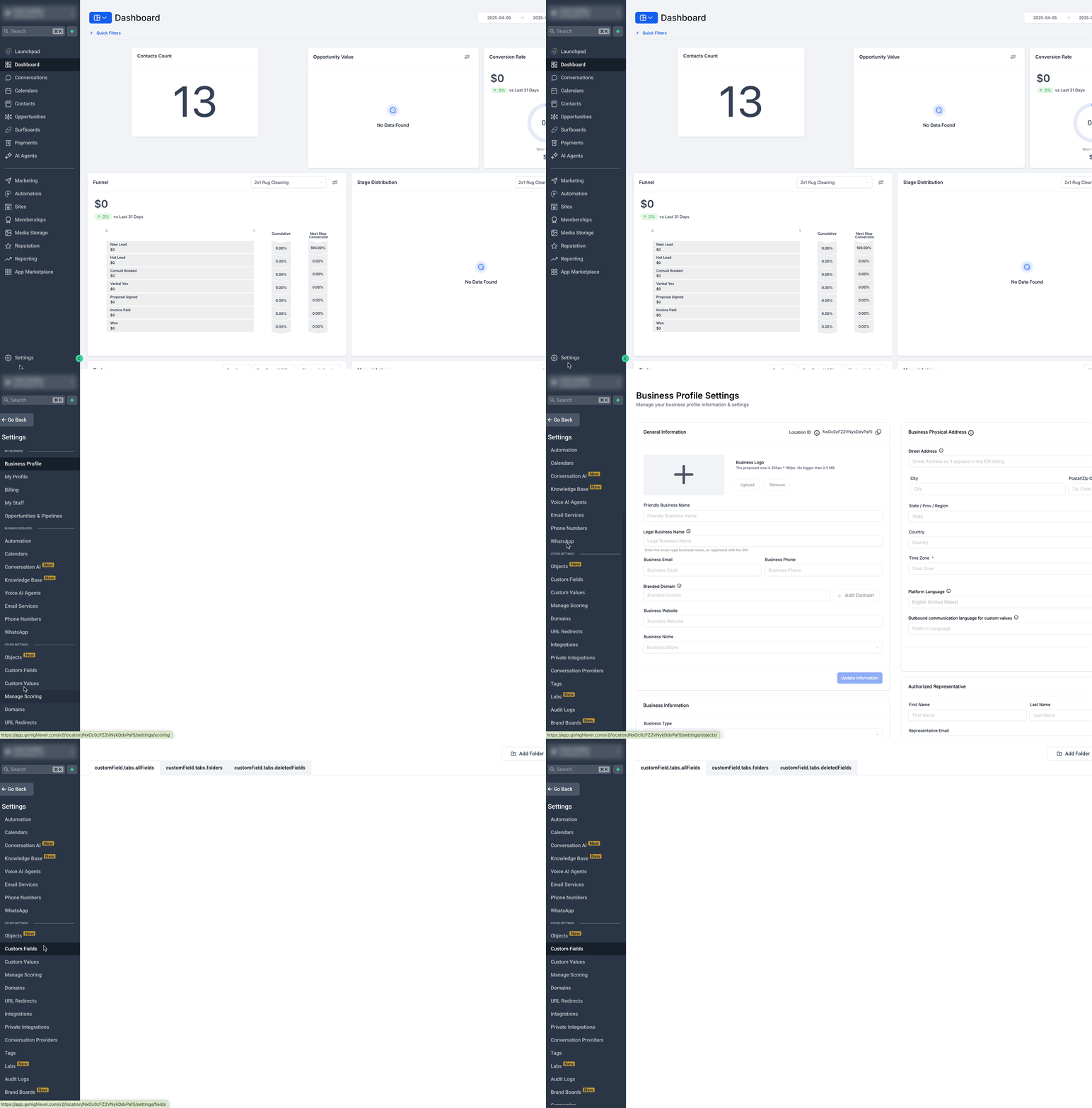
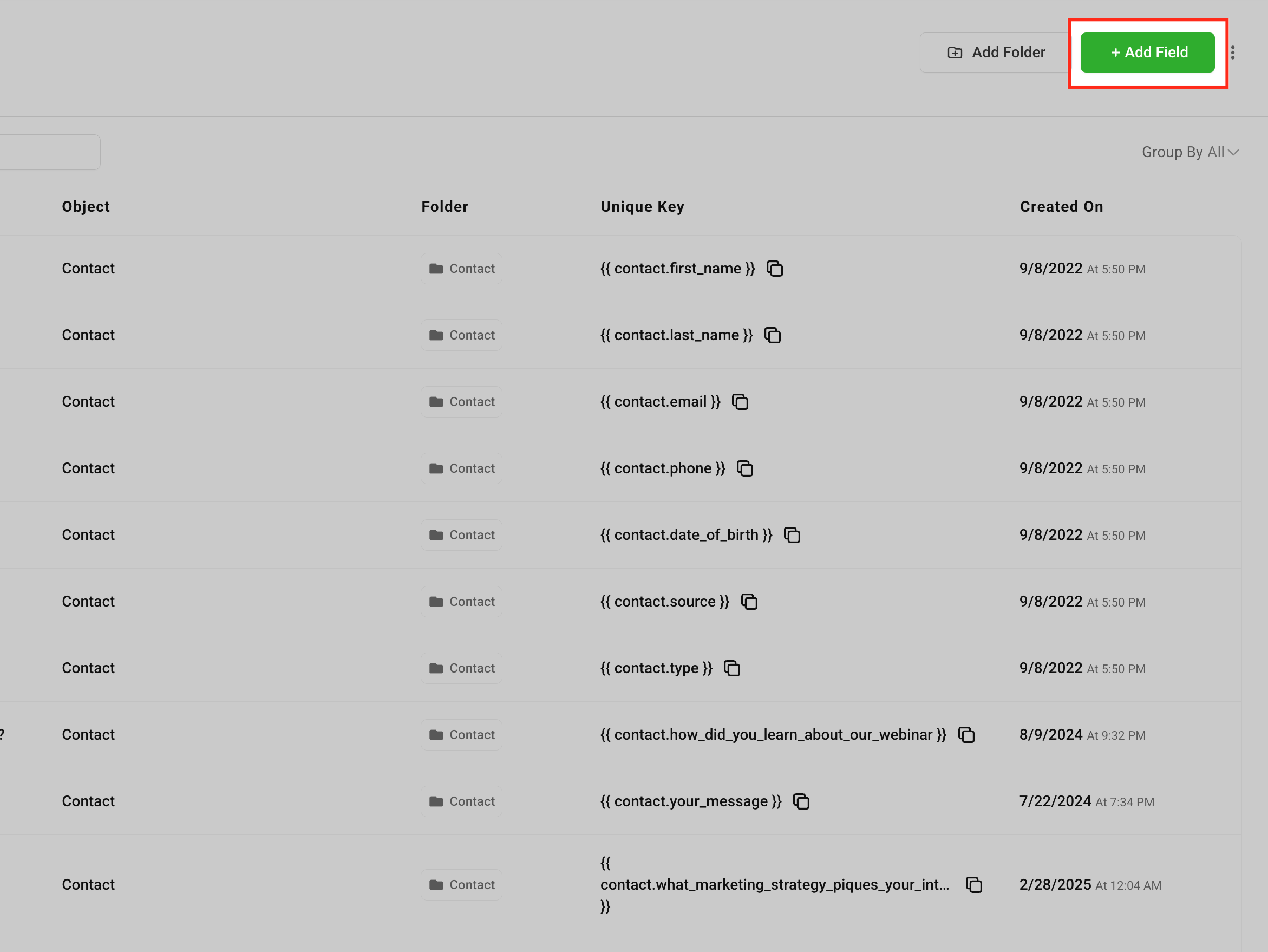
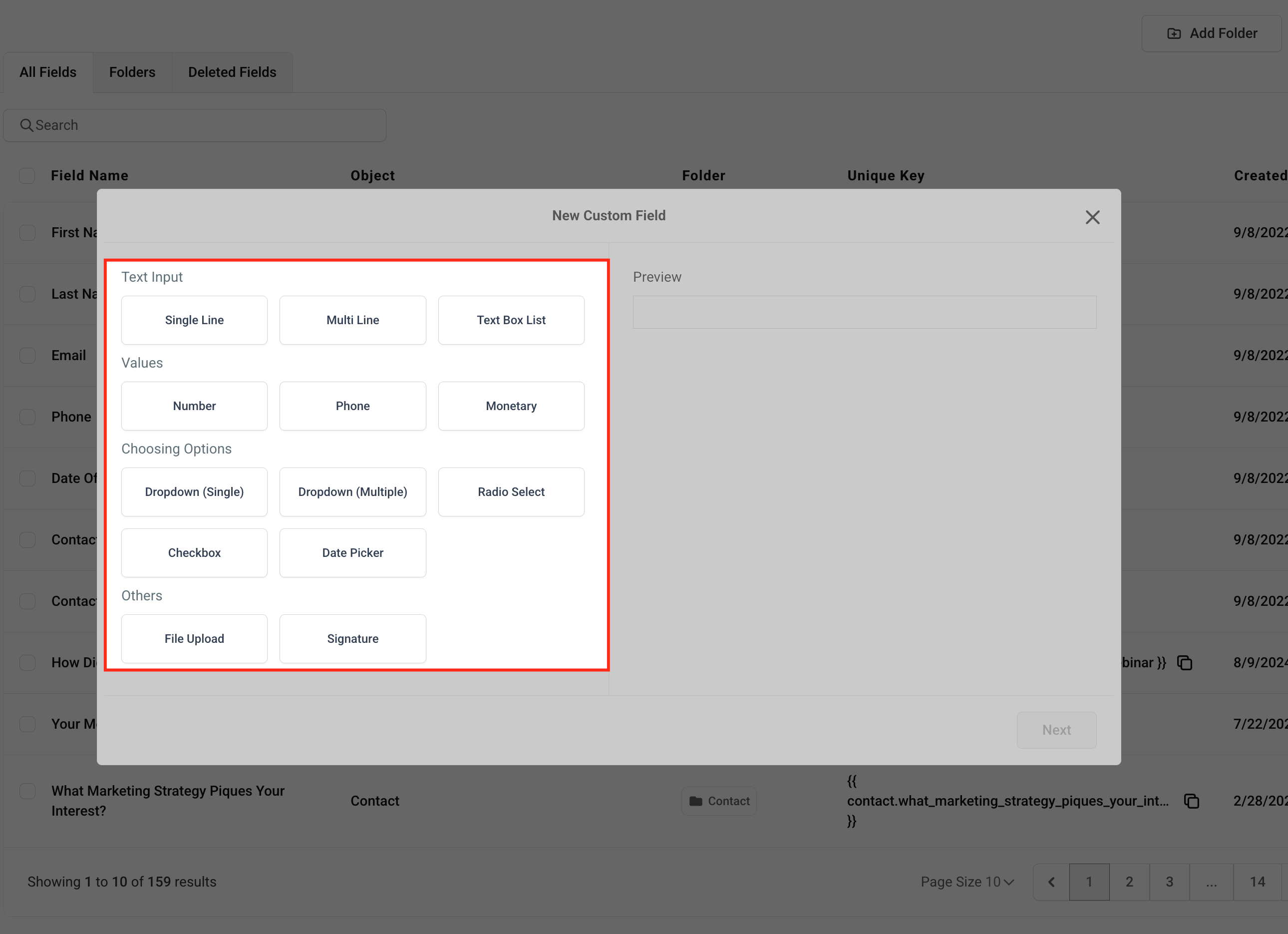
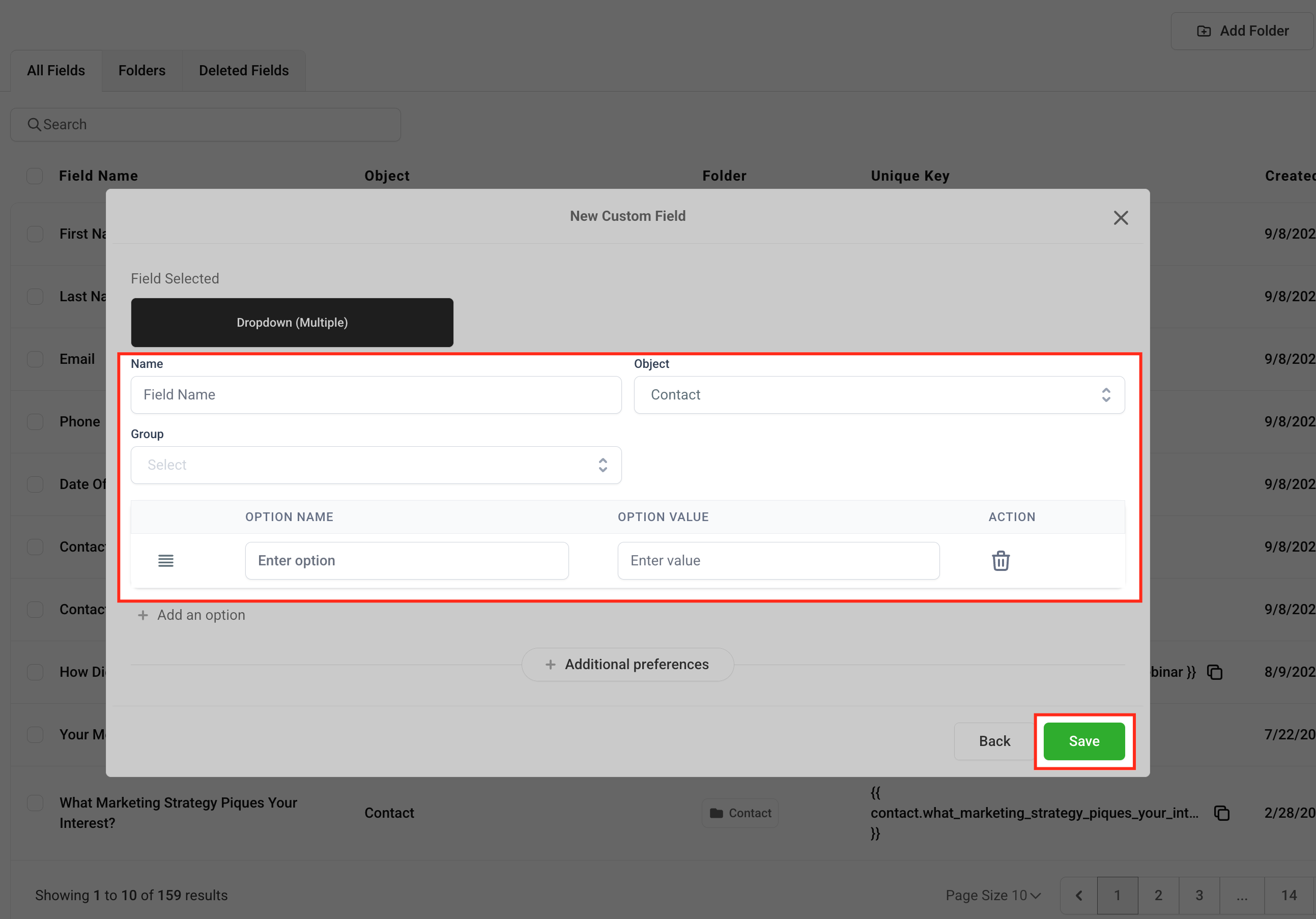
Add your first contact effortlessly and begin building meaningful engagement right away. * * * ## Create New Custom Fields Custom fields allow you to tailor your contact database to fit your specific business requirements. Easily track the data that’s most important to you and your team: 1. Navigate to Settings > Custom Fields.!(https://assets.patientcopilot.ai/39e186fb73912d01.gif) 2. Click Add Field.!(https://assets.patientcopilot.ai/d8ce7566a2b38f1c.png) 3. Choose the type of field you want to create (e.g., text, dropdown, date).!(https://assets.patientcopilot.ai/c84d48b2662a4110.png) 4. Complete the field details (name, group, placeholder, etc.). This helps ensure your team understands exactly what information is needed. Click Save.!(https://assets.patientcopilot.ai/fb69e9285701e69f.png) Was this article helpful? That’s Great! Thank you for your feedback Sorry! We couldn’t be helpful Thank you for your feedback Feedback sent We appreciate your effort and will try to fix the article