
How to load Snapshots with Dashboards
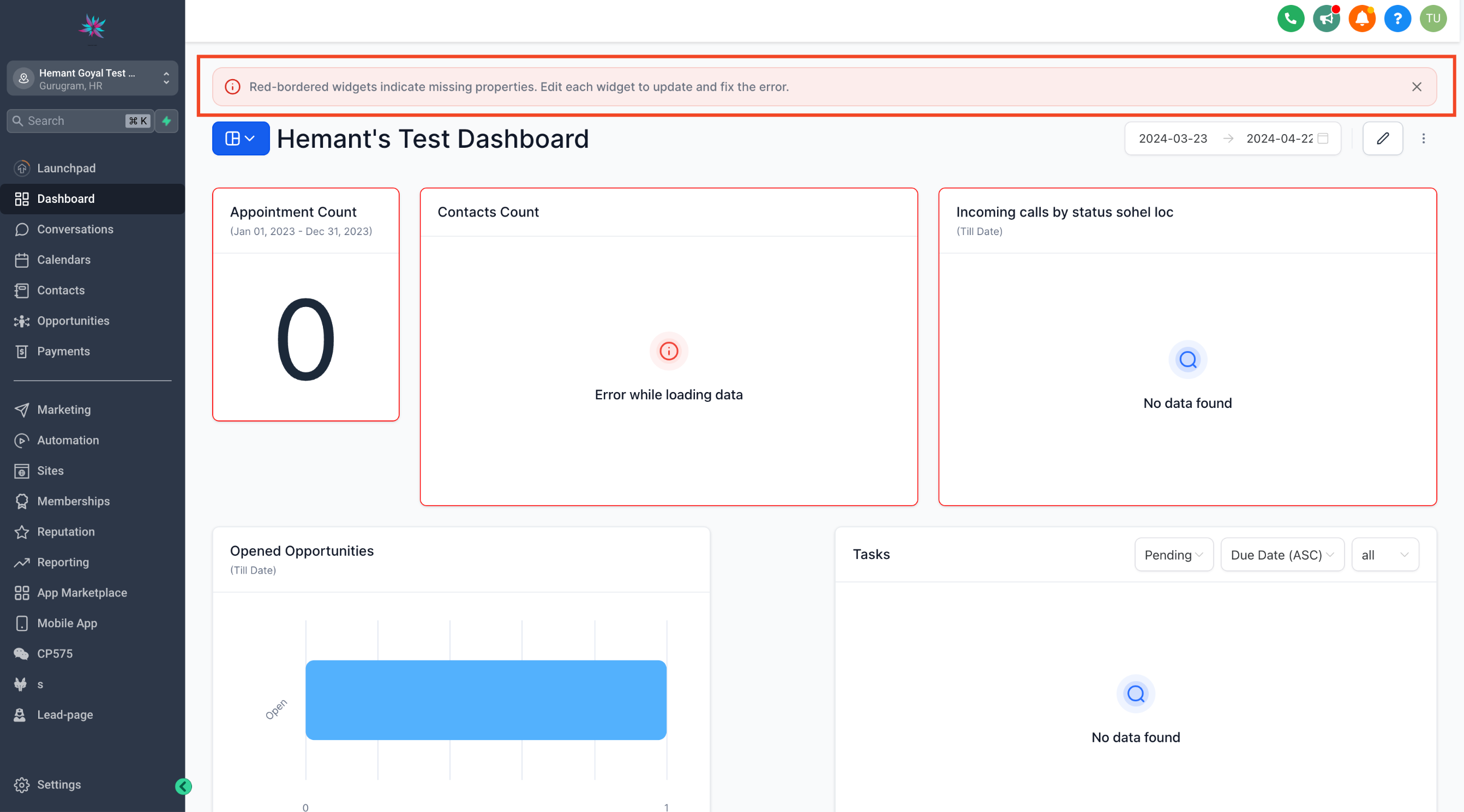
Now agency users can save time during onboarding and provide their locations with pre-configured dashboards as they begin. This enhancement allows agencies to create snapshots of their dashboard setup in one account and easily load it into other existing or new locations, applying all configurations seamlessly. ## Important Notes: Include Linked Assets: Dashboards are loaded with all widgets, conditions, filters, and custom widgets. However, make sure to include other assets linked to dashboard widgets (e.g., custom values and pipelines). Failure to do so may result in an error message on specific dashboards, indicating missing properties. Edit each highlighted widget to correct the properties and save to remove the error.!(https://assets.patientcopilot.ai/e1d0acee8798840a.png) * * * ## What’s Next: - Edit widgets on the dashboard
- Adding widgets on the dashboard
- How to manage permissions for a dashboard Was this article helpful? That’s Great! Thank you for your feedback Sorry! We couldn’t be helpful Thank you for your feedback Feedback sent We appreciate your effort and will try to fix the article