Workflow Action - Reply In Comments
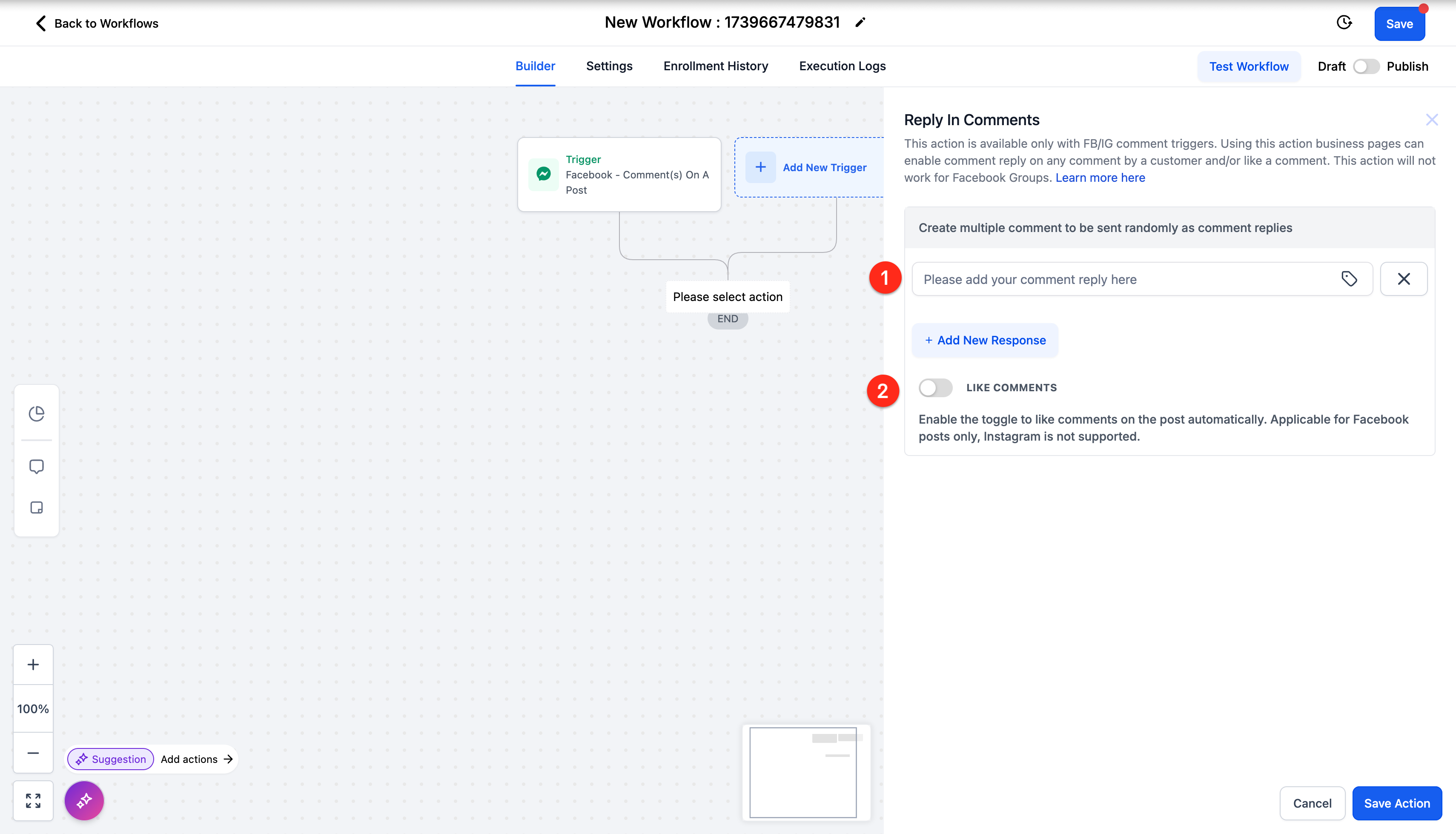
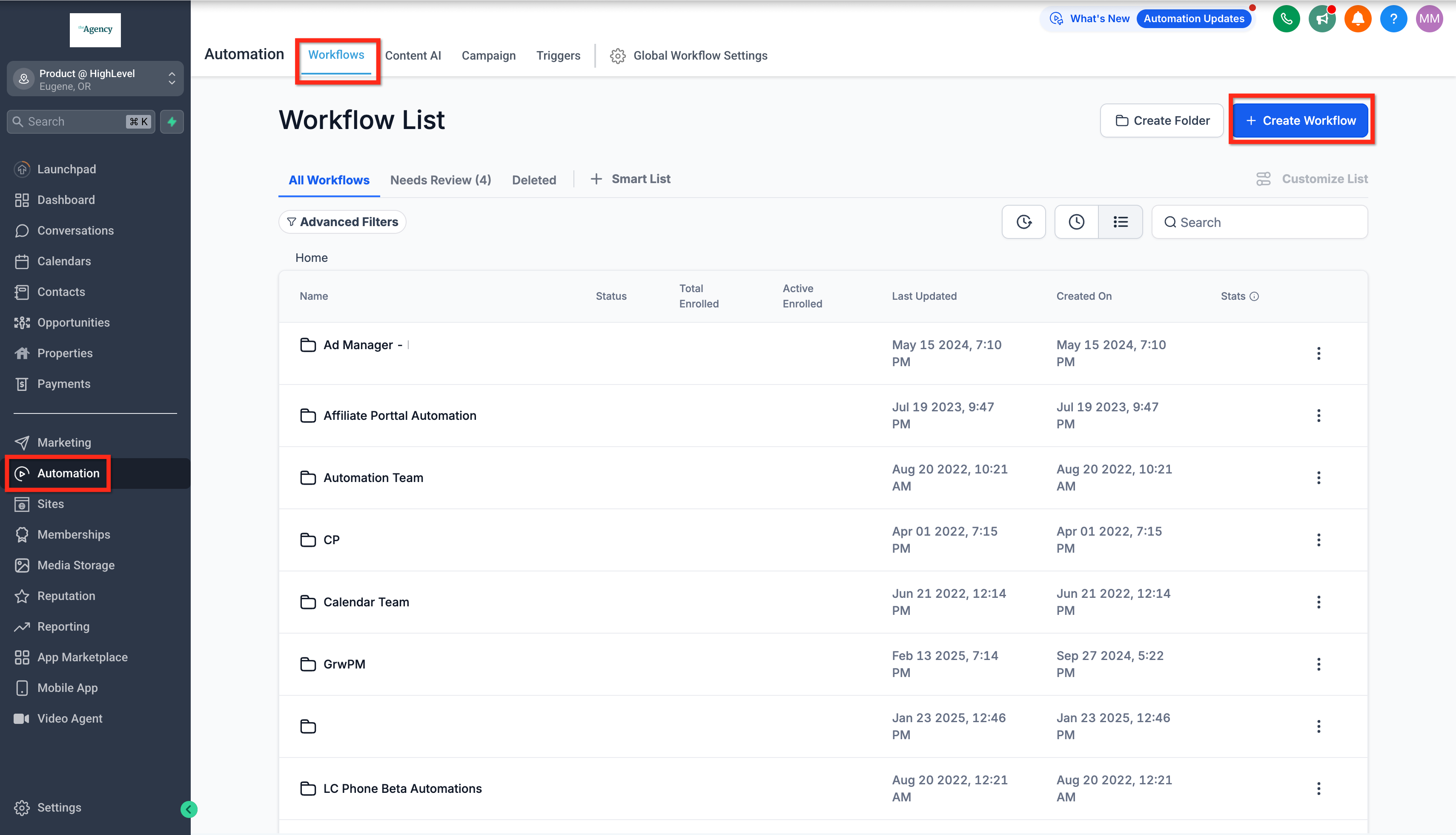
This Workflow Action is used to respond to a comment with a comment. * * * ## Where To Find This Action Navigate to Automation > Workflow > Workflow Builder > Actions > Communication > Reply In Comments.!(https://assets.patientcopilot.ai/e804778f24845609.png)!(https://assets.patientcopilot.ai/17f584ea079145e3.png) * * * ## Components The Reply In Comments Action only has two components: 1. Comments: Create up to ten (10) comments to be used randomly. You can manually type a prewritten reply and/or you can use the tag icon to pull in a reply from another source such as a custom value or a previous AI action. 2. Like Comments: Toggle off to not like the comment. Toggle on to like the comment you’re replying to.!(https://assets.patientcopilot.ai/db263a9768482e3e.png) * * * ## Frequently Asked Questions Q: What trigger(s) do I need to use with the Reply In Comments action? A: You should use the Facebook Comment(s) On A Post and Instagram Comment(s) On A Post triggers so that the action knows what comment to reply to. Q: Can I use the Reply In Comments action to like a comment? A: Yes, the Reply In Comments action has a toggle to turn on/off liking the comment being replied to. Q: Can I use the Reply In Comments action with AI? A: Yes, if you have an AI action before it, you can use the response from that action in Reply In Comments. Q: Can I assign particular replies to particular comments? A: No, the Reply In Comments action chooses randomly from the provided replies. If you want tailored replies you can use an AI action before it or use an If/Else branch, or you could use different comment triggers with different criteria in different workflows.
!(https://assets.patientcopilot.ai/17f584ea079145e3.png)