One Question at a Time (Survey Builder)
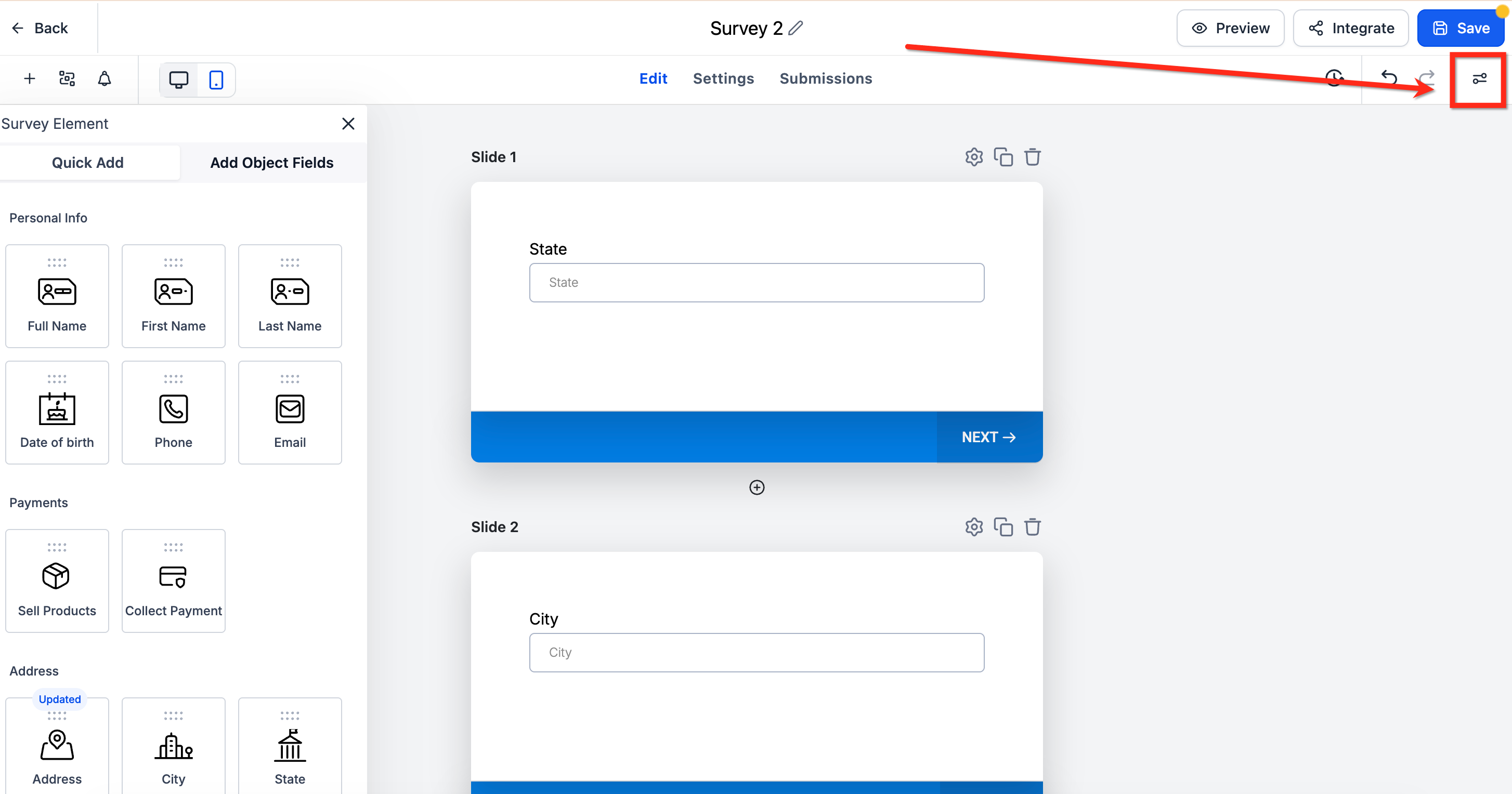
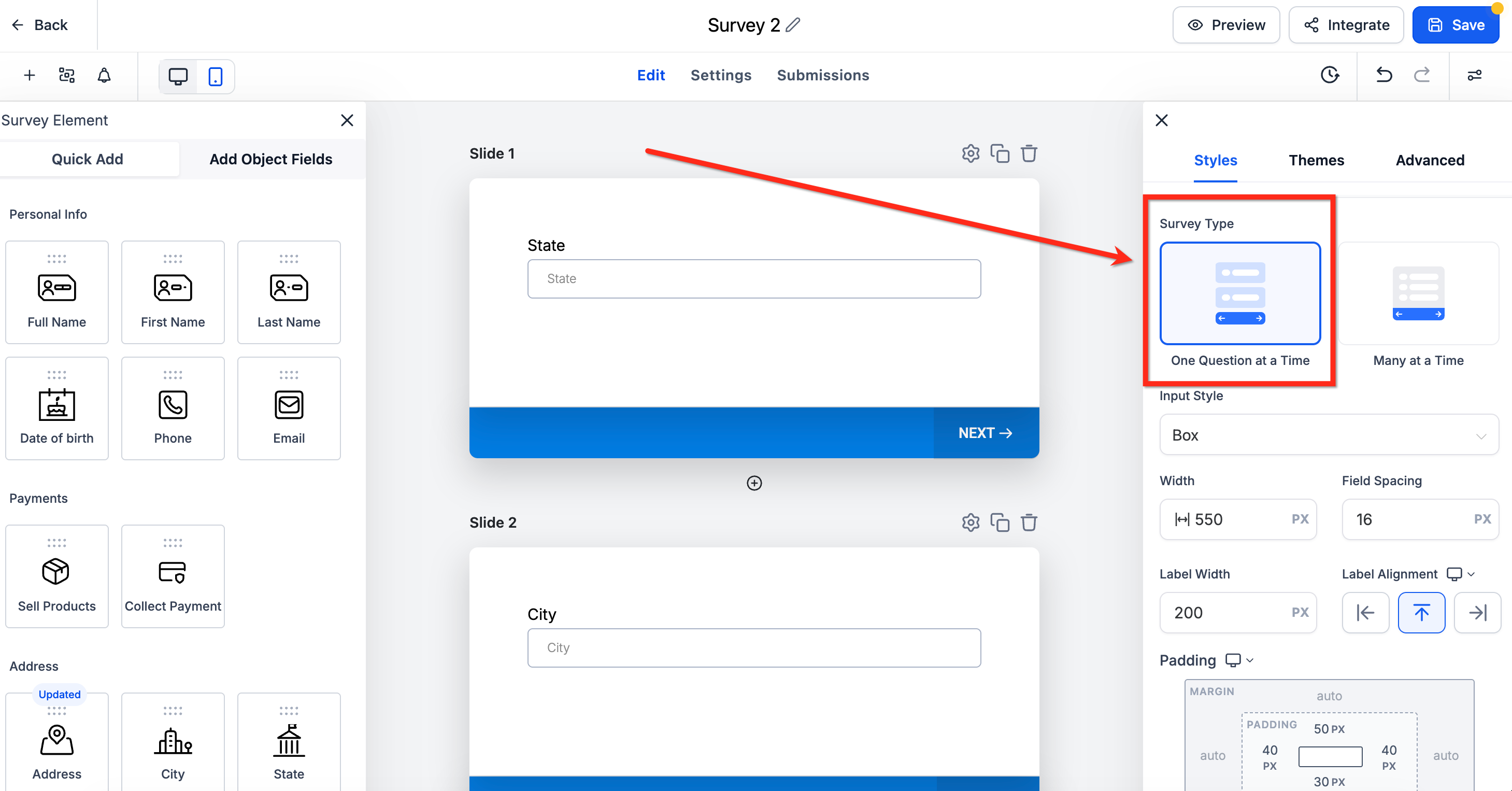
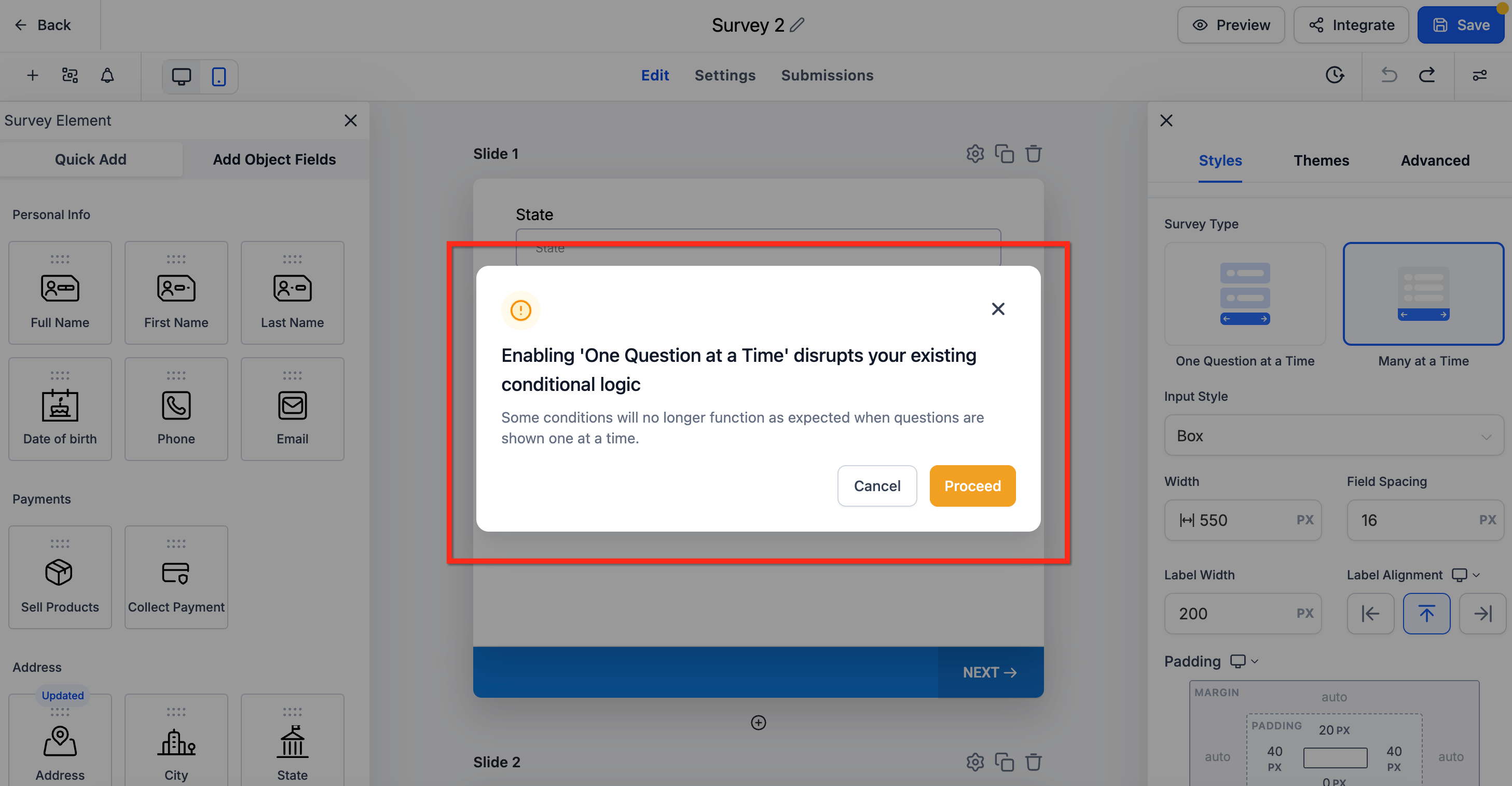
“One Question at a Time” is a setting in the Survey Builder that shows one question per screen when someone is filling out your form. It creates a simpler, more focused experience for your audience. * * * ## What It Does - Each survey question appears on a separate slide both for your visitors and in the builder preview. - This layout helps keep people engaged by showing only one thing at a time. * * * ## How to Turn It On 1. Open your survey in the builder. 2. Click the Styles & Options button in the upper right-hand corner!(https://assets.patientcopilot.ai/00b85b0041228de8.png) 3. Under Survey Type, select the O****ne Question at a Timeoption. Once enabled, you’ll see each field on its own slide while editing just like how it appears to users.!(https://assets.patientcopilot.ai/33c86dc3b8f4f810.png) * * * ## Things to Know - If you’re using conditional logic, turning this on may affect how logic works. You’ll see a warning before anything changes.!(https://assets.patientcopilot.ai/9cd5d6aa3a90155f.png) - This setting only changes how the survey is displayed it doesn’t remove or modify your questions. Was this article helpful? That’s Great! Thank you for your feedback Sorry! We couldn’t be helpful Thank you for your feedback Feedback sent We appreciate your effort and will try to fix the article