Height & Width Controls for Page Builder Elements
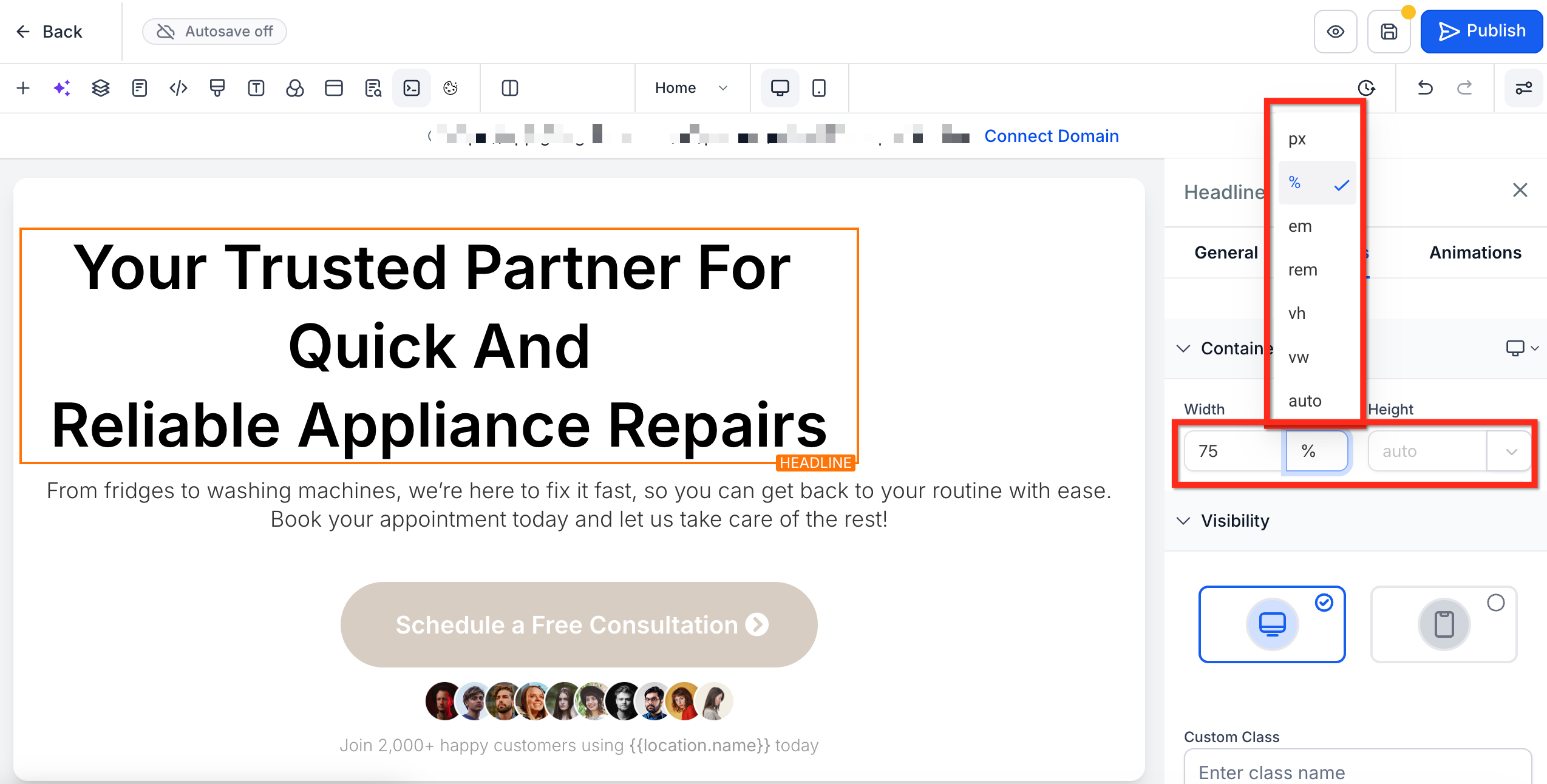
Take precise control of every element’s size in Patient Copilot’s Page Builder using Container Size. This article will show you how to set custom height and width, pick the right unit, and assign different values for desktop and mobile. * * * ## What is Container Size (Height & Width) Control? Container Size is a built-in control in the page builder that lets you define an element’s height and width directly in the builder. These values determine how much space an element occupies within its parent container (e.g., column, row, or section). You can choose units that best fit your layout goals and set device-specific values for responsive designs. * * * ## Key Benefits of Container Size Control - Precise Layouts: Fine-tune element size for exact designs. - Responsive Control: Set different values for desktop and mobile. - Unit Flexibility: Choose the between multiple sizing units to pick the correct one for the specific scenario. - Cleaner Builds: Achieve exact results in the UI instead of custom CSS. * * * ## Supported Sizing Units Different units change how size is calculated. The following familiar web-design units are options so you can select the unit that works best for your project! - px – fixed pixel count (exact sizing)
- % – percentage of the parent container
- em / rem – scale relative to font size
- vh / vw – viewport-based height or width
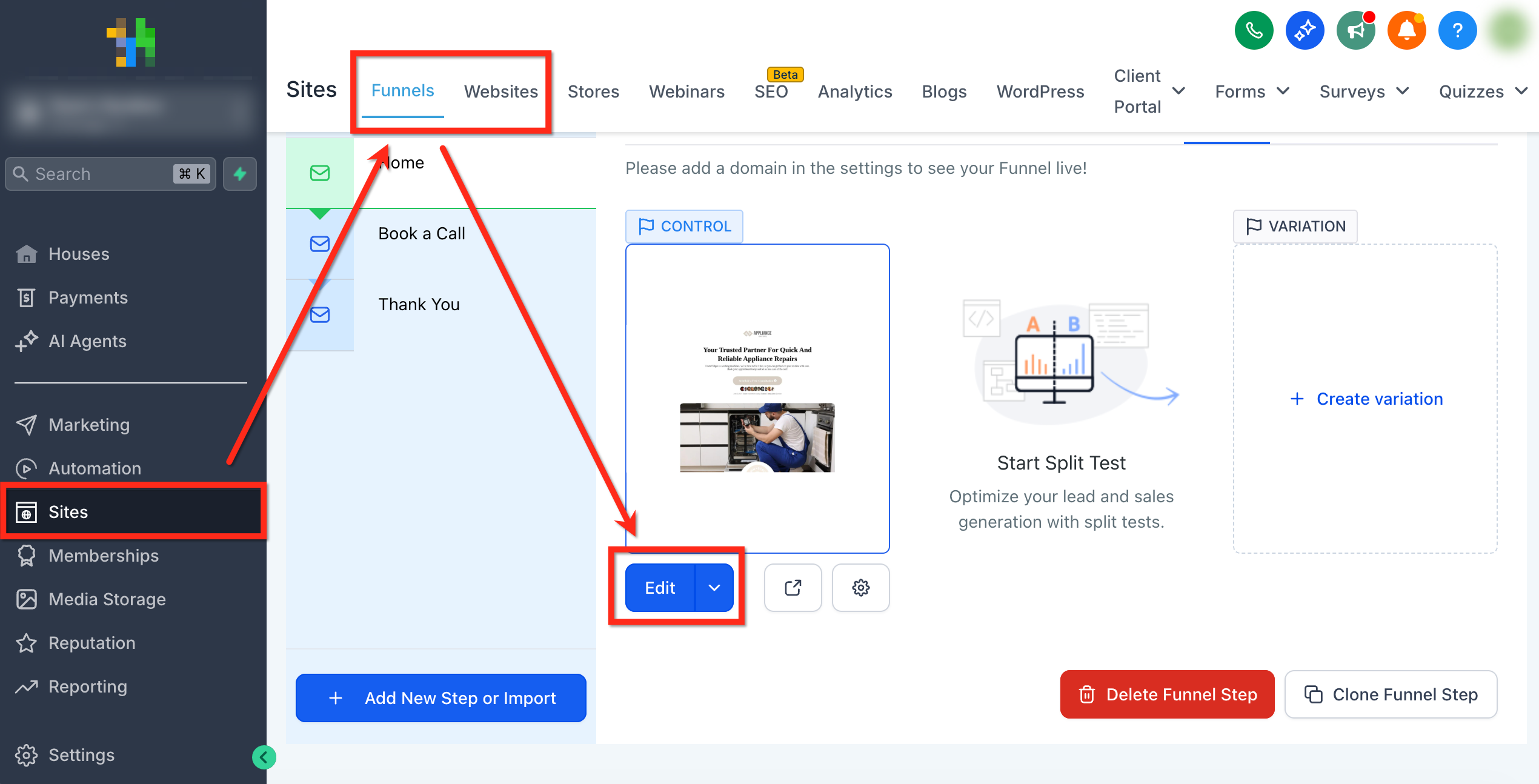
- auto – browser decides optimal size * * * ## How To Edit Container Size Follow these steps to give elements precise dimensions in just a few clicks: #### Step 1: Open the Page Builder - Open the Page Builder for your funnel or website page by navigating to Sites > Funnels or Websites.
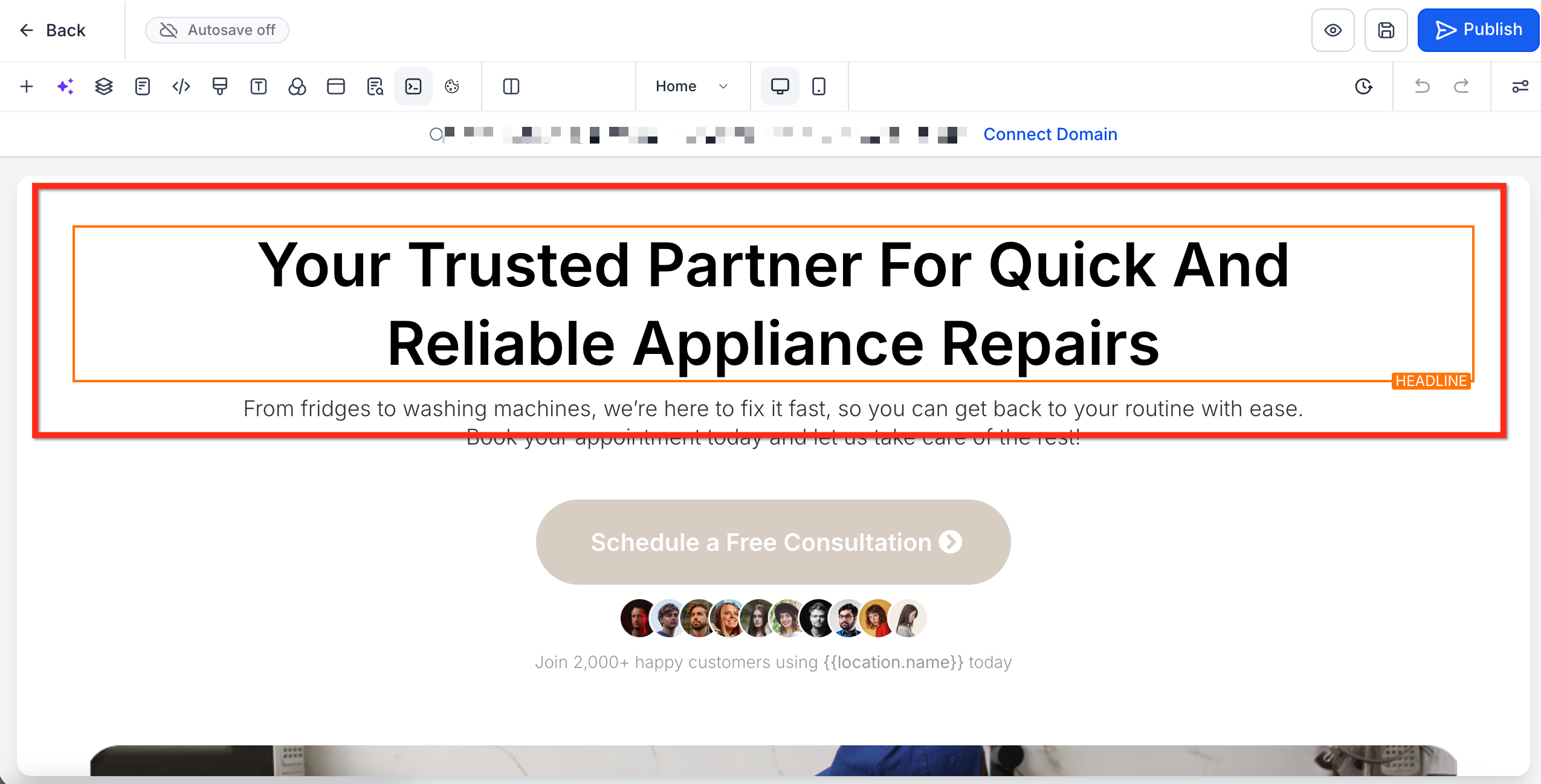
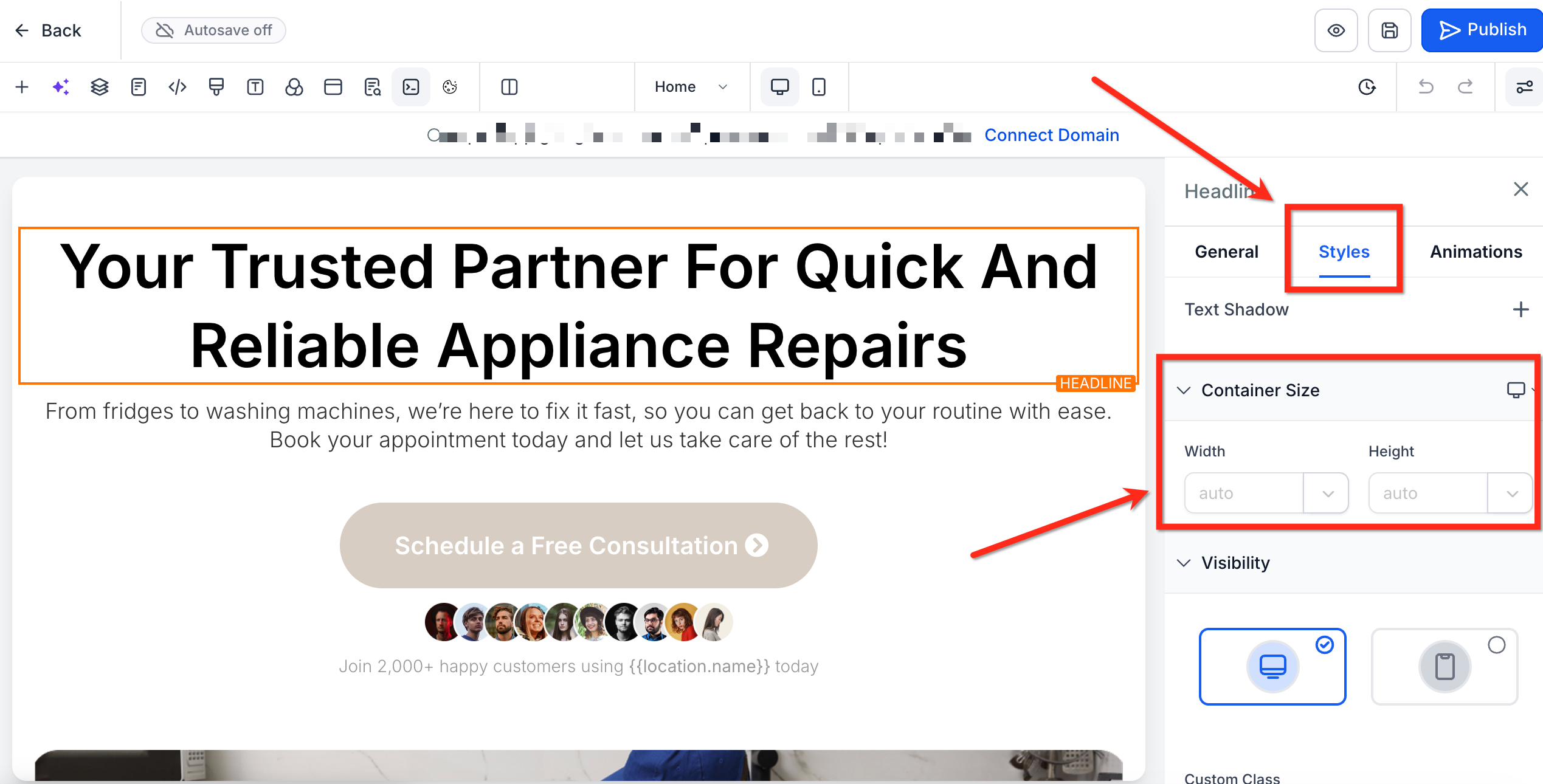
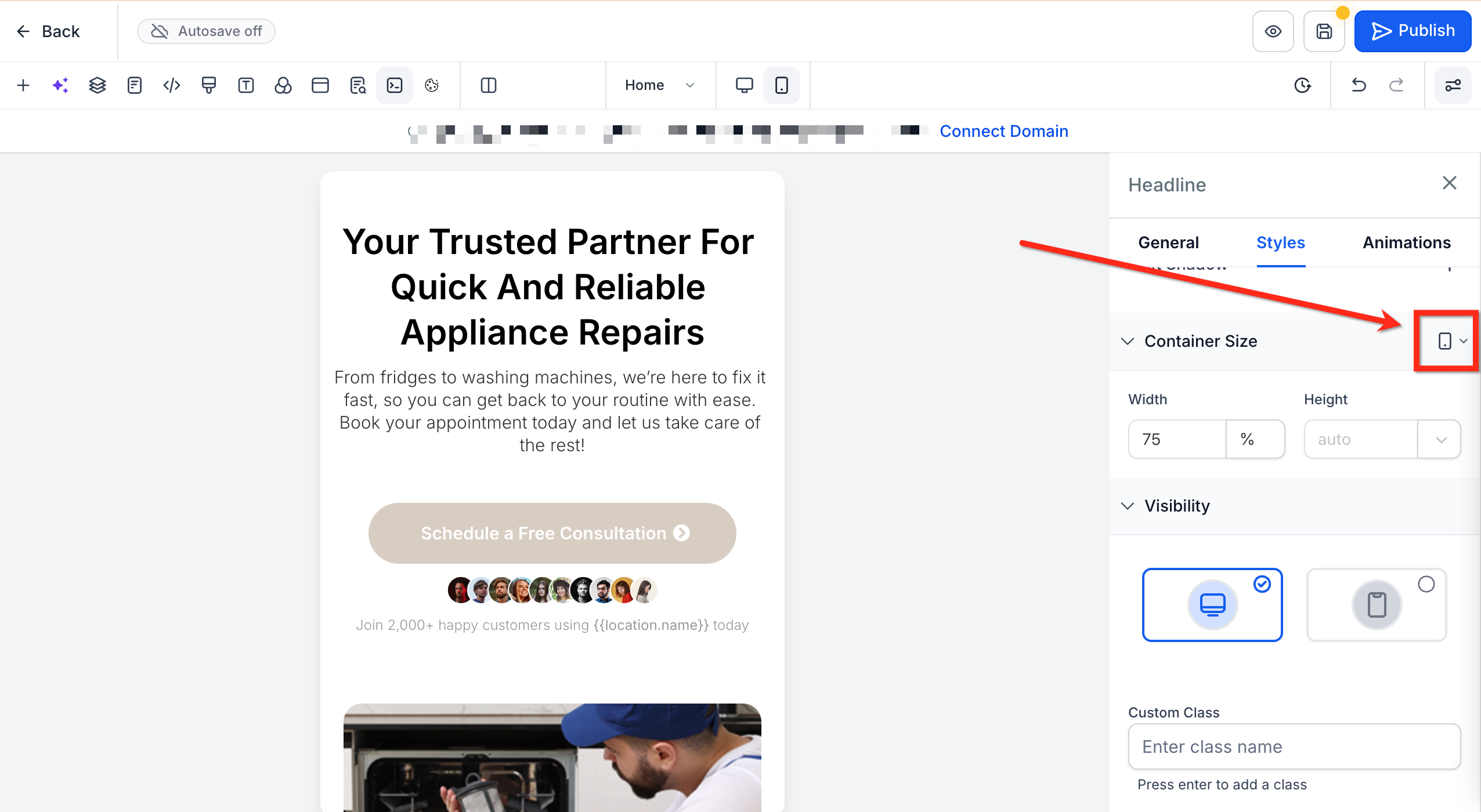
- Select the Site/Funnel then open the Editor for the page you would like to edit.!(https://assets.patientcopilot.ai/27bbd42e5b182d1c.png) #### Step 2: Select Element Select the element you want to resize (text, button, image, form, etc.)!(https://assets.patientcopilot.ai/ffcec3719352081e.png) #### Step 3: Go to Container Size In the Right Sidebar, choose the Styles tab. Then scroll to the Container Size section.!(https://assets.patientcopilot.ai/0b2c905f35a6f618.png) #### Step 4: Set Sizing Select a sizing unit (px, %, etc.) from the dropdown next to Height and Width. Then enter your desired size for Height and Width.!(https://assets.patientcopilot.ai/7b39cab9ae0f4e81.png) #### Step 5: Optimize for Mobile Use the device toggle at next to Container Size to switch to Mobile View and enter a mobile-specific value if needed.!(https://assets.patientcopilot.ai/649e052fdd04e786.png) * * * ## Frequently Asked Questions Q: Can I use decimals like 33.33% for equal columns? Yes! Decimals are supported for fine control (e.g., 33.33% × 3 cards). Validate on mobile to avoid unintended wrapping. Q: How do I revert changes? Set the unit to auto to revet the sizing to the element’s natural state. Q: Will mobile values affect desktop? No. Values set in mobile view apply only to mobile, leaving desktop settings intact. Q: Can I still use the Margin and Padding settings? Absolutely! Height & Width control adds another layer, use all three together for complete layout control. Q: Are negative or zero values allowed for width/height? Negative values (or 0) are not supported. If a number that is 0 or lower is entered, the element will remain at the current size. * * * ## Related Articles - (https://help.patientcopilot.ai/support/solutions/articles/155000004170-advanced-image-settings-for-mobile-desktop-view?utm_source=chatgpt.com)[Advanced Image Settings for Mobile & Desktop View](https://help.patientcopilot.ai/en/support/solutions/articles/155000004170)
- Using the Right Sidebar in Funnel & Website Builder
- Creating Mobile-Responsive Designs Made Easy (Funnel & Website Builder)
- Nested Layouts in Funnel and Website Builder
- Drag & Drop with Auto-Hierarchical Layout