
How to Use the MCP Server within Ask AI
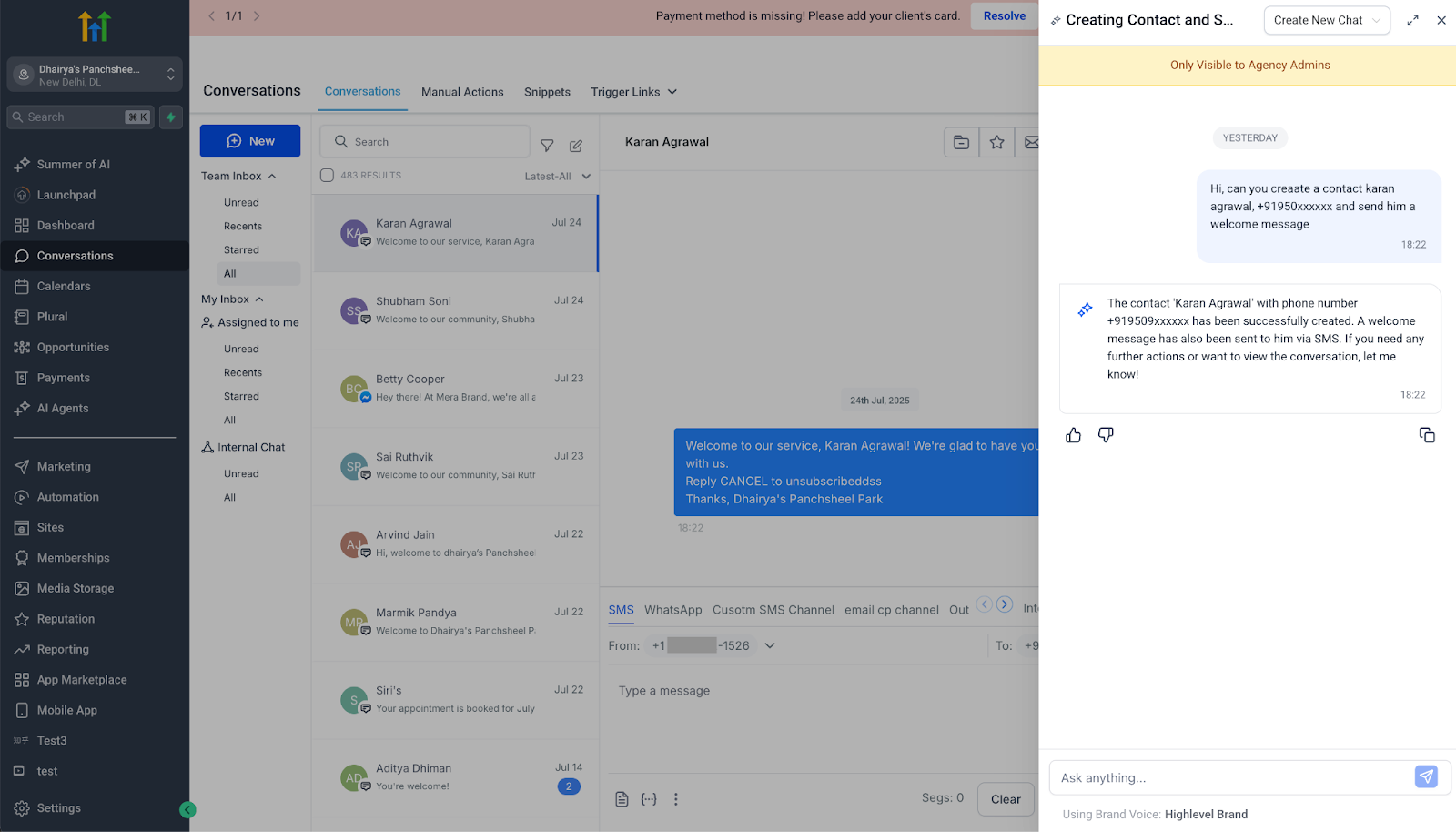
Ask AI has graduated from answering questions to executing actions. Whether you need to create a contact, reschedule an appointment, or bulk-update opportunities, you can now instruct the chat—and Patient Copilot’s Master Control Panel (MCP) does the work instantly. No menu diving, no tab switching, just conversational commands that save serious time. ## Key Benefits of MCP-Powered Ask AI Educational overview: Turning chat into an action engine transforms how teams operate, collapsing long click-paths into a single sentence. - Zero-Click Workflows: Type “Add Jane Smith to the ‘NY Leads’ pipeline”—it’s done. - Context ↔ Action Loop: Ask for data, then act on it in the same thread (“Tag them as Hot”). - Universal Coverage: Anything the MCP API supports—contacts, payments, automations—now runs in chat. - Role-Aware Safety: Permissions match your user role; no one can exceed their access level. - Audit & Undo: Every action logs to Activity Feed; destructive commands ask for confirmation. ## How It Works 1. Parse Intent: The AI identifies the verb (create, update, delete) and the object (contact, invoice). 2. Generate Payload: It maps your words to MCP fields (e.g., firstName, pipelineId). 3. Permission Check: The system verifies you have rights to run that action. 4. Confirmation (Destructive Only): For delete or bulk edits, Ask AI shows a summary and asks “Proceed?” 5. Execute & Respond: MCP runs the call; success or error details return inline and log to Audit Feed.!(https://assets.patientcopilot.ai/d89f40d137442374.png) ## Command Syntax & Examples
Action Type | Natural-Language Example | Behind-the-Scenes MCP Call |
Create | “Create a contact named John Doe with phone 555-1234 in Location A.” | createContact |
Update | “Change pipeline stage of Opportunity #456 to ‘Won’.” | updateOpportunity |
Query | “Show me tomorrow’s booked appointments.” | listAppointments |
Delete | “Delete coupon code SUMMER25.” | deleteCoupon (confirmation required) |
Bulk | “Tag all contacts from last week’s webinar as ‘Webinar-2025’.” | Iterates updateContact |