Getting Started with Workflows
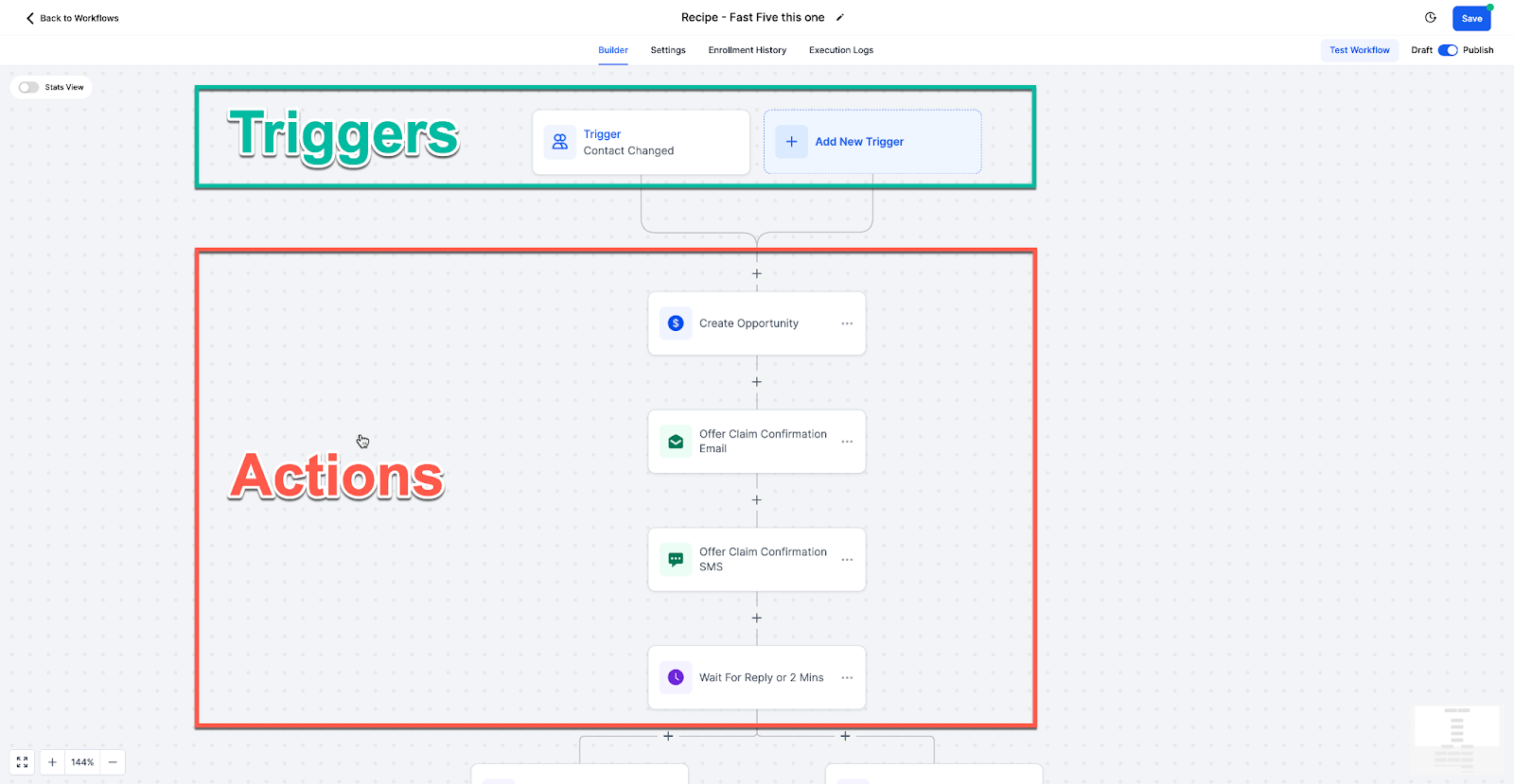
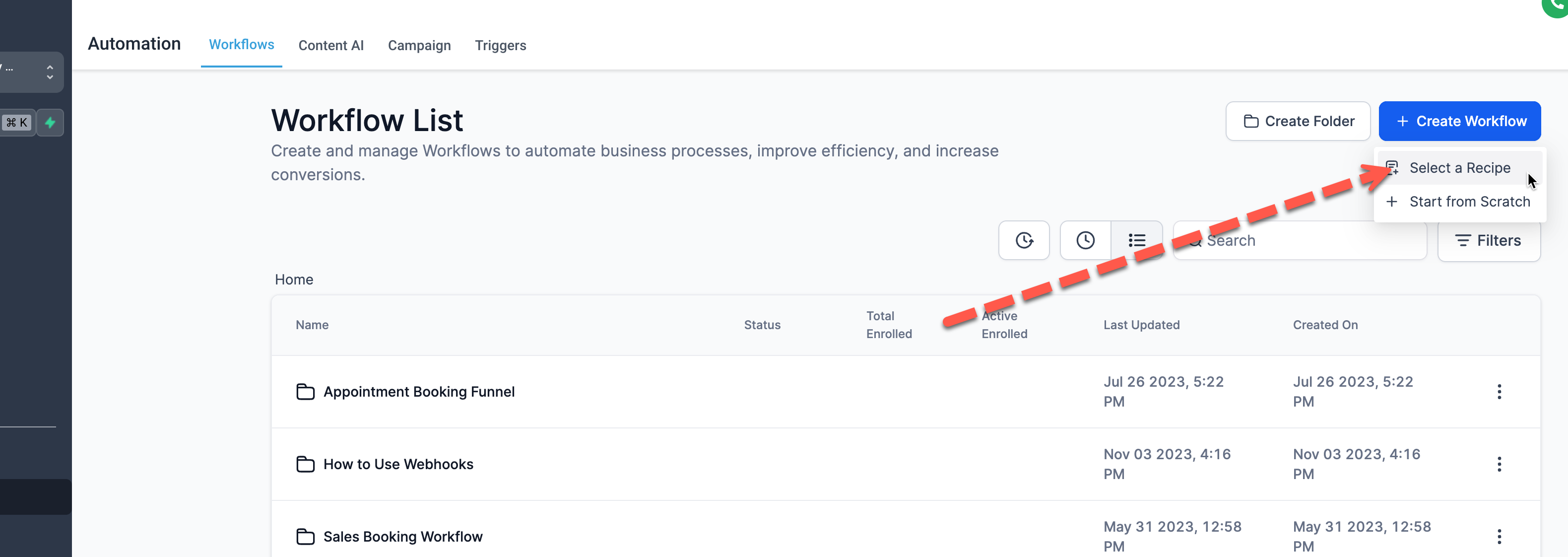
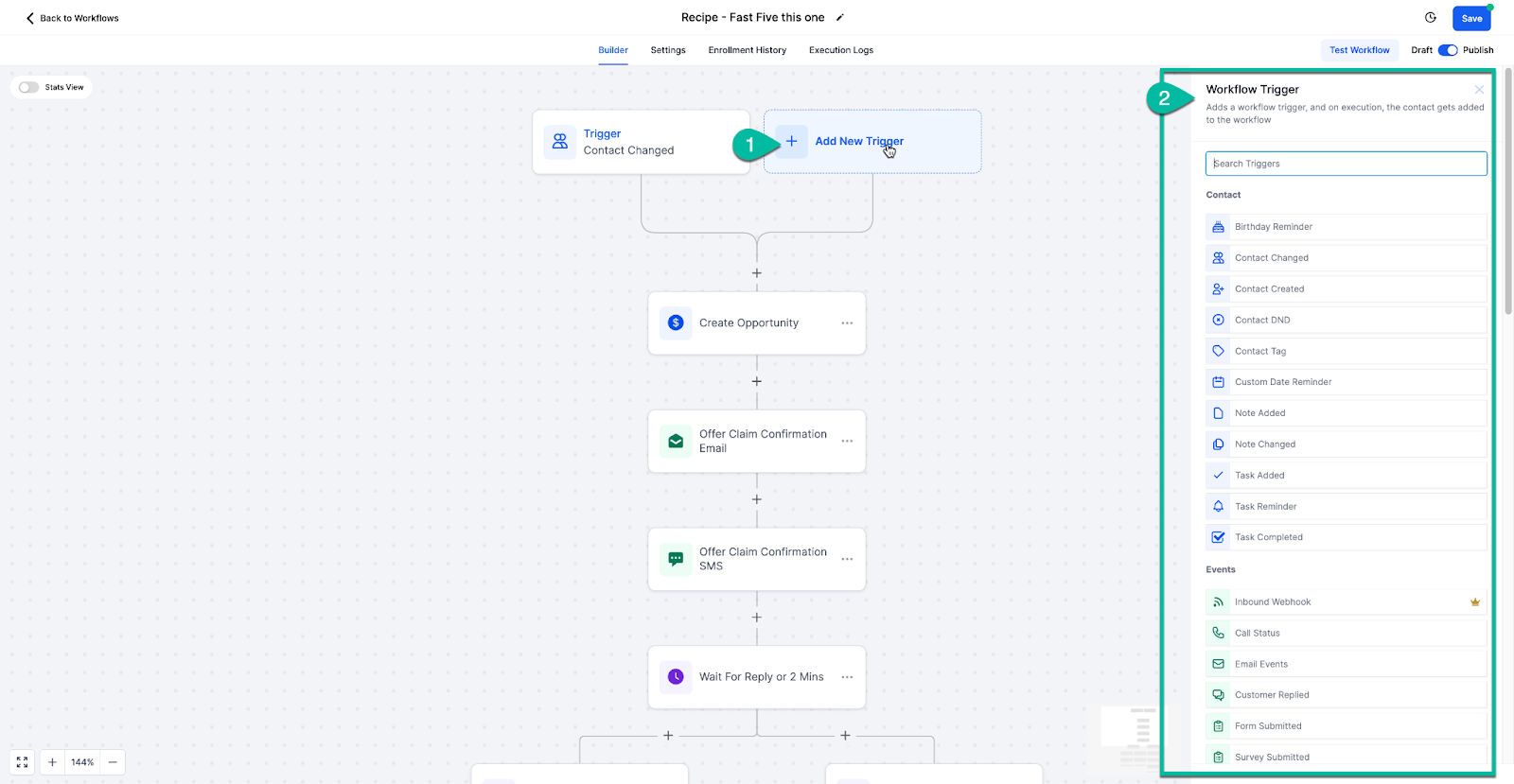
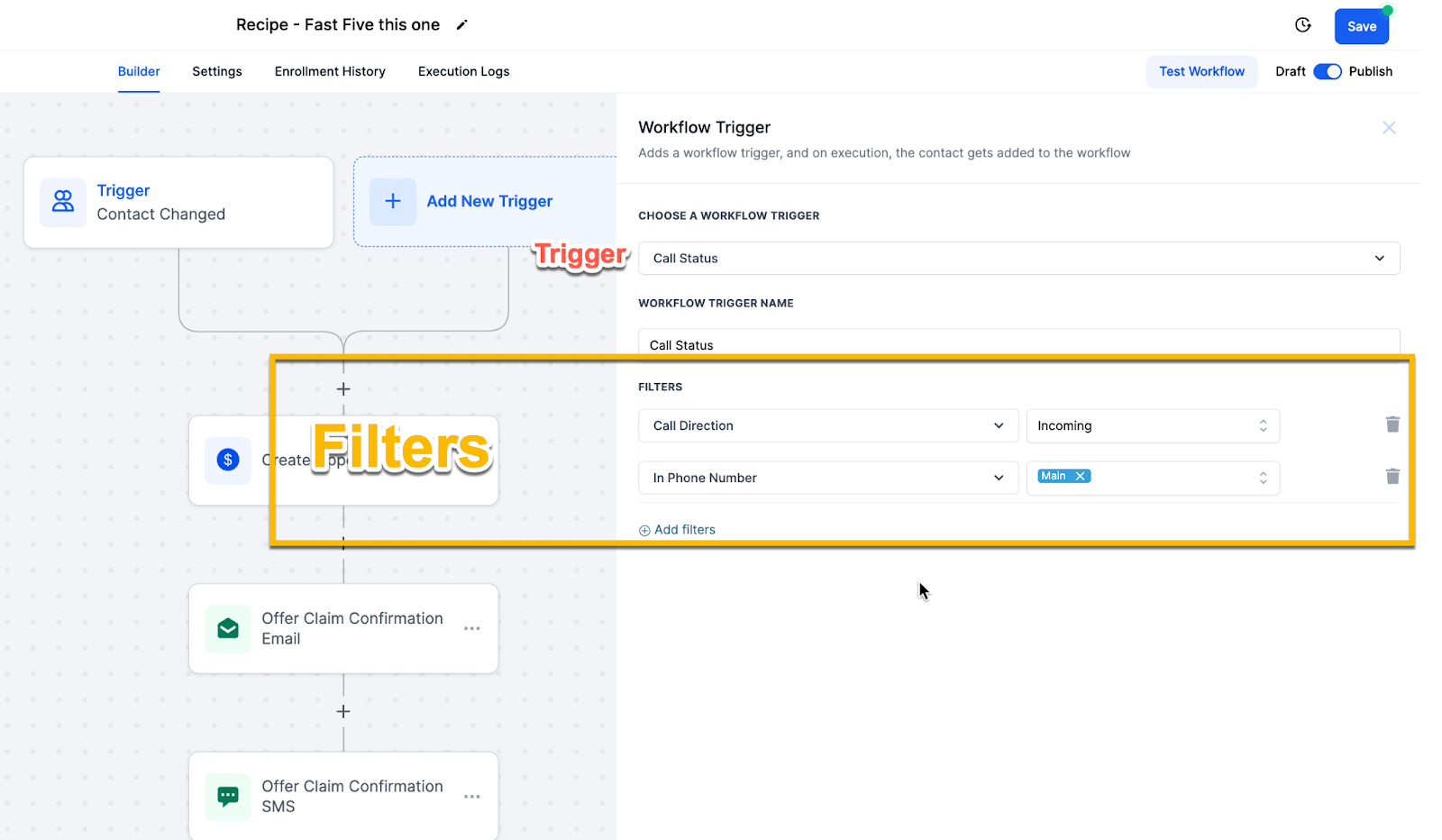
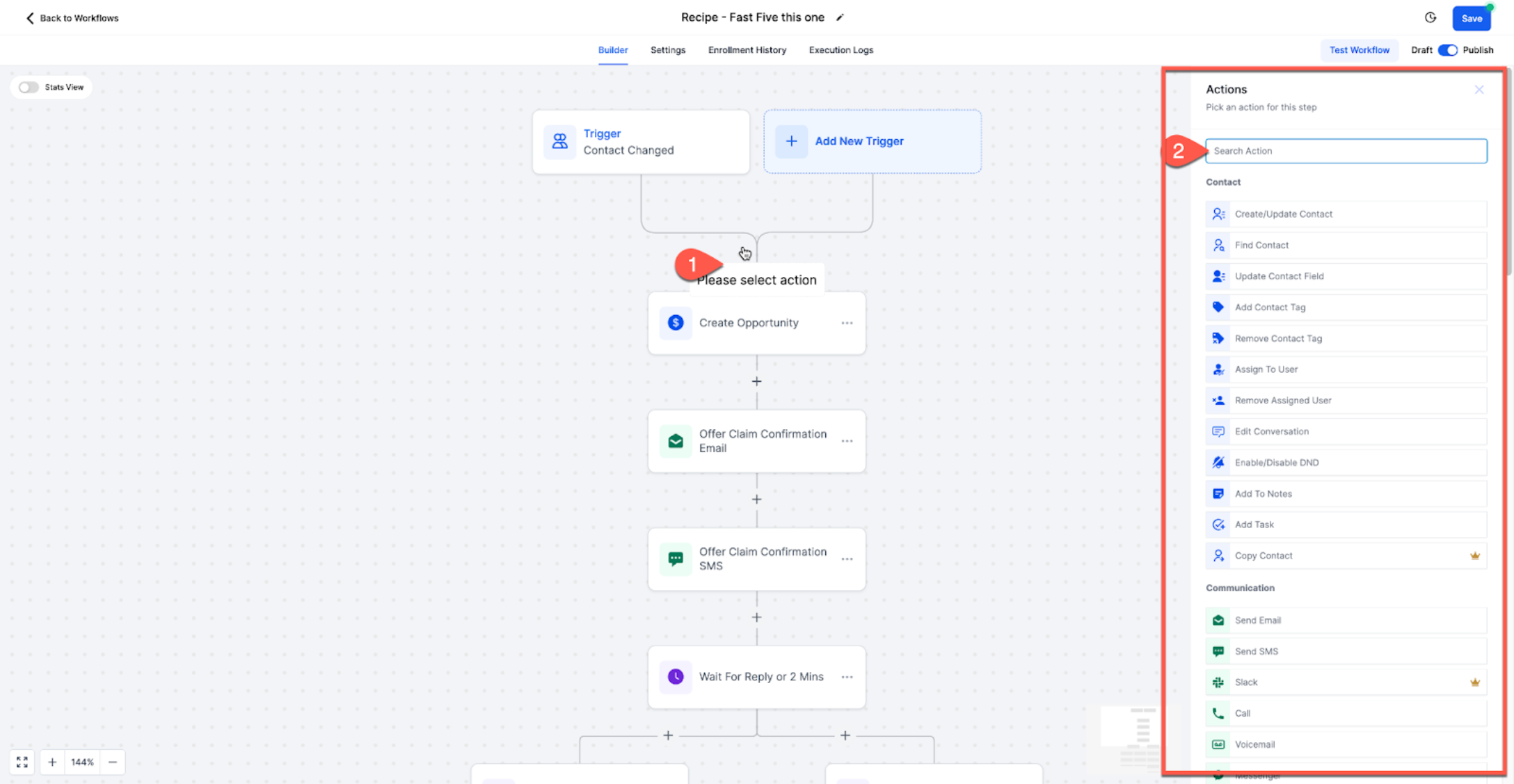
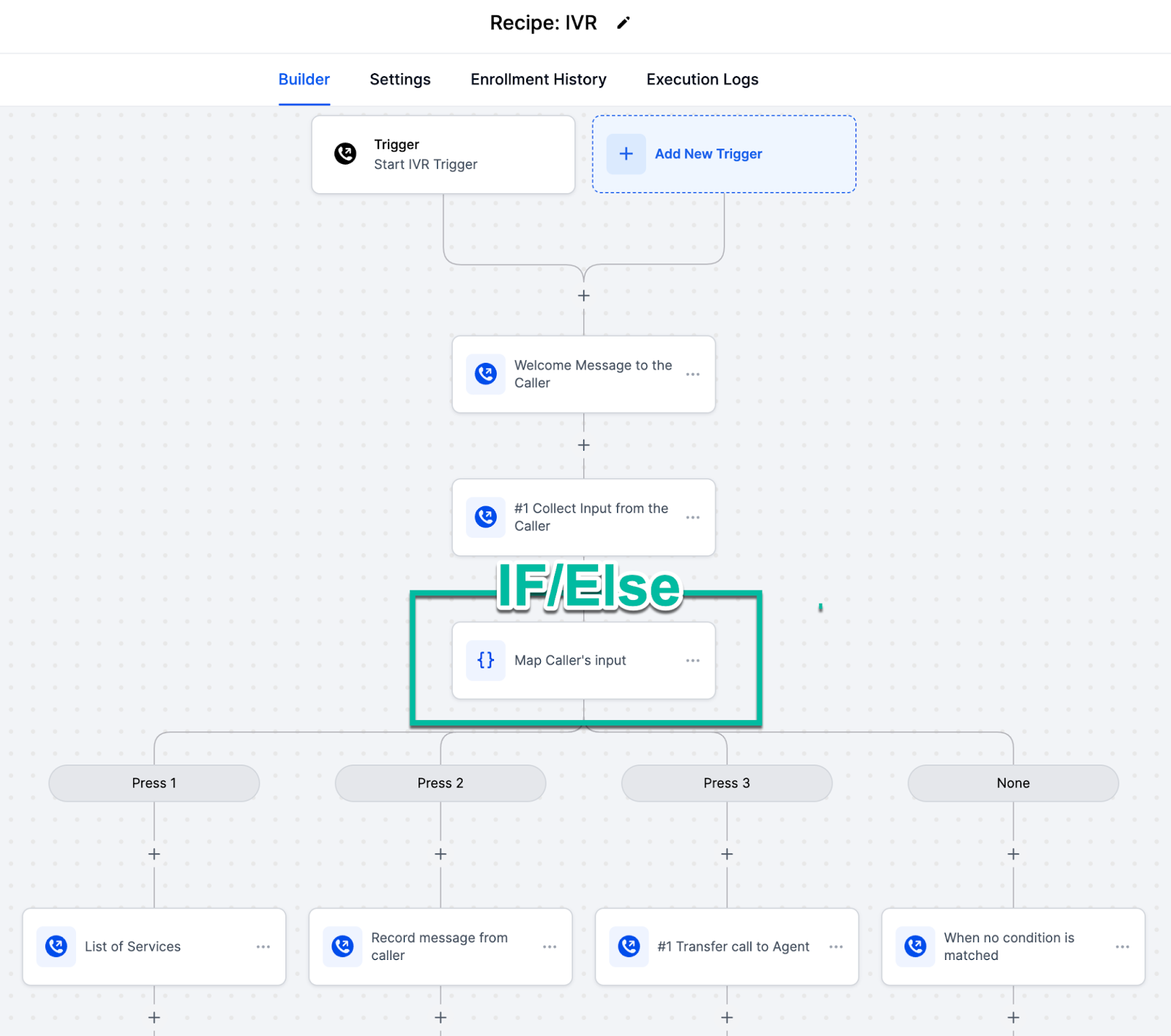
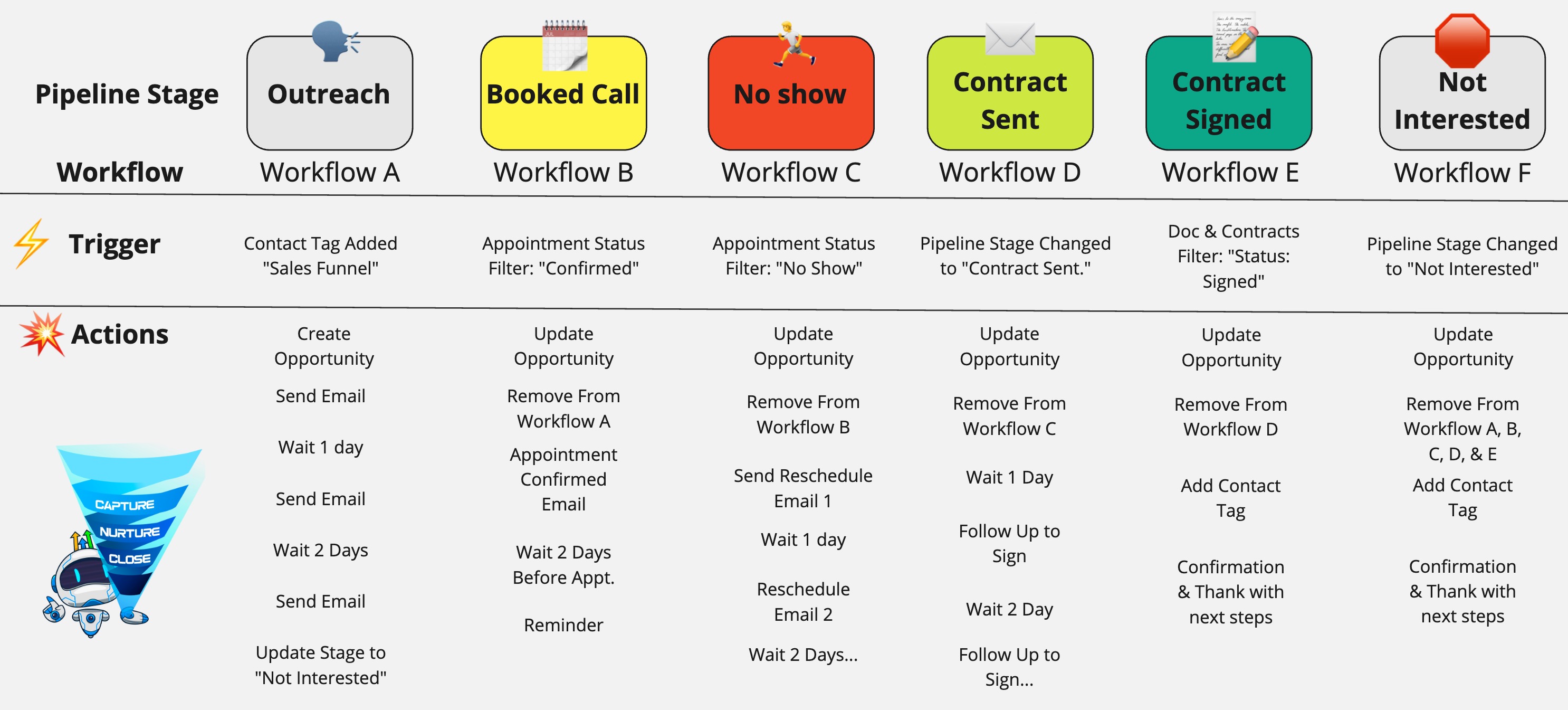
Workflows help you automate repetitive tasks so you can save time and scale your business. Once configured, workflows run automatically based on triggers and perform a sequence of actions without manual intervention. You can use workflows to manage leads, automate follow-ups, send communications, and streamline operations across your business. * * * ## What are Workflows? A workflow is an automated sequence of actions triggered by a specific event. ### Example: - A lead submits a form → send confirmation email + SMS - A customer books an appointment → notify team + follow-up - Trigger → Starts the workflow - Actions → Tasks performed after the trigger * * * ## Workflow Triggers Triggers define when a workflow begins. ### Example: ### !(https://assets.patientcopilot.ai/65f7e1b9543071e6.png) * * * ## Workflow Actions Actions are the steps that occur after a trigger fires. ### Example: - Assign tasks or opportunities ### !(https://assets.patientcopilot.ai/7afc7e947d1f02b6.png) * * * ## Tasks Worth Automating Automate repetitive tasks such as: - CRM updates Automation improves efficiency, consistency, and scalability. * * * ## Workflow Recipes: Pre-Built Templates Patient Copilot provides pre-built templates to help you get started quickly. - Customize them for your needs - Save time building from scratch!(https://assets.patientcopilot.ai/a6d93681e5f782ca.png) * * * ## How to Create a Workflow Workflows are created in three main steps: ### Step 1: Choose a Trigger Select the event that starts the workflow. - Choose from available triggers ### !(https://assets.patientcopilot.ai/af9016157eaede59.png) ### Step 2: Add Trigger Filters (Optional) Filters refine when the workflow should trigger. ### Example: - Only trigger for incoming calls - Only trigger for a specific phone number ### !(https://assets.patientcopilot.ai/6a1d54be62cdc718.png) ### Step 3: Add Workflow Actions Actions define what happens after the trigger. - Select the action you want ### !(https://assets.patientcopilot.ai/9e3d26ef0a2ffbda.png) * * * ## Workflows Landing Page (Updated Experience) The Workflows landing page has been redesigned to make it easier to get started. You now have three clear options: - Build using AI – Describe your workflow and let AI generate it - Browse Templates – Choose from pre-built workflows - Create Workflow – Start from scratch This helps new users quickly choose the best way to begin building workflows. If AI Builder is disabled in Labs, the previous landing experience will be shown instead. ### !(https://assets.patientcopilot.ai/043712c78d7b56dc.jpg) * * * ## Types of Advanced Workflows ### IF/Else Conditions Split contacts into different paths based on conditions. * * * ## Chaining Multiple Workflows You can connect multiple workflows together to automate full pipelines and customer journeys. * * * ## Webhooks (Trigger & Action) Webhooks allow Patient Copilot to communicate with external systems and automate workflows across platforms. * * * ## Troubleshooting If your workflow is not working: - Test with a fresh contact - Verify “Allow Reentry” settings - Run a live test instead of test mode * * * ## Frequently Asked Questions Q: What is the difference between a trigger and an action? A trigger starts the workflow when a specific event occurs, while actions are the steps that run after the trigger is activated. Q: Can I use multiple triggers in one workflow? Yes. You can add multiple triggers to a workflow, allowing contacts to enter from different sources. Q: Are workflow filters required? No, filters are optional. However, they are recommended to ensure workflows only run under specific conditions. Q: Can I edit a workflow after creating it? Yes. You can update triggers, filters, and actions at any time. Q: Will workflows run automatically once created? Yes, as long as the workflow is published and the trigger conditions are met. Q: What happens if a workflow is not working correctly? Check your trigger conditions, filters, and workflow settings. Testing with a fresh contact is also recommended. Q: Can I use AI to create workflows? Yes. The updated Workflows landing page allows you to describe your workflow and generate it using AI. * * * ## Related Articles - Workflow Settings - Overview