
Workflow Trigger for New Prospects in the Prospecting Tool
This guide will help you set up workflow triggers for new prospects generated through the Prospecting Tool, whether they are created directly in-app or via embedded widgets. This allows you to automate actions based on prospect details, helping you organise and engage with leads more effectively. * * * ## Overview The “Prospect Generated” workflow trigger enables automated actions for new prospects created either directly within the Prospecting Tool or through embedded widgets on your website. This helps you organize leads, improve follow-up strategies, and optimize your sales funnel. With this trigger, you can: - Automatically save and categorize new prospects.
- Filter prospects based on their source (in-app or widget) and conversion rate.
- Trigger automated actions like sending welcome emails, assigning prospects to sales pipelines, and notifying team members. * * * ## Trigger Name Prospect Generated Where to Find It: - The “Prospect Generated” trigger is located in the Workflow Builder.!(https://assets.patientcopilot.ai/96d0a92032c378b1.jpg) * * * ## Trigger Description The “Prospect Generated” trigger activates automated workflows when a new prospect is created in the Prospecting Tool. This can happen in three ways: 1. In-App: When a prospect is manually generated within the tool.
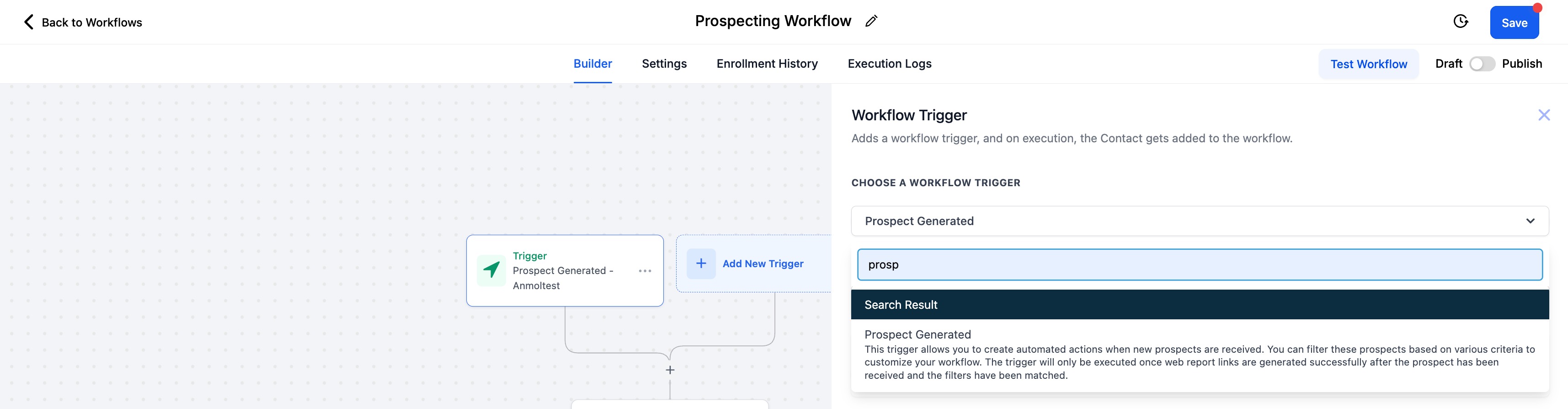
- Widget: When a prospect is generated through an embedded widget on your website.
- Prospect AI**:** When a prospect is generated automatically via Prospect AI This trigger allows you to filter and organise prospects based on: - Source: Identify whether the prospect originated in-app or via a widget or via the AI
- Conversion Rate: Segment prospects by their likelihood to convert, enabling targeted engagement. You can also use merge fields to include custom values in your email This customisation makes it easier to prioritise high-potential leads and streamline your sales process. * * * Was this article helpful? That’s Great! Thank you for your feedback Sorry! We couldn’t be helpful Thank you for your feedback Feedback sent We appreciate your effort and will try to fix the article