How to Merge Duplicate Contacts in Patient Copilot
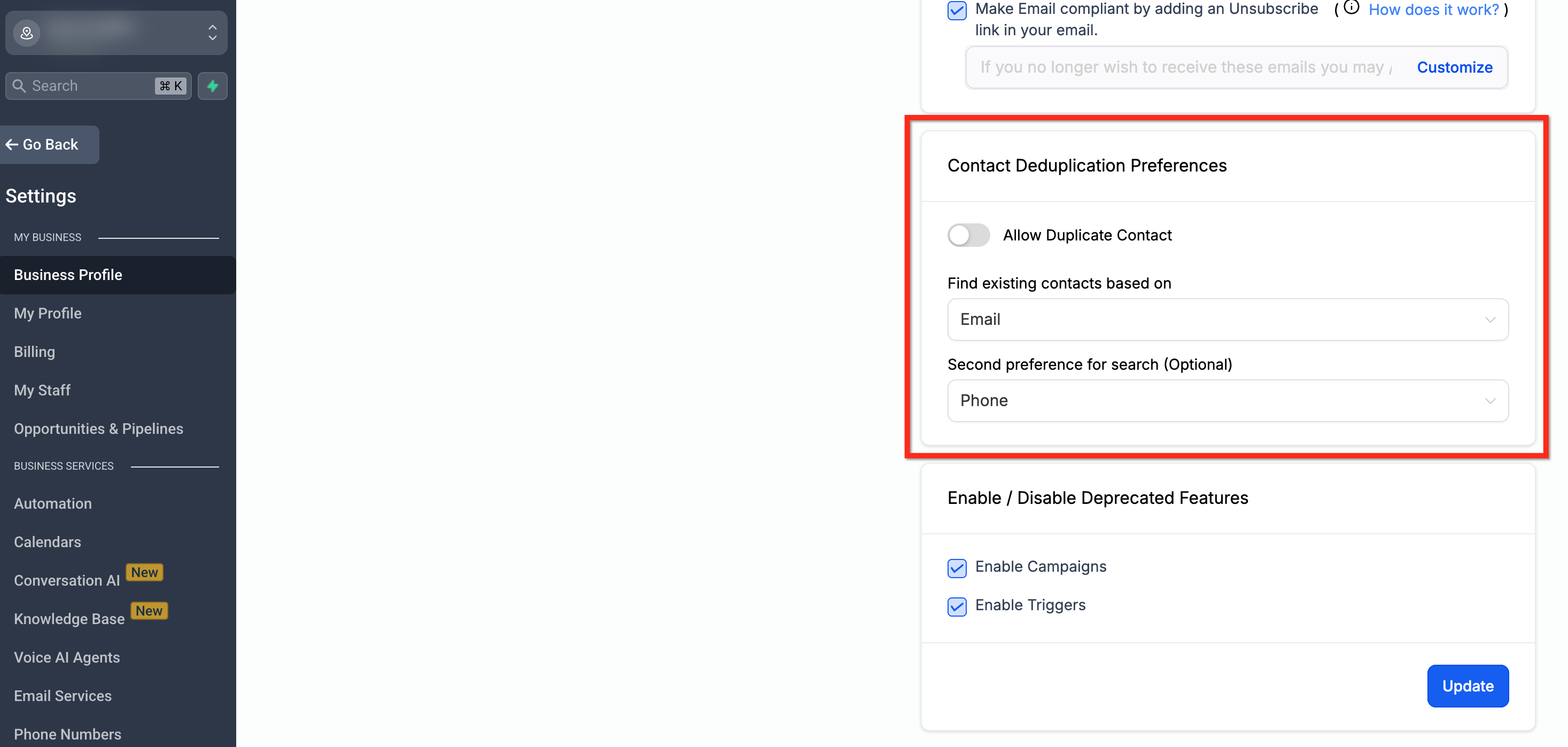
This article walks you through how to merge duplicate contact records within a Patient Copilot sub-account, helping you clean up your CRM, improve communication accuracy, and maintain a streamlined contact list. * * * ## Contact Deduplication Preferences Avoiding duplicate contacts at the source can save significant time and confusion later. Contact Deduplication Settings give you control over how the system handles new contact entries, allowing you to prevent duplicates before they happen. 1. Navigate to Settings > Business Profile > Contact Preferences. 2. Enable or disable Allow Duplicate Contacts. 3. Choose primary and secondary deduplication fields (Email or Phone).!(https://assets.patientcopilot.ai/878b722346aab04d.png) * * * ## Frequently Asked Questions Q: Can I merge contacts using the LeadConnector mobile app? Currently, the ability to merge contacts is not available in the LeadConnector mobile app. This feature is planned for release in Q3, along with additional bulk actions. In the meantime, you can merge contacts using the desktop version of Patient Copilot. Q. What happens to field data during a merge? The selected master record retains its details, while unique fields from other records are added to it. Q: Why don’t I see the “Merge Contacts” button? The “Merge Contacts” button only appears when you select 2 or more valid contacts (up to a maximum of 10). If the contacts you’re trying to merge are missing key fields (like a name, email, or phone number), the system may not allow a merge. Additionally, ensure that 1. You have admin permissions to manage contacts. 2. You’re selecting contacts from the same sub-account. 3. Both contacts are visible in your contact list view (check filters). Q. Can I merge contacts in bulk? No, you can merge up to 10 contacts at a time. Q: What causes duplicate contacts in Patient Copilot? Duplicates can come from manual entry, CSV import, forms, or third-party tools like Zapier. Q: Will the contact’s custom values or fields be affected? Custom fields from the secondary contact will only be added if the corresponding field is blank in the primary. No overwriting will occur. Q: How do I know which contact to choose as the master? Choose the record with the most accurate and up-to-date information. The master contact retains conversations, last activity, files, and other data. Q: Can Patient Copilot automatically find all duplicate contacts for me? No. While you can manually search by name, phone, or email, Patient Copilot does not currently offer a full database scan for duplicates. Q: How do I prevent duplicates from form or calendar submissions? Make sure “Allow Duplicate Contacts” is turned off in your deduplication settings. Q: What happens to a contact’s workflows when I merge duplicates? If the duplicate contact is deleted during the merge, Patient Copilot transfers the workflow execution to the master contact so the automation continues. If the master is already enrolled in the same workflow, Patient Copilot stops the extra run and keeps the execution that’s already running. * * * ## Related Articles - Allow Duplicate Contact Explained - Automatically Merge Facebook Messenger Contacts with Lead Ad Contacts - How to Add Multiple Phone Numbers for a Contact - How to Manage Multiple Email Addresses for a Contact