How to Verify Your Phone Number on WhatsApp Business
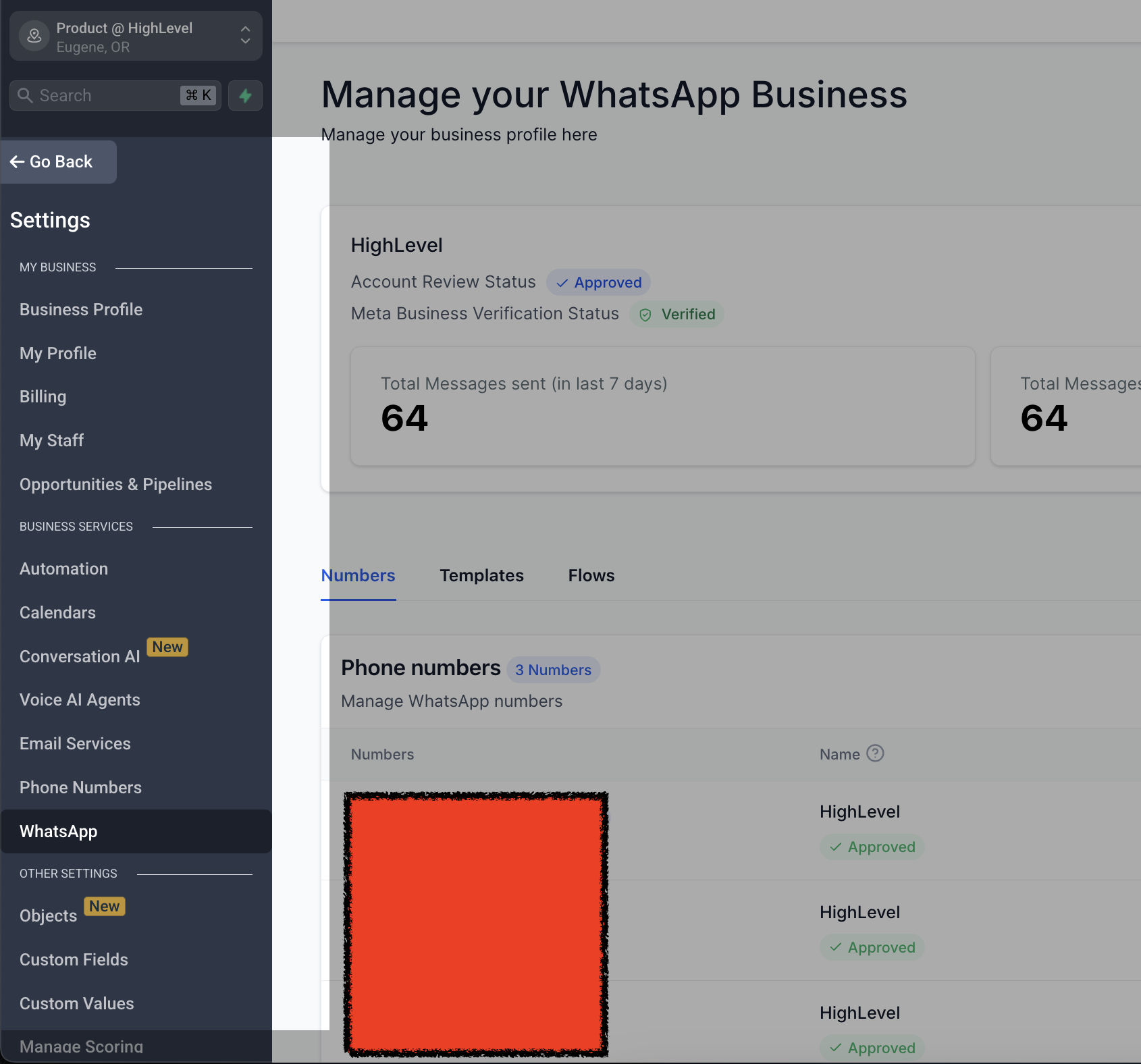
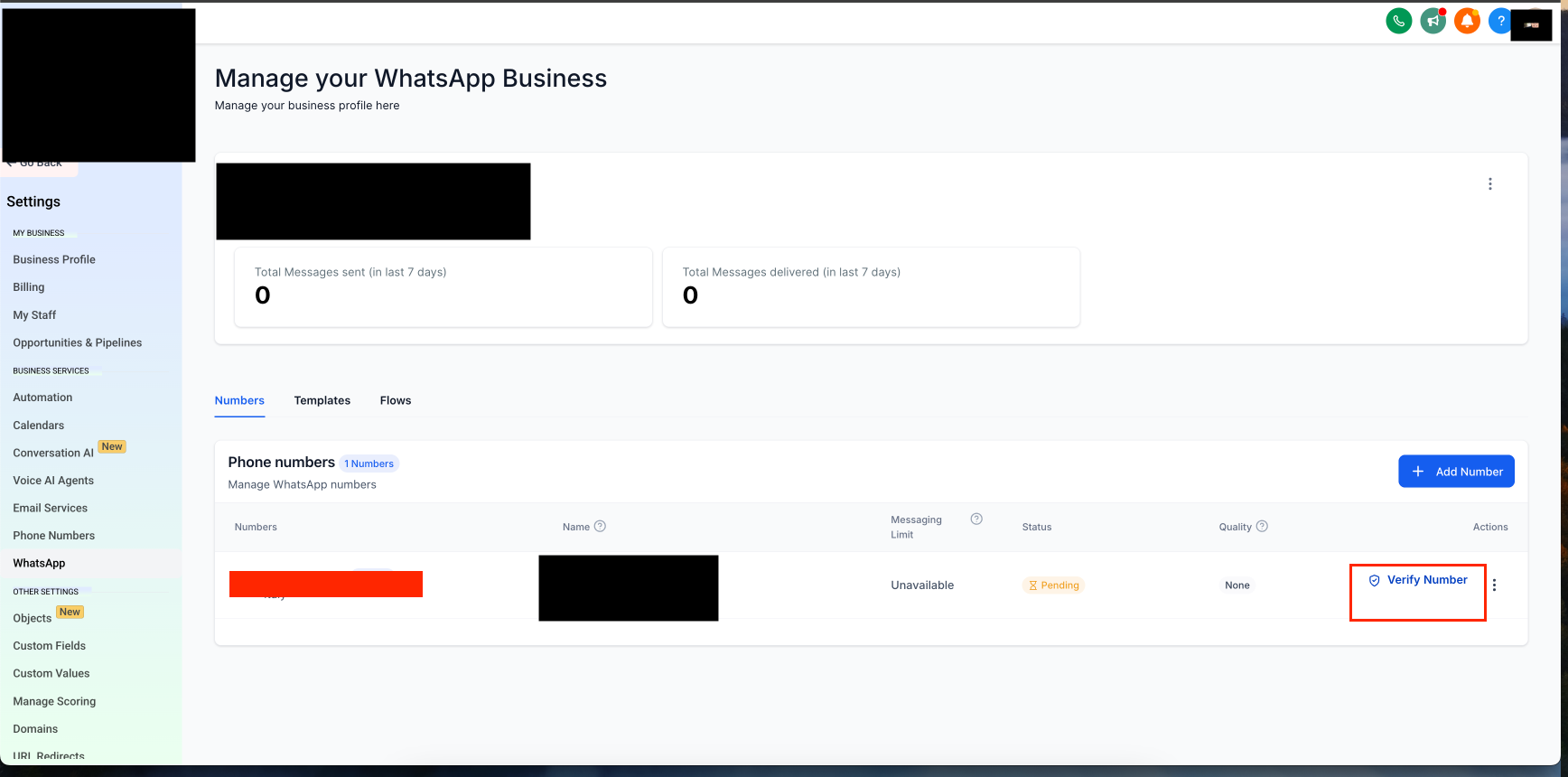
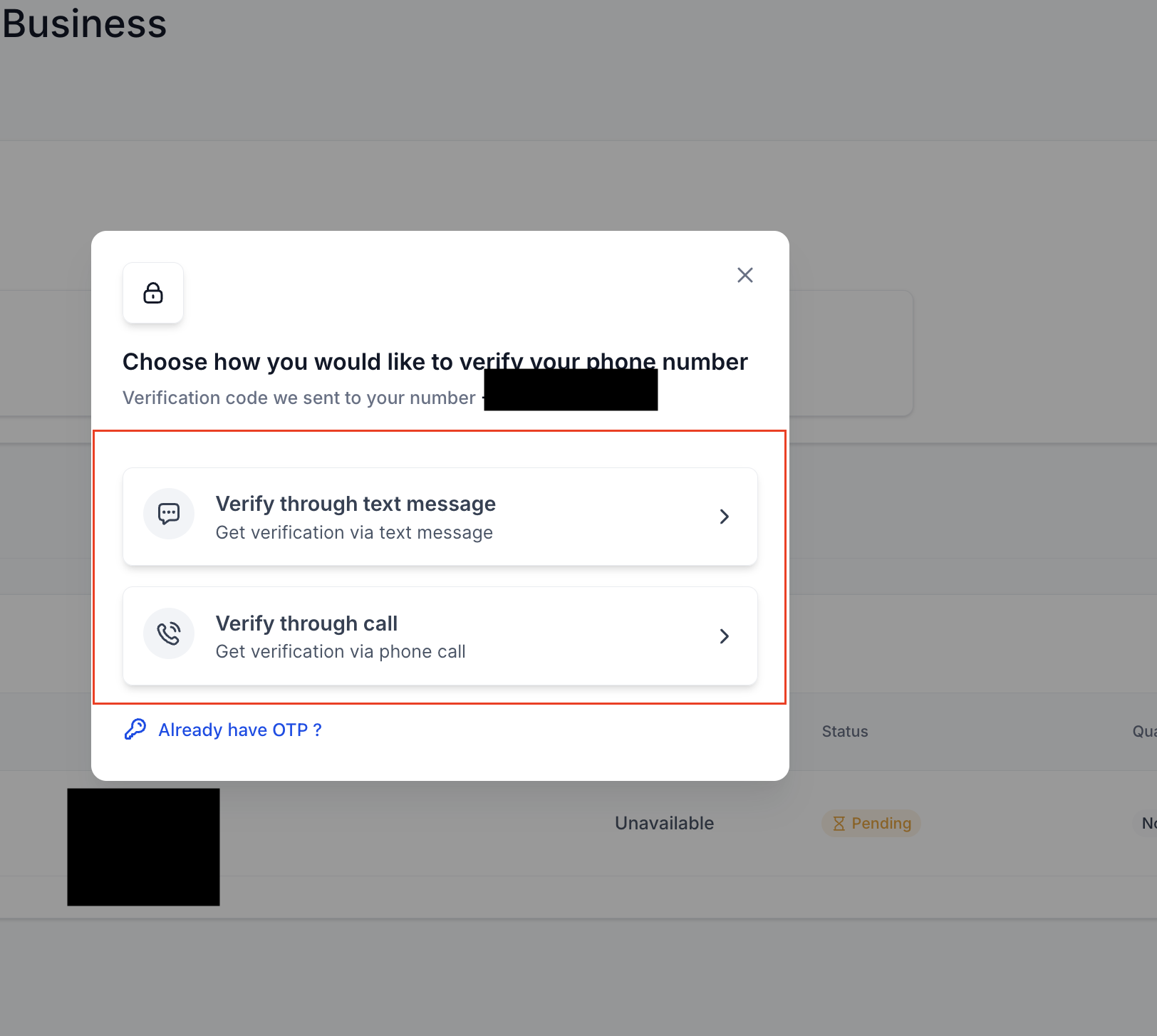
TABLE OF CONTENT - How to Verify Your Phone Number on WhatsApp Business - Step 1: Access WhatsApp Settings - Step 2: Start the Verification Process - Step 3: Choose Your OTP Delivery Method - Step 4: Complete Verification - FAQ - 1. Why do I need to verify my phone number on WhatsApp Business? - Verifying your phone number ensures that you can send and receive messages through WhatsApp Business. It also confirms that your business account is linked to the correct number. - 2. How do I verify my phone number on WhatsApp Business? - 3. What should I do if I don’t receive the OTP? - Ensure your phone number is entered correctly. - 4. Can I verify my phone number using an email instead? - 5. How long does it take to verify my phone number? - 6. What happens after my phone number is verified? - 7. Can I use the same phone number for both WhatsApp Business and WhatsApp Messenger? - 8. What should I do if my phone number verification fails? ## How to Verify Your Phone Number on WhatsApp Business #### Step 1: Access WhatsApp Settings - Go to Settings
- Select WhatsApp !(https://assets.patientcopilot.ai/e66abb03850cb62d.png) #### Step 2: Start the Verification Process - Click on Verify Phone Number!(https://assets.patientcopilot.ai/f7f5220640c5cc1b.png) #### Step 3: Choose Your OTP Delivery Method - Select whether you want to receive the OTP via call or text message ####!(https://assets.patientcopilot.ai/984e3dd84c74c7ac.png) Was this article helpful? That’s Great! Thank you for your feedback Sorry! We couldn’t be helpful Thank you for your feedback Feedback sent We appreciate your effort and will try to fix the article