
Trigger - Note Added -> Workflow Trigger - Note Added
Overview The “Note Added” trigger is used to initiate specific actions within a workflow whenever a note is added to a contact’s record. ## Trigger Name Note Added ## Trigger Description This trigger can be used to automate a variety of tasks, such as sending internal notifications, updating contact information, or triggering subsequent actions in your automation processes. ## How to Configure!(https://assets.patientcopilot.ai/3f7ee134a2c2e35d.png)
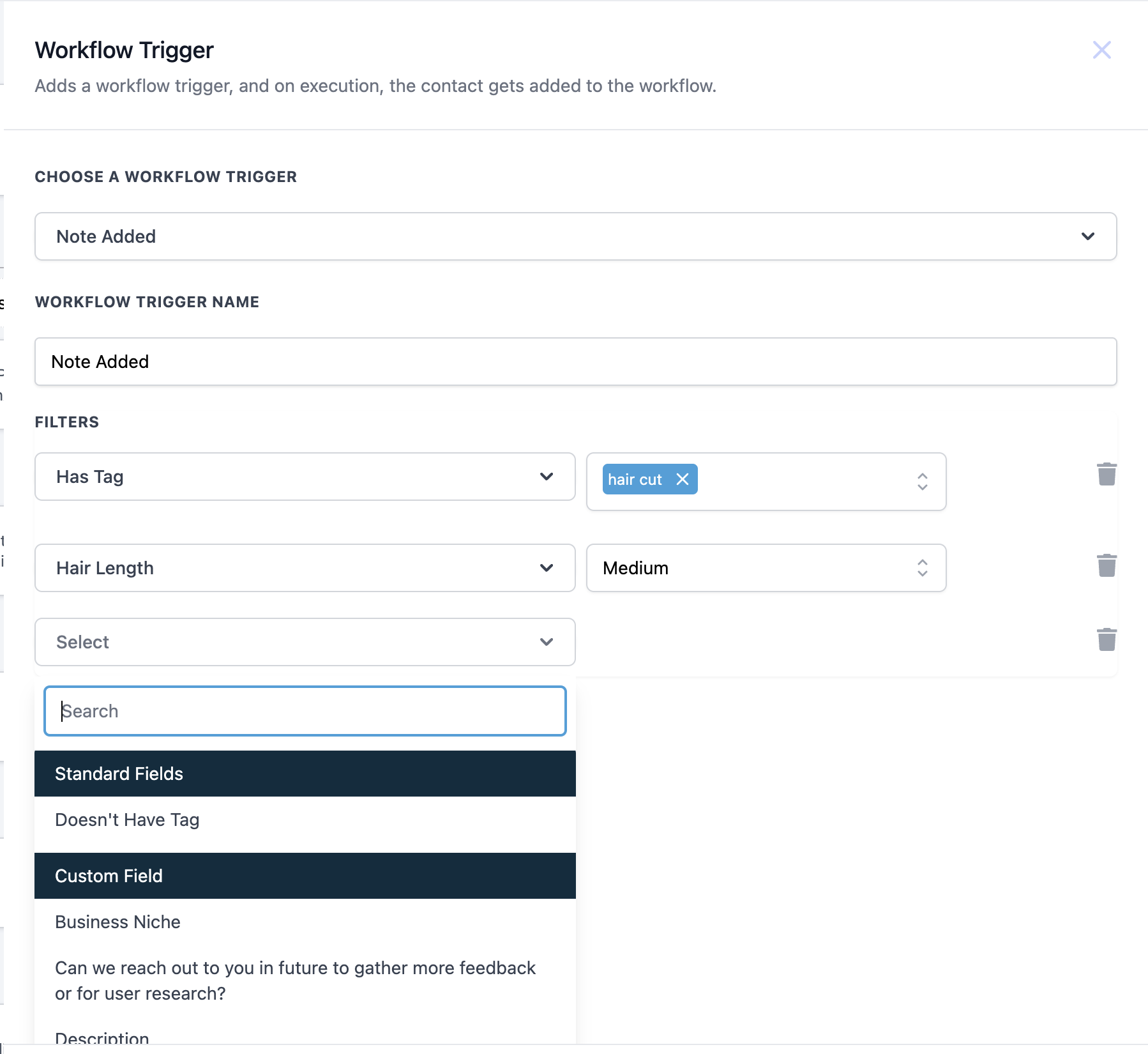
| Value | Description | Mandatory |
| Choose a Workflow Trigger | Select “Note Added” from the dropdown. | Yes |
| Workflow Trigger Name | Enter a name for your trigger, e.g., “Note Added” | Yes |
| Filters | Specify conditions to narrow down the trigger, such as Has Tag/ Doesn’t Have tag | No |
- Choose a Workflow Trigger: Select “Note Added” from the list of available triggers.
- Name Your Trigger: Enter a descriptive name for the trigger, such as “Note Added.”
- Set Up Filters (Optional): Add filters to specify which filters it should trigger the workflow. For example, you can filter by standard fields such as Has tag/ Doesn’t have tag or custom fields if present. ## Example: Haircut Note Notification Scenario: A Saloon wants to ensure that any note labeled “Haircut” triggers an immediate internal notification to the saloon manager. #### Trigger Setup: - Trigger: Note Added
- Name: Haircut Note Alert
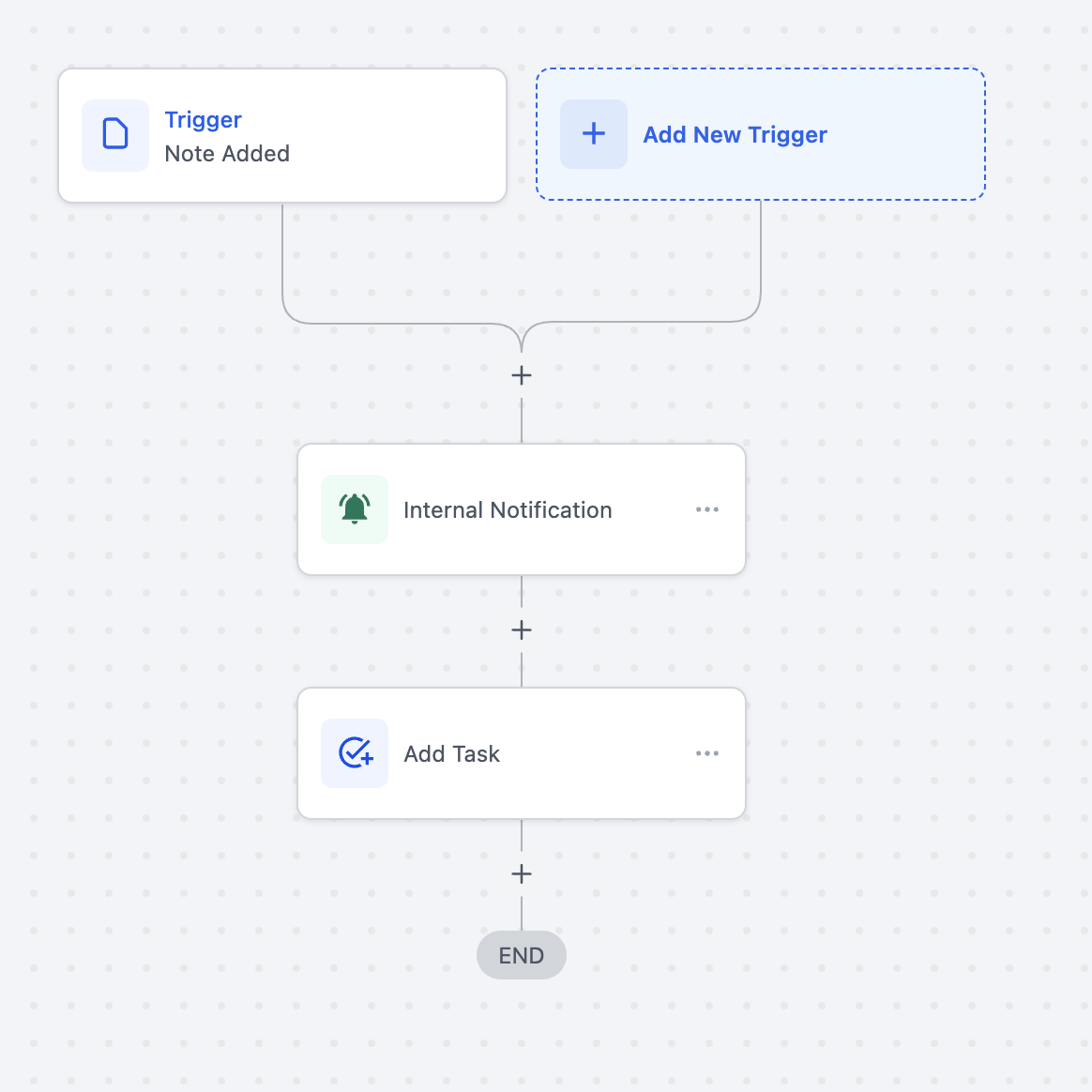
- Filter: Note contains the tag “Haircut” #### Workflow Actions: 1. Notification: Send an internal notification to the saloon manager with the content of the note.
- Task Creation: Automatically create a task for the saloon manager to review the note. Outcome: This automation ensures that any note mark!(https://assets.patientcopilot.ai/92d7c481f74abef3.png)ed as “Haircut” is immediately flagged for the saloon manager’s attention, enabling prompt action and improving response times for critical issues. Was this article helpful? That’s Great! Thank you for your feedback Sorry! We couldn’t be helpful Thank you for your feedback Feedback sent We appreciate your effort and will try to fix the article
ed)