
What is CNAM?
Overview CNAM (Caller Name Presentation) is a feature in the U.S. public telephone network that associates your phone number with a business or personal name. When you make an outgoing call, this name may be displayed on the recipient’s device.!(https://assets.patientcopilot.ai/431f8bfe94420e1e.png) * * * ## Why CNAM Matters - Builds trust with your contacts - Increases the chance that calls are answered - Does not remove nuisance labels - Business name display is not guaranteed (depends on the recipient’s carrier policies) * * * ## Requirements - An EIN (Employer Identification Number) is mandatory for CNAM registration. - Both sole proprietors and larger businesses with an EIN can register. * * * ## How to Register or Update CNAM You can register or update your CNAM records directly from the Trust Center—no need to go through your carrier. ### Steps: 1. Go to sub-account Settings > Phone Numbers > Trust Center. 2. Click on CNAM (voice) 3. start registering!(https://assets.patientcopilot.ai/4188cc4424085a8f.png)!(https://assets.patientcopilot.ai/99af2430c45847e0.png)!(https://assets.patientcopilot.ai/a22500d1926ad86f.png)!(https://assets.patientcopilot.ai/91abc6add206c18b.png) * * * ## Benefits at a Glance | Feature | What It Does | Benefit to You |
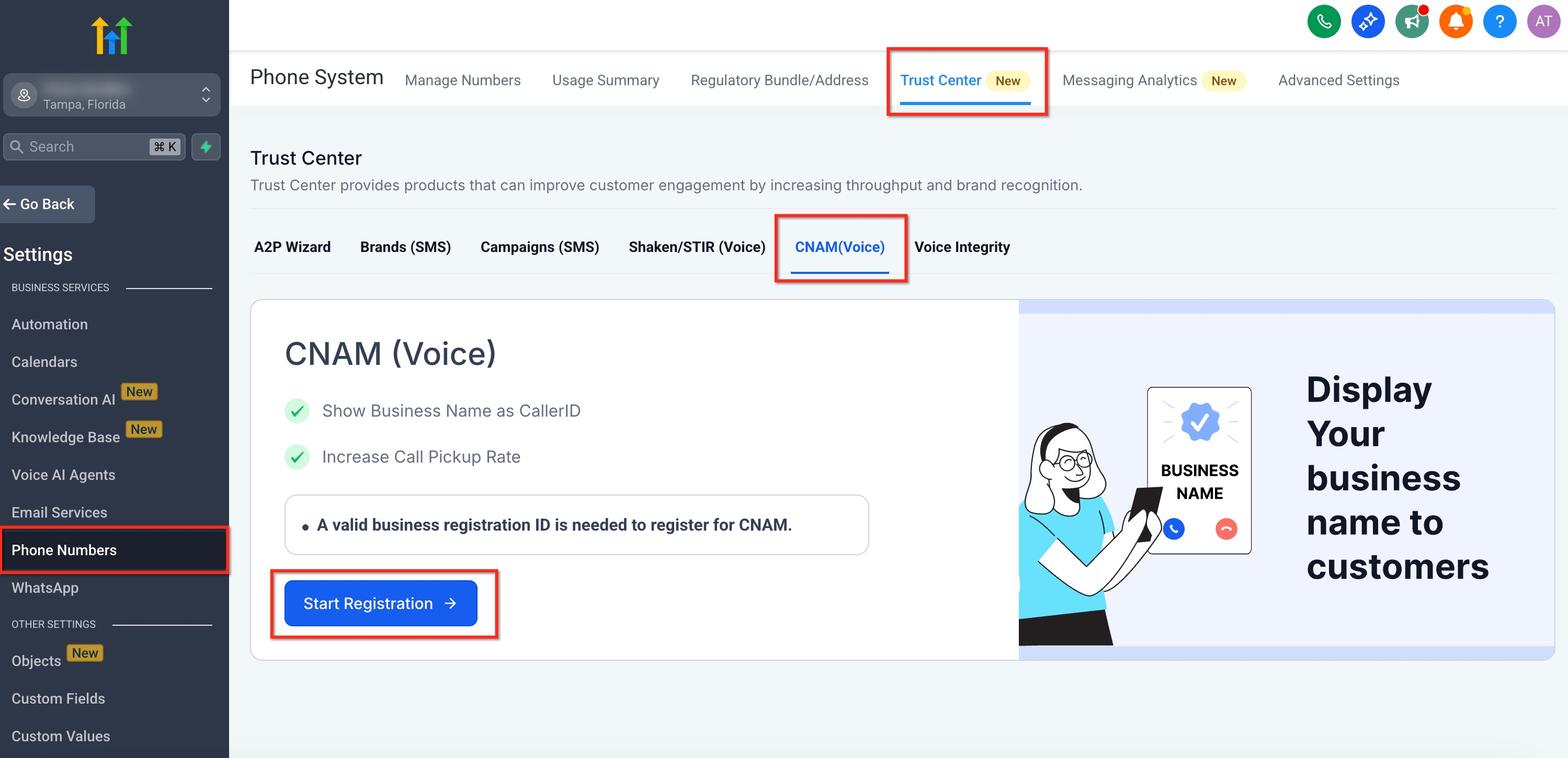
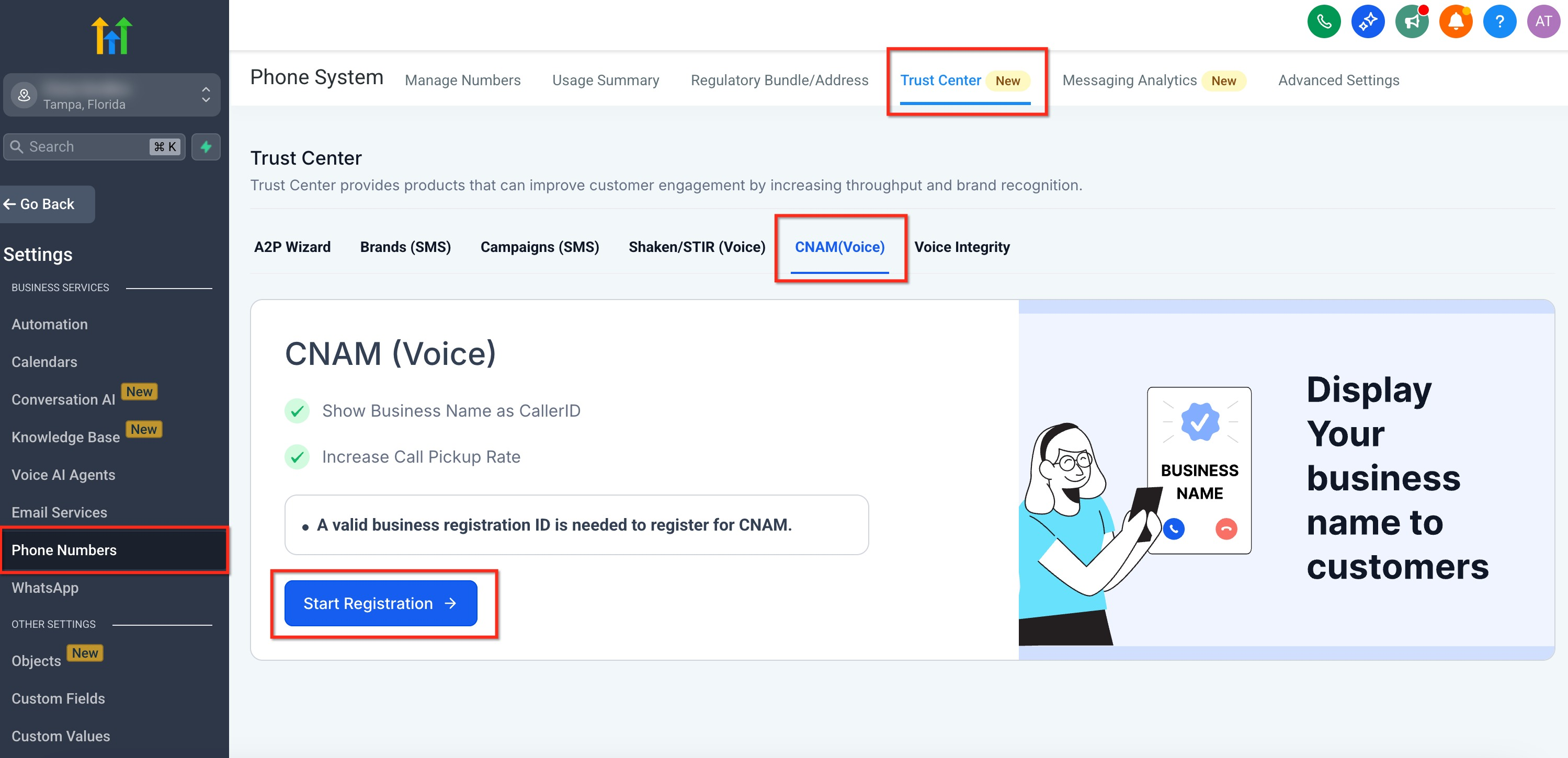!(https://assets.patientcopilot.ai/99af2430c45847e0.png)!(https://assets.patientcopilot.ai/a22500d1926ad86f.png)!(https://assets.patientcopilot.ai/91abc6add206c18b.png)
| --- | --- | --- | | CNAM | Displays your business name on outgoing calls | Improves recognition and trust, leading to higher answer rates | ** Note**: CNAM doesn’t remove nuisance labels, but accurate caller information can enhance answer rates. - Ensure your number correctly displays your business name on the caller ID. - Work with your carrier to register or update your CNAM records. * * * Tip: CNAM does not replace SHAKEN/STIR. For best results, use both together—SHAKEN/STIR authenticates your caller ID, while CNAM displays your business name. Related Articles - Why are my Calls marked as Spam, and How can I avoid it?
- What is SHAKEN/STIR?
- Improve your Phone Number’s reputation with Voice Integrity Was this article helpful? That’s Great! Thank you for your feedback Sorry! We couldn’t be helpful Thank you for your feedback Feedback sent We appreciate your effort and will try to fix the article