How To Embed External Content On A Dashboard
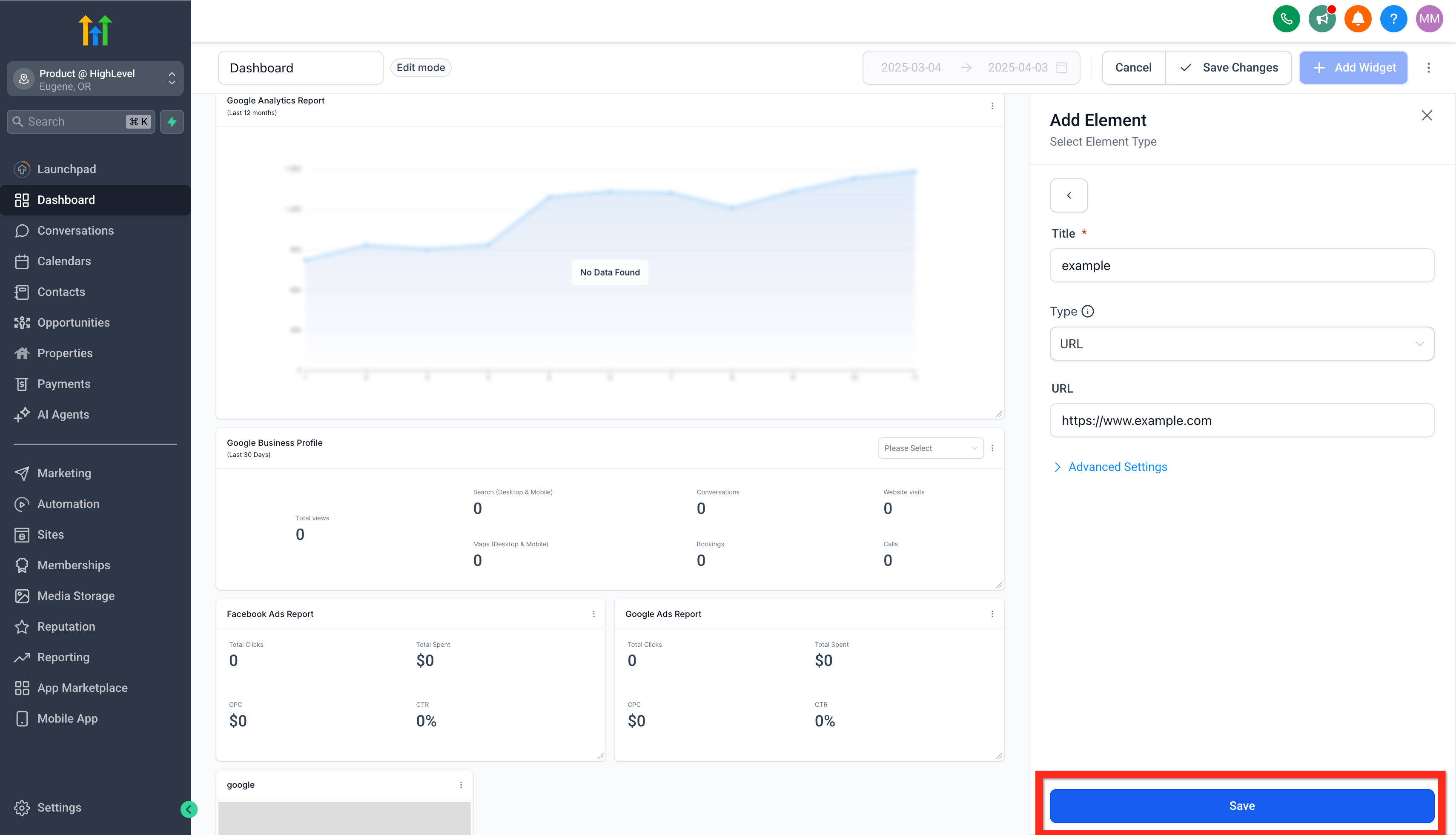
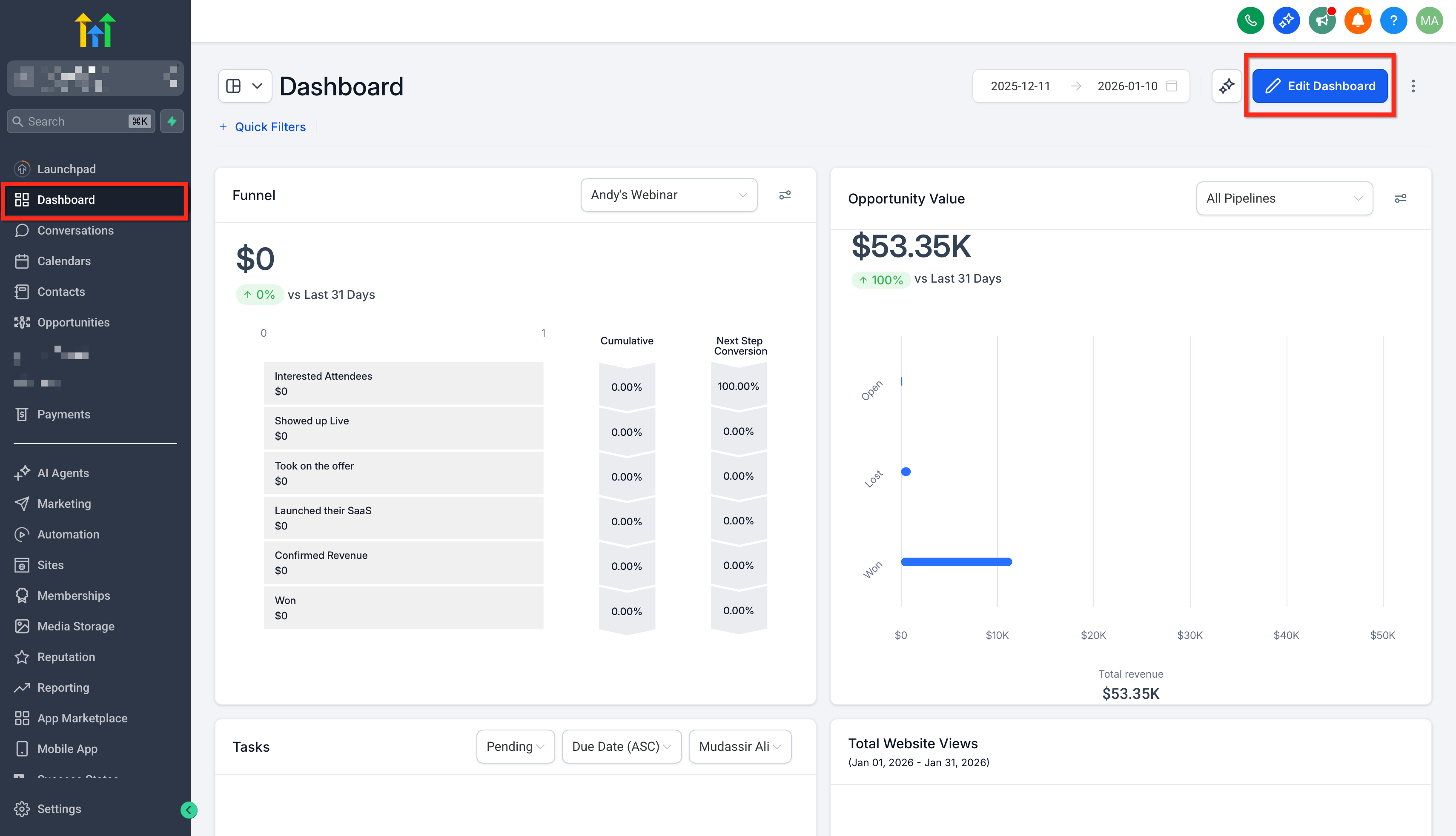
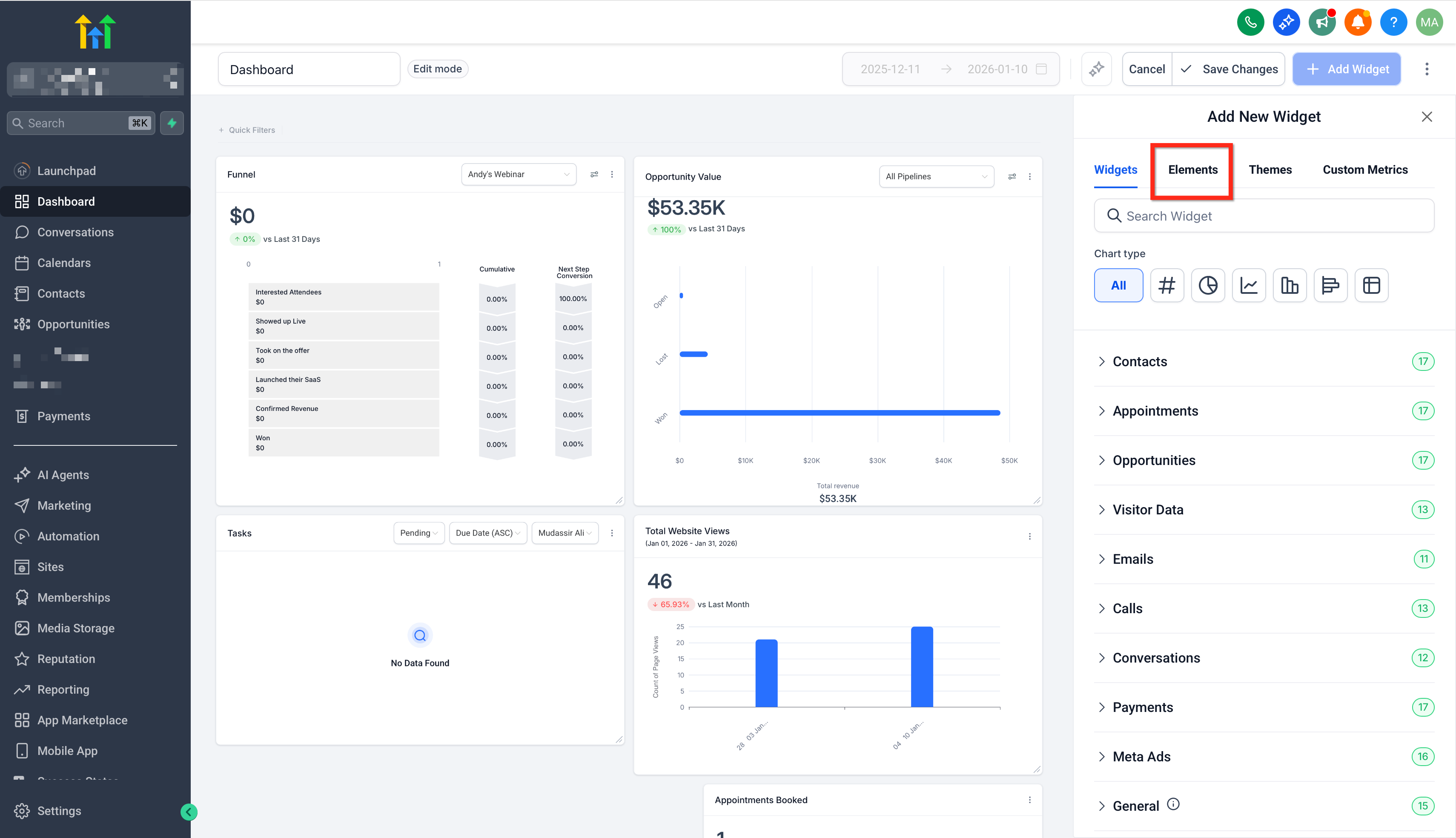
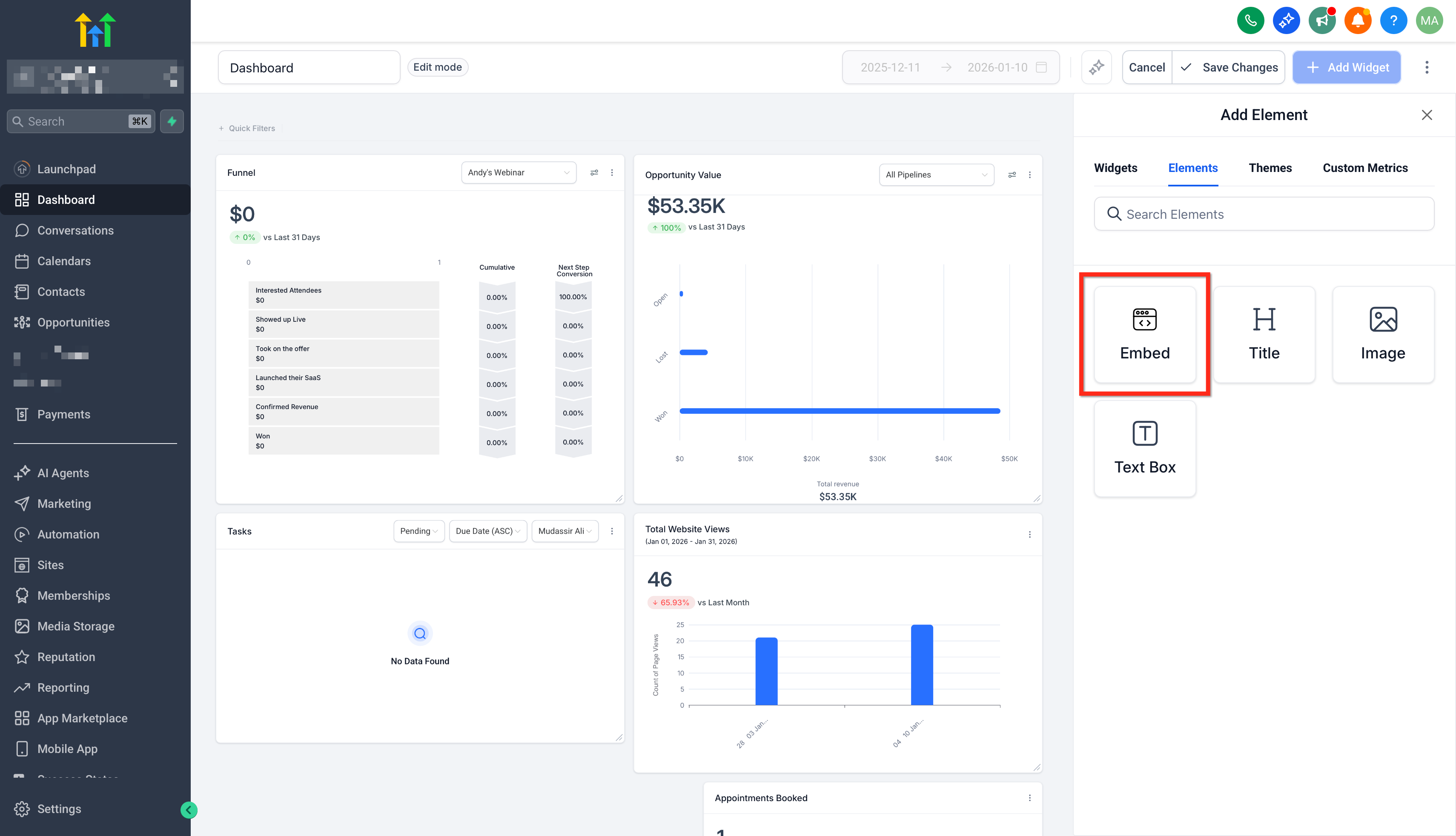
You can embed webpages and media from other sites into your dashboard. * * * ## What Is Embedding? When you want to display data from outside your subaccount on your dashboard, that is embedding. If a different platform supports embedded content, you can display various elements like web pages, Google Data Studio reports, Google Docs, slideshows, calendars, Loom videos, YouTube videos, social media posts, feeds, and more. Some platforms do not allow embedding of their content, they block it. * * * ## Embed Content On A Dashboard ### Step 1: Open The Dashboard In Edit Mode Navigate to Subaccount > Dashboard > Edit Dashboard by clicking the pencil button. ### **!(https://assets.patientcopilot.ai/5d230e4b4d1f799c.png) ** ### Step 2: Open The Elements Tab Click on the Elements tab. ### ** !(https://assets.patientcopilot.ai/74a24d47df161858.png) ** ### Step 3: Click The Embed Button Click the Embed button.!(https://assets.patientcopilot.ai/153b962a78979ae6.png) ### Step 4: Configure The Embed Element Write in your desired title and set your desired type of embed. - URL: enter only a fully qualified URL with no other content ex: https://www.instagram.com/p/C04TE0DsEkW/embed/
- IFRAME: enter a full iframe snippet ex: ) ### Step 5: Save Changes Click the blue save button to save the element to the dashboard.!(https://assets.patientcopilot.ai/9a3b2c07c6597116.png) * * * ## Types Of Embeddable Content ### Youtube - Add an Embed element, then add the video’s ID number (found after /video/ in the URL) to https://www.youtube.com/embed/
- For example if your youtube URL is https://www.youtube.com/watch?v=bFTIQDCvIrc, then copy the video ID “bFTIQDCvIrc” and add it to https://www.youtube.com/embed/. So your final URL will be https://www.youtube.com/embed/bFTIQDCvIrc ### TikTok videos - Add an Embed element, then add the video’s ID number (found after /video/ in the URL) to https://www.tiktok.com/embed/ ### Instagram Posts - Get the sharable link for your instagram post. You’ll get a link similar to this: https://www.instagram.com/p/C04TE0DsEkW/?utm_source=ig_web_copy_link
- You’ll need to replace?utm_source=ig_web_copy_link with /embed/. The URL should look like this afterward: https://www.instagram.com/p/C04TE0DsEkW/embed/
- Add this final URL on your embed element configuration. * * * ## Related Articles - Customizing a widget - Edit widgets on the dashboard - Removing a widget