
Custom Conversation Providers in Mobile App
The mobile app conversations tab supports communication with customers on custom channels that can be integrated from the App Marketplace. You can have conversations with your leads and customers across any channel that they prefer by using your mobile app, resulting in faster reply times and more deals closed! Remember to install your custom conversation provider from the App Marketplace and verify it’s active in Settings > Conversation Providers. When we refer to “custom conversation providers”, we are referring to additional SMS and Email providers accessible from the App Marketplace in your Agency Account. These are different from “native conversation providers” that are natively supported in Patient Copilot (ex: WhatsApp is natively supported, you don’t have to get it through the Marketplace). If you want to develop apps for the Patient Copilot App Marketplace start here https://marketplace.patientcopilot.ai/ * * * ## How To Install A Custom Conversation Provider
| Navigate to Agency Account > App Marketplace | 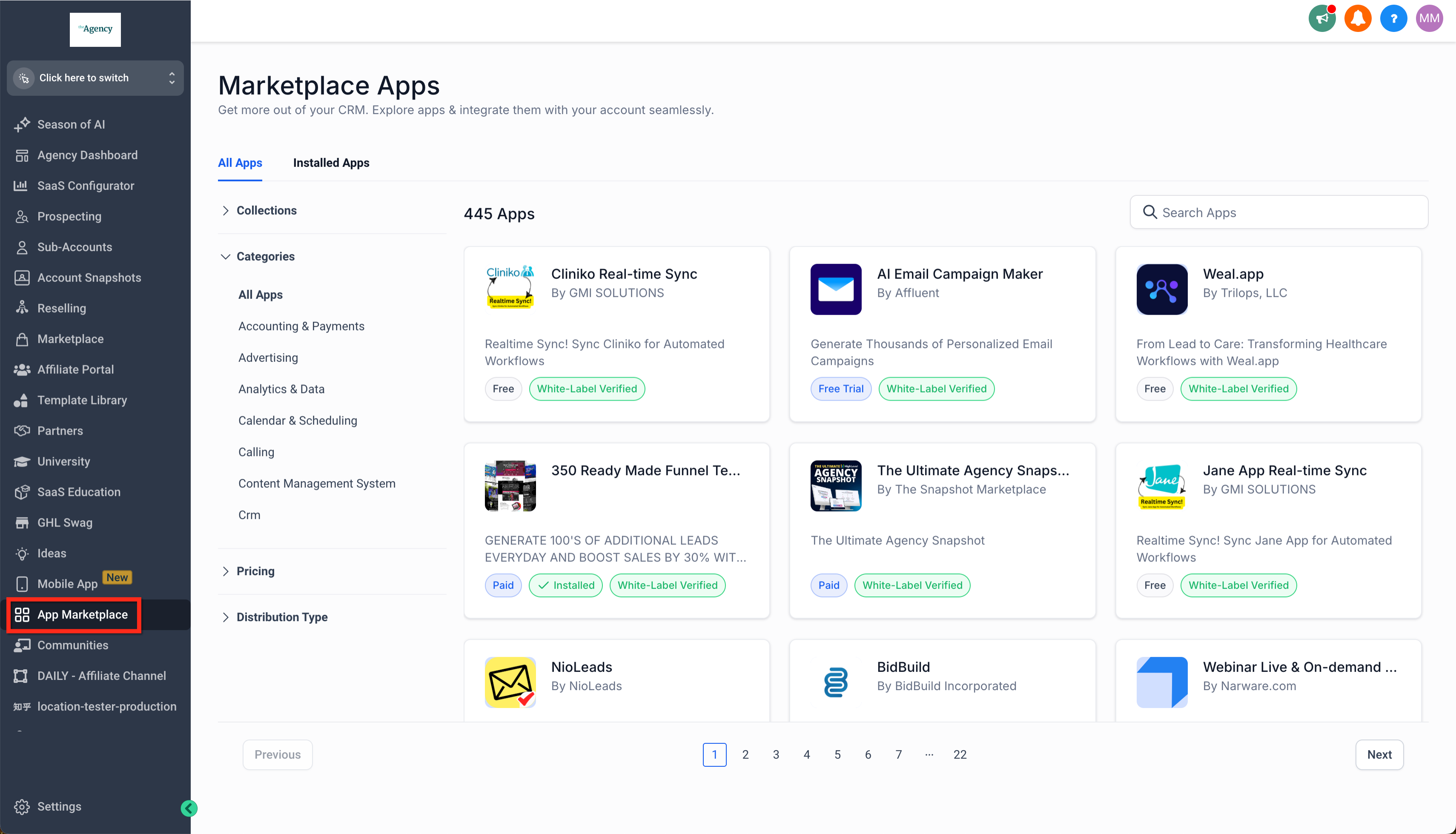 |
| Under App Marketplace > Categories scroll until you find Email and click it to filter | 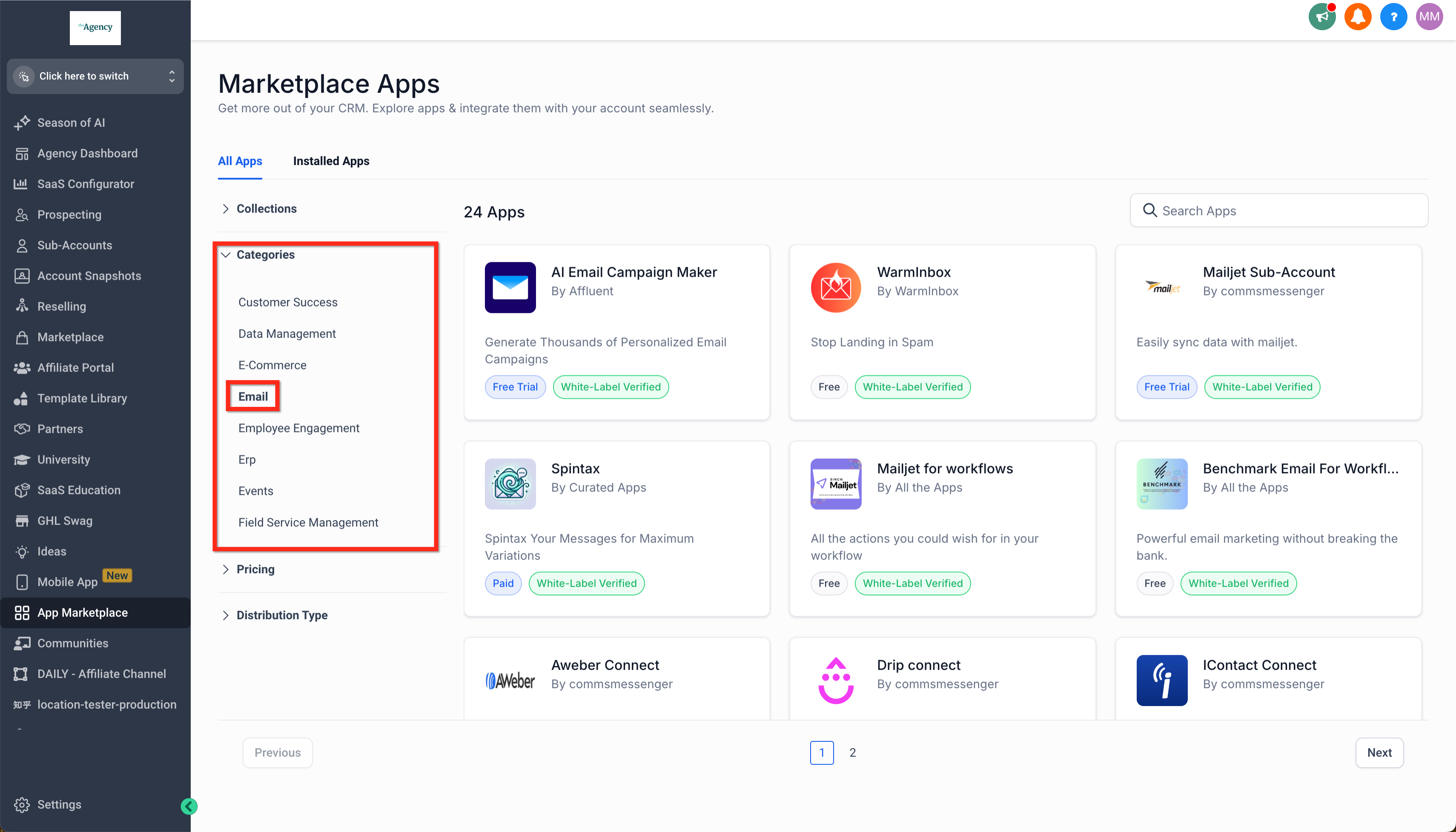 |
| Or scroll until you find SMS and click to filter | 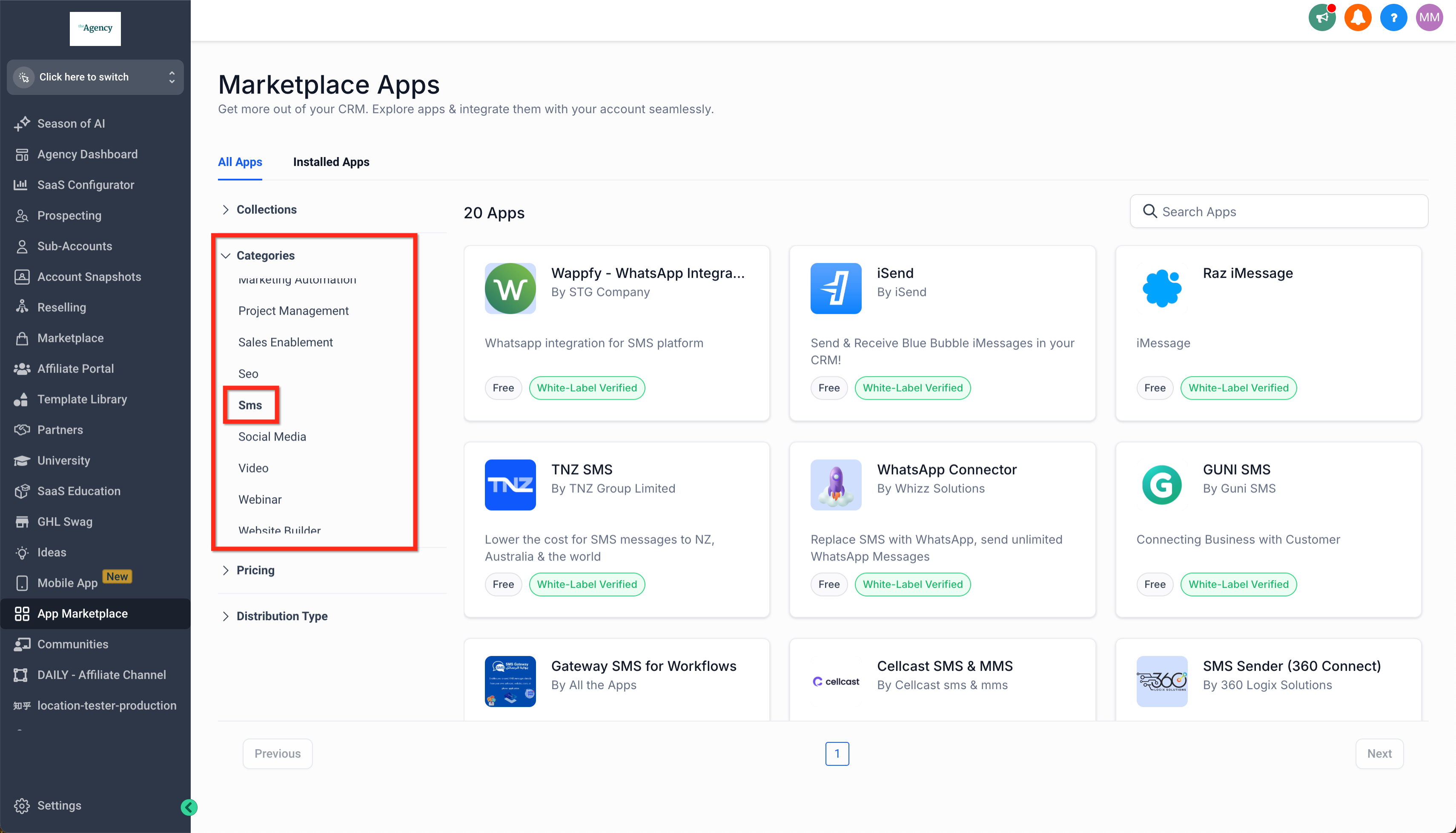 |
| Click on your preferred custom conversation provider and click Install | 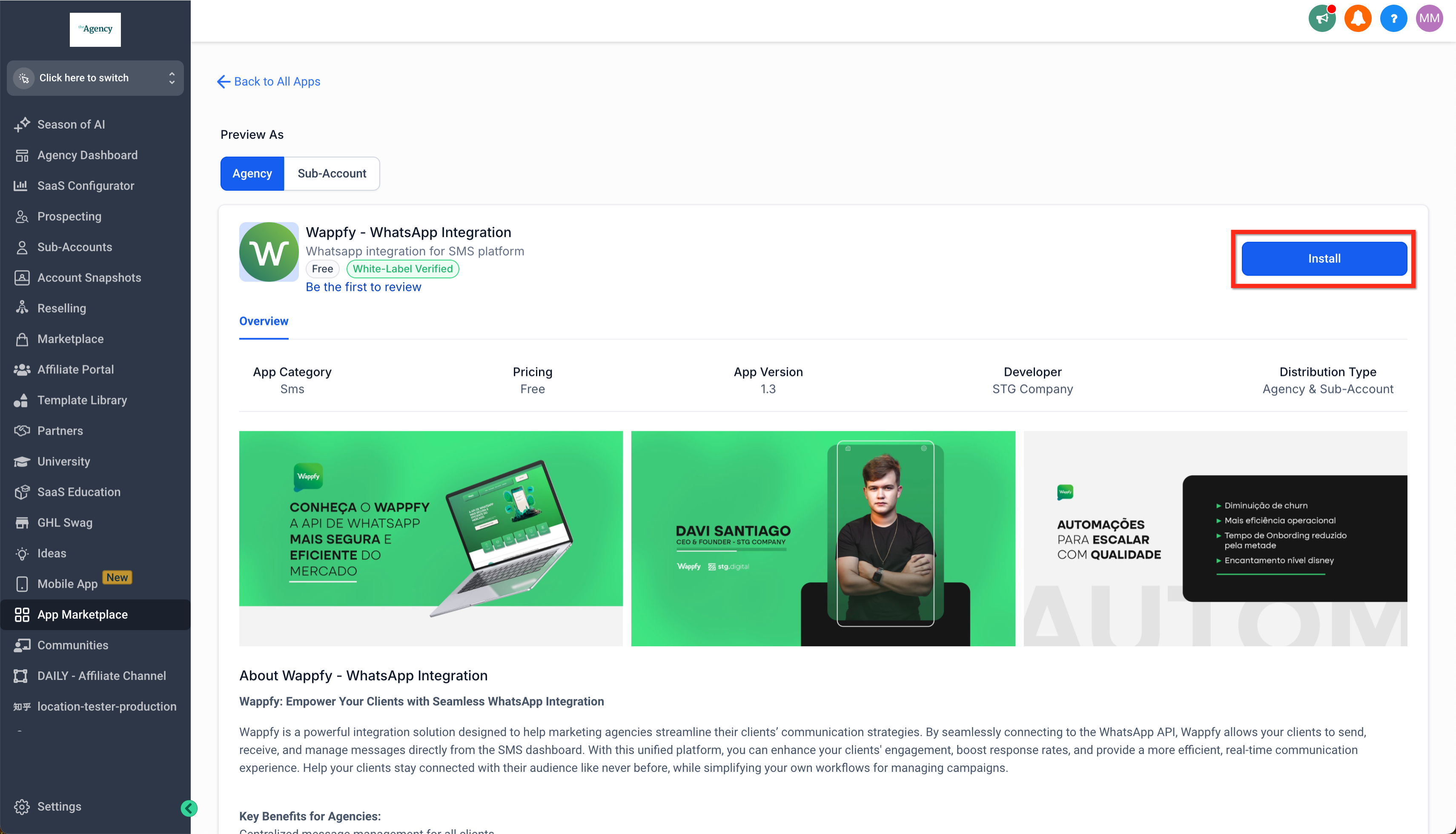 |
| Select one or more subaccounts you want to install the app into and click Continue | 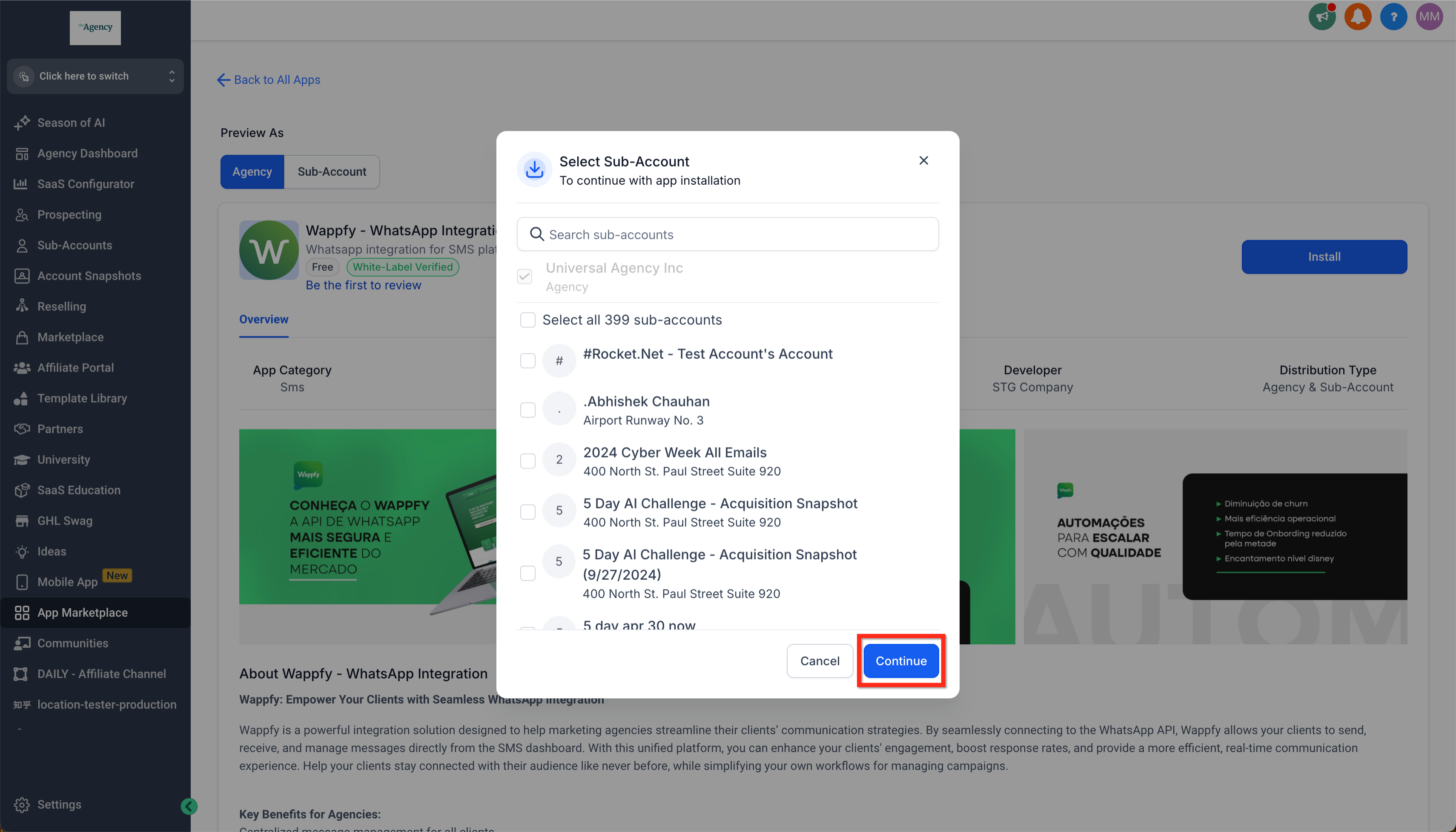 |
| Review the app details and click Allow & Install | 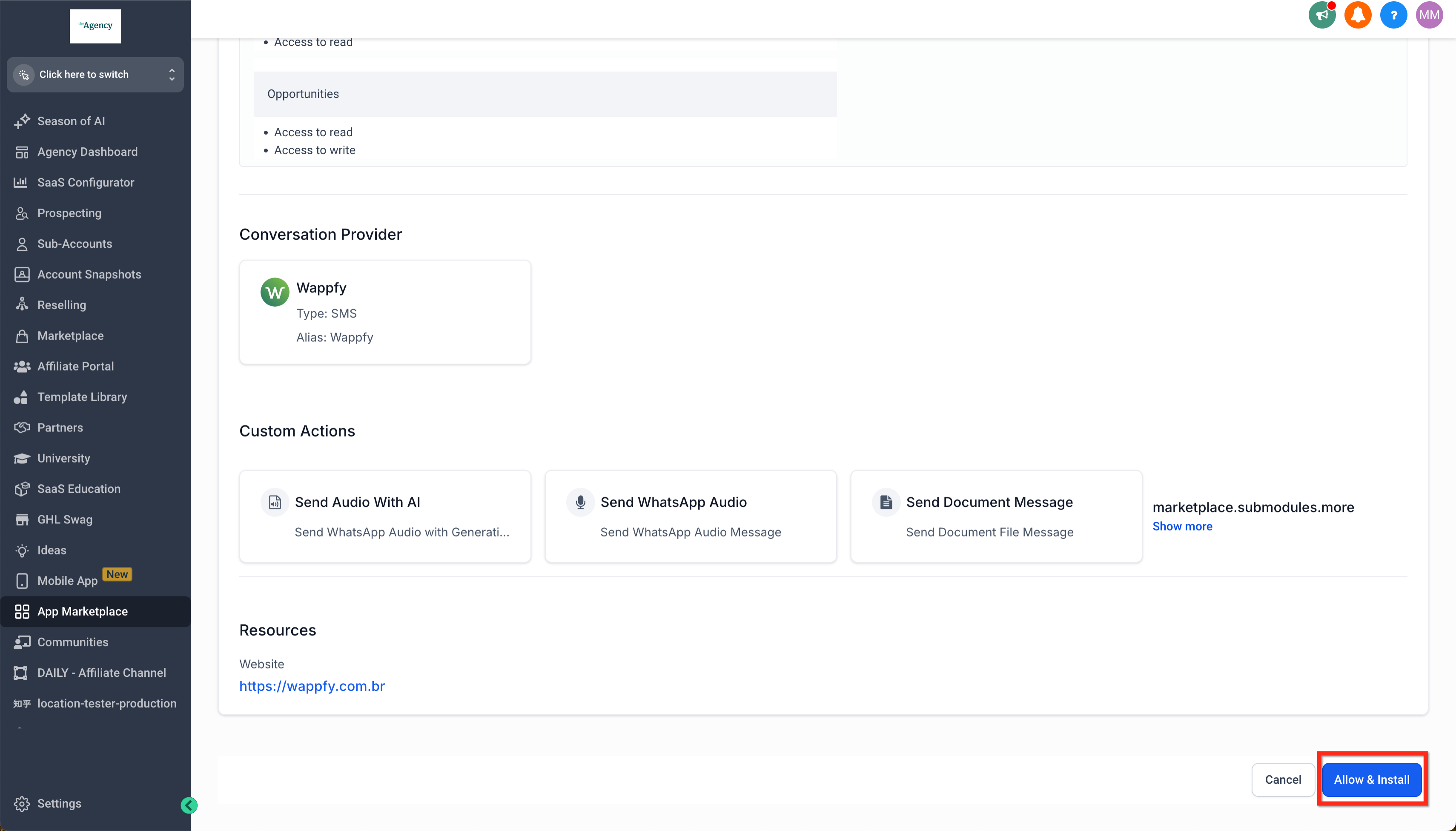 |
| As required, follow specific instructions from the custom conversation provider to integrate (ex: get your API key for their service). | 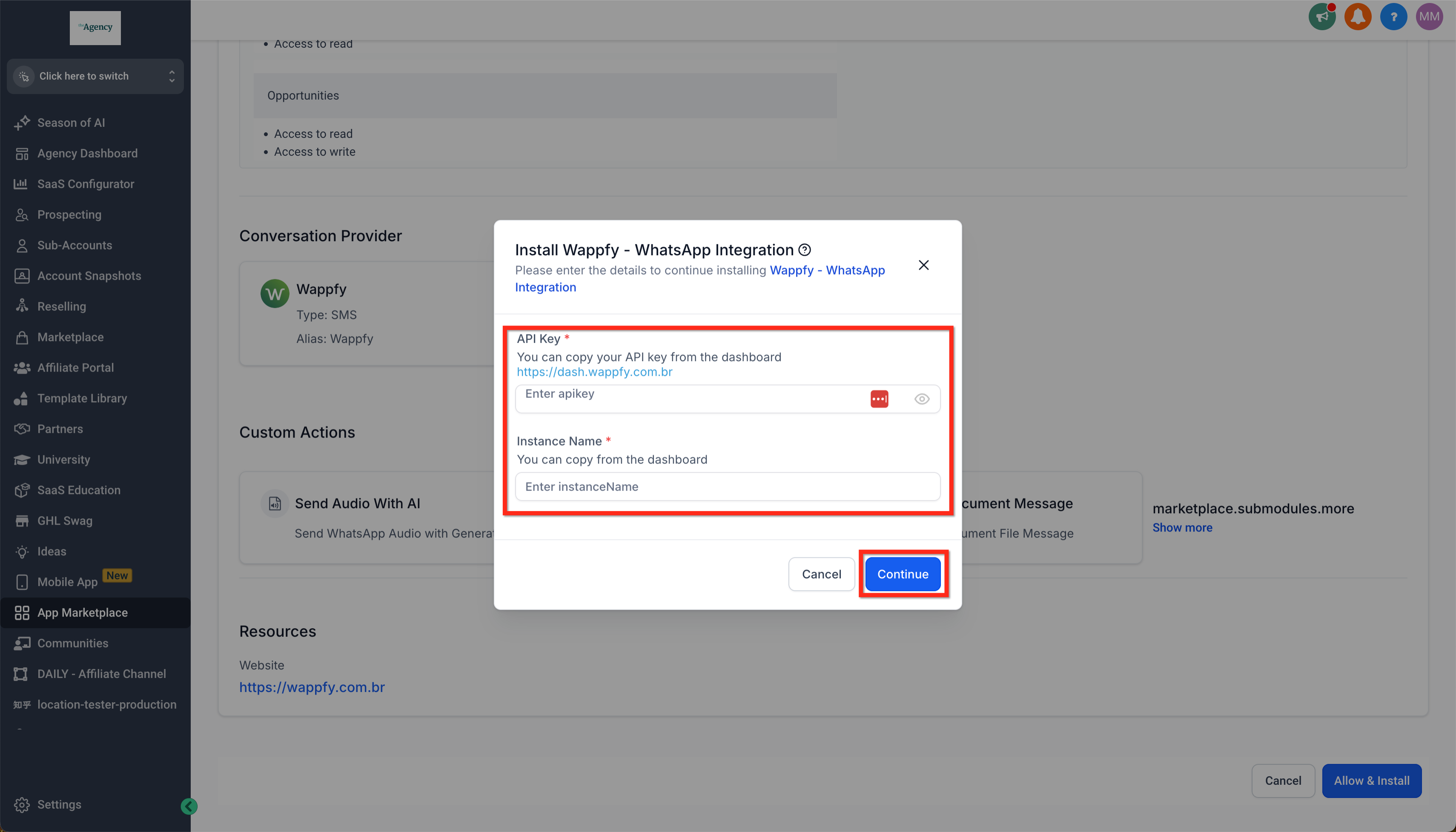 |