Communities - How Members Can Leave Groups
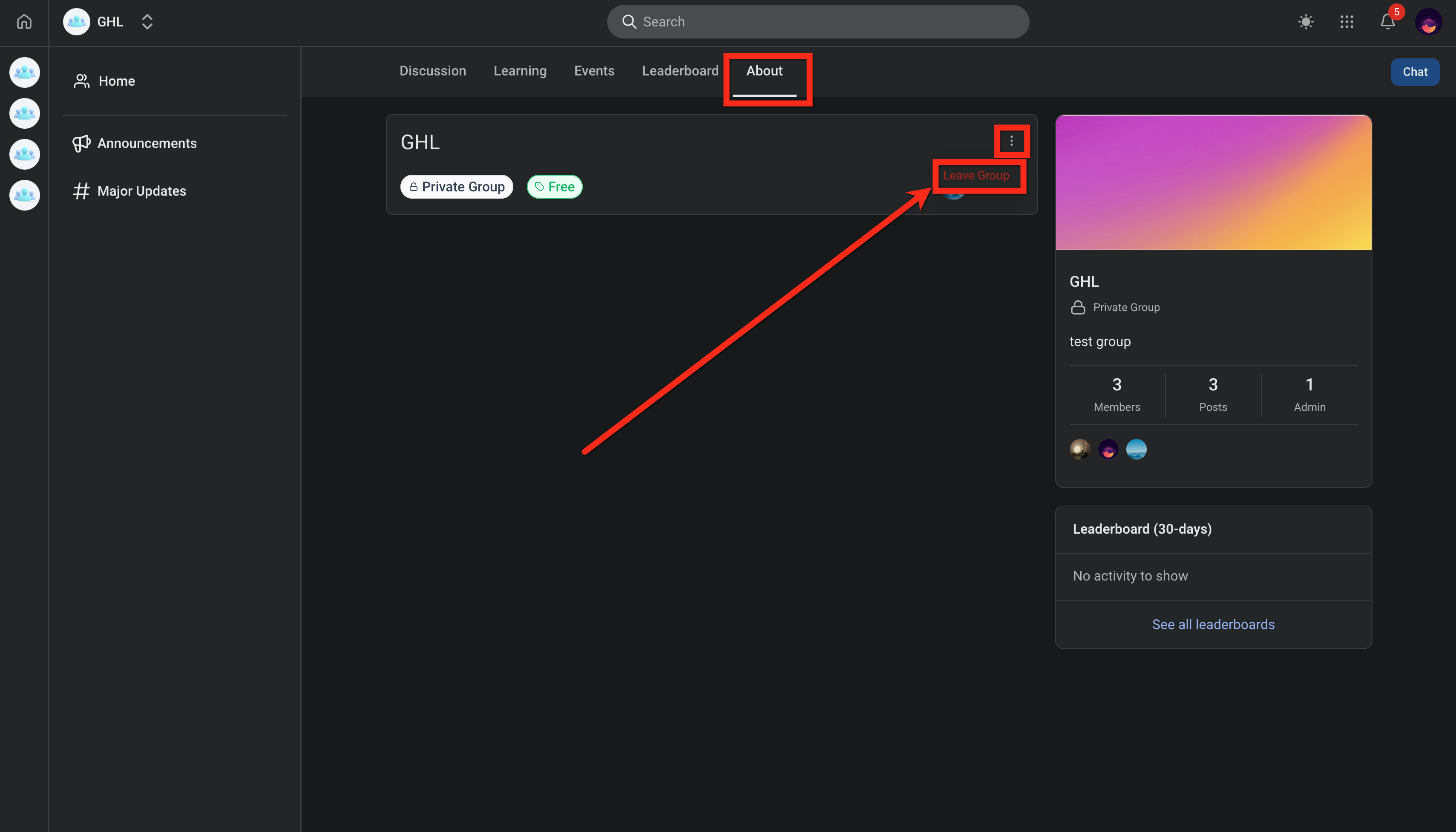
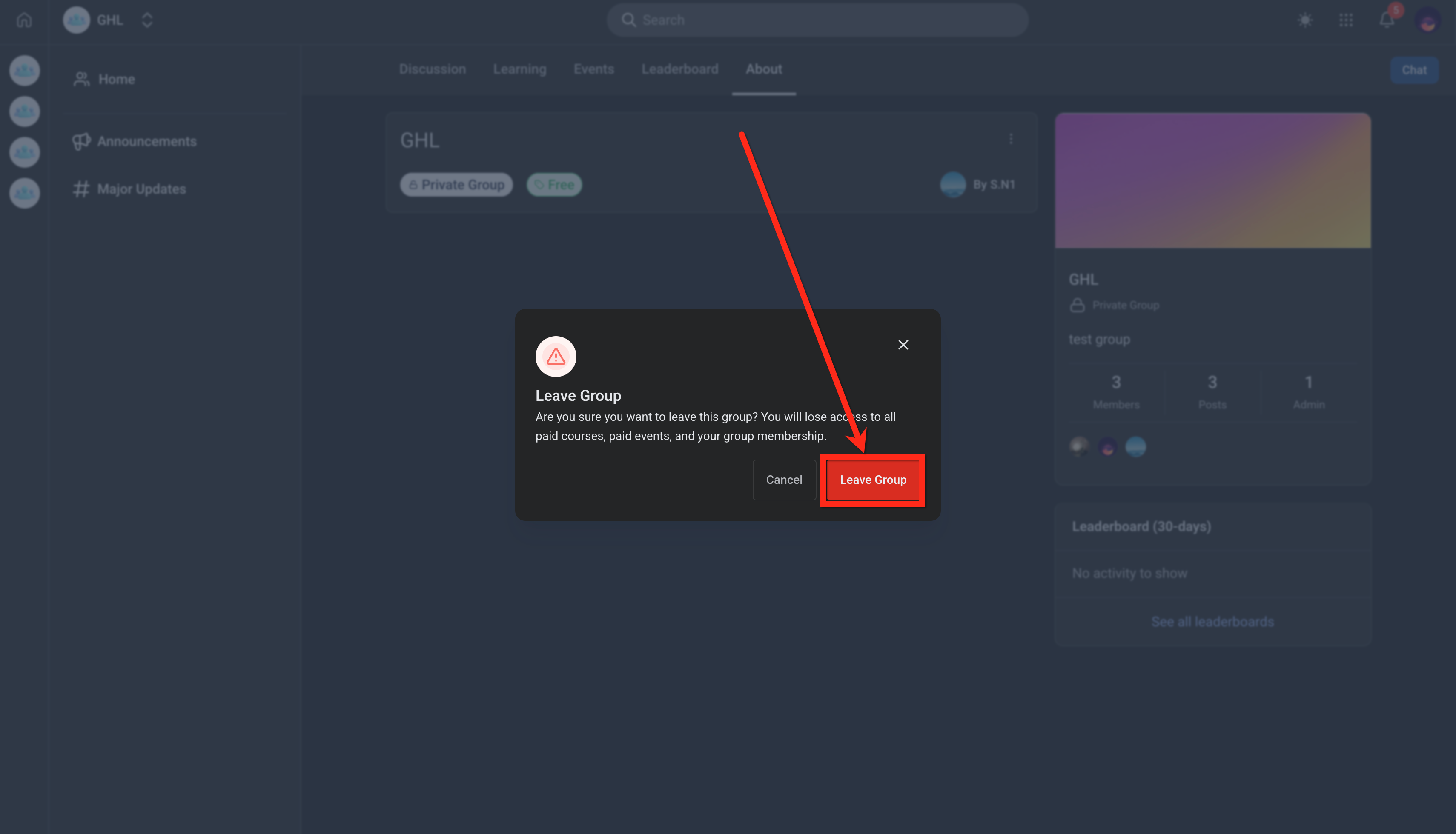
Members can now leave a community on their own without needing admin assistance. This article explains how to leave a community, what happens after you exit, and how admins are notified when members leave. * * * ## What is Self-Serve Member Exit in Groups? Leaving a community in Patient Copilot is a self-service feature that allows members to remove themselves from a group at any time. This eliminates the need for admin intervention and gives users full control over their participation. Once a member leaves, their access to all associated resources such as courses, events, and paid content—is immediately revoked, ensuring a clean and consistent experience. * * * ## Key Benefits of Self-Serve Member Exit Feature Giving members the ability to manage their own access reduces administrative overhead while improving user experience and transparency across communities. - Self-Service Control: Members can leave communities anytime without waiting for admin action. - Instant Access Removal: Access to courses, events, and paid content is revoked immediately. - Cleaner Account Management: Ensures consistent system state when members exit. - Admin Visibility: Admins receive real-time notifications when members leave. * * * Knowing how to leave a community ensures members can quickly manage their access and avoid unwanted notifications or content. Following the correct steps ensures the process is completed instantly and accurately. 1. Login to the group that you are a member in. 2. Click on the About tab (Web) 3. Click the three dots (⋮) menu 4. Select Leave Group !(https://assets.patientcopilot.ai/8bee7bec647a2f38.png) 5. Confirm the action by clicking on the Leave Group button.!(https://assets.patientcopilot.ai/72663a573a491fc1.png) * * * ## Frequently Asked Questions Q: What happens immediately after a member leaves a community? You instantly lose access to the community, including all courses, events, and paid content. Q: Can an admin see when a member leaves a community? Yes, admins receive email, in-app, and push notifications when a member leaves. Q: Can a member rejoin a community after leaving? Yes, but they will need to be re-invited or regain access based on how the community is set up. Q: Does leaving a community cancel a member’s subscription? Leaving removes member’s access, but subscription or billing behavior depends on how the community is configured. * * * ### Related Articles - How to Make Groups Private in Communities - Communities - How to Manage Members Inside Groups - Communities - Customizeable Navigation Tabs In Groups - Communities - How to Add Custom CSS/JS to Groups