Tracking External Forms with Patient Copilot
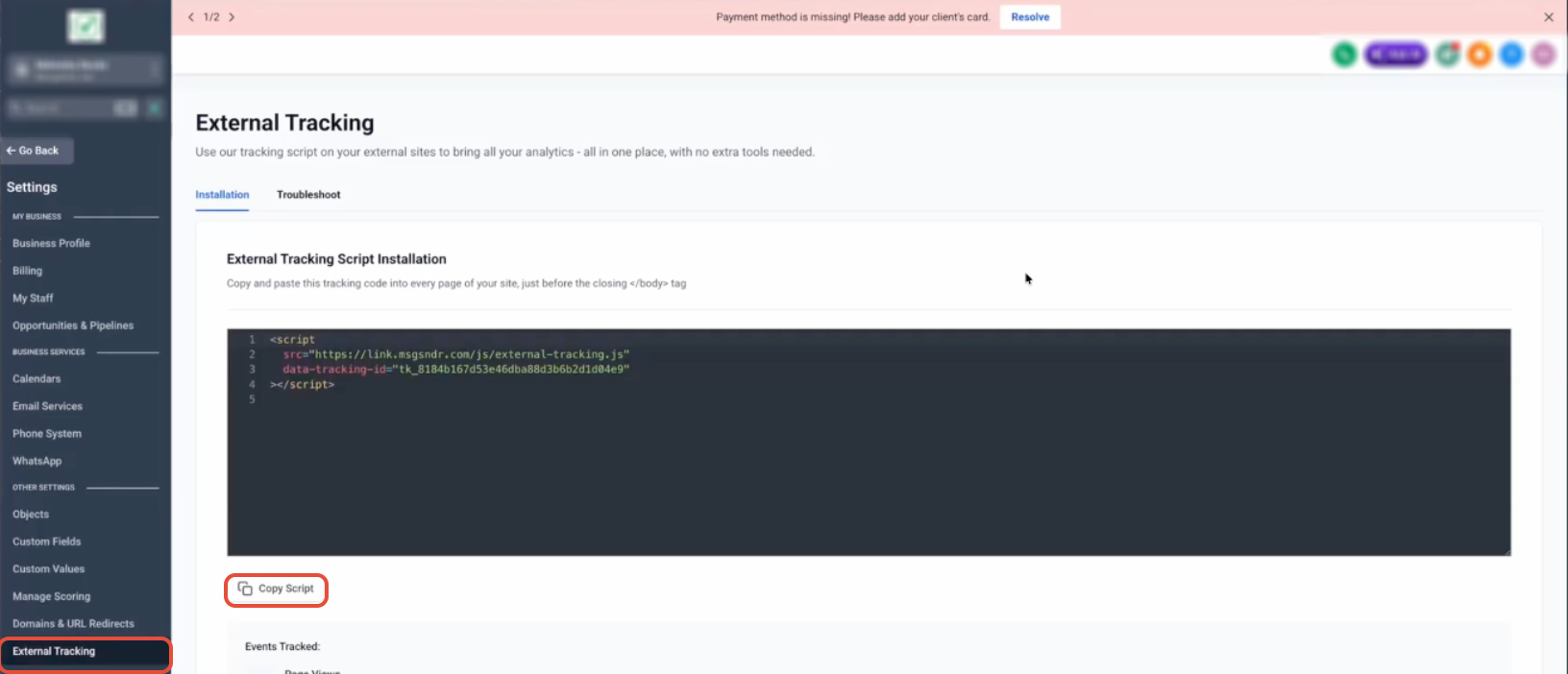
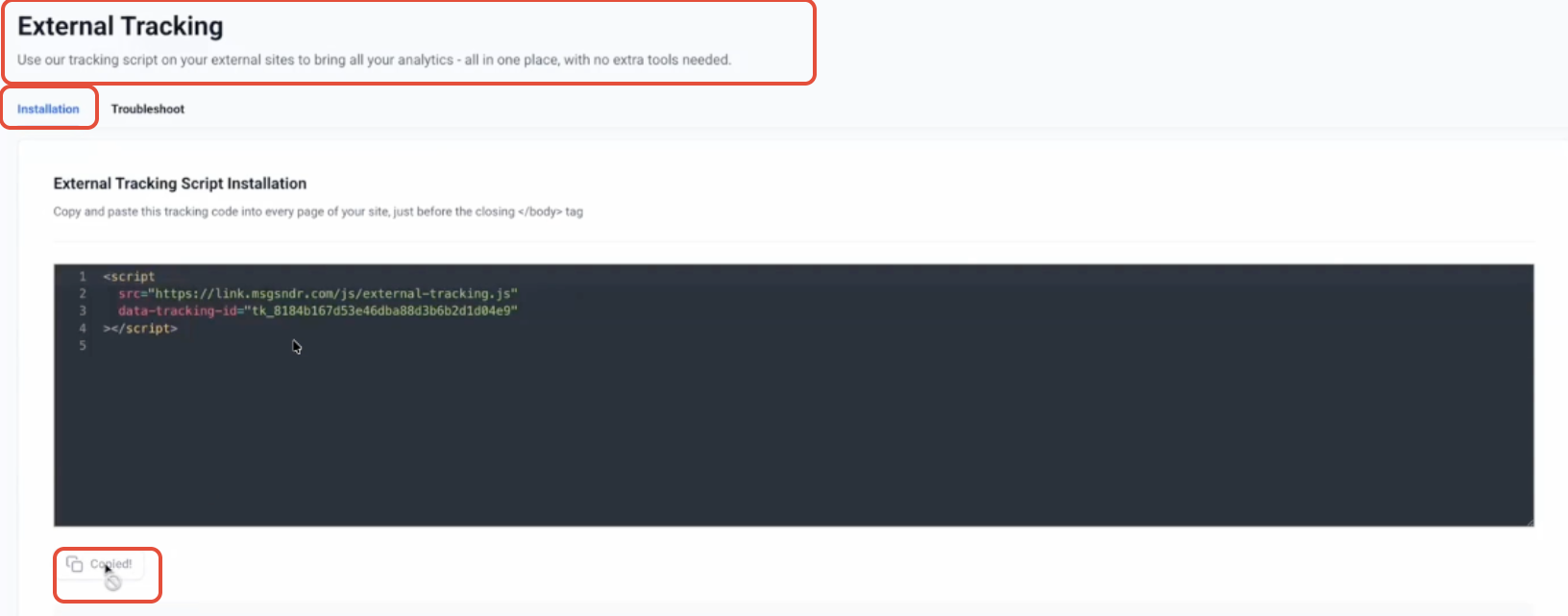
Capture form submissions from external websites directly into Patient Copilot with zero manual setup. The enhanced External Tracking feature automatically detects supported forms like Gravity Forms, WPForms, and custom HTML forms, then sends submissions into your CRM in real time. This eliminates the need for Zapier, webhooks, or custom integrations while improving attribution and lead tracking accuracy. * * * ## What is External Tracking? External Tracking is a lightweight script that connects your external website activity to Patient Copilot, allowing you to track page views and automatically capture form submissions from third-party sites. With the latest enhancement, External Tracking now automatically detects DOM-based forms and captures submissions without requiring manual configuration, making it significantly easier to track leads from platforms like WordPress, Shopify, Wix, and custom-built websites. * * * ## Key Benefits of External Tracking External Tracking simplifies lead capture and improves visibility into external website performance, helping you make better marketing and automation decisions. - Automatic Form Detection: detects supported forms like Gravity Forms, WPForms, and custom HTML automatically - Real-Time Submission Capture: instantly captures submissions without delays or integrations - Automatic Contact Creation: creates or updates contacts immediately after submission - Smarter Field Mapping: maps fields intelligently to existing contact properties and custom fields - Attribution Tracking: captures UTM parameters, page URLs, and session data - Multi-Form Support: tracks multiple forms on the same page independently - Zero Configuration: no need for Zapier, webhooks, or manual mapping * * * ## Automatic Form Detection External Tracking scans your website for supported forms rendered directly in the DOM, allowing most modern form builders to work instantly after installation. This removes the need for manual validation and ensures a seamless experience when capturing leads from external sites. - WordPress forms (Gravity Forms, WPForms, Contact Form 7) - No-code website builders Forms embedded via iframes or third-party widgets are not supported. * * * ## Smarter Field Mapping Field mapping is handled automatically using intelligent matching, ensuring that captured data aligns with your contact records without requiring manual setup. This improves data accuracy and reduces the need for post-submission cleanup. - Matches fields using name, label, and existing custom fields - Stores unmapped fields safely for later use - Supports multiple field types (text, dropdowns, checkboxes, dates, etc.) - Displays only relevant fields in the UI * * * ## How To Setup External Tracking Correct installation ensures that all external form submissions and page activity are captured reliably, enabling accurate reporting and automation. ### Step 1: Get Your Tracking Script 1. Go to Settings → External Tracking 2. Click Copy Script External Tracking settings page showing the script and “Copy Script” button!(https://assets.patientcopilot.ai/0d8504b821499008.png) This script is unique to your account and acts as the connection between your website and Patient Copilot. Do not modify the tracking ID. Script snippet with the tracking ID visible !(https://assets.patientcopilot.ai/8a1fe1f70ecf3198.png) ### Step 2: Install the Script on Your Website Paste the script before the closing tag of your website so it loads on every page and can detect forms automatically. ```