Workflow Action - Clear Fields of Company or Associated Contact
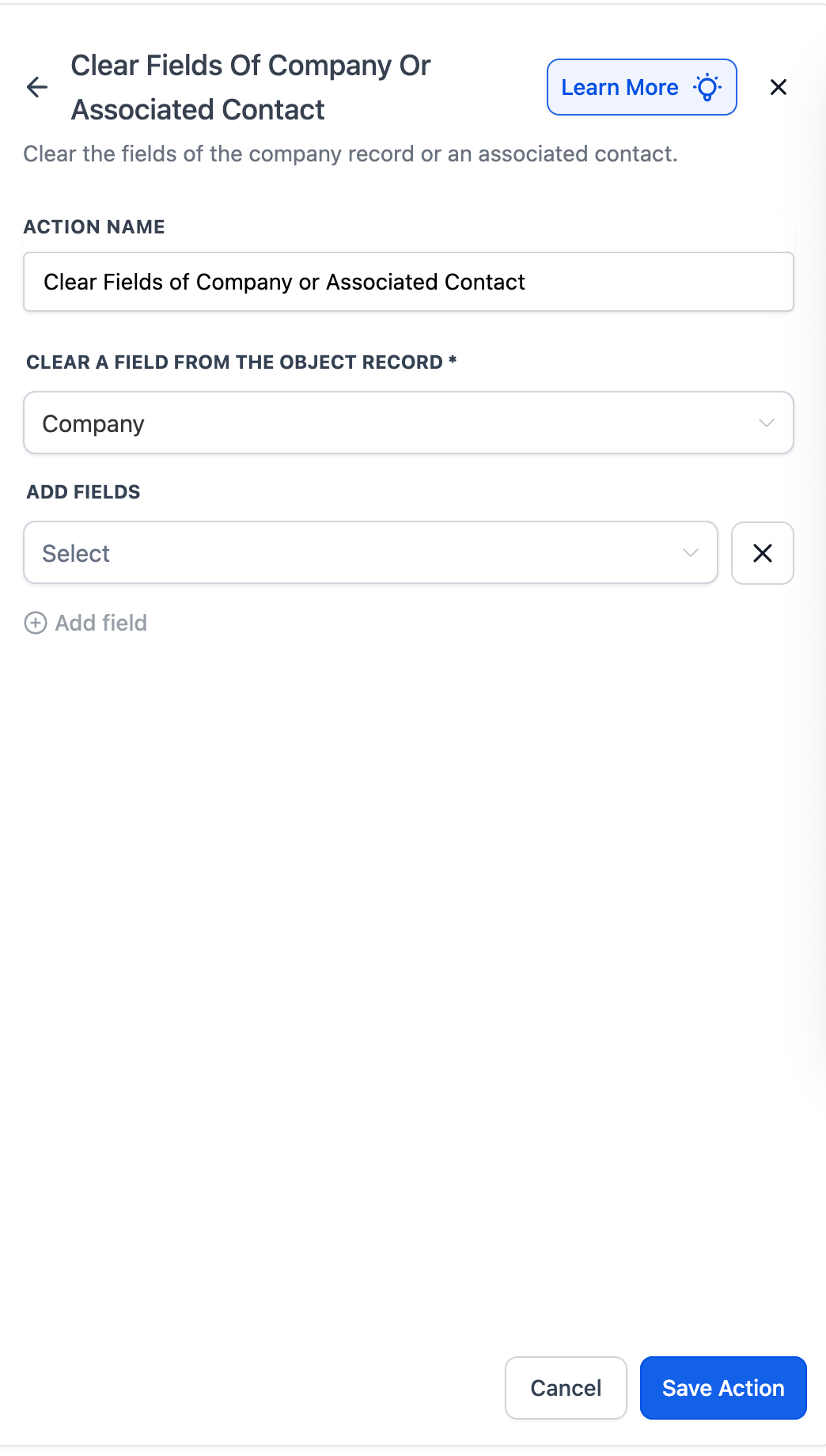
Overview The Clear Fields of Company or Associated Contact action allows workflow users to reset or remove field values from either the Company record or the Contact associated with that company, directly within a Company-based workflow. This is useful for maintaining clean and accurate CRM data — for example, removing outdated phone numbers, clearing old tags, or resetting a contact’s status when a company’s relationship changes. ## Action Name Clear Fields of Company or Associated Contact ## Action Description Use this action to: - Automatically clear selected fields from either the Company record or the associated Contact(s) in a Company-based workflow. - Keep data accurate and up to date by removing stale, incorrect, or obsolete values. - Simplify cleanup processes by automating data resets during ownership or lifecycle changes. ## Action Details!(https://assets.patientcopilot.ai/a544839cf77a6a29.png) I. Clear a Field From the Object Record - Choose which object you want to clear fields from: - Company – Clears fields from the current company record. - Associated Contact – Clears fields from the contacts associated with that company. II. Add Fields - Use the dropdown to select one or more fields to clear. - Supported fields include all editable standard and custom fields on the selected object. - Use the + Add Field option to clear multiple fields at once. III. Clear Behavior - When executed, the selected fields will be reset (emptied) for the chosen record type (Company or Contact). - If there are no associated contacts, the action will automatically skip. - Clearing does not remove associations or delete related data — only the selected field values are reset. IV. Save Action - After selecting all fields to be cleared, click Save Action. - When the workflow runs, the chosen fields in the Company or associated Contacts will be cleared automatically. V. Edge Cases & Notes - Available only in Company-based workflows. - To clear fields in Contact-based workflows, use Clear Associated Company Fields. - If multiple associated contacts exist, all selected fields will be cleared for each of them. ## Examples #### Example 1: Reset Contact Status When Company Becomes InactiveGoal: Automatically reset the status of all contacts associated with a company when that company becomes inactive. Setup - Workflow Type: Company-based - Trigger: Company Changed → Status = Inactive - Action: Clear Fields of Company or Associated Contact - Clear a Field From: Associated Contact - Fields to Clear: Contact Status Flow 1. The company’s status changes to “Inactive.” 2. Workflow triggers the clear action. 3. The status is cleared for all associated contacts. * * * #### Example 2: Clear Company Custom Fields After Contract ExpiryGoal: Reset key custom fields (e.g., Renewal Date, Contract Value) after a company’s contract expires. Setup - Workflow Type: Company-based - Trigger: Company Changed → Contract Expiry Date reached - Action: Clear Fields of Company or Associated Contact - Clear a Field From: Company - Fields to Clear: Renewal Date, Contract Value, Tier Flow 1. The company’s contract expiration date passes. 2. Workflow triggers the action. 3. The selected fields are cleared automatically from the company record. Was this article helpful? That’s Great! Thank you for your feedback Sorry! We couldn’t be helpful Thank you for your feedback Feedback sent We appreciate your effort and will try to fix the article