Manage Affiliates with Quick Campaign Actions
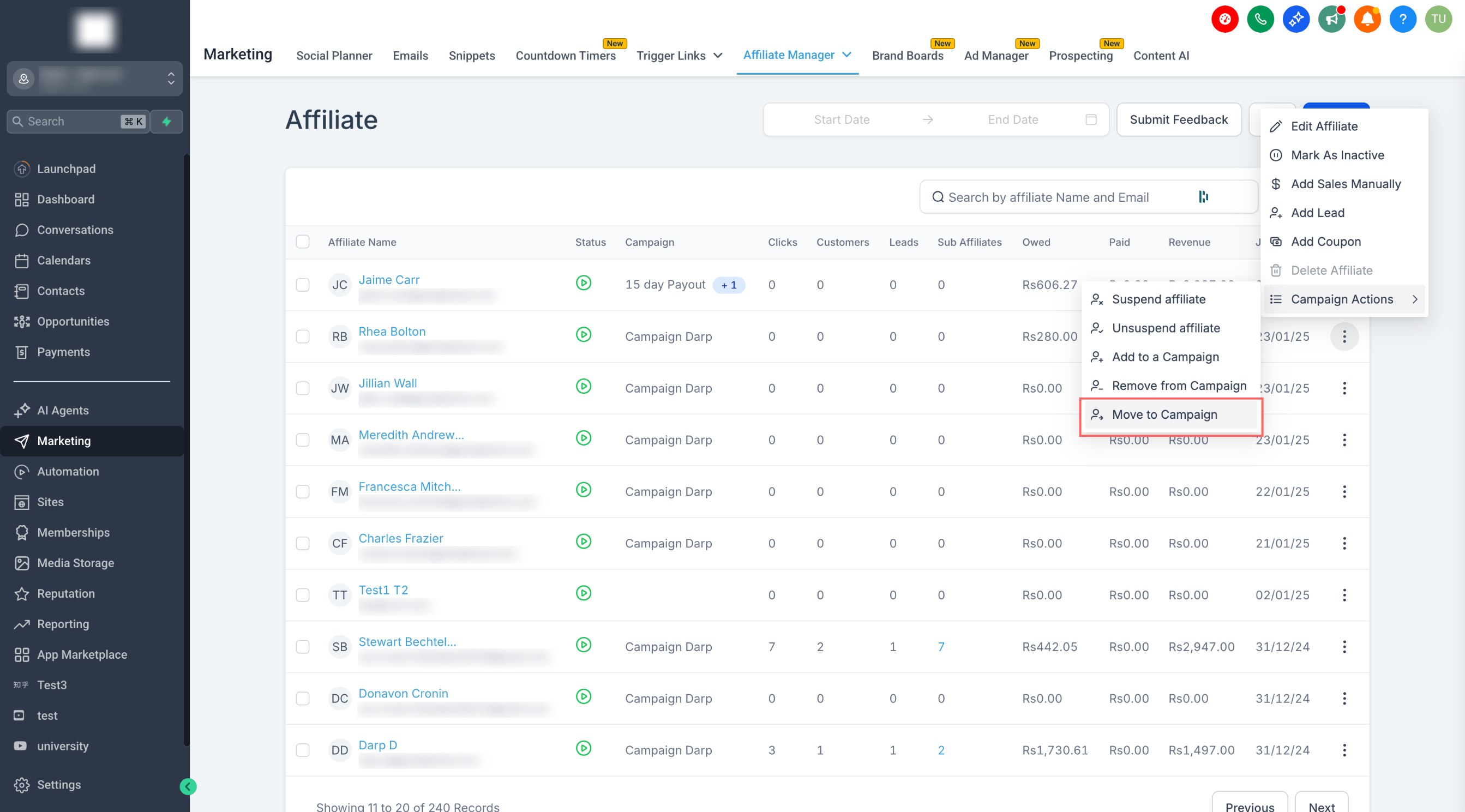
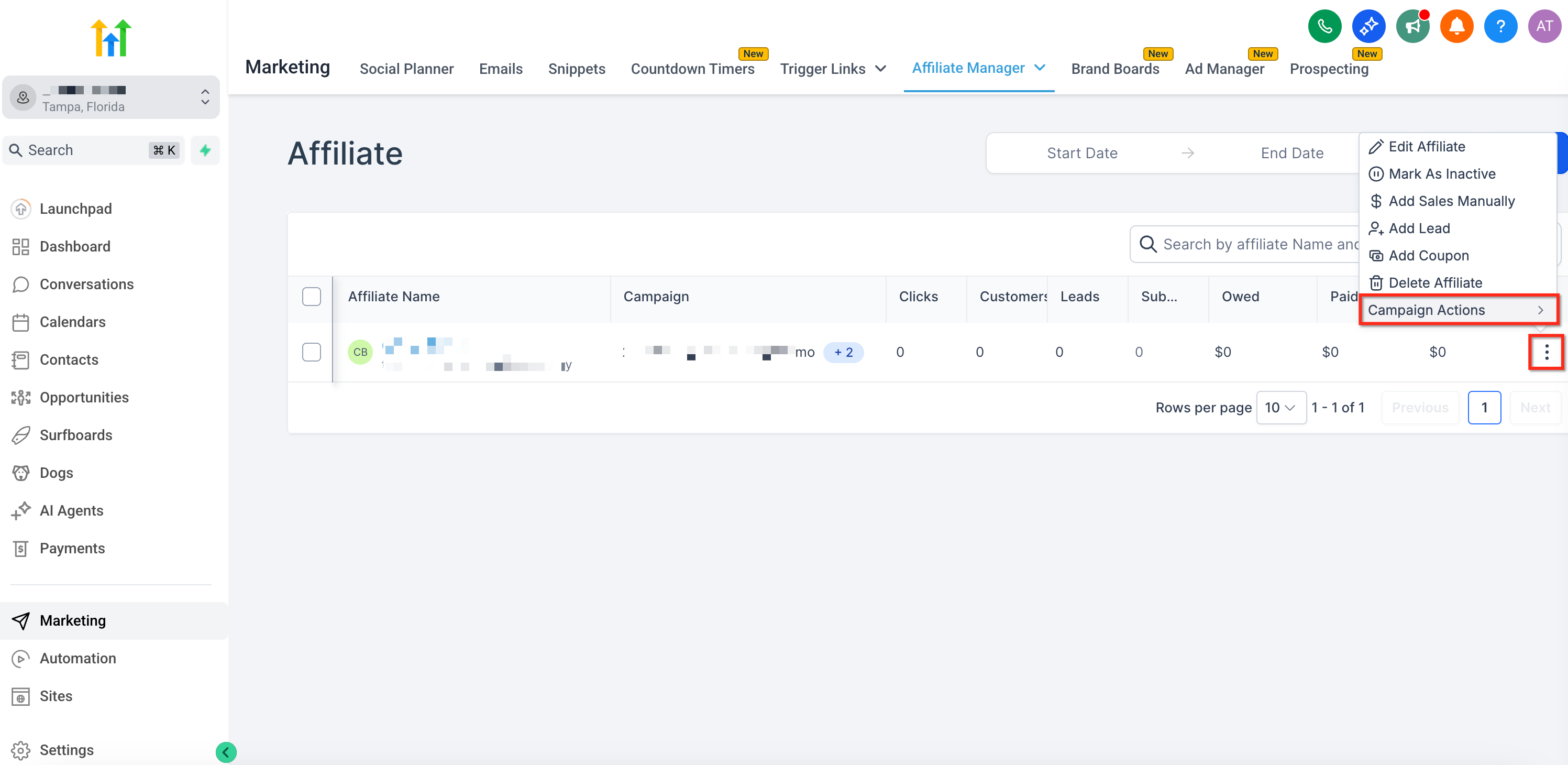
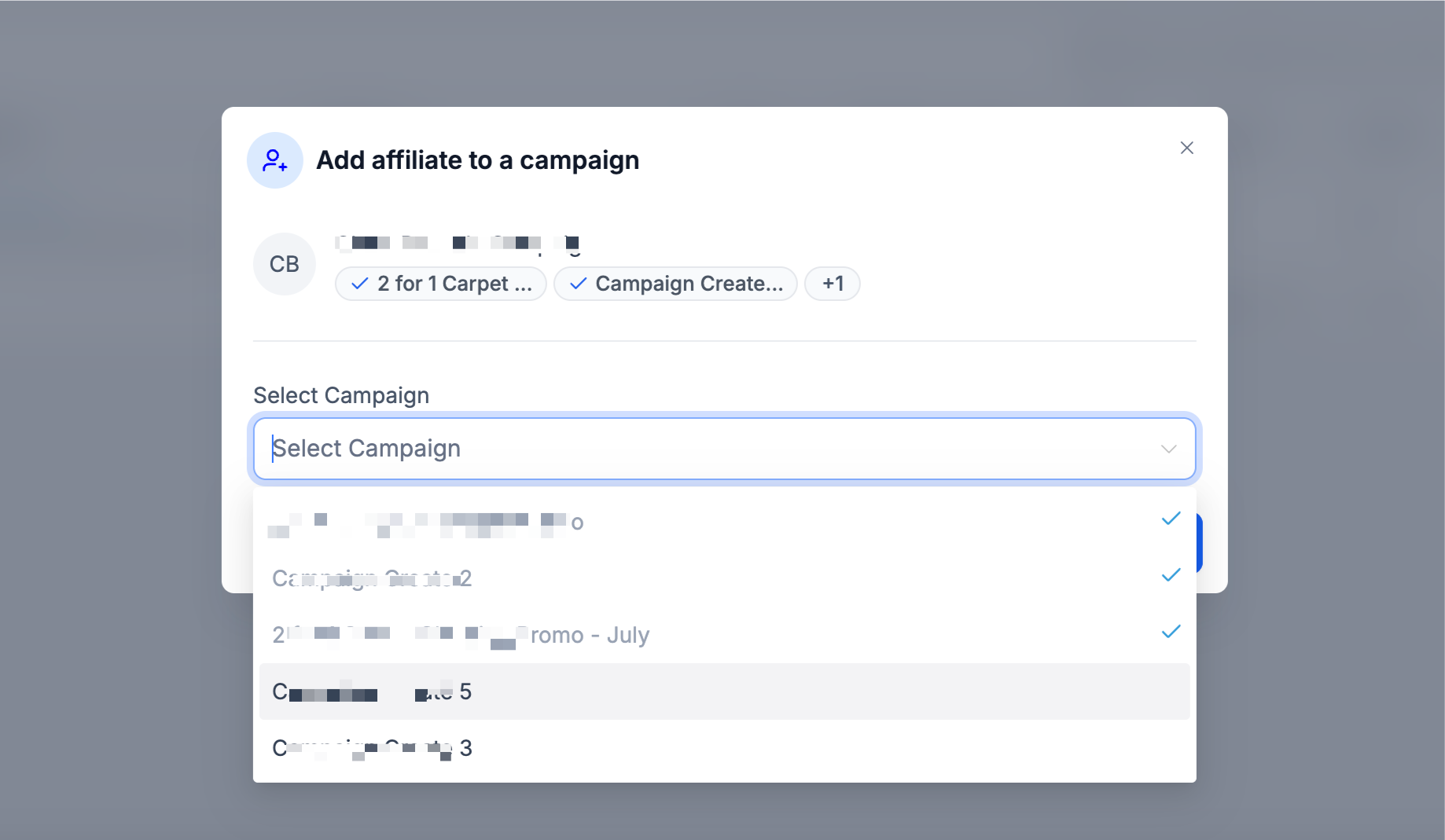
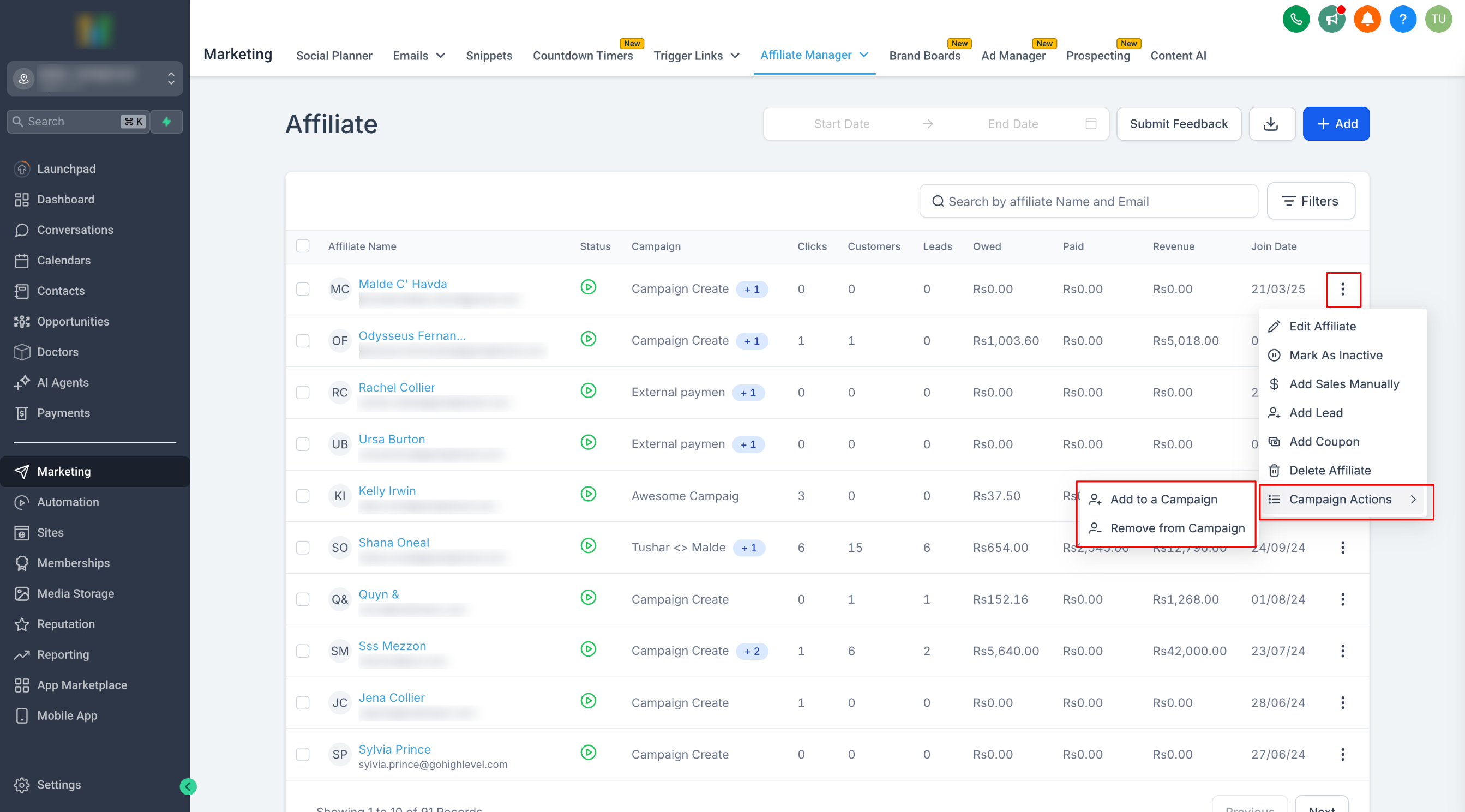
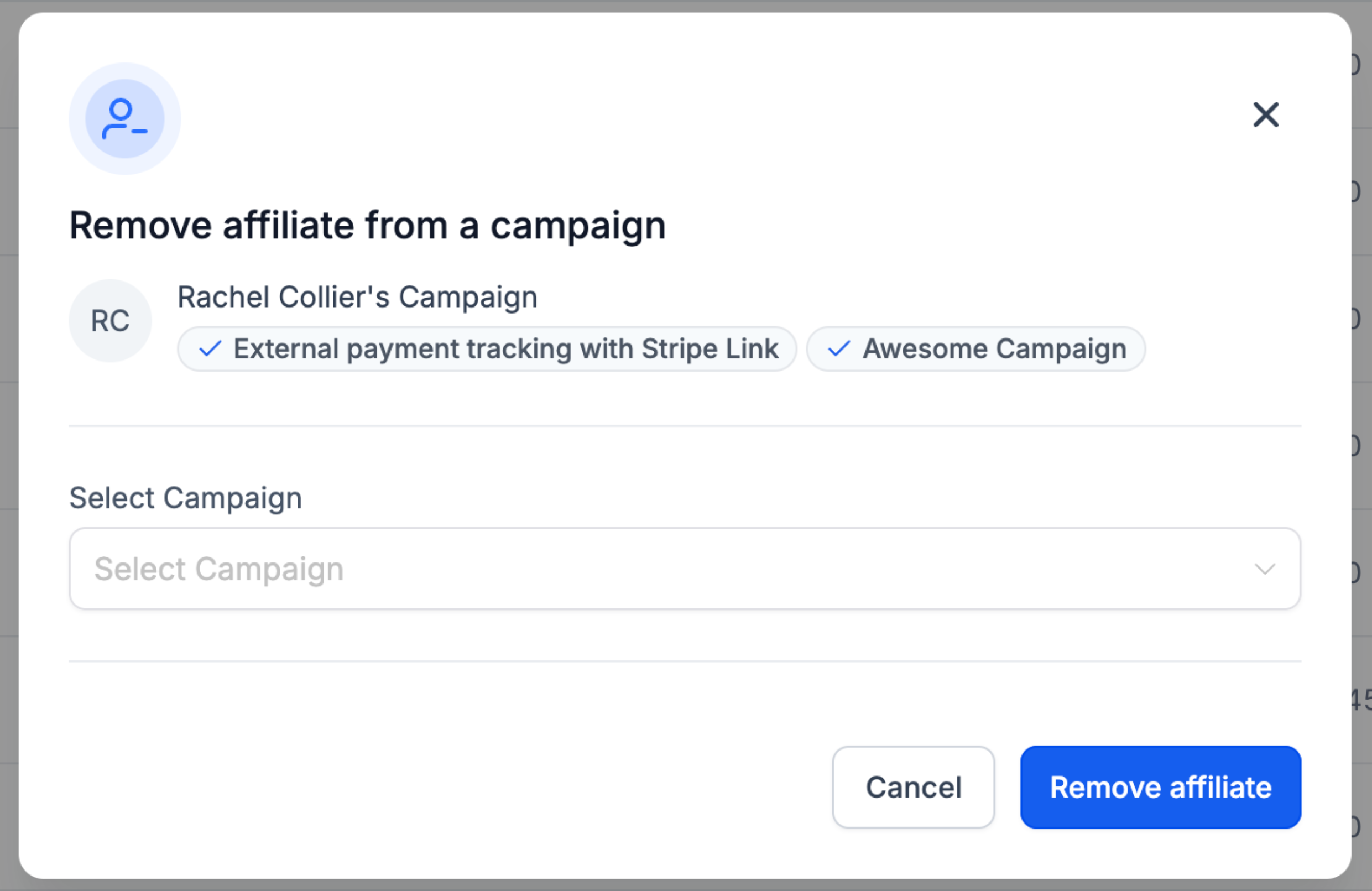
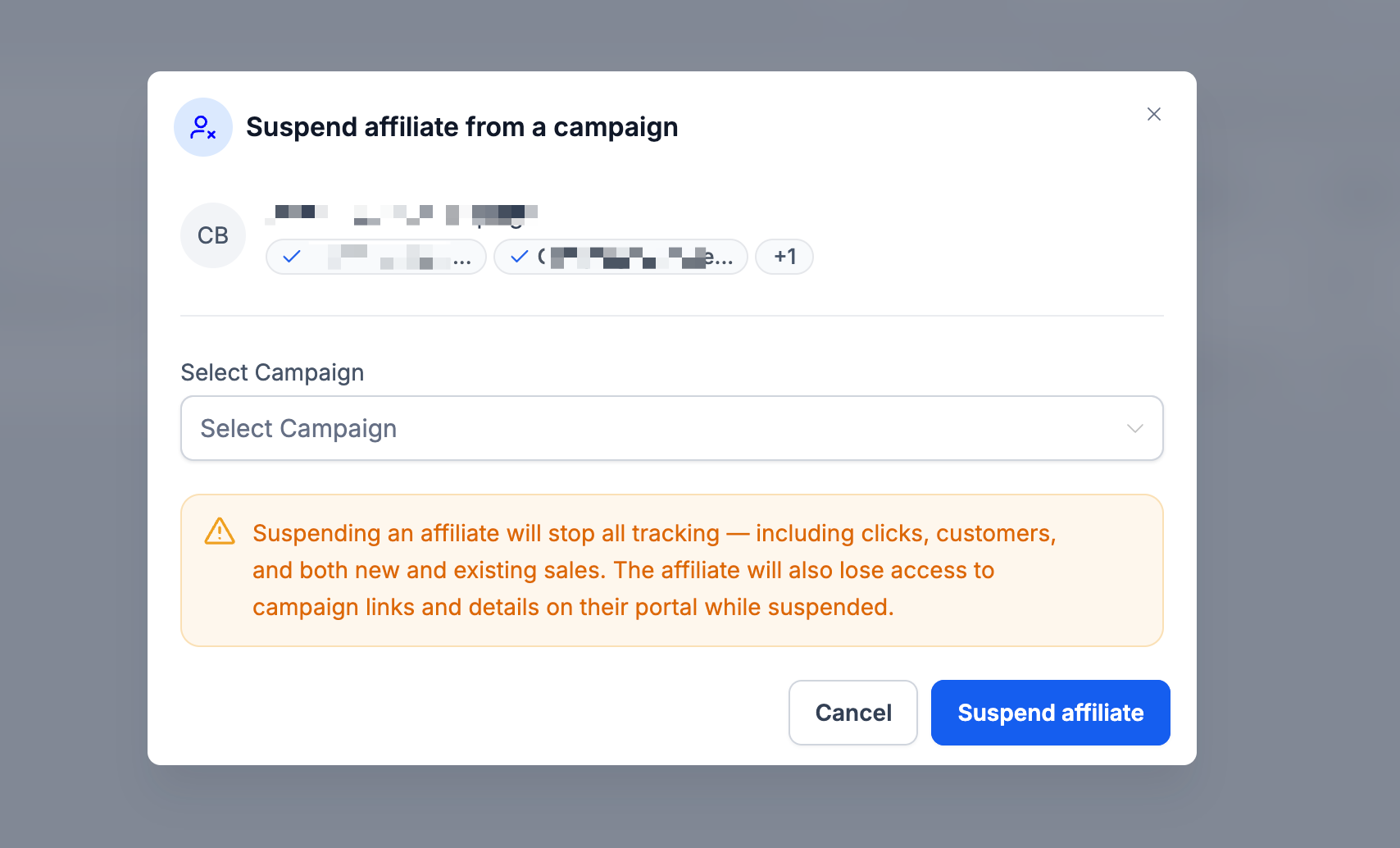
Easily manage affiliate assignments, add, remove, suspend, or move affiliates between campaigns without opening their profiles using the Quick Campaign Actions in Patient Copilot’s Affiliate List. * * * ## What Are Quick Campaign Actions? Quick Campaign Actions give you fast access to affiliate management right from the Affiliate List Page. No need to open each affiliate’s profile, just click the three-dot menu and take action. These simplify campaign assignment and adjustments with speed and clarity. IMPORTANT: All Quick Campaign Actions follow the same first step. Go to the Affiliates page, locate the affiliate you want to manage, and click the three-dot menu beside their name. From there, select Manage Affiliate to reveal the available actions, such as Suspend, Unsuspend, Add to Campaign, Remove from Campaign, and Move to Campaign. * * * ## Key Benefits of Quick Campaign Actions Clearly lays out how this feature streamlines affiliate management, saving time and reducing manual steps. - Adds or removes affiliates from campaigns in seconds. - Suspends or unsuspends affiliates with minimal clicks. - Moves affiliates between campaigns with customer-handling options. - Improves program organization at scale. * * * ## Adding an Affiliate to a Campaign ### Step 1: Click on Campaign Actions → Add to Campaign !(https://assets.patientcopilot.ai/5ac8fa557ddb6193.png) ### Step 2: Choose the campaign from the pop-up list!(https://assets.patientcopilot.ai/0ec0b0591cc7e217.png) * * * ## Removing an Affiliate from a Campaign ### Step 1: Select Campaign Actions → Remove from Campaign ### !(https://assets.patientcopilot.ai/153ba1c7c6c60e17.png) ### Step 2: Pick the campaign from which you want to remove the affiliate ### !(https://assets.patientcopilot.ai/117e2d412fc9edeb.png) * * * ## Suspending an Affiliate from a Campaign ### Step 1: Click Campaign Actions → Suspend Affiliate ###!(https://assets.patientcopilot.ai/ebb04b6d8eb36694.png) ### Step 2: Choose the campaign you’d like to suspend them from. ###!(https://assets.patientcopilot.ai/96b93029100a363a.png) IMPORTANT: To Unsuspend, follow the same steps. Also, while suspended: You cannot manually add leads, assign commissions, or import past activity for the affiliate.
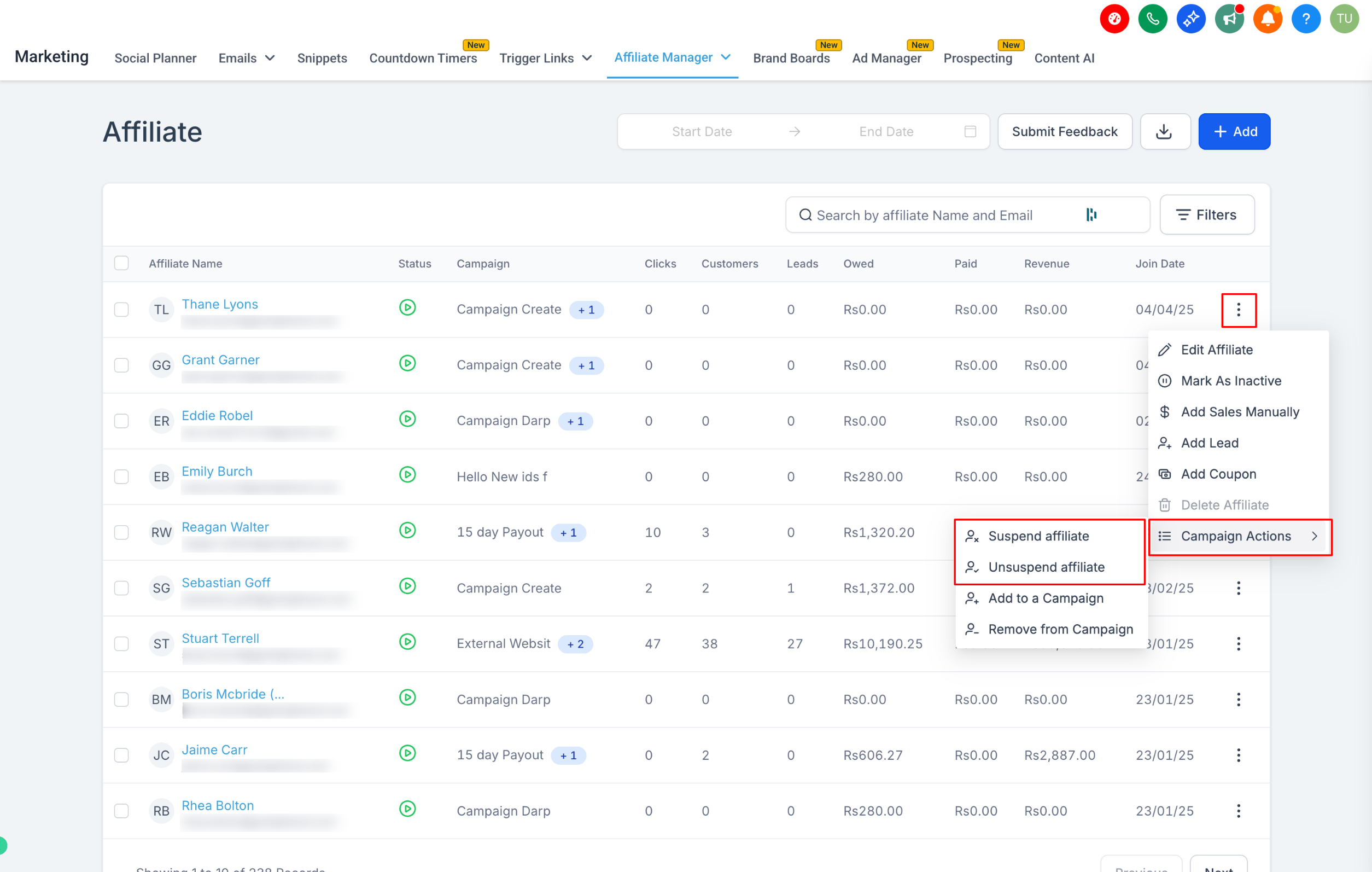
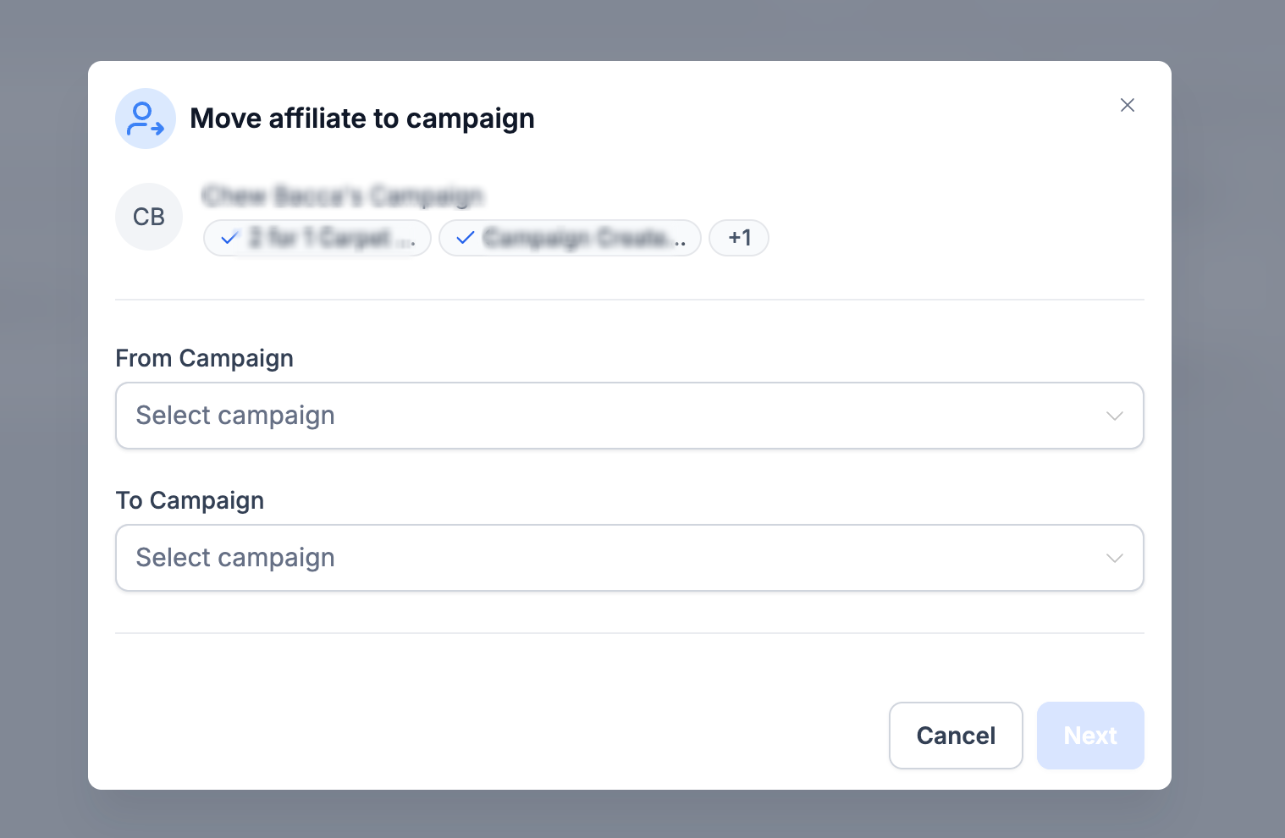
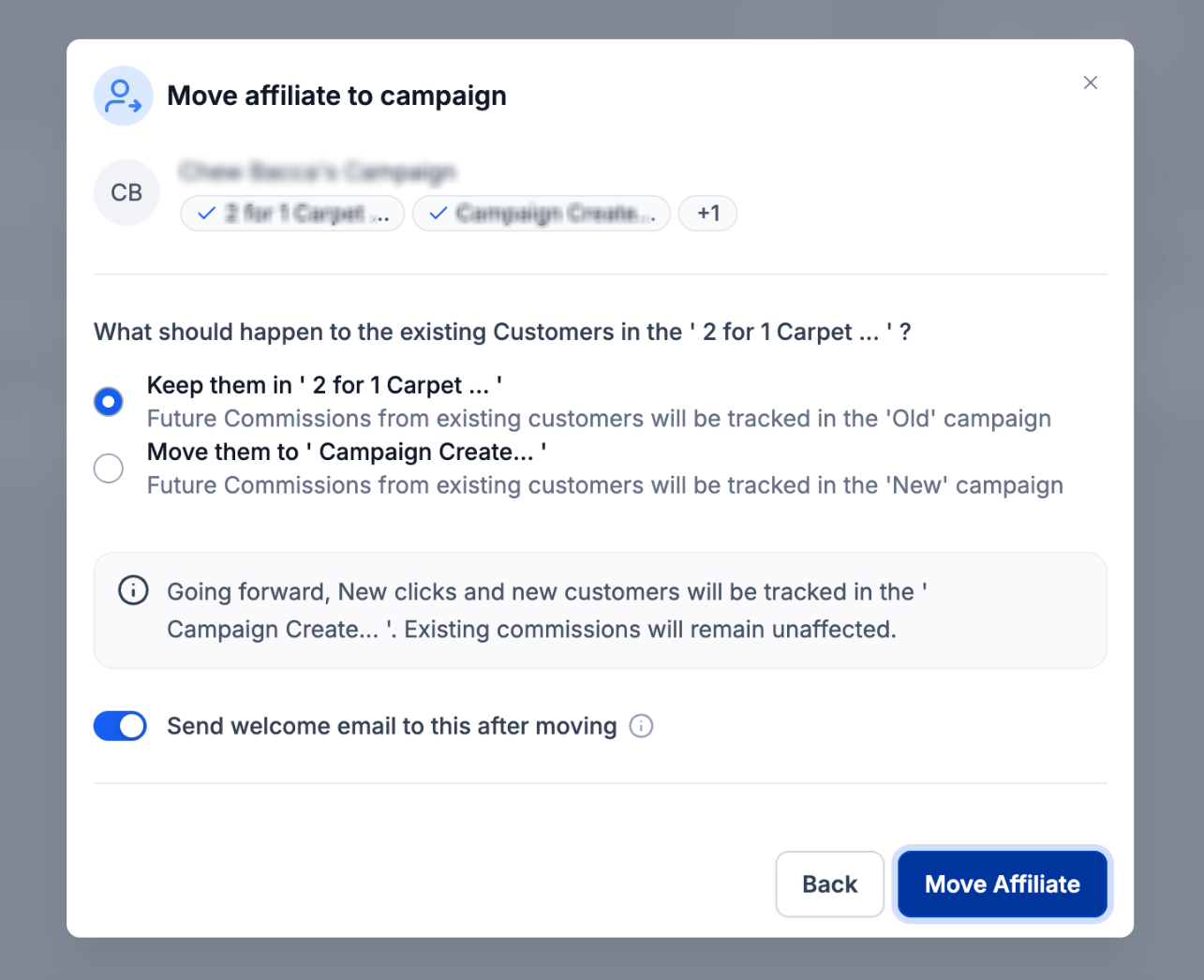
- Once unsuspended: The affiliate’s existing links will start working again automatically. * * * ## Moving an Affiliate to another Campaign ###!(https://assets.patientcopilot.ai/c0c9249a92ec508e.png) ### Step 2: Select the campaign where you want to move the affiliate. ###!(https://assets.patientcopilot.ai/0ccce7503dfec741.png) ### Step 3: Decide what to do with existing customers ###!(https://assets.patientcopilot.ai/f98648016c463042.png) IMPORTANT: The two options are: 1. Keep them in the old campaign: Existing customers and their recurring commissions will stay under the current campaign. 2. Move them to the new campaign: Future commissions from existing customers will now follow the new campaign’s rules. ### Step 4: Choose whether to send the welcome email If the target campaign has welcome emails disabled, no email will be sent even if this is turned on. If the campaign has welcome emails enabled, you can disable it here to skip sending for this affiliate. Once you’ve made your selections, click Move Affiliate to complete the action. * * * ## Frequently Asked Questions Q: Can I undo a “Move to Campaign” action? No, but you can manually reverse it by moving back. Q: Will affiliates get email notifications when moved or suspended? Welcome emails depend on campaign settings and the toggle during the Move flow. Q: Can I bulk-manage Quick Campaign Actions? Not via Quick Actions—use workflows or manual bulk routines instead. Q: Does suspending affect referral links? Yes, while suspended, links don’t track; once unsuspended, links auto-reactivate. * * * ## Related Articles - How to Add Affiliates in the Affiliate Manager
- Why Use Affiliate Automations?
- Affiliate Manager Dashboard
- Sub Account Affiliate Manager: Bulk Actions for Affiliate Commissions
- Managing Multiple Campaigns in Affiliate Marketing
- Affiliate Manager Walkthrough Videos