Why Appointment Time Slots Are Missing on Your Calendar
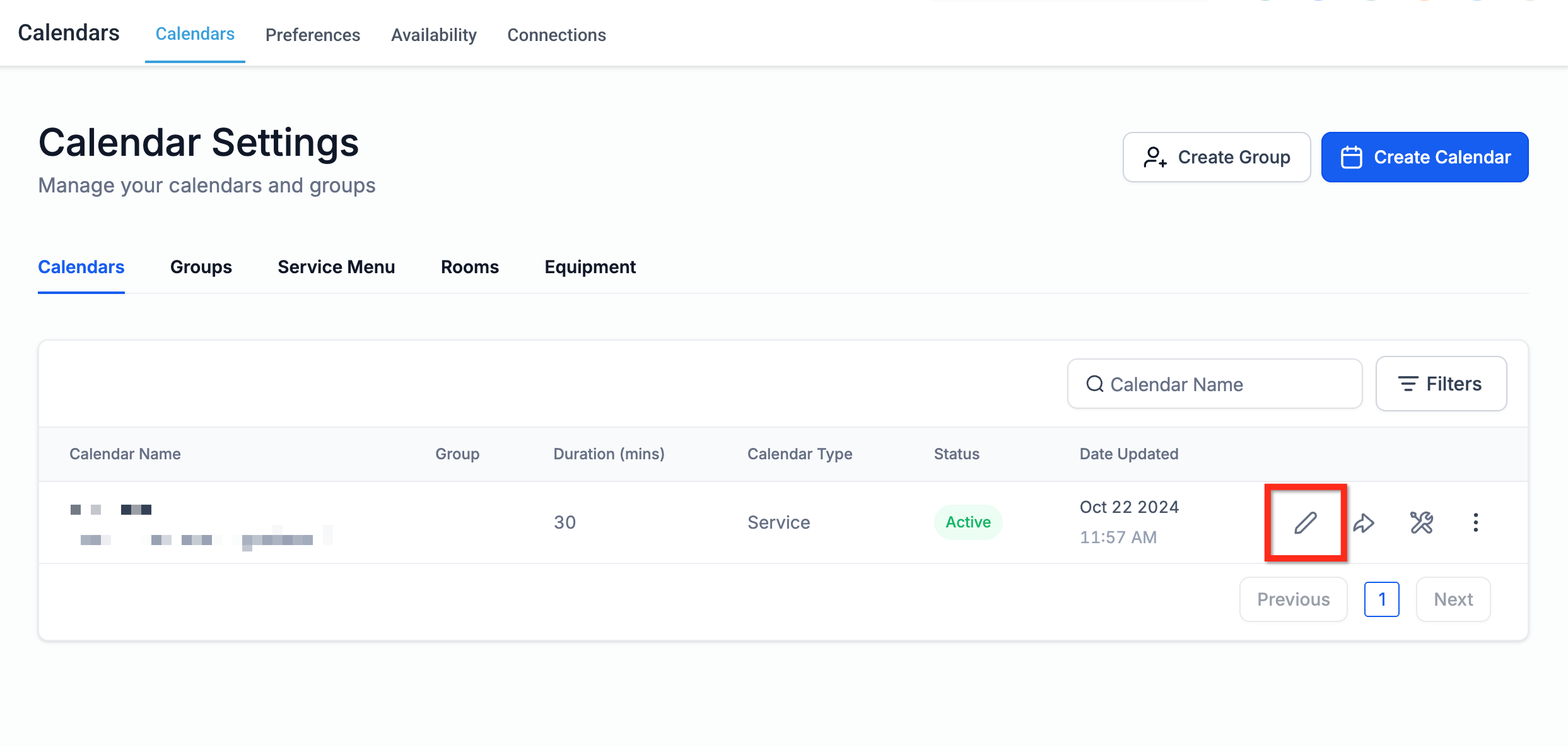
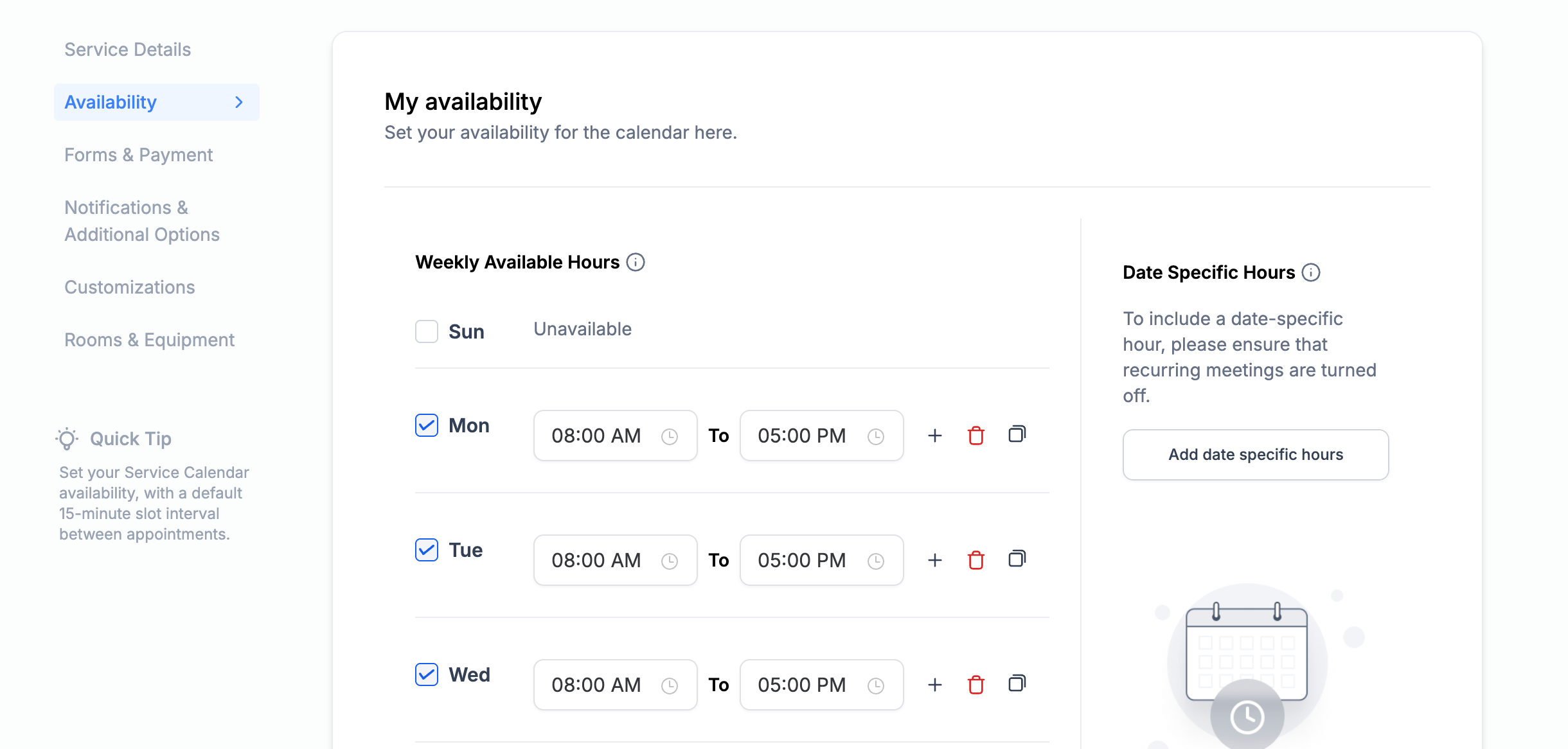
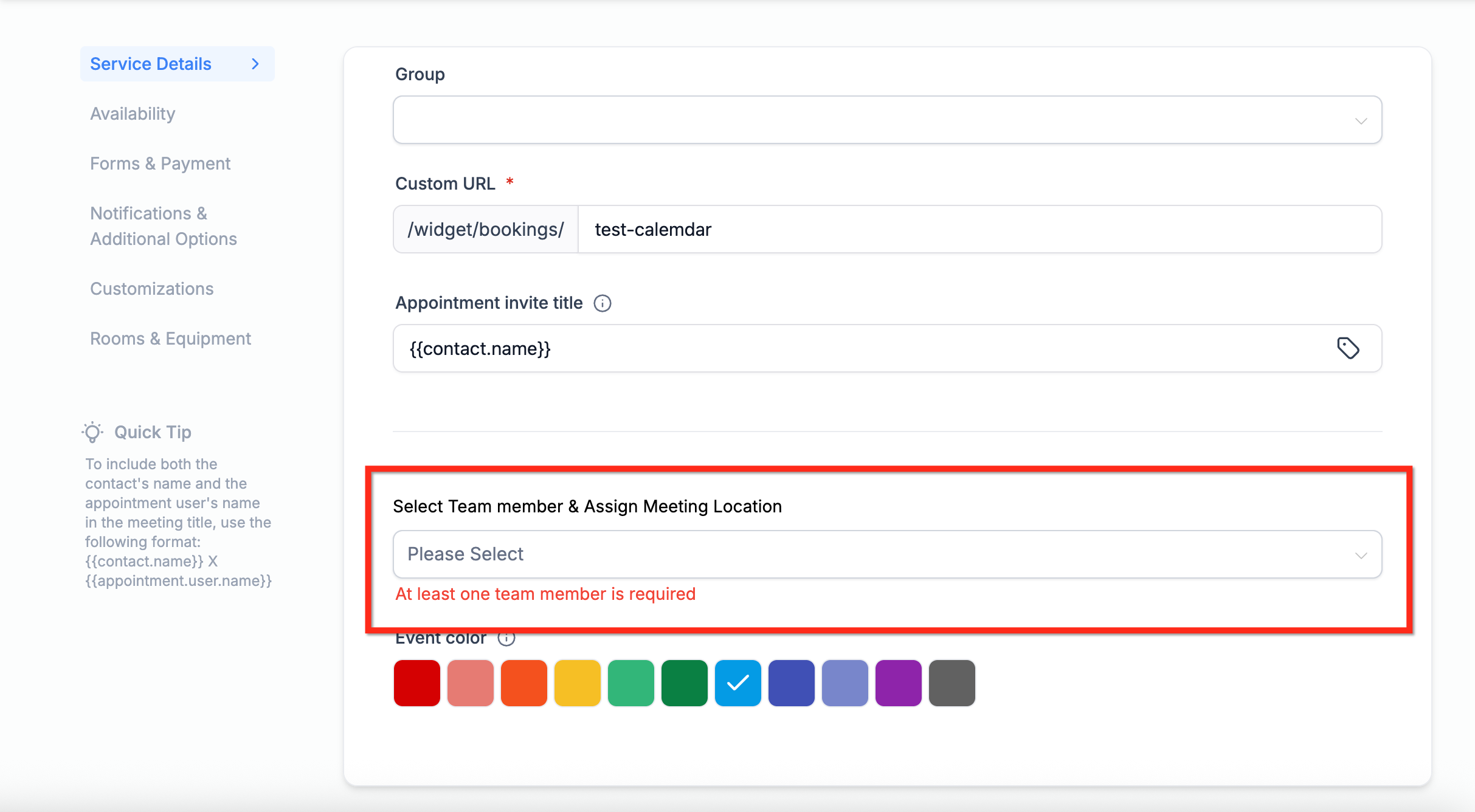
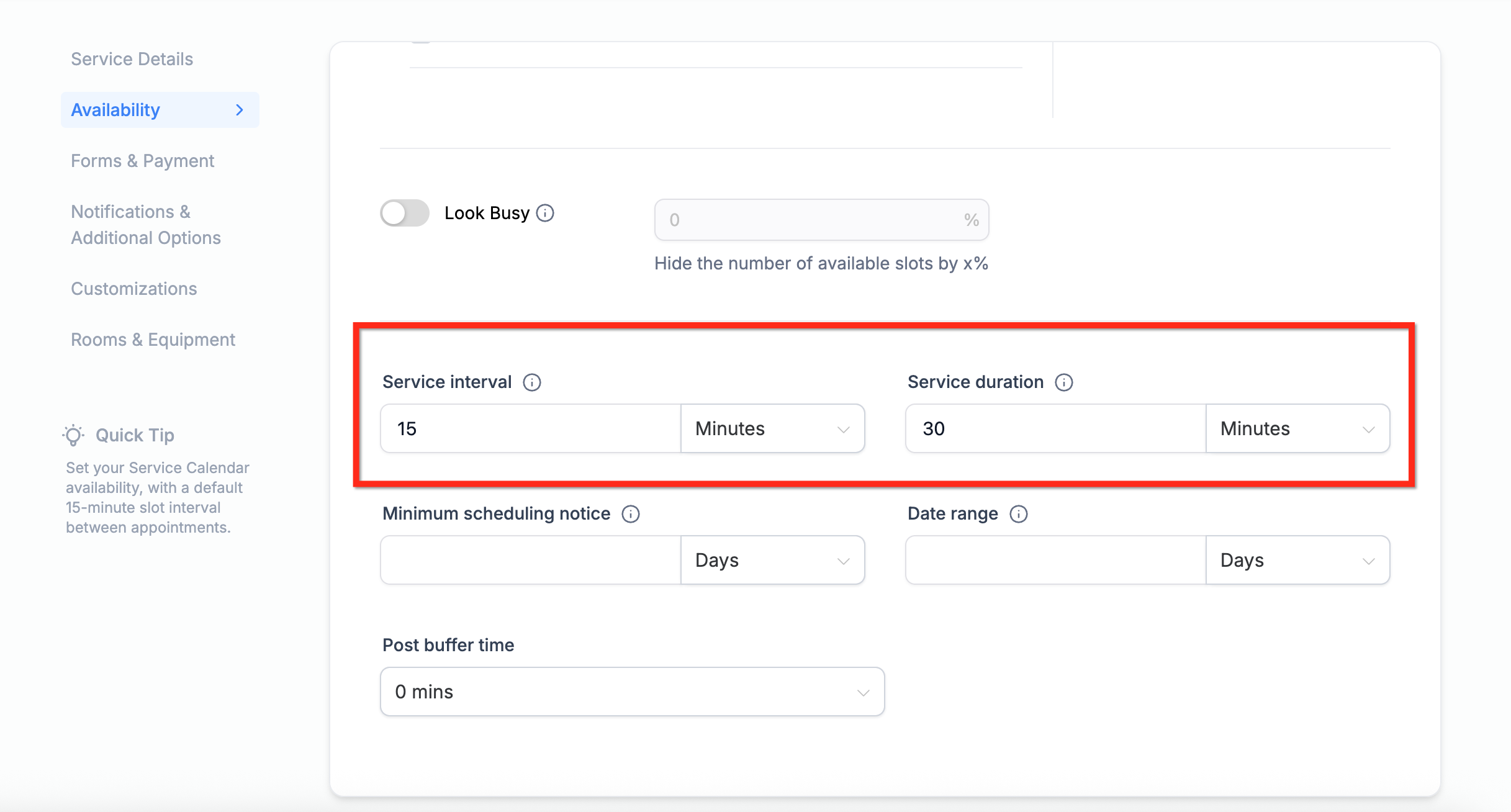
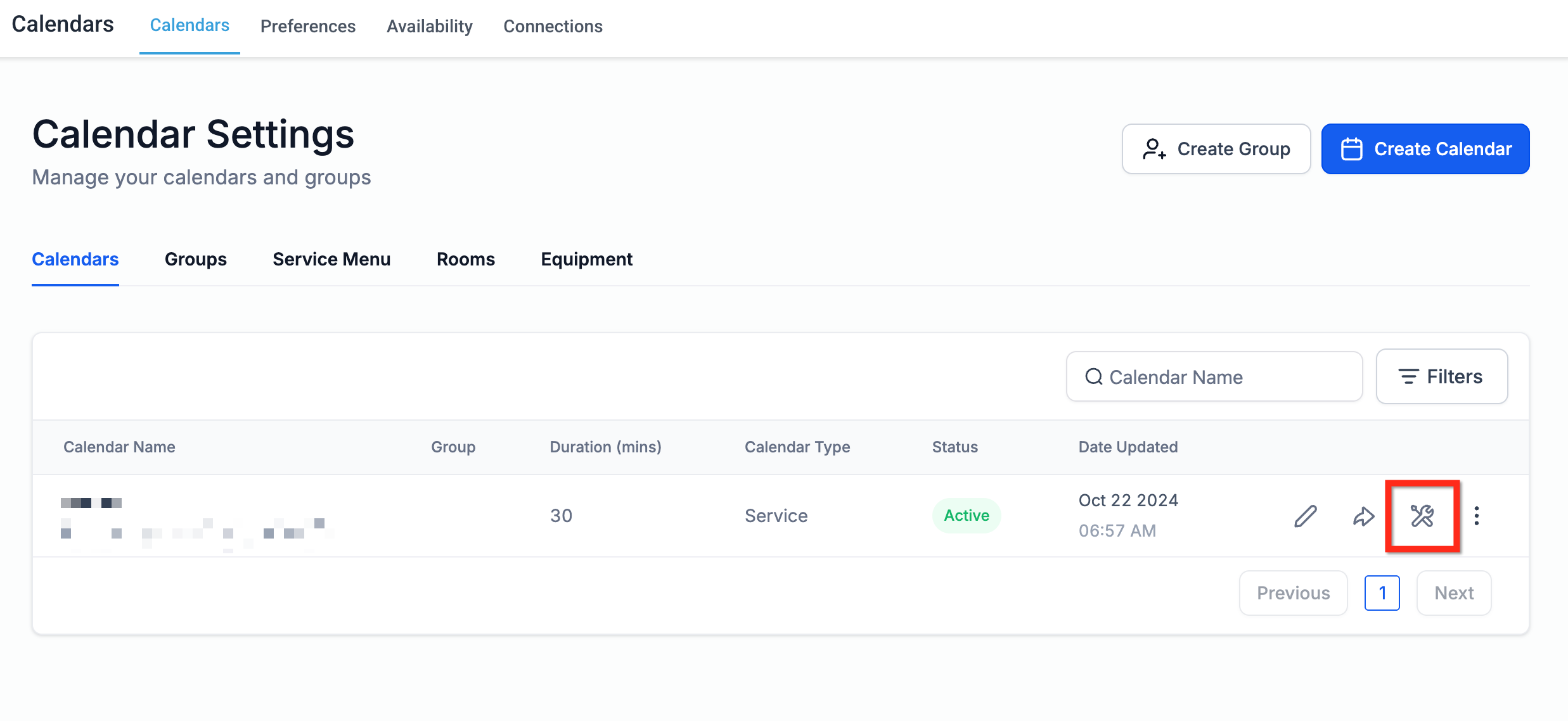
If appointment time slots are missing, unavailable, or appearing unexpectedly on your calendar, several configuration factors may be responsible. This guide explains the most common causes—including updated slot capacity logic for overlapping appointments—and shows how to troubleshoot them effectively. * * * ## Overview Time slot visibility determines whether booking times appear correctly on your public calendar. Slots may not display as expected due to: - Calendar configuration settings - Slot duration and interval setup - External calendar conflicts - Slot capacity limits (for calendars that allow multiple appointments per slot) Understanding how these settings interact will help you quickly identify and resolve booking issues. * * * ## Calendar Configuration Checks Calendar configuration is the foundation of availability logic. Incorrect settings here are a common cause of missing time slots. * * * ## Confirm You Are Editing the Correct Calendar Navigate to: Calendars → Calendar Settings Locate the correct calendar and click the Edit (pencil icon).!(https://assets.patientcopilot.ai/909c030141511e9a.png) Make sure you are editing the intended: - Calendar Group * * * ## Verify Working Hours and Date Overrides Inside the calendar editor: 1. Open the Availability tab. 2. - Weekly hours are correctly configured. - No date-specific overrides are blocking availability.!(https://assets.patientcopilot.ai/f3e6cfc1b5398d3f.png) If recurring meetings are enabled, date-specific hours may not apply. * * * ## Confirm Assigned Team Members Availability depends on assigned users. Under Service Details, confirm at least one team member is selected.!(https://assets.patientcopilot.ai/faa87bf0ad0e0b34.png) If no team member is assigned, slots will not appear. * * * ## Slot Duration, Interval, and Buffer Settings Slot configuration affects how booking times are generated. Under the Availability tab, review: - Post buffer time!(https://assets.patientcopilot.ai/3084a118488fbb3a.png) Improper interval and duration combinations can create gaps or prevent expected time slots from appearing. * * * ## Multiple Appointments Per Slot and Capacity Limits (Updated Logic) If your calendar allows multiple appointments per slot—such as Event or Class calendars—slot visibility depends on capacity. ### Updated Slot Capacity Behavior - Each confirmed appointment reduces slot capacity by 1. - If an appointment overlaps multiple time slots, each affected slot’s capacity is reduced by 1. - A slot is blocked only when its defined capacity limit is fully reached. - Overlapping appointments no longer fully block all affected slots prematurely. If a slot is not appearing, verify whether the maximum appointment limit for that slot has already been reached. * * * ## External Calendar Conflicts and Sync Connected Google or Outlook calendars may block availability. If a synced event is marked Busy, it will prevent booking during that time range. Review your connected calendar events and confirm their availability status. External conflicts override internal availability settings. * * * ## Timezone Alignment Timezone mismatches can cause slots to appear at unexpected times or not appear at all. - Your user profile timezone - The calendar viewing timezone - Client-facing timezone display A time that appears available for one user may not align with another user’s timezone. * * * The built-in Troubleshooting Tool provides a detailed breakdown of slot logic. 3. Click the Troubleshoot (wrench icon).!(https://assets.patientcopilot.ai/c4de29536f143f0f.png) - External conflicts Use it to determine exactly why a specific slot is blocked. * * * ## Frequently Asked Questions Q: Why does a team member show available but isn’t getting booked? Round Robin logic, availability priority, or user assignment configuration may prevent bookings. Q: Why are my booking slots not aligning with my working hours? Check slot interval, duration, buffer settings, and external conflicts. Q: Do overlapping appointments block entire slots? No. Overlapping appointments reduce slot capacity by 1. A slot is blocked only when its capacity limit is reached. Q: Why do slots show differently across devices or browsers? Browser cache or timezone mismatches may cause inconsistencies. Q: Can clients choose a preferred team member? Yes. Enable staff selection in calendar settings for Round Robin calendars. Q: What does the Troubleshooting Tool show? It lists all rules affecting slot visibility, including capacity limits, buffer times, timezone logic, and user assignment. * * * ## Related Articles - Adjusting Availability Settings