How to Set Expiry Dates for Certificates
-
-
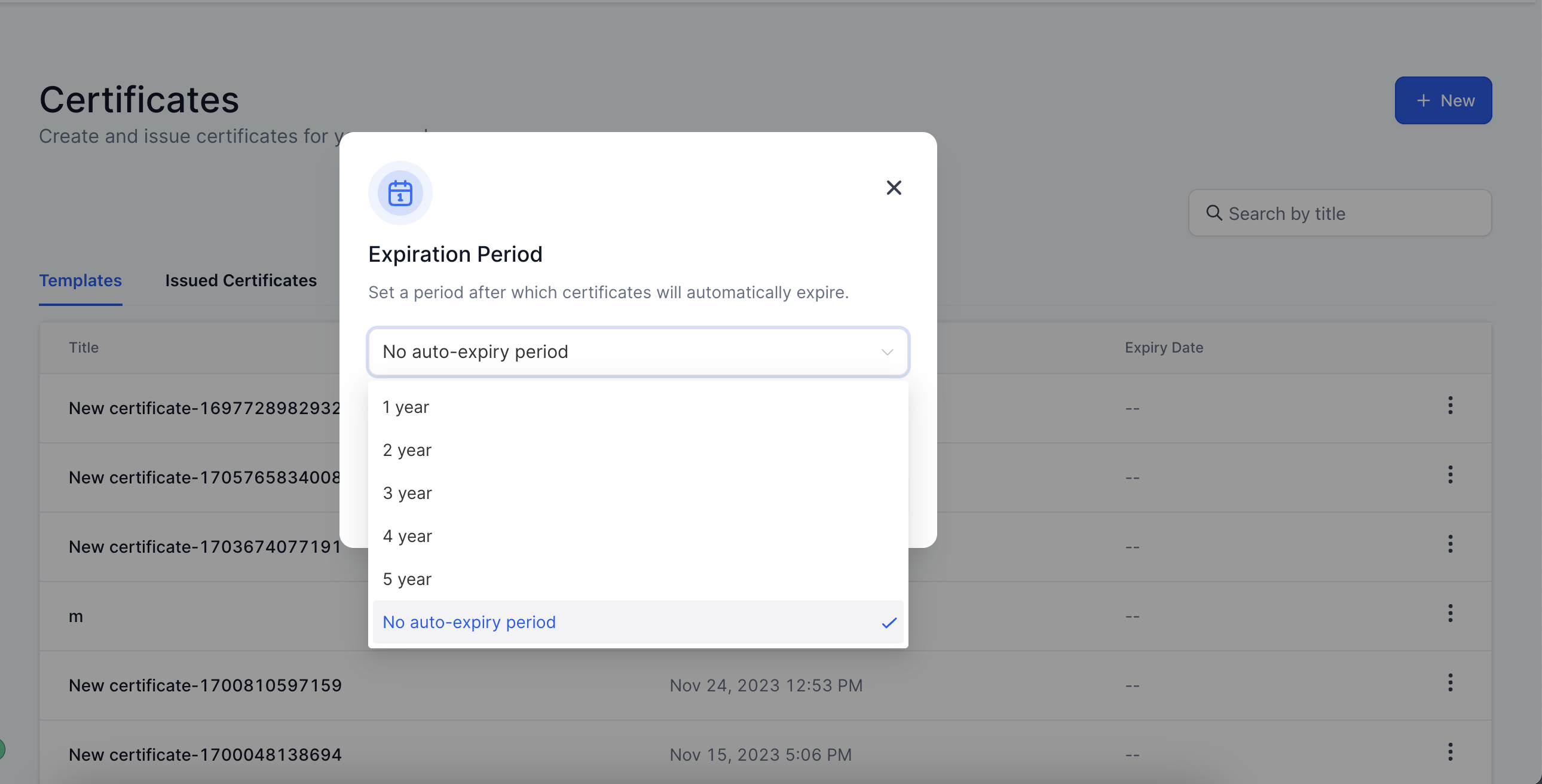
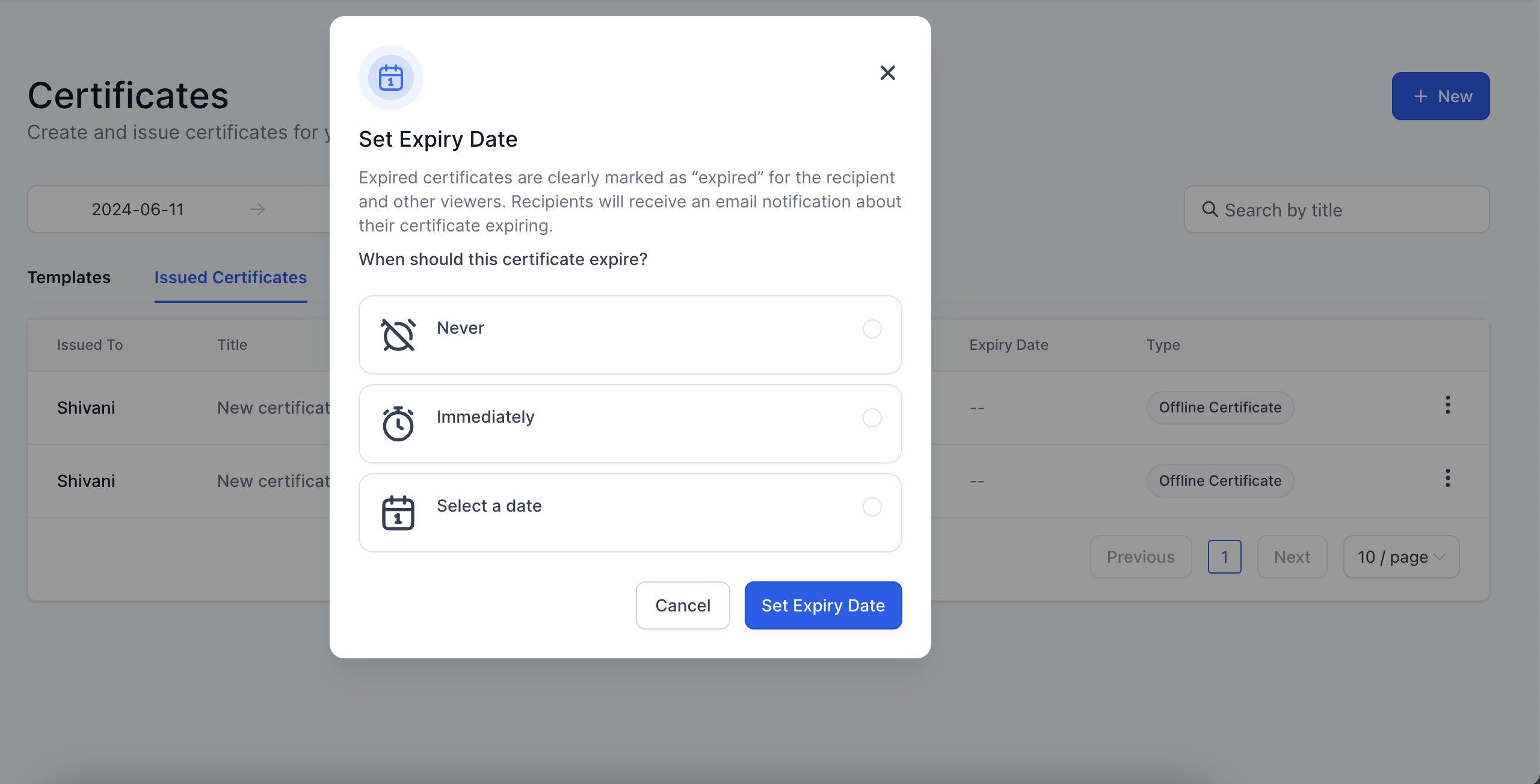
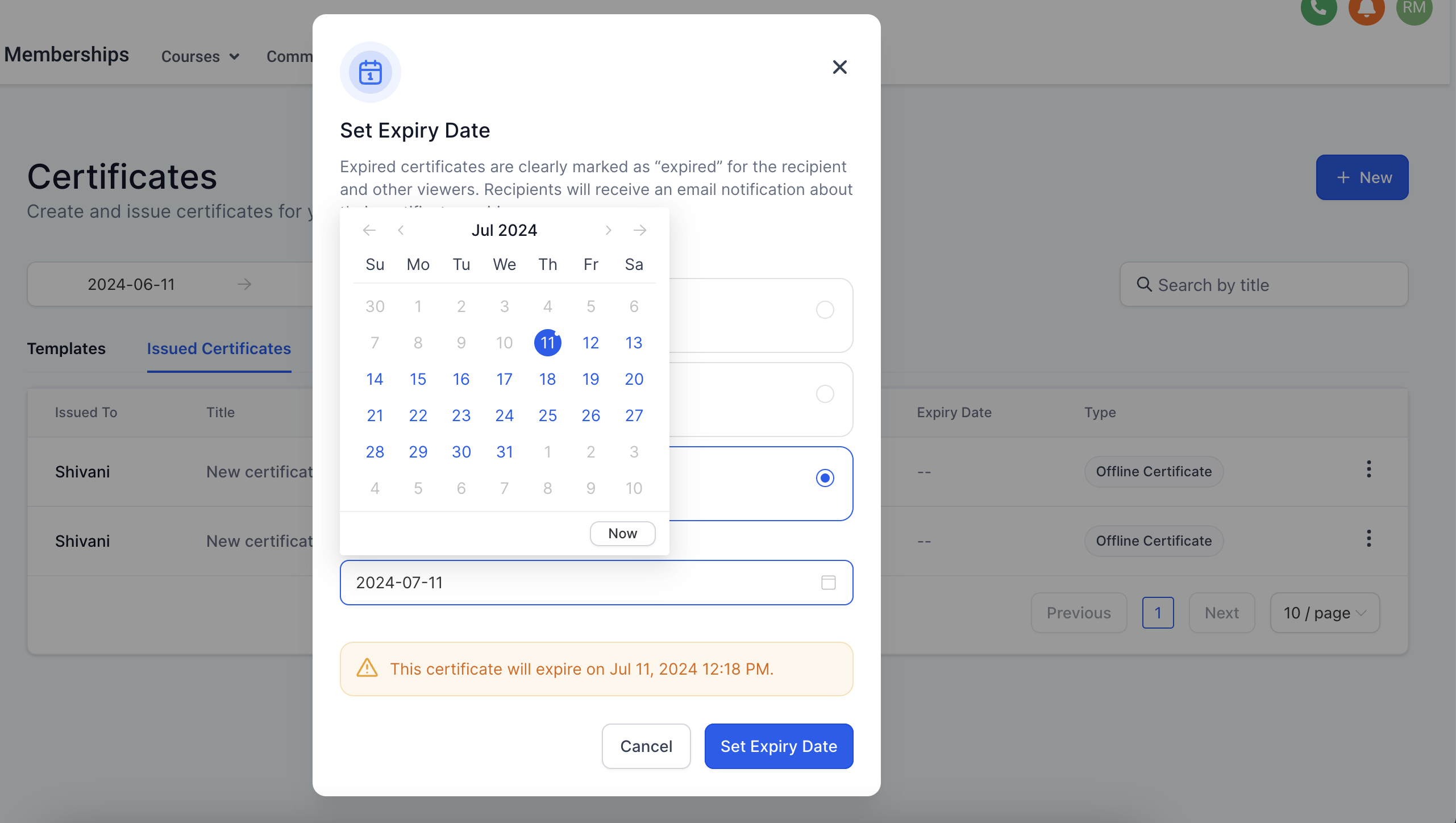
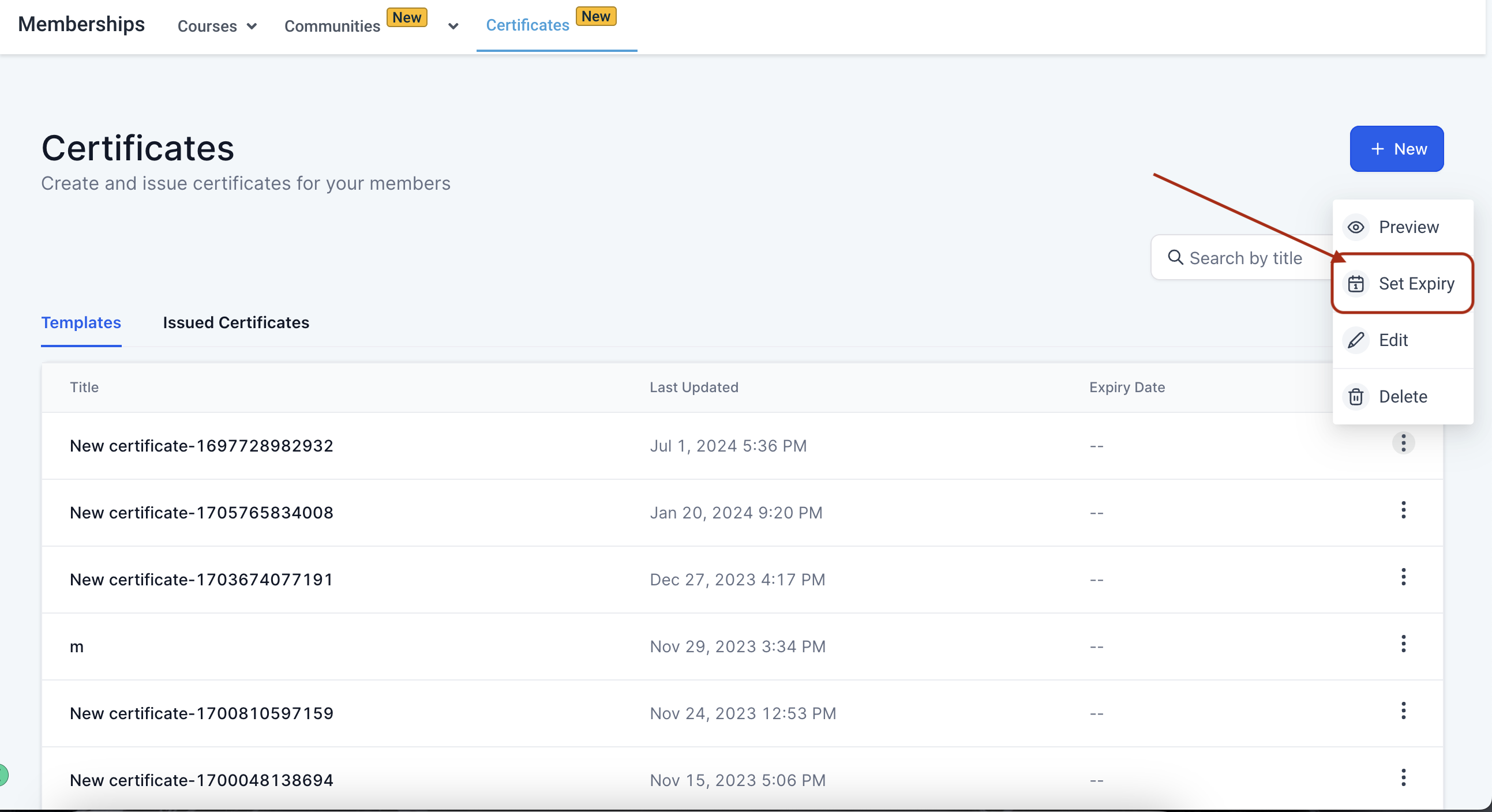
- Admin can now set expiry for certificates issued to users How to set an expiry? Step 1: Expiry can either be set at the template level or at the issued certificates level!(https://assets.patientcopilot.ai/3594a84dac397eed.png)!(https://assets.patientcopilot.ai/552cad64d48025b2.png) Step 2: At the template level expiry can be selected from the given options!(https://assets.patientcopilot.ai/58d4652341d72be5.png) Step 3: At issued certificates level admin can choose from Never, Immediately or can manually select a date !(https://assets.patientcopilot.ai/a7a8790f7dfad794.png) !(https://assets.patientcopilot.ai/87f33bc66956600f.png) * * * Important: You can now customize how many days before expiry you send reminder emails. This replaces the default 2- and 7-day intervals for more control. Learn more → Note: On expiry certificates preview won’t be available for the particular user and Issued certificates have priority over template level expiry. Was this article helpful? That’s Great! Thank you for your feedback Sorry! We couldn’t be helpful Thank you for your feedback Feedback sent We appreciate your effort and will try to fix the article
-
!(https://assets.patientcopilot.ai/552cad64d48025b2.png)