Gamification in Communities - Points, Badges and Leaderboards
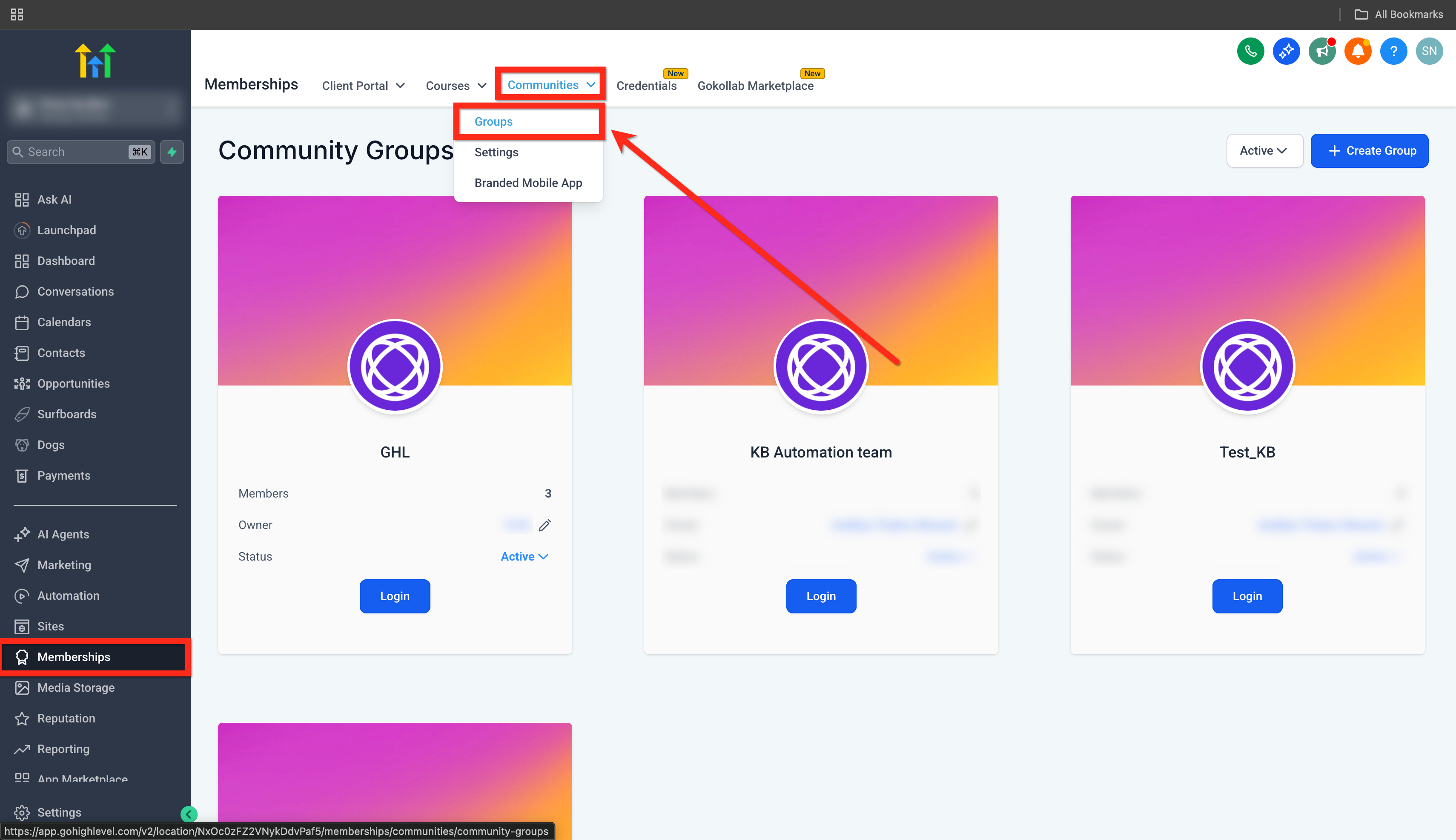
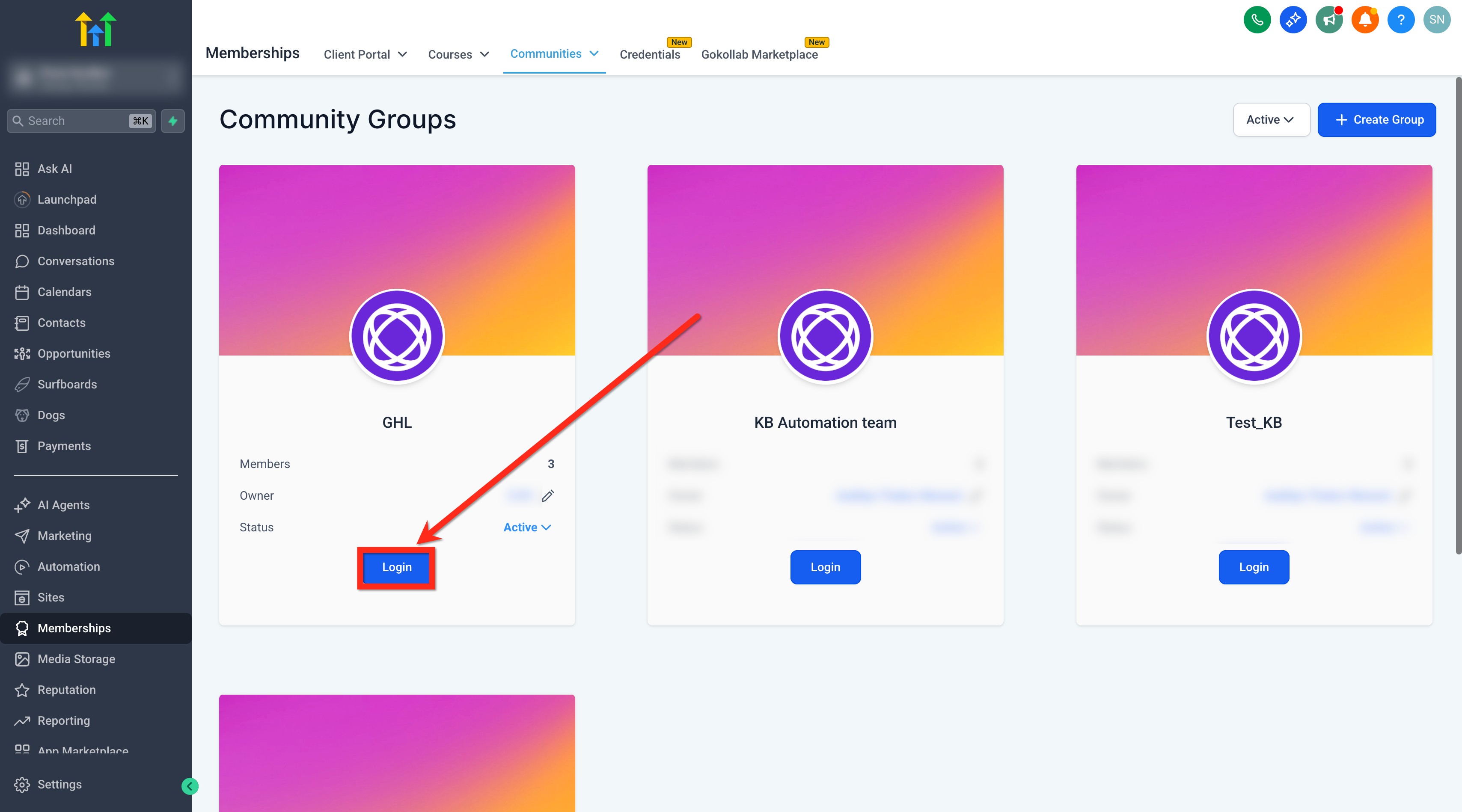
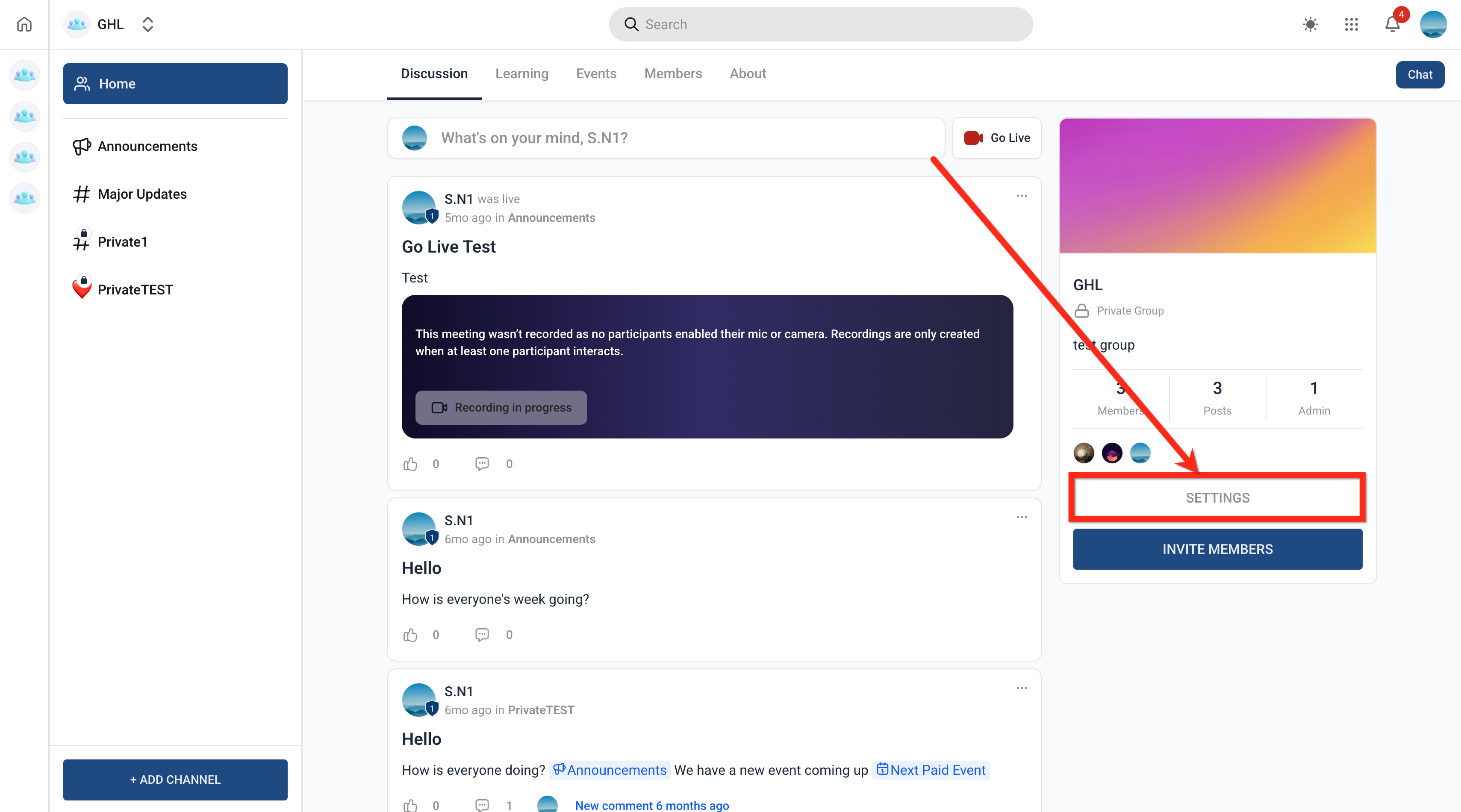
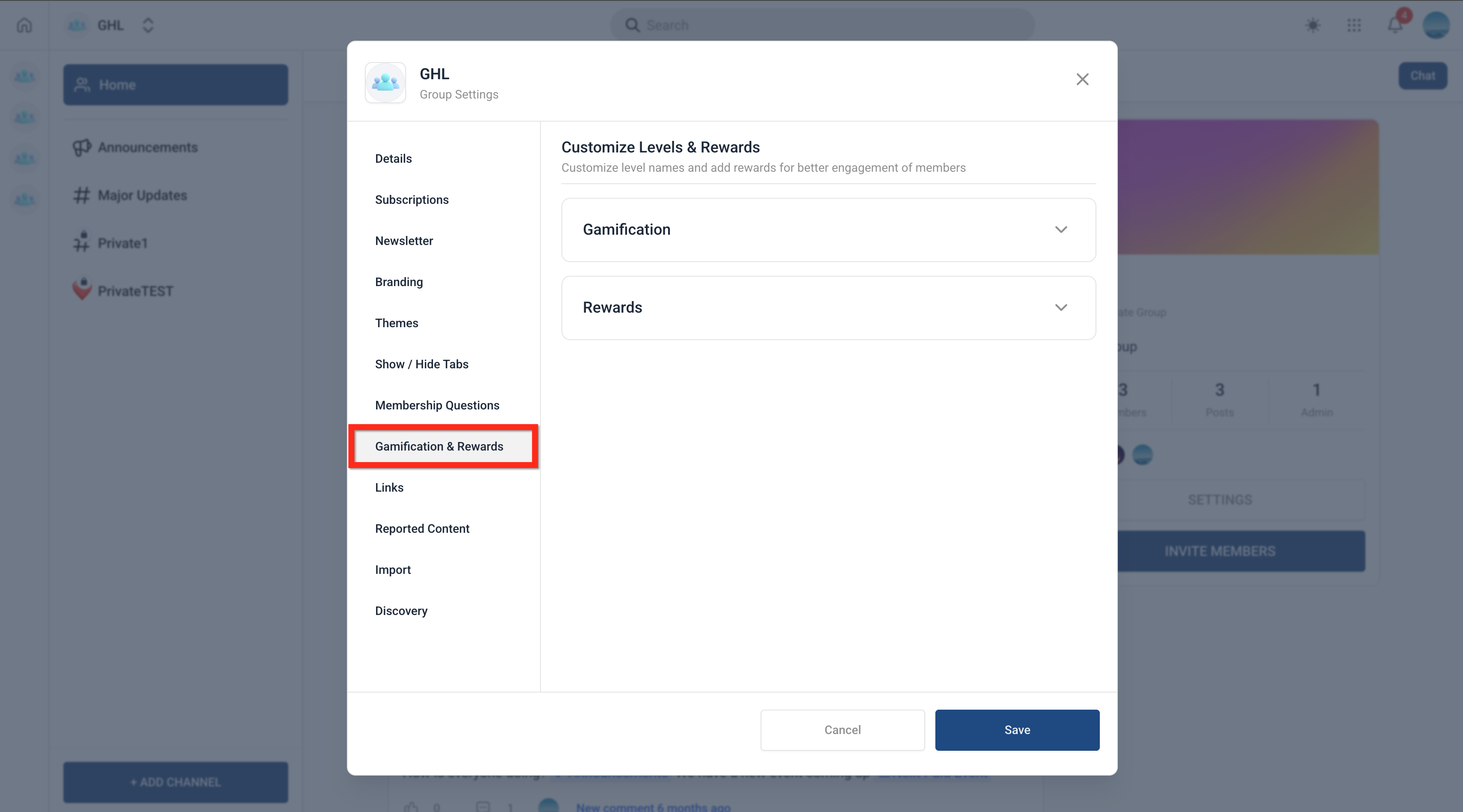
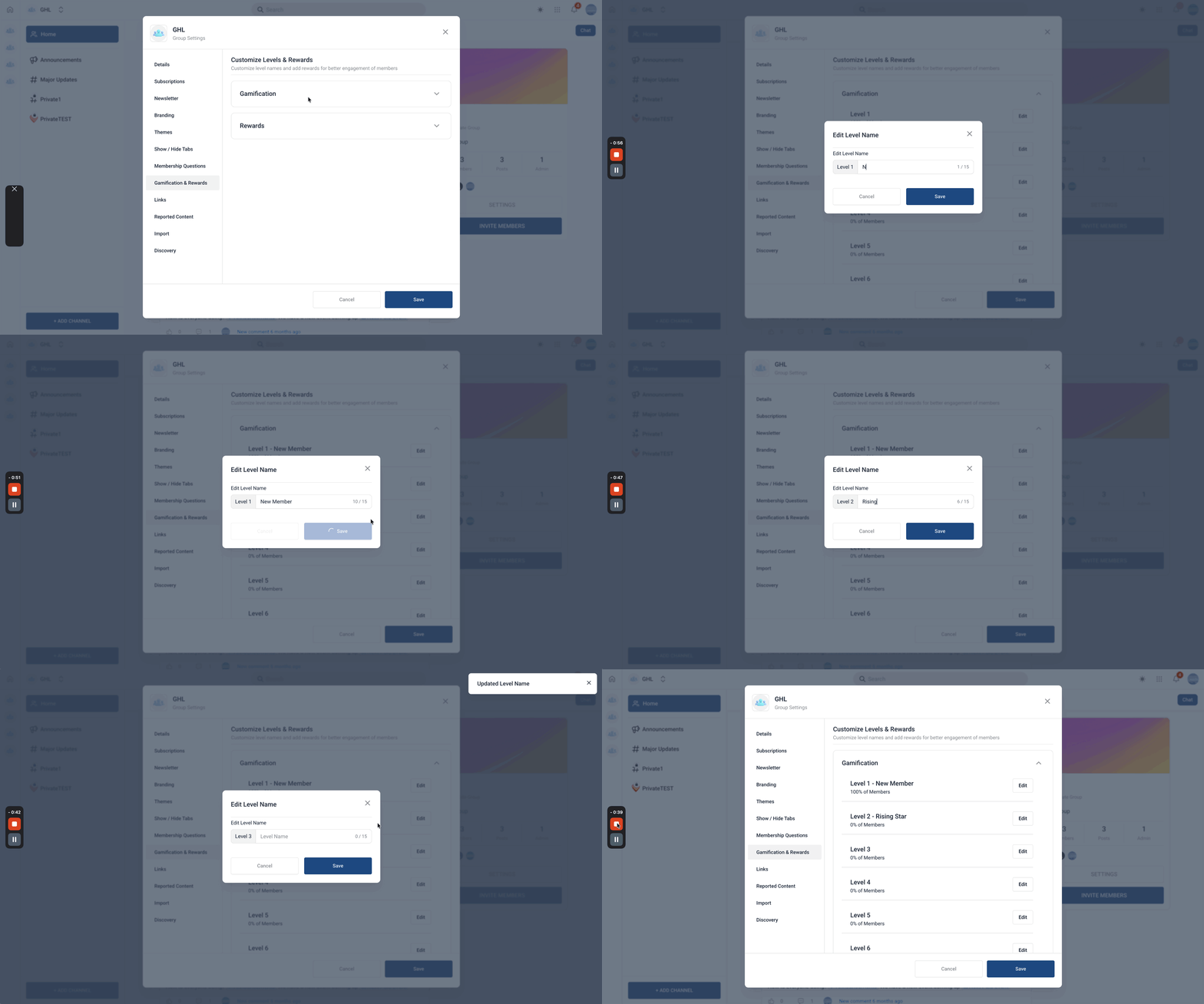
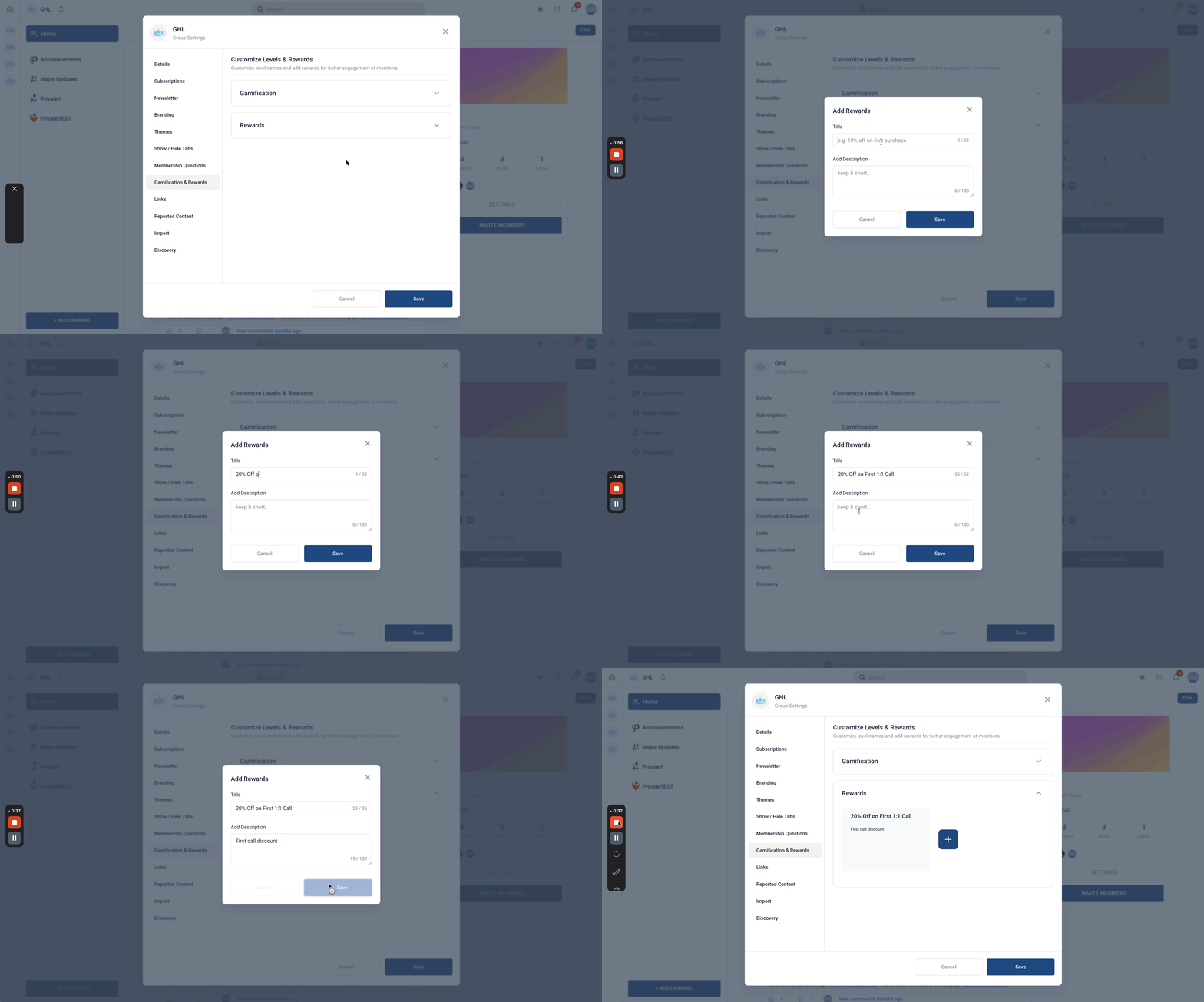
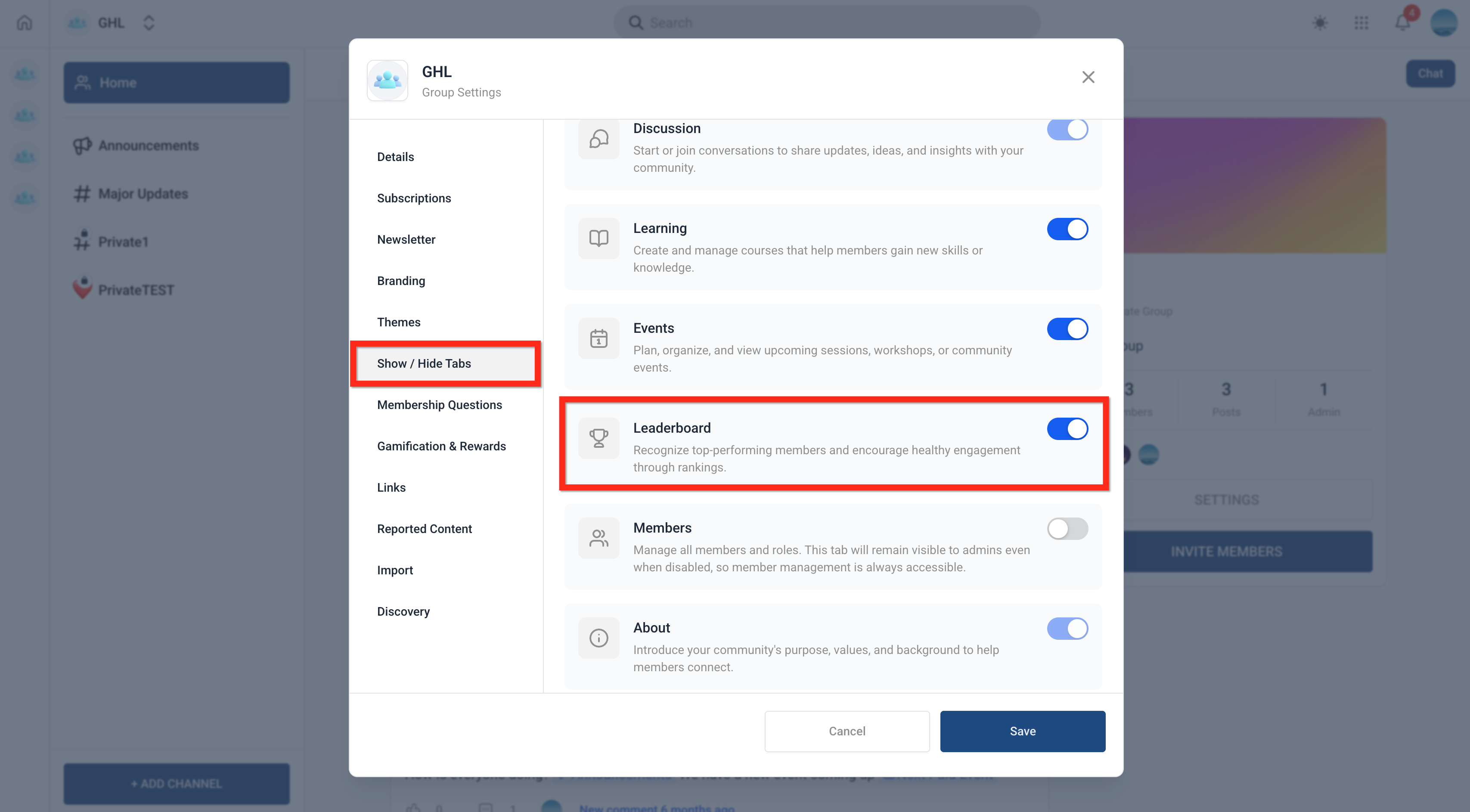
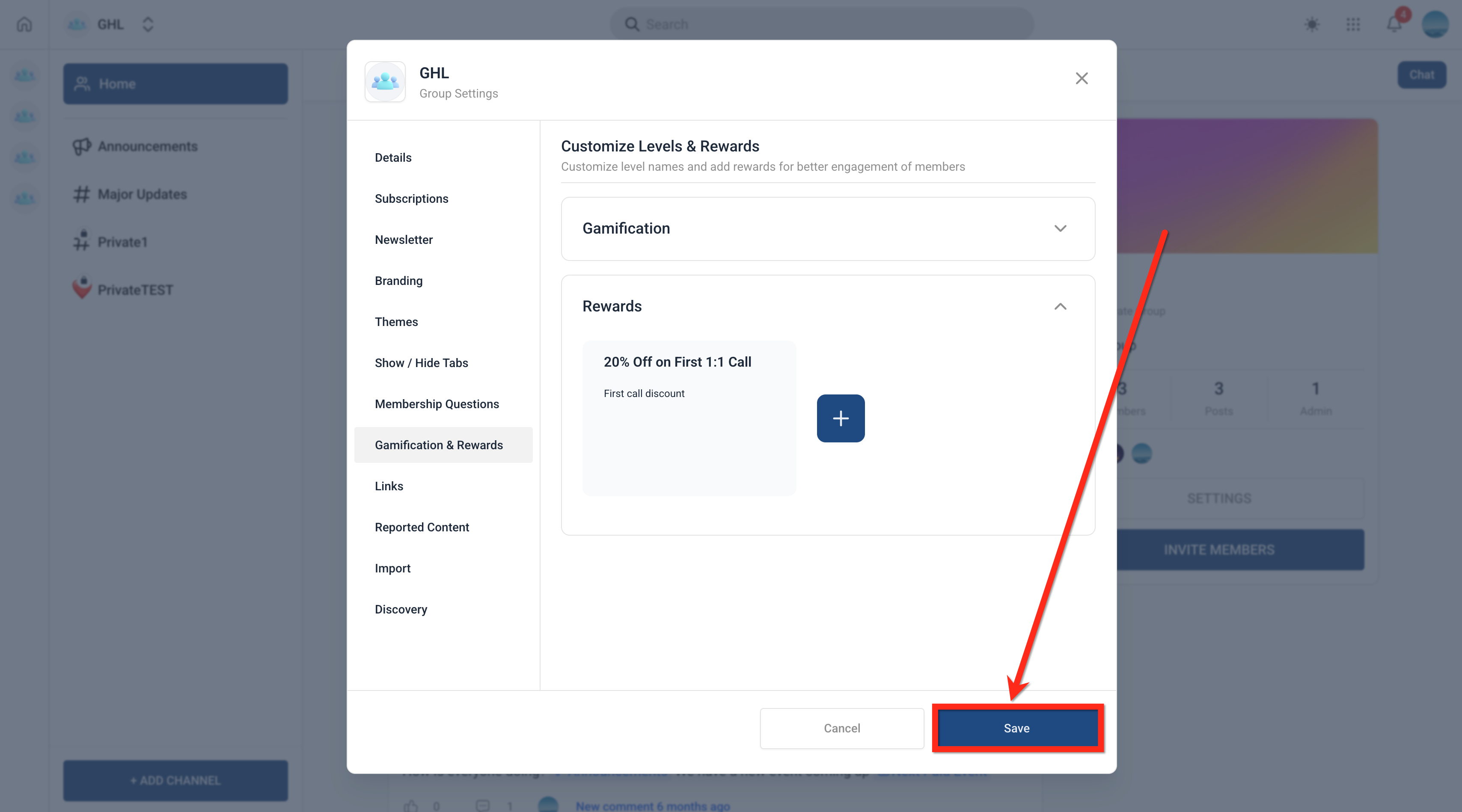
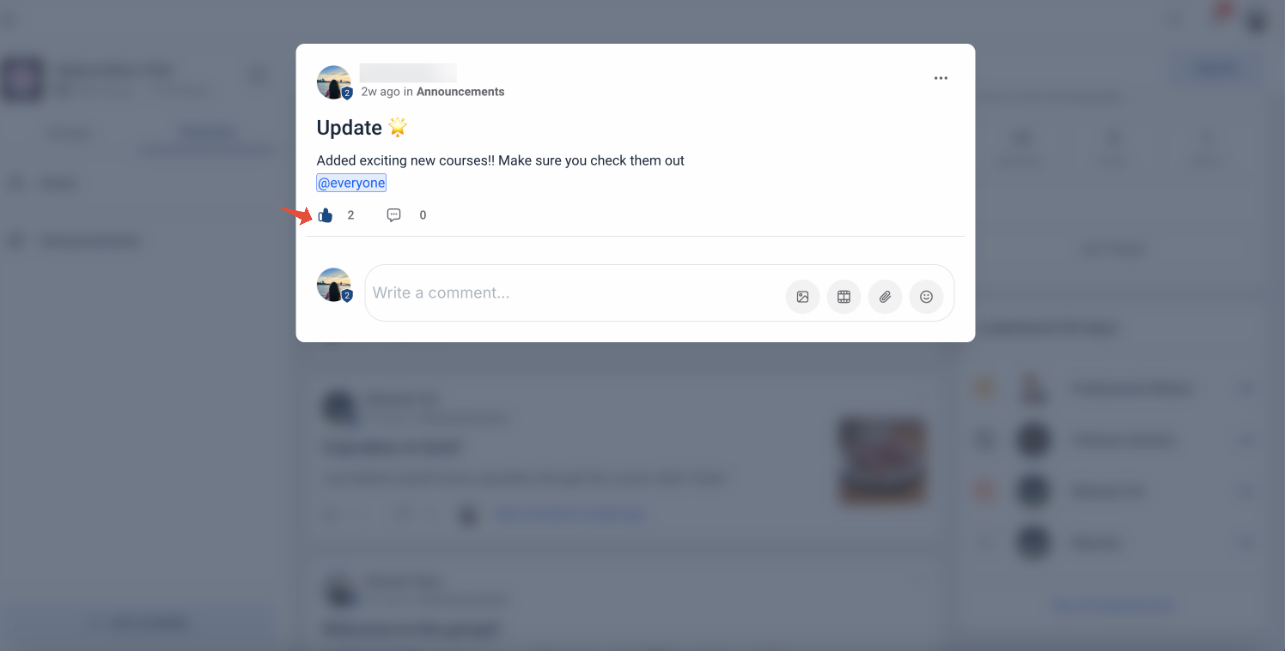
Gamification in Patient Copilot Communities motivates members by turning everyday actions into measurable achievements using points, badges, and leaderboards. It helps boost productivity, encourage healthy competition, and recognize top performers. This article explains how gamification works, its key components, and how to set it up to improve team performance and accountability. * * * ## What is Gamification in Communities? Gamification transforms routine CRM activities into engaging, reward-based experiences that encourage consistent performance. By assigning value to actions such as calls, tasks, and deal progress, teams become more motivated to stay active and achieve goals. Gamification in Patient Copilot consists of three core components: - Points: Numerical values assigned to specific actions - Badges: Achievements earned based on milestones - Leaderboard: A ranking system that compares user performance Together, these elements create a structured system that promotes accountability, visibility, and continuous improvement across your team. * * * ## Key Benefits of Gamification in Communities - Increased Motivation: Encourages team members to stay active and complete tasks consistently - Performance Visibility: Provides clear insights into who is contributing the most - Healthy Competition: Creates a competitive environment that drives better results - Goal Alignment: Reinforces behaviors that align with business objectives - Recognition & Rewards: Highlights achievements through badges and rankings * * * ## How To Use Gamification in Communities Proper setup ensures that gamification aligns with your business goals and accurately reflects team performance. Configuring points, badges, and visibility settings correctly is essential for meaningful results. 1. Go to Memberships > Communities > Groups.!(https://assets.patientcopilot.ai/17ecb5e907deb64f.png) 2. Login to your Group.!(https://assets.patientcopilot.ai/4a059cfdcab9e3c7.png) 3. Click on Settings in your group.!(https://assets.patientcopilot.ai/9f6dc5b4d7c86803.png) 4. Go to Gamification & Rewards tab.!(https://assets.patientcopilot.ai/35cf4720bc26cb32.png) 5. You can edit the names of the Levels but the number of levels(max 9 level) and point structure is preset and cannot be changed.!(https://assets.patientcopilot.ai/0e2ae191835b2827.gif) 6. Add Rewards.!(https://assets.patientcopilot.ai/a5452d9304984de5.gif) 7. Enable and review leaderboard settings.!(https://assets.patientcopilot.ai/9fa7d11b56f6aa4e.png) 8. Save your settings and begin tracking team performance!(https://assets.patientcopilot.ai/d91a5835af398c6c.png) * * * ## How do Levels and Points Work? Points are earned when others like your posts, comments, and replies. 1 like = 1 point for the post or comment author. Note: Member levels are at the group level. A member at level 3 will be at that level in that particular group. If they join another group, they will start at level 1, like all new members.!(https://assets.patientcopilot.ai/307f33fa89f76c32.png) Number of points required to reach a certain level: Level 1 - 0 points Level 2 - 5 points Level 3 - 20 points Level 4 - 65 points Level 5 - 155 points Level 6 - 515 points Level 7 - 2015 points Level 8 - 8015 points Level 9 - 33015 points After reaching a level: - A member’s profile badge will reflect their current level.
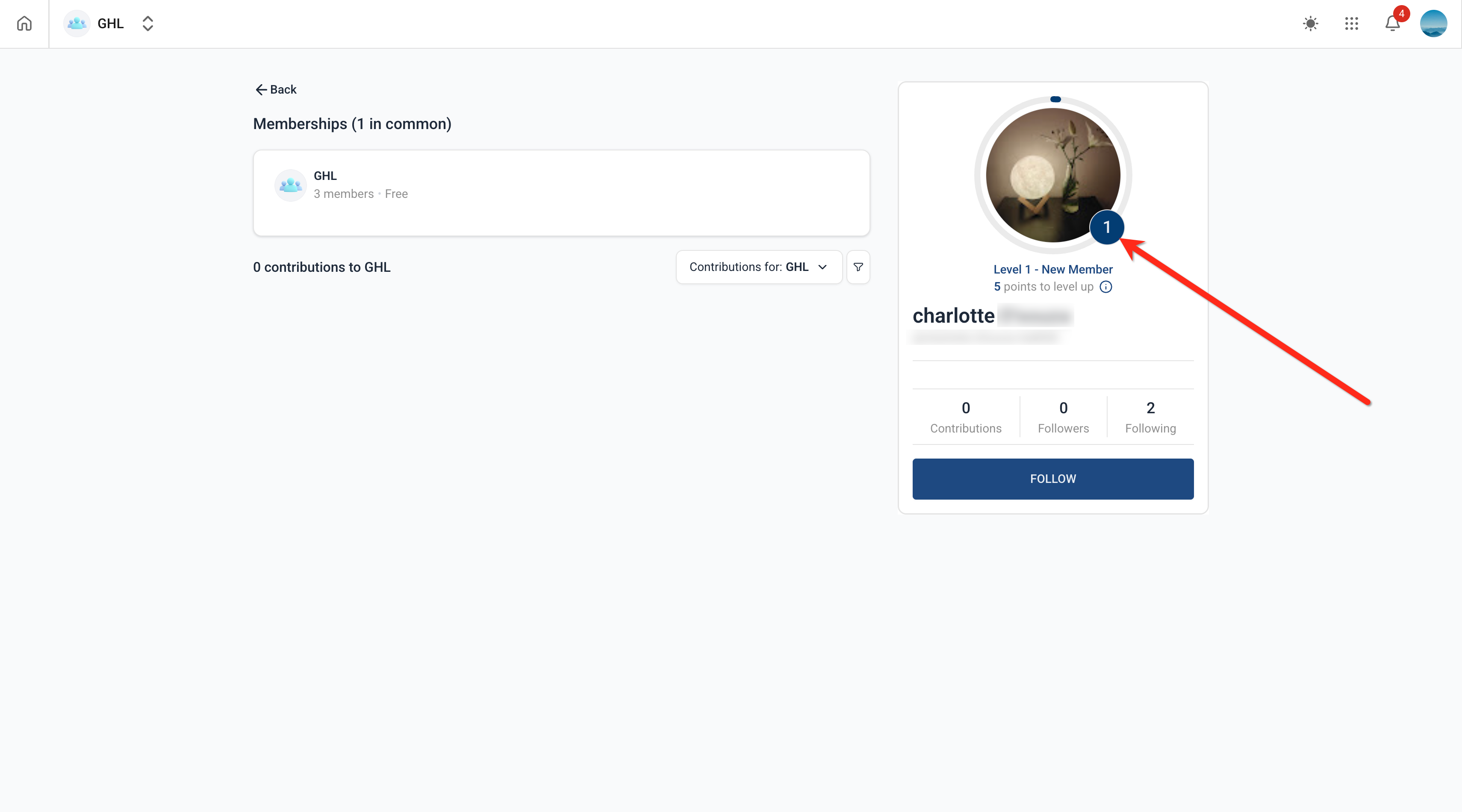
- Users can accordingly see the points required to reach the next level
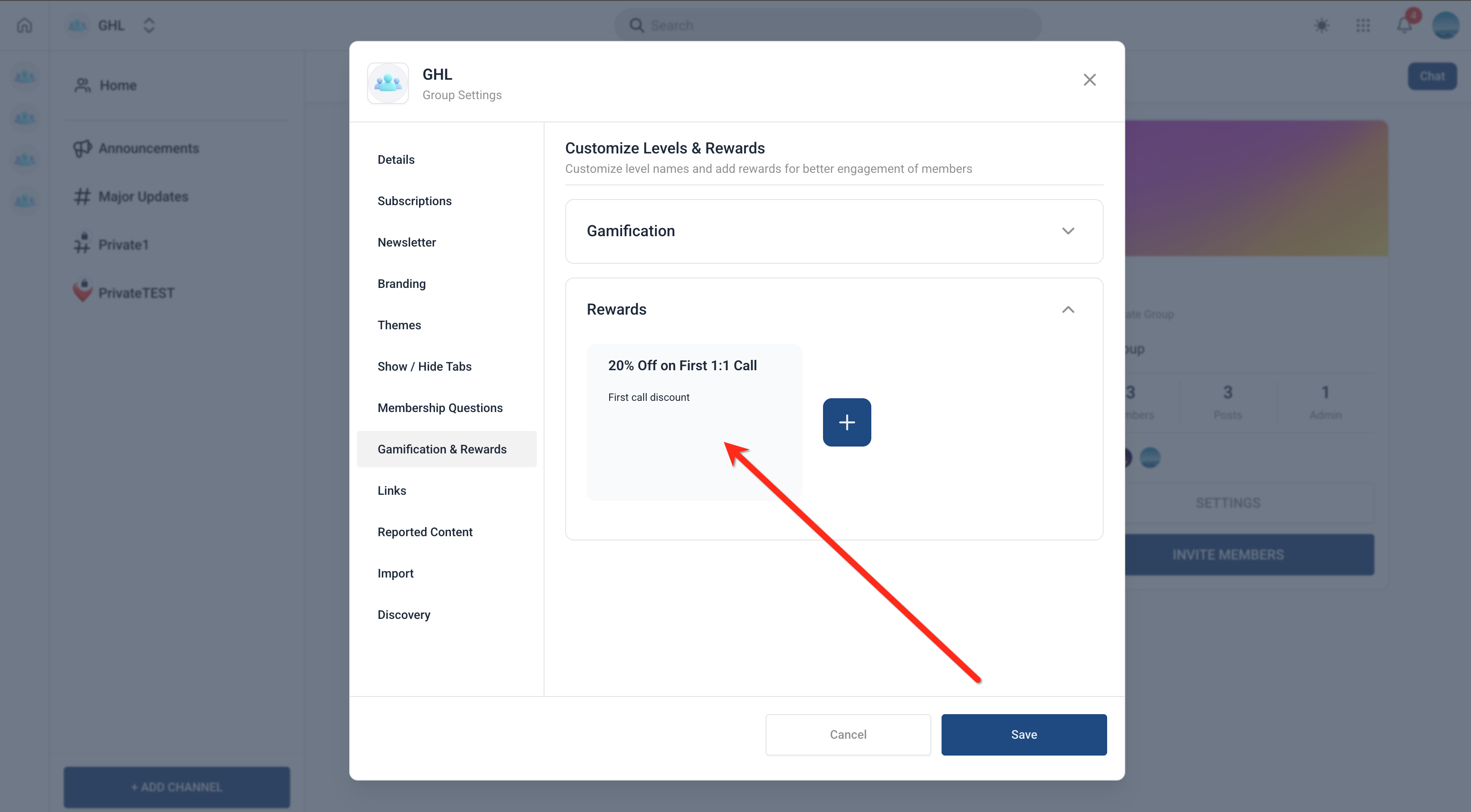
- The circular progress bar is completed after a level is reached!(https://assets.patientcopilot.ai/482e30c0e136dea9.png) * * * ## How Rewards Work? Note: Rewards cannot be linked to any gamification level as of now. All rewards added need to be managed offline. - Rewards: Group admins/ owners can choose to add offline rewards as texts. Maximum 3 rewards can be added. Example - Win after reaching level 5.
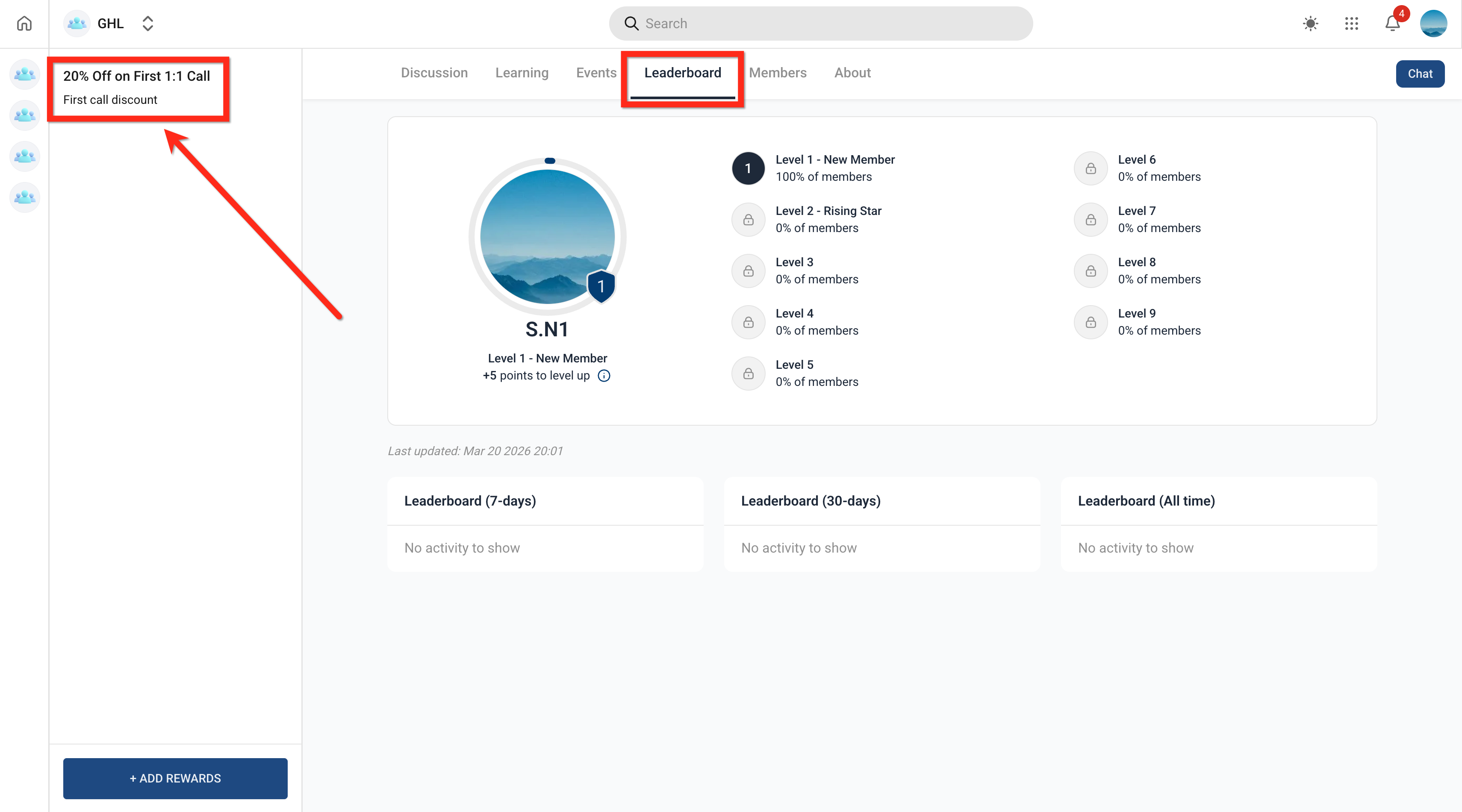
- To add a reward (as an admin), go to Group Settings > Gamification & Rewards > Rewards.!(https://assets.patientcopilot.ai/44fac30753d85c9d.png) - Once Rewards are added, they are reflected on the left nav bar inside the Leaderboard Tab.!(https://assets.patientcopilot.ai/f8e60abdcfa349e0.png) * * * ## Frequently Asked Questions Q: Can I customize gamification levels and point structure? You can edit the names of the levels, but the number of levels (maximum of 9) and the point structure are preset and cannot be changed. Q: Can rewards be linked directly to gamification levels? No, rewards cannot currently be linked to gamification levels. Any rewards must be managed and distributed outside of Patient Copilot. Q: Are badges automatically awarded? Yes, badges are awarded when predefined criteria or milestones are met. Q: Do points reset over time? No. Q: Does gamification affect reporting data? Gamification reflects activity-based performance and may align with reporting metrics, but it is designed primarily for motivation and engagement. * * * ### Related Articles - How to Setup, Customize, and Manage Your Communities - Communities - Customizeable Navigation Tabs In Groups - Communities - Use Go Live to Host Meetings & Broadcasts
- Communities - How to Manage Content