Enabling Twilio Rebilling For Customers Who Were Using The Same SID/Token As Other Customers
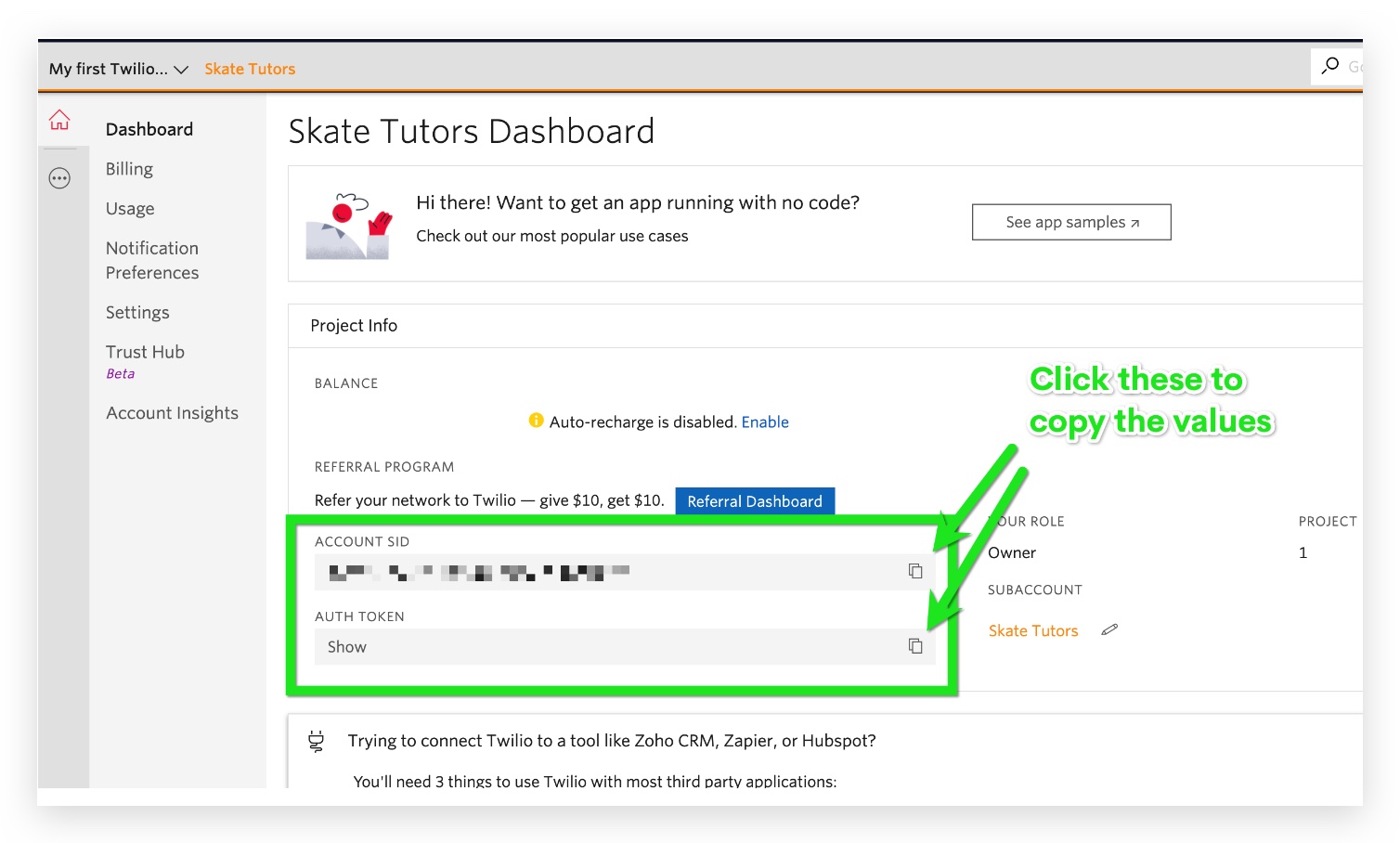
This help article provides detailed instructions for enabling Twilio rebilling for customers who were previously using the same SID and token as other customers. It addresses the process of separating and configuring individual Twilio accounts to ensure accurate and distinct billing for each customer. By following the outlined steps, you’ll be able to successfully transition from a shared Twilio account setup to a rebilling system, improving billing accuracy and client account management. The article is designed to help you manage this transition smoothly and ensure each customer’s Twilio usage is tracked and billed appropriately. ## Step 1: Log into your Twilio account > click the Gear Icon > select sub-accounts > click the red + icon to create a new sub-account and name it to match the client you want to activate Twilio Rebilling for!(https://assets.patientcopilot.ai/64826268ec748f3a.jpg)!(https://assets.patientcopilot.ai/b296d3178e790e44.jpg) You can obtain the new SID and Token by logging into your Twilio account > click the gear icon at the top right > select Sub-accounts > Click the name of your client and you will see those two fields:!(https://assets.patientcopilot.ai/e654020ea2ce623f.jpg) * * * ## Frequently Asked Questions - How can I verify that each customer’s Twilio billing is accurately reflected after the transition? To verify that each customer’s Twilio billing is accurate after transitioning from a shared SID and token, review the billing reports and usage statistics in both Patient Copilot and Twilio dashboards. Compare these reports to ensure that charges are correctly allocated to each customer’s individual account. Regular monitoring and cross-checking of these details can help ensure that billing remains accurate. - Can I revert to the shared SID and token setup if I encounter issues with the new configuration? Reverting to the shared SID and token setup is possible but not recommended if it affects billing accuracy and account management. If you encounter issues with the new configuration, it’s advisable to troubleshoot and resolve the problems rather than reverting. If needed, consult Patient Copilot or Twilio support for guidance on resolving specific issues before considering a reversion. * * * ## Related Articles - (https://help.patientcopilot.ai/en/support/solutions/articles/155000002369)[Enabling Twilio Rebilling For Cu](https://help.patientcopilot.ai/support/solutions/articles/48001178719-enabling-twilio-rebilling-for-customers-who-want-use-their-own-twilio-account)stomers Who Want Use Their Own Twilio Account Was this article helpful? That’s Great! Thank you for your feedback Sorry! We couldn’t be helpful Thank you for your feedback Feedback sent We appreciate your effort and will try to fix the article
!(https://assets.patientcopilot.ai/b296d3178e790e44.jpg)